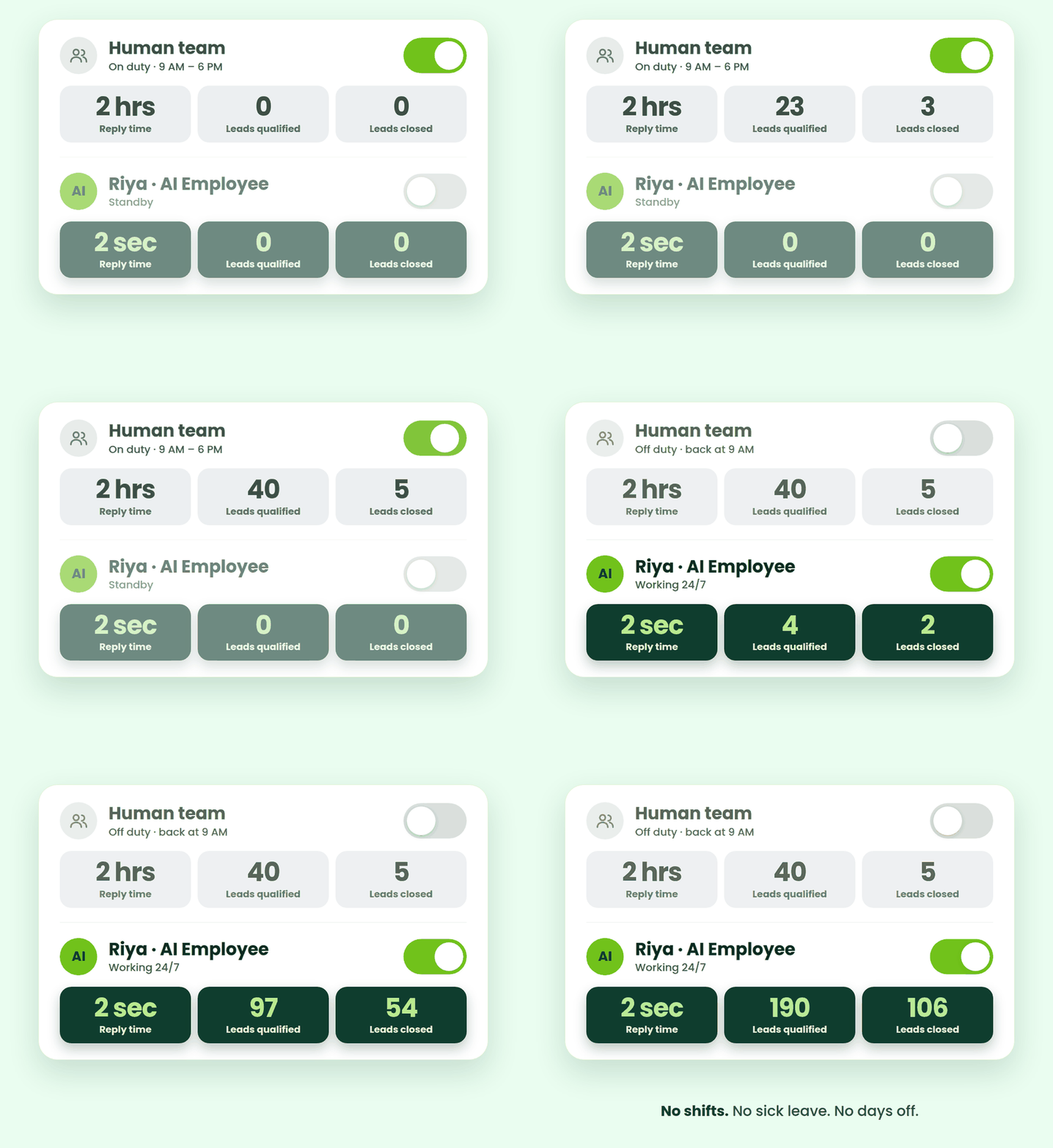
Deploy AI Employees that work 24/7 to qualify leads, answer customers, collect information, analyze messages, images and documents, and take action for your business.
No salary.No shifts. No sick leave. Just AI Employees built to work the way your business works.
From qualifying leads and supporting customers to extracting information and making decisions, your AI Employees can understand, act and complete business tasks — 24×7.
AI Lead Qualification Employee
Make sure your sales team focuses on the right opportunities.
Understand customer messages, ask follow-up questions, find the information needed and determine whether the issue can be resolved immediately or needs human support. Resolve the issue or create a support ticket for your team.
AI Sales Employee
Close more deals, 24x7 without struggle and chasing.
Chat to prospects, understand their requirements, ask the right follow-up questions and win more customers, effortlessly. Add the lead to your CRM and automatically assign it to the right salesperson.
AI Data Collector Employee
Collect the information your business needs.
Ask customers for the required details, understand their responses and organize information such as name, email, requirements, budget, preferences and more. Store the structured information directly in your CRM without manual data entry.
AI Data Extraction Employee
Turn documents into structured business data.
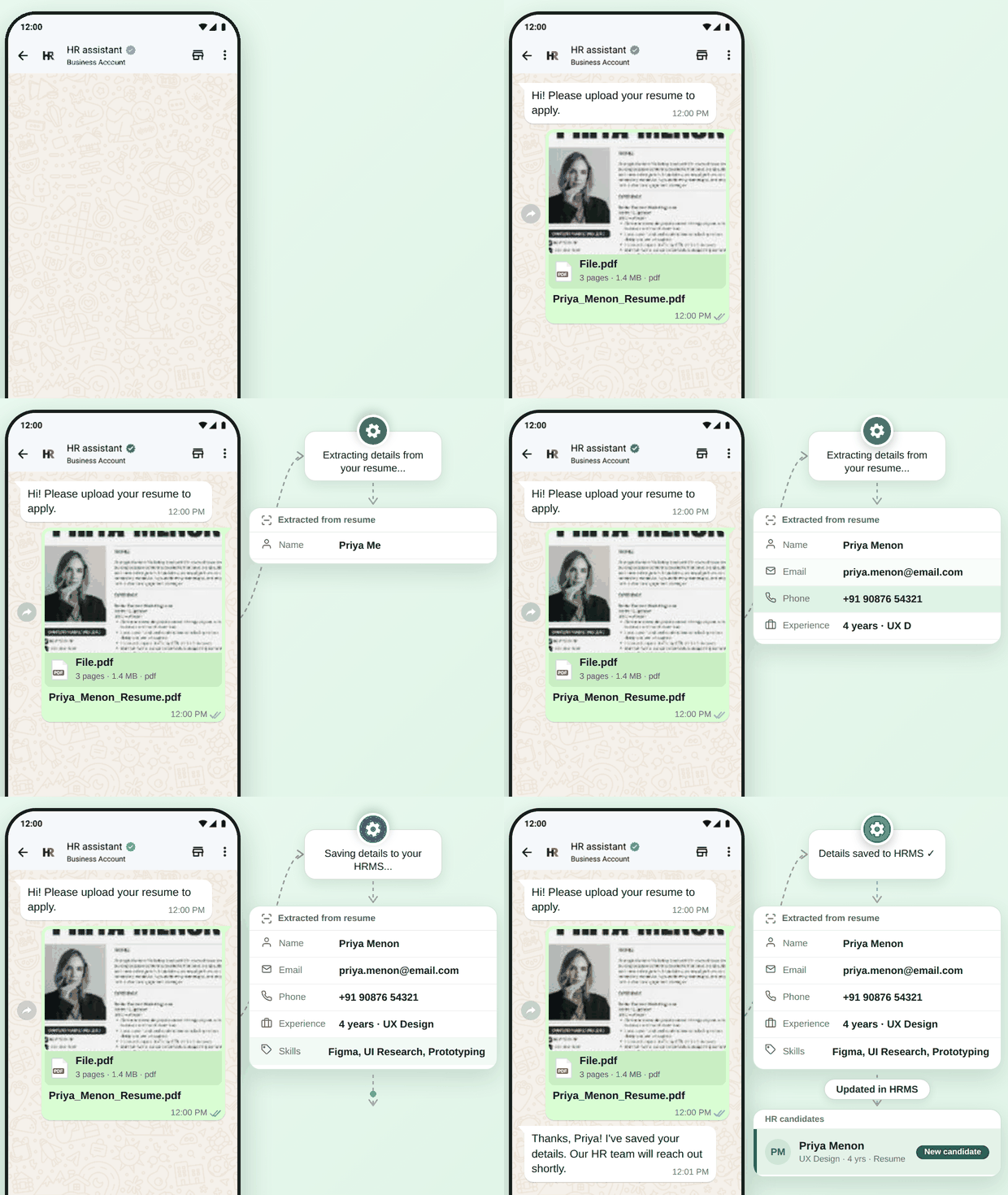
Read resumes, invoices, applications, reports, PDFs and other documents and extract the information your business needs. Save the document and extracted data to your CRM or trigger the next business action.
AI Image Understanding Employee
Understand what your customers show you.
Analyze photos, screenshots and other images to identify the information relevant to the job you’ve assigned. Convert the information into structured data and save it to your CRM.
AI Decision & Analysis Employee
Analyse information and make decisions based on your rules.
Give AI your data, criteria and business logic. It can analyse the information and determine the appropriate outcome. Make a decision based on your defined criteria and automatically trigger the appropriate next action.
Build Your AI Employee
Create an AI Employee for almost any business task.
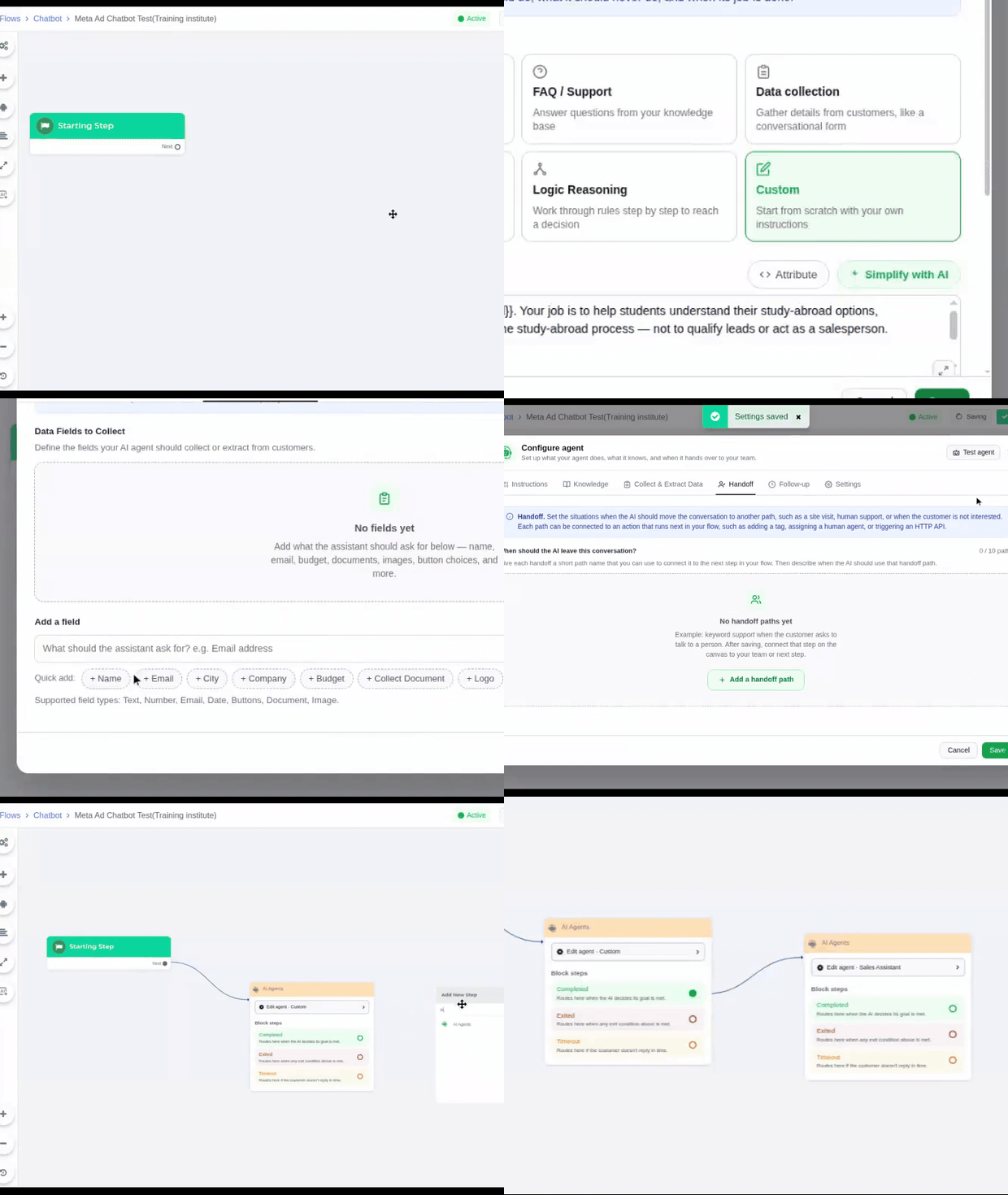
Define what you want your AI Employee to do, what it should know and how it should respond. It can then perform the job consistently whenever required. Perform the appropriate actions using 35+ built-in actions and your connected business systems.
Human vs. Automation vs. AI Employees
Compare hiring a person, using basic automation, and deploying an AI Employee across the factors that matter most to your business.
Business Factor
Human
Automation
AI Employee
Handle different customer situations
Makes decisions
Human judgment
Rule Based
Context-based
Availability
Working hours / shifts
24/7
24/7
Onboarding time
Weeks
Setup once
Setup once + instructions
Monthly cost
Salary + benefits
Low
Predictable & scalable
Scaling for peak season
Hire more people
Limited to predefined tasks
Scale instantly
Sick leave / attrition risk
High
None
None
Consistency
Depends on employee
Rule-based
Consistent + context-aware
An AI Employee Built Around Your Business
Give your AI Employee the knowledge, boundaries, tools and conversation style it needs to work the way your business works.
Zero Blind Spots
Train your AI Employee the way you train your team. Give it instructions, product knowledge, images, brochures and other business information so it responds based on what you provide.
You Set the Boundaries
Decide exactly what your AI Employee can and cannot say, what it can do, and when a conversation should be handed over to a human.
Sells Like Your Best Rep
Recommend the right product or service based on what the customer actually needs—not a generic sales pitch. Your AI Employee understands the conversation and guides customers toward the most relevant solution.
Seamless Human Handoffs
When a conversation needs a human touch, your AI Employee hands it over with a concise summary and relevant customer information. Your team never needs to read the entire conversation again.
Understands & Speaks Your Customer’s Language
Your AI Employee can understand and respond in the language your customers are most comfortable with, making conversations more natural, accessible and effective.
Customers can simply send a voice message. Your AI Employee understands what they’re saying, extracts the relevant information and responds appropriately—without asking them to type it all out.
Control Your AI Costs
Set conversation limits for each customer to keep AI usage predictable. Control how many interactions your AI Employee can handle while keeping your costs under control.
Automated, Context-Aware Follow-Ups
Customers don't always complete a conversation immediately. Set automated follow-up sequences that understand the conversation context and continue engaging customers with the right message at the right time.
Rich, Meaningful Conversations
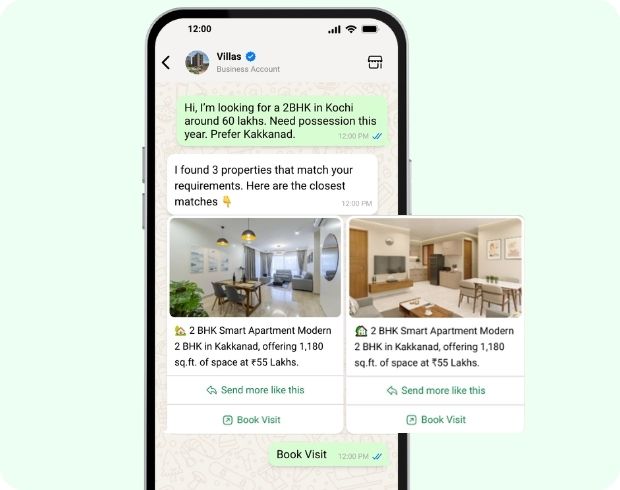
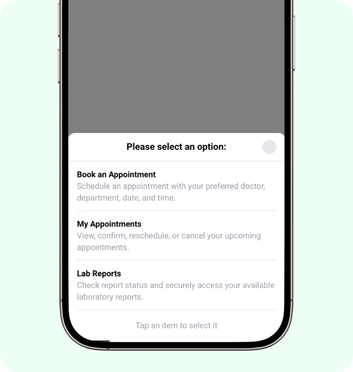
Go beyond plain text. Use buttons, list menus, carousels, images and documents to create richer, more interactive conversations that help customers find what they actually need.
Get Your AI Employee Working in 3 Simple Steps
Set up in minutes. No coding. No complex training.
Teach Your AI Employee
Add your business knowledge, product information, brochures, images and instructions.
Define What It Should Collect
Set up the information your AI Employee needs to capture, extract and organize.
Test, Launch & Go Live
Test real conversations, fine-tune the responses and put your AI Employee to work.
The AI Employee Every Industry Wants on Their Team
Travel & Hospitality
Education & Training
Healthcare
Automobile
Financial Services
Recruitment & Staffing
Travel & Hospitality
Never miss a booking inquiry again, even at midnight.
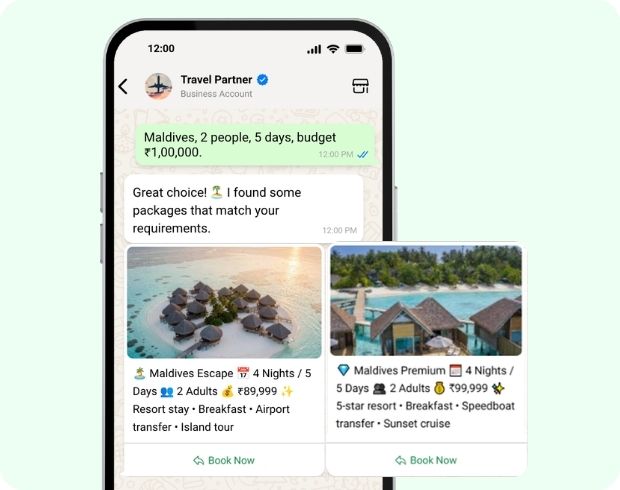
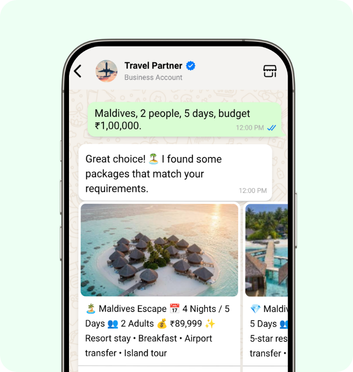
Shares package & itineraries as carousels & brochures
Transcribes voice messages from travellers and replies
Speaks guests' language, from regional to international
Education & Training
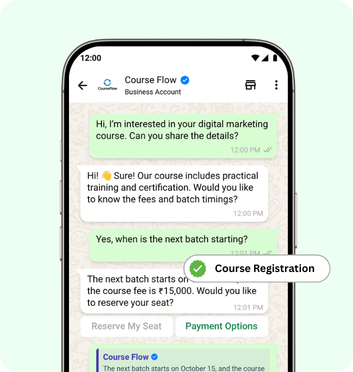
Every admission enquiry becomes a follow-up sequence that doesn’t quit.
Answers only from your course details and fee structures
Books counselling calls and demo classes on its own
Answers student queries around the clock
Healthcare
Handle appointment questions instantly, and route anything sensitive straight to your staff.
Patients can choose doctors, departments & time slots with buttons & list menus
Sends appointment confirmations and collects reports
Sends appointment reminders to cut no-shows
Automobile
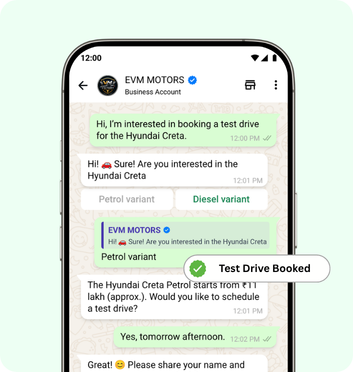
Qualify test-drive leads and follow up before your competitor’s showroom does.
Shares variant images & offers in rich carousels
Recommends the right model based on budget & needs
Sends service and renewal reminders to customers
Financial Services
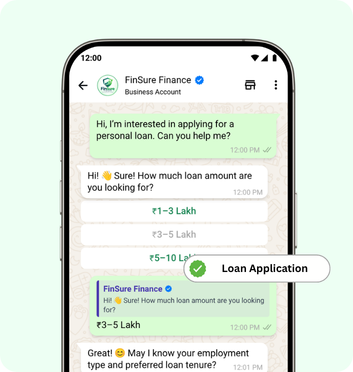
Collect documents securely and hand your advisors only verified, ready-to-close leads.
Replies only based on your approved policy information
Sends payment and renewal reminders on time
Advisors get relevant customer details & chat summary
Recruitment & Staffing
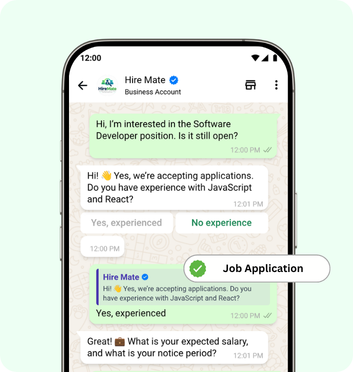
Screen candidates, collect resumes instantly, and let recruiters focus only on people worth interviewing.
Collects candidate details like name, location & experience
Send interview schedules with time automatically
Follows up with candidates until they complete screening
Frequently asked questions
What are AI agents?
AI Agents understand text messages from users, answers from your own knowledge base, asks follow-up questions, collects details, and decides what to do next.
Can I control what the AI Agent should and shouldn't answer?
Yes, you can set clear boundaries on what it responds to, and when it should hand over or end a conversation.
Can the agent act as a salesperson, support agent, or HR assistant?
Yes, choose from built-in personas or build a custom one to match the role you need.
How do I train the AI on our business details?
Simply prompt it in conversational language. Add hours, pricing, policies, and products, no technical setup needed.
Can it collect customer information automatically?
Yes, it extracts details like name, email, and requirements from text, images, or documents, and saves them as attributes for updating CRM.
How many times will it follow up with an unresponsive customer?
Up to 3 follow-up messages, each timed from the customer’s last reply, on a schedule you set.
Can we choose which AI model powers the agent?
Yes, pick the provider/model that fits your needs, such as a lighter model for FAQs or a stronger one for sales conversations.
How does the AI decide when to bring in a human agent?
Based on conditions you define, like a disinterested customer or a request for human support, it can redirect the conversation accordingly.
Can it filter out spam or low-quality leads?
Yes, it qualifies leads automatically before they reach your team.
Do we need technical skills to set it up?
No, it’s designed for business teams to configure without coding.
How does the Picky Assist AI agent's pricing work?
The AI agent runs on a token-based system. Tokens are consumed whenever the AI generates a response, so your usage scales directly with how much the AI is actually doing for you.
Can I control how many tokens my AI agent uses?
Yes. You can set limits and controls around token consumption, so usage stays predictable and doesn’t run away from you as conversation volume grows.
Does our team have to read the full chat after a handoff?
No, the AI provides a short summary once the conversation ends or is handed off.
Can customers interact with buttons or menus instead of typing?
Yes, you can enable buttons, list menus, and product carousels for tap-to-select responses.
Stop Choosing Between Growth and Headcount
Every conversation you can’t answer fast enough is a customer walking to a competitor. Every hire you make to keep up costs you months of ramp-up and a permanent line on your payroll.