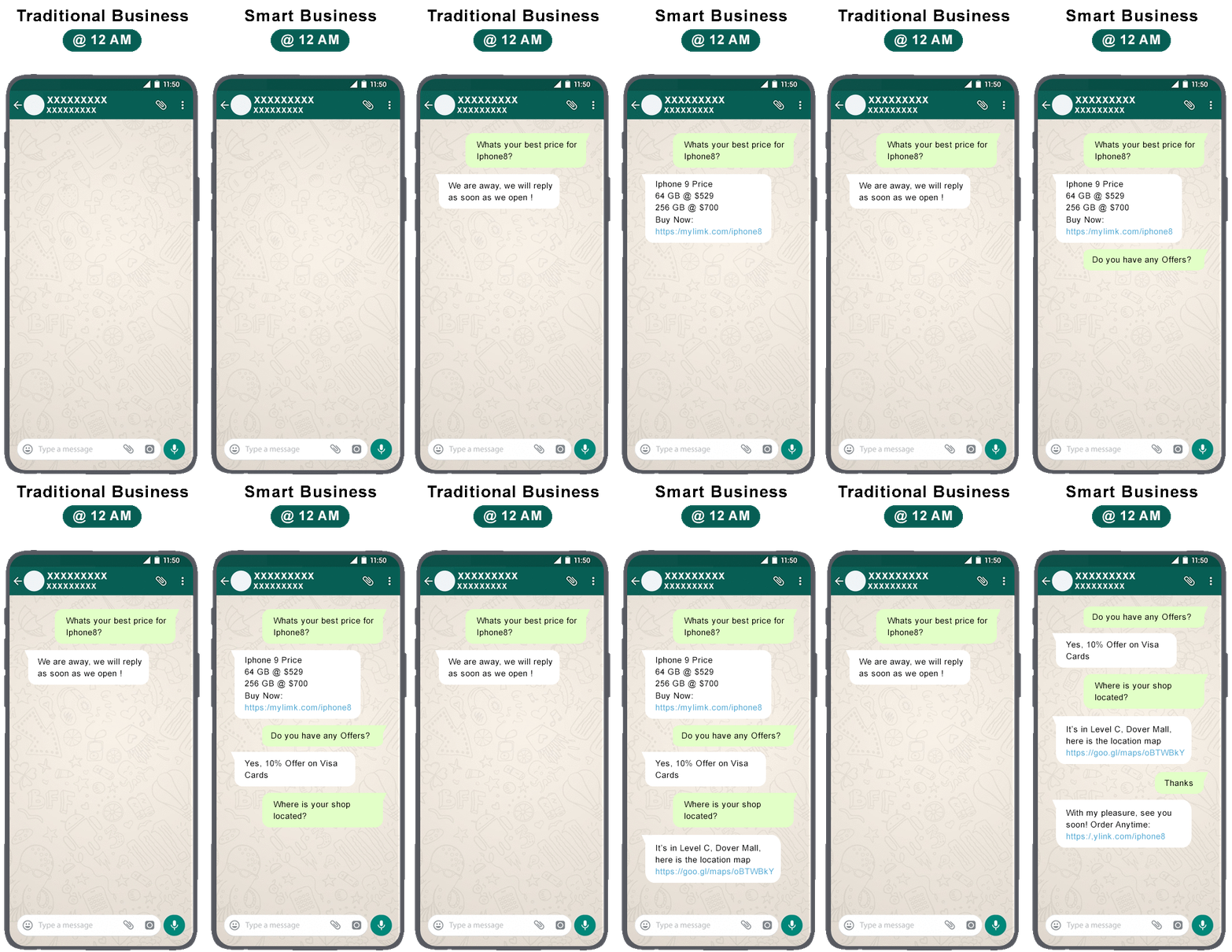
WhatsApp Business App
For businesses managing conversations manually.
Free
Scalable, Reliable & Affordable Fully Managed WhatsApp Official Messaging Solution, we take care Onboarding, Support, Billing and fully managed services

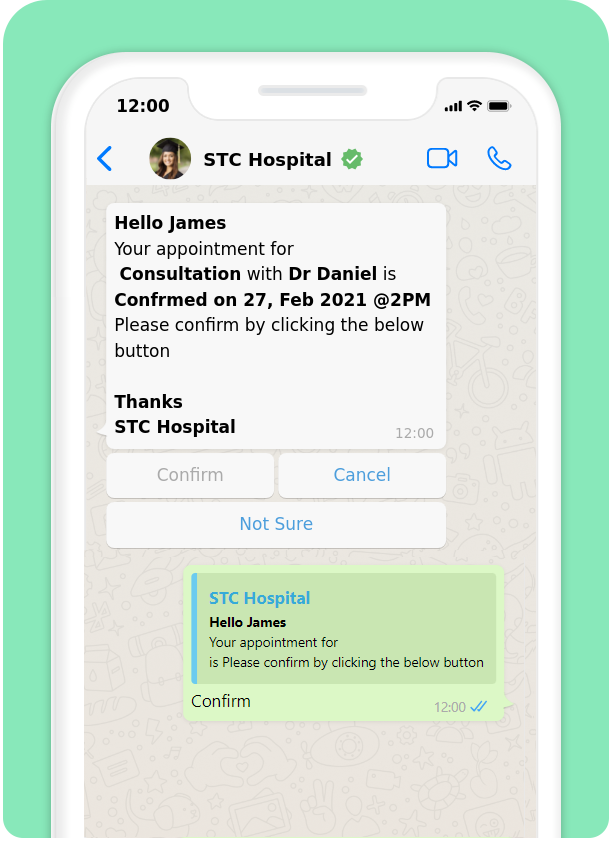
Truly Reliable & Highly Scalable Official Messaging Solution
User your existing landline, toll-free or mobile number
250+ Through Put Per Second (TPS) with 99.5% Uptime
Supports all type of media files including contact, location
Get Delivery & Read* Reports and Configure Fall Backs
Start Conversation with Users using WhatsApp Approved Templates
Your number is Officaly Authorised by WhatsApp. Liberal Blocking
*Read receipt will not generate if users privacy is on
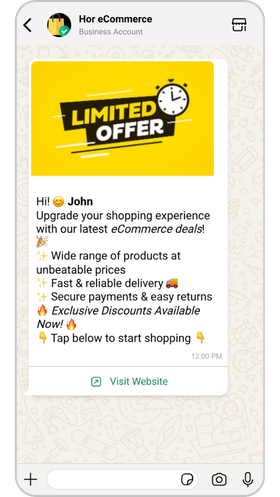
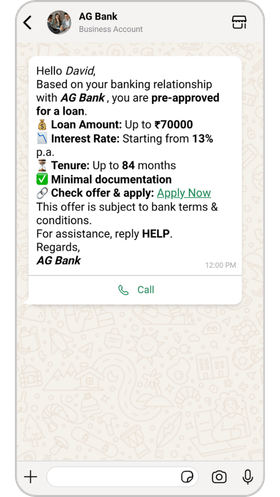
WhatsApp Supports wide range of messaging types to interact with customers in a more intuitive way than WhatsApp Business App
Standard formats for everyday customer conversations.
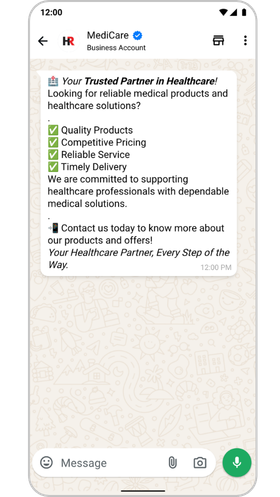
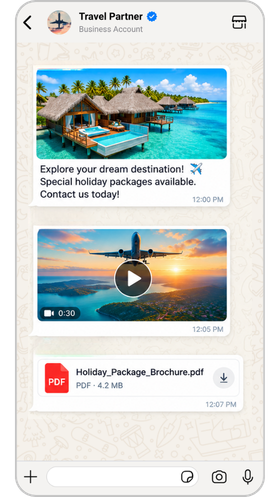
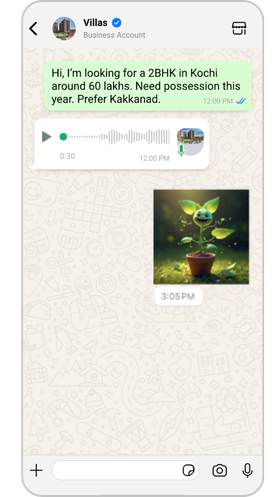
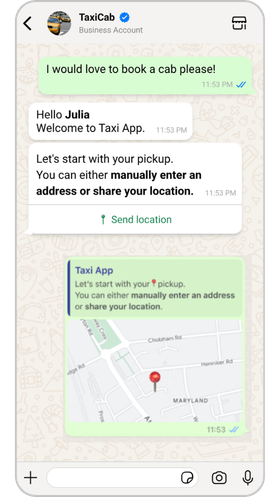
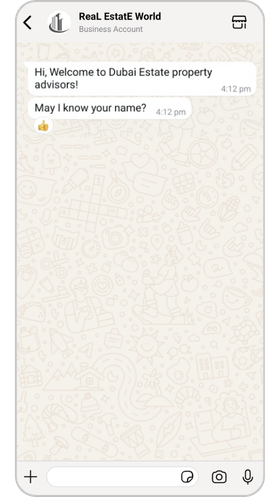
Tappable messages that make it easy for customers to respond.
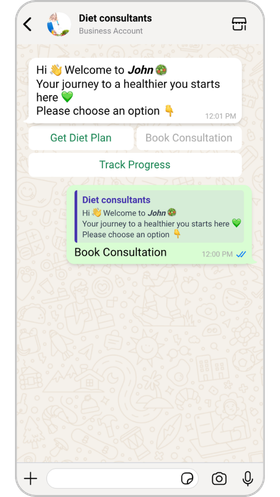
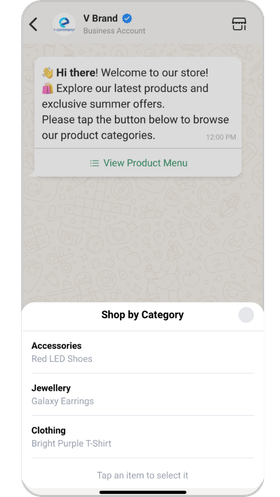
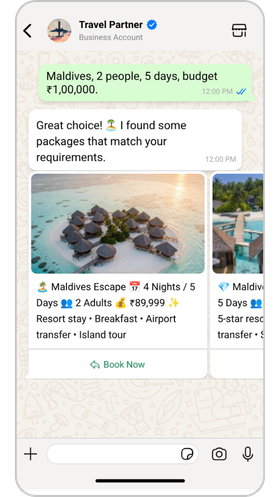
Buttons that take customers to the next step with one tap.
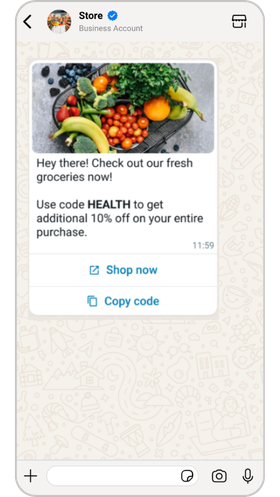
Let customers browse and buy without leaving the chat.
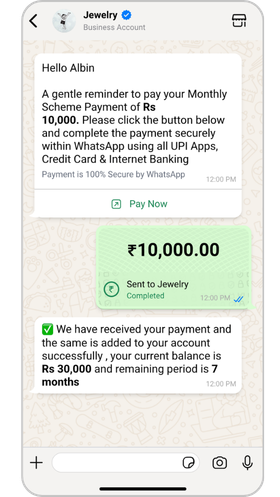
Collect payments securely inside the conversation.
The one-stop complete business automation
solution for your business
Your Customer’s & Team United through a Unified Inbox Integrated Seamlessly with WhatsApp, Instagram & Facebook Messenger.
Read MoreKeep your Business Open 24 x 7 With our Artificial Intelligence (AI) & Machine Learning (ML) Chatbots. Seamless Integration with ChatGPT
Read MoreSend Personalised WhatsApp & Emai at Scale, Upload From Excel Sheet, Segmentation, and much more.
Read More
A unified funnel that combines data, conversations, and processes for tailored goal achievement.
Read MoreBuild a complex chatbot and workflow with our no-code drag-and-drop flow builder to automate most of your repetitive tasks.
Read MoreThe all-in-one CRM with AI chatbots & WhatsApp automation. Improves lead management.
Read MoreConnect Picky Assist & WhatsApp with 5000+ App. Multiple Steps, Filters, Delay, Formatter & Actions.
Read MoreWe know there are competitors in the market and winning the customer’s heart is possible only by answering “Why Picky Assist?” below are the answers for you,
Picky Assist is a WhatsApp Tech Partner, working with leading BSPs to onboard businesses globally in line with WhatsApp’s Terms of Service and Commerce Policy.
One of our unique feature “Delete Forever” ensures best in class data security which deletes all messages including media files after a specified period or instantly as per your requirements from all our servers.
Our “On Demand Scalability” ensures processing high volume of messages in a scalable manner with WhatsApp Multi Connect & High Availability Architecture. Extra Charges Applies Read More
Nobody offers wider integration than us, our Native & Seamless Integration to 5+ popular application and 2000+ app integration via Zapier / Integromat or virtually integrate anywhere through our Connector or build a custom integration using our API & Webhooks.
Embedded Signup reduces onboarding time to minutes by simplifying the process and having all the steps (i.e, connecting WhatsApp Business Manager accounts, creating WhatsApp Business Accounts (WABAs), verifying phone numbers) in a single flow
Unlike many other providers who force you to buy a new number or allocate a random number we allow you to bring your own number from any country, you can use your existing WhatsApp Personal or Business number or even a Landline number.
Understand what all are the requirements and eligibility to get started with WhatsApp Official Account
WhatsApp classifies the messages into 4 categories and businesses need to select the appropriate category while sending messages via WhatsApp Official solution
User-initiated messages are messages sent by a user and received by a business, which opens a service conversation session for the next 24 hours. Each business phone number receives 1,000 free service messages per month as per Meta. Once this free allowance is exhausted, replies sent within the 24-hour customer service window without a template are also billed per message by Meta. Businesses using the API/Platform must keep an active payment method on file to avoid interruptions in message delivery. Messages delivered through free entry point (FEP) ads that click to WhatsApp remain free of charge throughout their active window.
When the 24-hour session is expired or a Business wants to initiate a message then needs to make use of Template Messages. Templates are pre-approved messages from WhatsApp which used to send outbound messages and categorized as Utility , Authentication & Marketing. Businesses must select the appropriate category while sending business-initiated messages and each category
Facilitate a specific, agreed-upon request or transaction or update to a customer about an ongoing transaction, including post-purchase notifications and recurring billing statements
Enable businesses to authenticate users with one-time passcodes, potentially at multiple steps in the login process (e.g., account verification, account recovery, integrity challenges)
Include promotions or offers, informational updates, or invitations for customers to respond/take action. Any message that does not qualify as utility or authentication is considered Marketing.
When a customer sends a message to the business and the replies from the business are considered a service conversation and this is valid for 24 hours from the last message time of the user
WhatsApp templates are used to initiate a conversation with users when there is no 24-hour service conversation window available or when the business needs to proactively send messages.
There are three types of template categories that you need to select while requesting a template from WhatsApp:
This category facilitates a specific, agreed-upon request, transaction, or update to a customer about an ongoing transaction, including post-purchase notifications and recurring billing statements.
This category enables businesses to authenticate users with one-time passcodes, potentially at multiple steps in the login process (e.g., account verification, account recovery, integrity challenges).
This category includes promotions or offers, informational updates, or invitations for customers to respond or take action. Any message that does not qualify as utility or authentication is considered a Marketing.
WhatsApp charges you based on the template category and the destination phone number’s country code. Each template has different charges that vary according to the recipient’s country to whom you are sending template messages.
WhatsApp supports almost all languages for templates, and you will have the option to select the language when requesting through our platform or API. See all Supported Languages
All templates are reviewed by the WhatsApp team to ensure the contents and category selection are as per their policy. A template can take between 2 hours and 2 days to get approved.
A dynamic variable is an important part of the templates. It allows you to pass dynamic content to the message. While requesting message templates, you can specify the dynamic variable like {{1}}, {{2}}.
For example: “Your One Time Password (OTP) to {{1}} is {{2}}”. In the above template, you can replace {{1}} and {{2}} with your own value when sending the message.
WhatsApp has template-wise quality checking and scoring. Each template has a quality score based on how users respond to the messages, like spam reports, blocking, etc. If the quality goes below a specific limit, WhatsApp will first block the capabilities of using that template and later put restrictions on the number for sending messages or downgrade the message-sending tiers.
WhatsApp doesn’t support all messaging formats in templates, for example, sending a file, and sharing a location is not supported. Below are the supported message formats that can be used in a template:
Text, Image, Video, PDF, 3 Buttons, 2 Call to Actions (Open Website, Call).You can’t simply type and send messages when you are using WhatsApp Official solution, below are the rules you need to follow while sending messages.
| Message Category | Restriction | Supported Message Formats | Conversation Validity |
|---|
| To Reply an Incoming Message | Service | Billed per message after 1,000 free service messages monthly per number. | All | 24 hours from user’s last message |
|---|---|---|---|---|
| To Send Utility / Transactional Messages | Utility | Only pre-approved templates can be sent | Image, Video, PDF, Text, Quick Reply buttons & Call To Action buttons. | Billed per message; no session |
| To Send an OTP | Authentication | Only pre-approved templates can be sent, Only Text with One button is supported | All | Billed per message; no session |
| To Send Marketing/Promotional Messages | Marketing | Only pre-approved templates can be sent. | Image, Video, PDF, Text, Quick Reply buttons & Call To Action buttons. | Billed per message; no session |
Easily estimate how much it will cost your business to send Marketing, Utility, and Authentication template messages across different countries.
Charges shown in currencies other than USD and INR are only for reference. All Indian customers will be billed in INR, while non-Indian customers will be billed as per the charges mentioned in USD (United States Dollar).
Understand all about Display Name for business and Verified Blue Tick badge
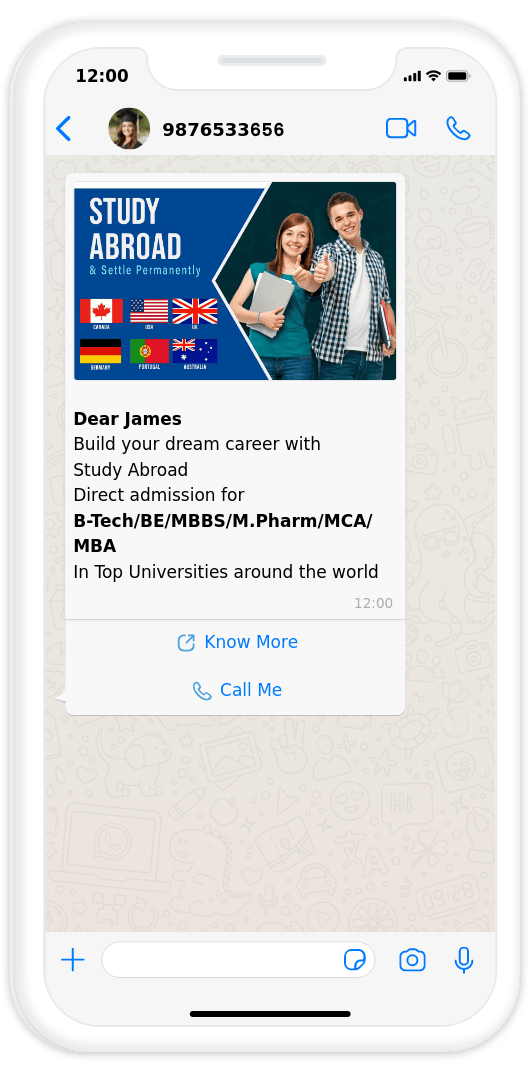
The WhatsApp Business display name is your business name that customers see on your WhatsApp Business profile. Display names should be related to your business and must not violate WhatsApp Commerce and Business policies. In addition, the display name must comply with WhatsApp display name guidelines to send messages using the WhatsApp Business Platform or to qualify for the WhatsApp official Business Account.
If your business desires to have a WhatsApp Verified Blue tick, it must be considered a notable business. A notable business is a well-known business that has a substantial presence in news articles from publications with sizable audiences. WhatsApp official Business Accounts are issued for phone numbers. With the same phone number, you can use the current or a new business name to apply for the WhatsApp official Business Account.
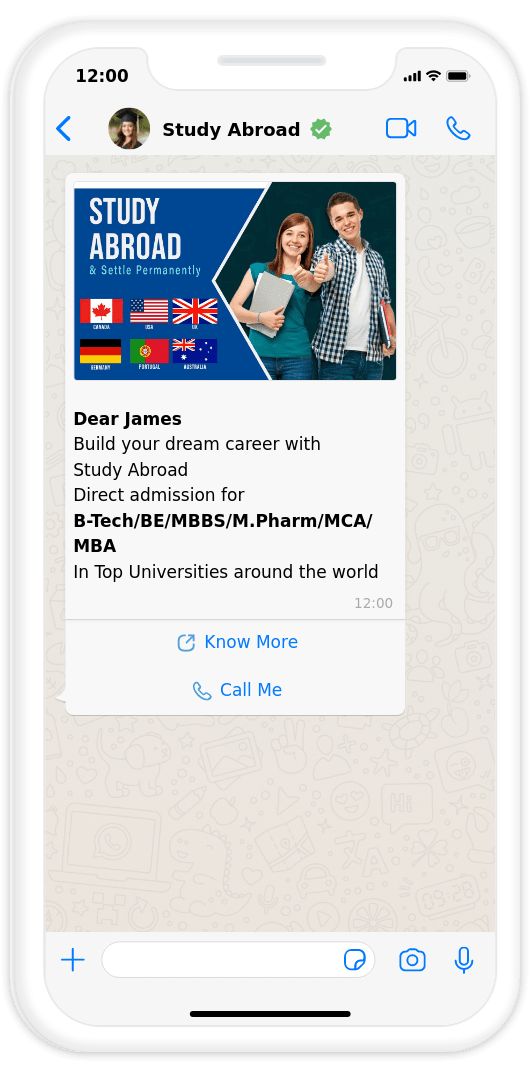
*Both Display Name & WhatsApp Verified Blue Tick are subjected to approval from WhatsApp & BSP or ISVs don’t have any role
As per WhatsApp policy in order to send business-initiated messages to WhatsApp users the business must acquire consent from the user in any form as explained here
Businesses must follow the below requirements when obtaining opt-in:
As long as the opt-in method meets the above requirements, it will be policy compliant.
The following are examples of supported opt-in methods:
So if you are considering WhatsApp as a lead generation method to outreach customers then WhatsApp is likely to block your number sooner.
There are 2 options available for you to automate your WhatsApp messaging with Picky Assist. Choose the right solution as per your requirements. Below is the feature list between your regular WhatsApp Business App, WhatsApp Business App + API (Co-existence), and Full WhatsApp Business API.
| Features | WhatsApp Business App | WhatsApp Business App + API (Co-existence) | Full WhatsApp Business API |
|---|---|---|---|
| Able to integrate with any software through API | No | Supported | Supported |
| Create Chatbot or Connect AI Agents | No | Supported | Supported |
| Send Bulk Messages | Through Broadcast Limit 256 | Supported | Supported |
| Interactive Messaging | No | Buttons, List Menu | Buttons, List Menu, WhatsApp Flow |
| Track Ads that Click on WhatsApp | No | Supported | Supported |
| Messaging Speed | One to One | 10 Messages per second | 80 messages per second |
| Able to Use WhatsApp Web | Yes | Yes | NoPicky Assist Teambox should be used |
| Able to Use WhatsApp Business App | Yes | Yes | NoPicky Assist Mobile App should be used to manage messaging |
| Able to share a WhatsApp number with multiple users | No | No | Yes |
| Able to Make WhatsApp Audio Calls | Yes | Yes | Coming Soon |
| Able to Make WhatsApp Voice AI Agents | No | No | Coming Soon |
| Able to Make WhatsApp Video Calls | Yes | Yes | No |
| WhatsApp Catalog Automation | No | No | Supported |
| WhatsApp Payment Automation | No | No | Supported |
| WhatsApp Free Blue Tick | Paid | No | FreeBased on eligibility criteria |
| WhatsApp Group Automation | No | No | YesBased on eligibility criteria |
When you connect your existing WhatsApp Business App with Picky Assist, the following restrictions will apply to your WhatsApp Business App.
| Feature | What Changes After Connecting |
|---|---|
| Disappearing messages | Turned off for all individual (1:1) chats. |
| View once messages | Disabled for all individual (1:1) chats. |
| Live location messages | Disabled for all individual (1:1) chats. |
| Broadcast lists | You cannot create new broadcast lists. Existing lists become read-only. |
| Linked devices | Existing linked devices are unlinked during connection. You can relink supported devices, up to four. WhatsApp for Windows and WearOS are not supported. |
| Catalog and Orders | Catalog and order management is not supported for Coexistence connections, while supported for other connections. |
| Chat history sync | You can choose to share up to 180 days of chat history with Picky Assist. Media files do not sync. |
| Group chats | Continue working in the WhatsApp Business App but are not synced to Picky Assist. |
| Messaging costs | Messages sent from the WhatsApp Business App remain free. Messages sent through the API are charged according to applicable WhatsApp pricing. |
It’s easy to get started with a WhatsApp Official account if you met the
above requirements and agree to the Picky Assist Plans & WhatsApp Charges