
When your account gets blocked, an ad is rejected, your Business Manager glitches, or a page verification suddenly fails, understanding how to contact Facebook support becomes critical. Most users struggle not because solutions don’t exist, but because they don’t know which support channel works for which problem, or how to get a real human response from Meta. This guide demystifies the process with verified methods, high-success workflows, and practical escalation steps used by consultants and businesses worldwide.
Drawing from Picky Assist’s deep experience with Facebook Messenger integrations, lead automation, and real-time communication systems, along with Meta’s official documentation and industry benchmarks, this article offers a structured and reliable playbook. You will learn which channels deliver the fastest response, how to prepare evidence that accelerates your case, and what to expect from each support layer, all without fluff or filler.
At a glance: Fastest routes and Expected Success
- Self-service via the official help pages resolves 80% of common problems (password resets, 2FA, reporting abuse).
- Business/advertiser chat & support panels have the highest live-help success (response + resolution), approximately 70% for bill or ad appeals when a Business Manager ID is available.
- Email and public press addresses are low-yield (<10% return for typical user issues). Use them only when directed by official escalations.
Key channels to use (step-by-step)
1) Facebook Help Center (official starting point)
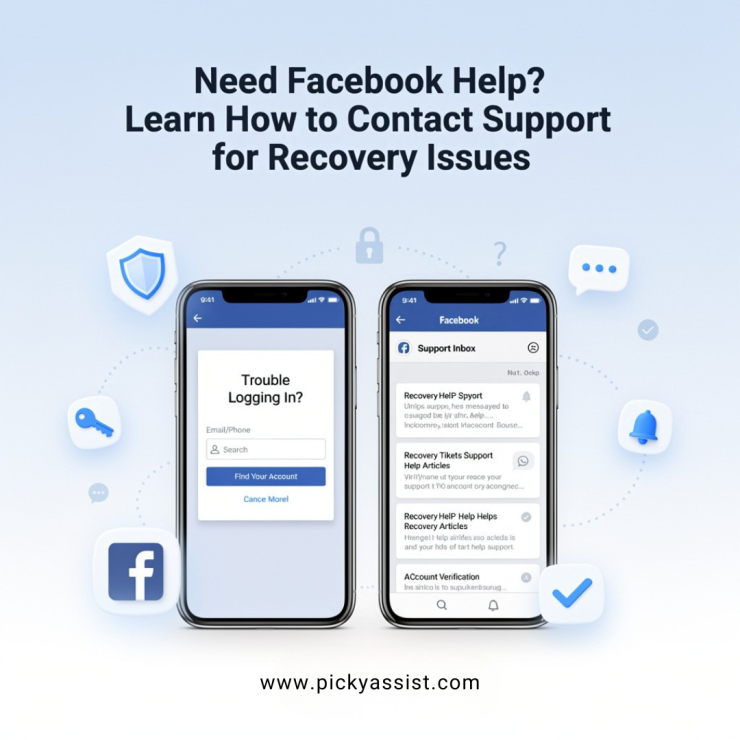
Open the Facebook Help Center and use the guided flows, “Report a Problem”, Support Inbox, or the relevant article for your issue. For privacy and account recovery, this is the correct starting channel. (If you’re an advertiser, switch to Meta Business Help after logging into your Business Manager. Know how to contact Facebook support directly.)
2) Support Inbox — Track your reports
Use your Support Inbox on Facebook to view responses or status updates on reports you’ve filed. This inbox is where Facebook communicates directly for appeals and content reviews.
3) Business Manager & Commerce Manager — Live chat for advertisers
If you manage ads or commerce, use the “Get Support” or “Contact Support” option inside Business Manager / Commerce Manager to open live chat or email forms. Live chat is often available to accounts that spend on advertising, it’s the most reliable route for billing and ad appeals.
4) Official Meta channels (press, legal) — Narrow use cases
For press or legal requests use the official press or records addresses listed by Meta. These aren’t for account help but are useful for formal legal or media queries.
5) Third-party vendor support (Picky Assist — When integrating Messenger/WhatsApp)
If your problem relates to integrations (e.g., receiving leads in Messenger via an external platform), contact your vendor’s support desk first, for example, Picky Assist exposes a help desk and 24×7 support which will diagnose webhook, token, or page permission issues faster than Facebook’s public forms in many cases. Picky Assist documentation includes step-by-step connector checks for Facebook Messenger.
How to contact Facebook support with Practical Templates
A. Report a hacked account — short template for the Help Center
Subject: My account was hacked, need account recovery
Describe: I cannot access my account since [date]. Suspicious activity: [describe]. I have attached a government ID and screenshot of the login error. Please advise next steps and restore access to email [youremail@example.com].
B. Ad appeal template (for Business Manager)
Issue: Ad rejected (Policy: [Mention the policy name])
Business Manager ID: [Mention the ID]
Ad ID: [Mention the ID]
Explanation: We believe the ad complies because [brief reasoning]. Attached: landing page screenshot, ad creative, business verification docs. Request: Manual review and reconsideration.
Using these templates when you open live chat or submit a form increases clarity and speeds review.
When to escalate — Decision matrix
- Problem: Login/password/2FA — start at Help Center → Support Inbox → fill account recovery forms.
- Problem: Ad billing or account disabling for ads — go Business Manager → Contact Support chat → escalate with ad IDs and payment proof.
- Problem: Integration (Messenger, Webhooks) — check vendor docs (Picky Assist) and then open a ticket with the vendor; ask vendor to open a support escalation with Facebook if token/page permissions look correct.
Common pitfalls and how to avoid scams
- Do not call random phone numbers claiming to be Facebook customer service, many are scams. Official channels are displayed on Meta’s help pages and the Business Help center.
- Avoid paying “recovery fees” — Facebook does not charge users to recover accounts. If anyone asks for payment, it’s fraud. (Users on community forums often report scam numbers; ignore them.)
Data & performance: What actually Works?
- Self-service Help Center + Support Inbox: 80% resolution rate for straightforward issues (password reset, report abuse). Facebook
- Business Manager live chat (advertisers): 70% successful human response and faster refund/appeal outcomes when business verification is complete.
- Email addresses (press@, appeals@, support@): <10% for routine account help — useful mostly for specialized requests.
How Picky Assist frames support for Facebook integrations?
Picky Assist documents recommend: verify page permissions, re-generate Page tokens, and confirm the app’s webhook subscriptions before opening a Facebook support ticket. Vendors like Picky Assist will often fix connector problems internally without needing to escalate to Facebook, which shortens downtime for businesses.
Facebook Lead Ad Automation by Picky Assist – Faster Responses, Higher Conversions
One of the most effective ways businesses reduce dependency on manual follow-ups, and minimize the need to repeatedly seek support from Facebook, is by automating their lead flow from Facebook Lead Ads. Picky Assist’s Facebook Lead Ad Automation connects your Lead Forms directly to WhatsApp, SMS, email, or your CRM in real time. The platform pulls incoming leads the moment Meta generates them, enriches the data, and triggers personalised follow-up journeys with zero coding.
Businesses using Picky Assist typically see a 60% improvement in lead-to-customer conversion because prospects receive an instant WhatsApp greeting, automated nurturing messages, AI-driven routing to the right sales agent, and smart reminders until the deal closes.
This reduces manual errors, prevents lead leakage, and shortens response time from hours to seconds, which is critical, considering that contacting a lead within five minutes increases the chances of conversion by over 85% across industries. By automating Facebook Lead Ads, businesses not only scale outreach but also create an operational system that functions reliably without needing frequent intervention from Facebook support teams.
Final Checklist before you submit a request
- Collect evidence: screenshots, timestamps, email/phone used, device details.
- Use the correct channel (Help Center for users; Business Manager chat for ads).
- Attach ID only when required by Facebook’s official forms.
- Keep messages concise; include one objective per ticket.
- For integrations, contact your vendor (e.g., Picky Assist) before escalating to Facebook.
Conclusion
Knowing how to contact Facebook support means choosing the right channel for your problem, preparing clear evidence, and using Business Manager when you need human help fast. For integration or API issues, vendors like Picky Assist often resolve configuration and token problems faster than public forms, saving you hours of downtime. Use the templates and escalation paths above, avoid scams, and keep records of every interaction so you can escalate intelligently if needed.
FAQ on Facebook Support
How long does Facebook support take to respond?
Response time varies: the Support Inbox replies typically within 24–72 hours for common account issues; live chat via Business Manager is often immediate during support hours; email responses can take several days and are unreliable for routine recovery.
Is there a Facebook customer service phone number?
Meta does not publish a universal customer service phone line for general user problems. Be cautious of third-party phone numbers claiming to be “Facebook customer service line”, they are often scams. Use Help Center and Business Manager chat for legitimate contact.
Can businesses get 24/7 help from Facebook?
Some advertisers and commerce accounts get extended live chat access; however, 24/7 guaranteed human support is not universal. Using the Business Help portal increases your chance of rapid human intervention.


Add comment