
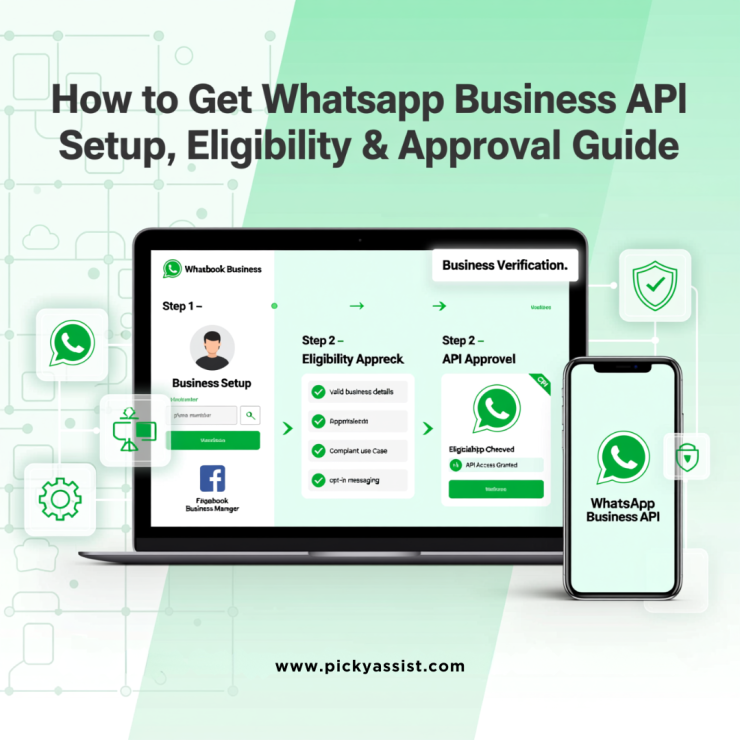
If you’re searching for how to get WhatsApp API, you’re likely a business looking to scale customer communication beyond the limits of the regular WhatsApp or WhatsApp Business app. The WhatsApp Business API is designed for medium and large businesses that want automation, CRM integration, and multi-agent support,without compromising compliance.
This guide explains how to get WhatsApp API for business, the eligibility requirements, setup methods, verification process, and what you can actually do once the API is live.
What is WhatsApp Business API?
The WhatsApp Business API is an official interface provided by Meta that allows businesses to send and receive WhatsApp messages programmatically. Unlike the WhatsApp Business app, the API does not have a built-in user interface and must be connected to a platform, CRM, or automation tool.
It is commonly used for:
- Customer support automation
- Transactional notifications
- Marketing campaigns using approved templates
- Team inbox and CRM workflows
How to Get WhatsApp API for Business (Overview)
To get access, you must:
- Register your business in Meta Business Manager
- Verify your business details
- Use a valid phone number not linked to any WhatsApp app
- Apply either directly through Meta (Cloud API) or via a Business Solution Provider (BSP) such as Picky Assist
- Complete technical or platform configuration
The access is granted only to verified businesses and must comply with Meta’s messaging policies.
Key Requirements to Get WhatsApp Business API
Before starting the registration process, ensure you meet the following requirements:
1. Facebook Business Manager Account
Your business must have an active Meta (Facebook) Business Manager account with accurate details.
2. Phone Number
You need a phone number that:
- Is not connected to WhatsApp Messenger or WhatsApp Business app
- Can receive SMS or voice calls for verification
3. Business Website
A functional website is mandatory. Meta uses this to validate business authenticity.
4. Facebook Business Page
While not always mandatory, a business page significantly improves approval success.
Choose How You Want to Get WhatsApp API
Method 1: Get WhatsApp API Directly via Meta (Cloud API)
This option is best suited for developers or technical teams.
- Visit developers.facebook.com and create a developer account
- Create a new app and select Business as the app type
- Add WhatsApp as a product to your app
- Enter your business details
- Add and verify your phone number
- Generate a temporary access token
- Configure webhooks to receive messages
You can start testing immediately with limited messaging until business verification is completed.
Method 2: Get WhatsApp API via a Business Solution Provider (BSP)
This is the preferred route for non-developers and growing businesses.
Platforms like Picky Assist handle:
- Meta approvals
- API hosting
- Webhooks and message routing
- Template approvals
- CRM and automation setup
With a BSP, you get a ready-to-use dashboard instead of building everything from scratch.
Business Verification and Green Tick Explained
Business Verification
To unlock higher messaging limits and production usage, you must verify your business in Meta Business Manager. This involves submitting:
- Legal business name
- Address
- Website
- Supporting documents
Official Green Tick (Optional)
The green tick badge indicates a verified and notable brand. It is not mandatory but improves trust and message open rates.
What Can You Do With Business API?
Once your API is active, you can unlock advanced capabilities:
Automated Messaging
Send order confirmations, appointment reminders, payment alerts, and delivery updates automatically.
Bulk Messaging (Policy-Compliant)
Send broadcast messages using pre-approved templates that follow WhatsApp policies.
Multi-User Access
Allow multiple agents or teams to reply from the same WhatsApp number.
CRM & Tool Integration
Connect WhatsApp with CRMs, helpdesks, payment systems, and automation workflows.
Important Limitation of WhatsApp API
You must connect it to:
- A BSP platform like Picky Assist
- A custom dashboard
- A CRM or helpdesk system
This design ensures scalability and security but requires proper setup.
How Long Does It Take to Get Business API?
- Via BSP: 1–3 business days
- Direct via Meta: 3–7 days, depending on verification speed
Delays usually occur due to incomplete business details or website issues.
Common Reasons WhatsApp Applications Get Rejected
- Website lacks clear business information
- Phone number already linked to WhatsApp
- Inconsistent business details
- Policy-restricted industries
Ensuring compliance upfront significantly improves approval chances.
Final Thoughts
If your goal is to scale customer engagement, automate conversations, and build a professional WhatsApp communication system, understanding how to get WhatsApp API is the first step. Whether you choose direct Meta Cloud API access or a BSP-managed setup, the key lies in proper compliance, verification, and long-term strategy.
Frequently Asked Questions (FAQs)
1. How to get WhatsApp API for business without coding?
You can get WhatsApp API without coding by using a Business Solution Provider like Picky Assist. BSPs handle all technical setup and provide a ready-to-use interface.
2. Is WhatsApp Business API free?
WhatsApp itself does not charge setup fees, but messaging is priced on a conversation-based model, and BSPs may charge platform fees.
3. Can small businesses apply for Business API?
Yes. Small businesses can apply as long as they meet Meta’s requirements, including having a website and verified business details.
4. Do I need a new phone number for WhatsApp API?
Yes. The phone number used for API must not be connected to any existing WhatsApp personal or business app.
5. How long does WhatsApp API approval take?
Approval typically takes between 1 to 7 days, depending on the setup method and business verification status.



Add comment