
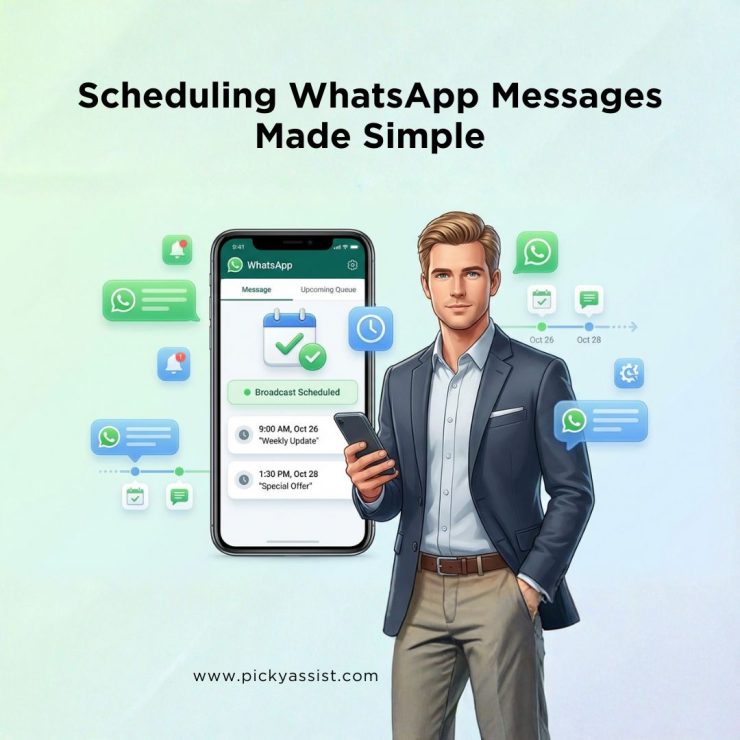
Timed, targeted broadcasting on WhatsApp is one of the most efficient ways to reach customers with offers, reminders and transactional updates. This guide explains how to schedule WhatsApp messages specifically for broadcast campaigns, step-by-step, with best practices, templates and compliance tips for businesses that want dependable, scalable outreach without risky hacks.
Why Broadcast Scheduling Matters?
- WhatsApp messages routinely show industry-leading open rates (commonly cited near 98%, making timely broadcast outreach extremely effective for conversion and engagement.
- The in-app broadcast feature is limited to 256 recipients per list, so for large-scale scheduled broadcasting you should use an approved Business API tool or BSP.
- Approved automation platforms (for example, Picky Assist) provide schedulers, template management and workflow builders that let businesses plan campaigns, delay sends, and measure delivery and reads at scale.
These three facts guide how to architect any broadcast scheduling program: leverage WhatsApp’s strong engagement, account for broadcast limits, and use an approved scheduler for scale.
Core Concepts
To keep this practical, here are the broadcast terms used in this article:
- Broadcast — a one-to-many message sent as individual chats (not a group).
- Template — WhatsApp-approved message used for business-initiated sends.
- Scheduler — platform capability that lets you pick date/time and queue messages for automatic send.
Which Broadcast Scheduling Approaches are Business-Safe?
Approved Business API + BSP scheduler
For predictable, repeatable broadcasts, weekly promotions, appointment reminders, recurring billing notices, use the WhatsApp Business API via an approved Business Solution Provider (BSP) or platform such as Picky Assist. These tools are built for scheduling broadcasts and include:
- campaign scheduling (pick date/time and timezone)
- template management (create, submit, and store approved templates)
- recipient segmentation and CSV imports
- rate controls and recommended delay settings to avoid throttling.
Benefits at a glance
- True automation (no manual clicks at send time).
- Compliance with WhatsApp template rules and approval flows.
- Analytics: delivery rates, read rates and link clicks for each broadcast.
In practical terms, when you decide to schedule a message on WhatsApp at scale you should plan on using an API-enabled broadcaster, it’s the difference between occasional sends and a repeatable marketing channel.
Broadcast lists inside WhatsApp Business (best for small lists and one-off campaigns)
If your audience size is within in-app limits (256 per list) and recipients have saved your number, you can compose a broadcast in WhatsApp Business and send it manually at a chosen time. This is suitable for:
- local store announcements
- community updates
- small appointment windows
How to use it effectively:
- Prepare the message in the broadcast composer, including media and links.
- Save a final draft in your content repository or CMS.
- At the scheduled time your operator sends the broadcast manually, or you trigger it through an approved scheduler if you’re using a BSP.
This method is still broadcast-first, you arrange message content, recipient lists and media inside the broadcast composer, then execute the send. Note that timed messages on WhatsApp via this method are semi-manual unless paired with an API scheduler.
Hybrid workflows: CRM → Triggers
Best when a broadcast must fire after an event, for example, booking confirmation → send a reminder 24 hours later automatically. Typical flow:
- CRM records the event (booking/payment).
- CRM calls the BSP connector (webhook).
- BSP schedules the broadcast using an approved template.
This pattern enables high-personalization at volume and ensures schedule send in WhatsApp happens only through approved channels and templates.
Step-by-Step: Scheduling a Broadcast
- Upload your recipient list — ensure clean data and opt-ins. For in-app broadcasts, each recipient must have saved your number. For API sends, follow WhatsApp opt-in rules.
- Create and submit the template (if it’s a business-initiated transactional or marketing message) — templates must be pre-approved by WhatsApp.
- Compose the broadcast campaign — subject, media, buttons, and personalization tokens.
- Set schedule parameters — date, time, timezone, and per-batch delay (platforms often recommend small delays between batches to avoid throttling). Picky Assist documentation suggests using deliberate delays and offers a scheduler UI for recurrent tasks.
- Preview & test — send to a small test segment first.
- Launch & monitor — observe delivery and read metrics, and adjust timing in future campaigns.
This flow is the cleanest way to schedule WhatsApp messages for high-volume broadcasting: pre-approve templates, schedule, then let the BSP handle the rest.
Practical Campaign Rules & Best Practices
- Segmentation beats blasting. Segment by behaviour and send relevant offers, open and conversion rates climb when content matches prior purchases.
- Limit frequency. For most audiences, 1–3 scheduled broadcasts per week is safe; more than that requires explicit consent and strong value.
- Respect templates. Business-initiated broadcast templates must be pre-approved; avoid promotional wording in transactional templates to reduce rejection risk.
- Use small delays between batches. If you have very large lists, spread the broadcast in batches with a short delay to reduce the chance of being rate-limited. Picky Assist recommends controlled delays for phone automation and API sends.
Broadcast Examples you can Schedule Now
Use approved templates where needed and personalize tokens.
- Appointment reminder (24 hours before)
“Hi {{name}}, friendly reminder: your appointment at {{business}} is on {{date}} at {{time}}. Reply 1 to confirm.” - Flash sale broadcast (launch at 10 AM)
“Exclusive: 20% off today only. Tap to shop.” (Include product carousel/link as allowed.) - Subscription renewal notice (3 days before)
“Your subscription for {{service}} ends on {{date}}. Renew now to avoid interruption.”
Compliance & delivery: What to Watch for?
- Broadcast limit: each in-app broadcast list is capped at 256 recipients; API solutions remove this bottleneck.
- Template approvals: business-initiated broadcasts must use approved templates for templated sends.
- Opt-in record: keep clear records of opt-ins and the source of consent for each contact.
- Avoid spammy frequency and content — reports and platform signals can raise flags and increase chances of message rejection or account limits.
These compliance details directly affect whether your scheduled broadcast reaches its recipients.
What to Measure after a Scheduled Broadcast?
- Delivery rate (how many messages reached the device)
- Read rate (messages opened — expect high percentages on WhatsApp)
- Click-through for CTAs (if you used links or buttons)
- Opt-out or complaint rate (keep this below a business-defined threshold)
Use dashboards in your BSP to compare send times, A/B test different schedule times, and pick the window that maximizes engagement.
Conclusion
If your objective is to broadcast professionally and reliably, the clearest path to schedule WhatsApp messages at scale is via an approved API provider or BSP (for example, Picky Assist). For small audiences, in-app broadcast drafts are fine if you can execute sends manually or with light automation. Always use templates for business-initiated messages, respect opt-ins, stagger large sends, and measure results to refine your schedules.
FAQs on Scheduling Whatsapp Messages
1. Can I Schedule Broadcasts directly inside WhatsApp Business?
You can create broadcast lists and compose messages inside WhatsApp Business, but native automatic scheduling of broadcast sends is limited. For fully automated broadcast scheduling (date/time + repeat options), use an approved WhatsApp Business API platform or BSP.
2. What is the safest way to send later on WhatsApp for thousands of customers?
The safest route is an API-based scheduling platform (BSP) that supports template approval, scheduling, and rate controls; platforms such as Picky Assist provide built-in schedulers and connectors to CRM systems.
3. How many contacts can I add to a broadcast list?
WhatsApp in-app broadcast lists are limited to 256 contacts per list. Use the API for higher volumes and to schedule large broadcasts reliably.
4. Will scheduled broadcast messages improve open and conversion rates?
Yes. WhatsApp’s high engagement with open rates nearly 98%, means well-timed broadcasts typically outperform email campaigns for time-sensitive offers and reminders. Use analytics to find the best send window for your audience.
5. Are there recommended delays or batch sizes for scheduled broadcasts?
For large lists, send in batches with short, deliberate delays between batches to lower throttling risk and reduce spam signals; many BSPs expose a “delay between messages” setting and vendor docs recommend modest gaps. Picky Assist documentation discusses scheduler settings and recommended delays for controlled sends.


Add comment