
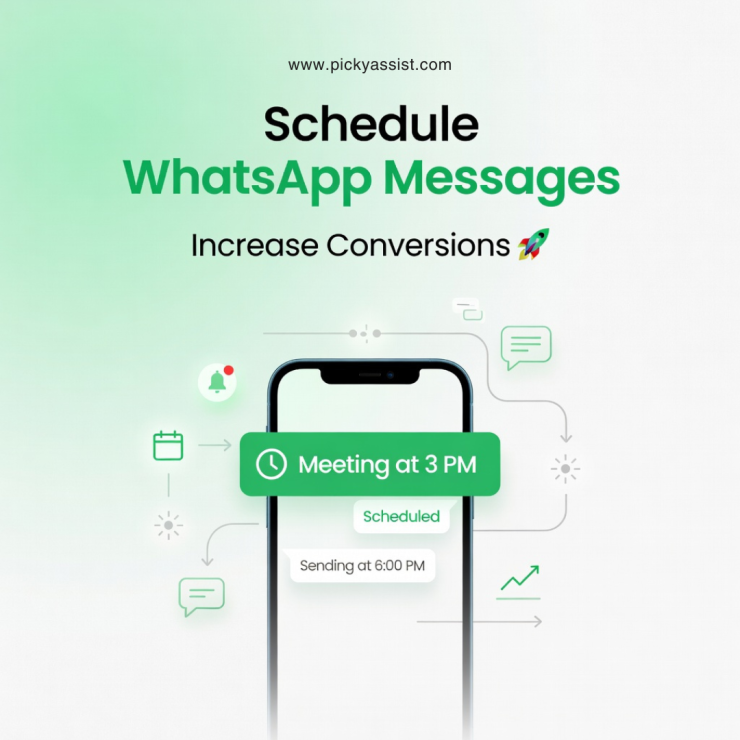
Timing is everything! Still you shouldn’t have to be awake at 2:00 AM just to hit “send” on a perfectly timed follow-up. While a well-placed nudge can be the difference between a closed deal and a ghosted lead, the biggest roadblock is that WhatsApp; for all its utility, still refuses to give us a “send later” button. This frustrating gap is exactly why savvy business owners are obsessing over how to schedule WhatsApp messages without being tethered to their phones all day.
If you’ve ever felt the panic of forgetting a critical reminder or the burnout of manual outreach, you know that “standard” WhatsApp just doesn’t cut it for a growing business. To actually make automation work, you need more than just a workaround; you need a strategic engine. That’s where a platform like Picky Assist shifts the gears, moving you from manual chaos to sophisticated, hands-off communication workflows that work even when you’re off the clock.
Why Scheduling WhatsApp Messages Matters?
When businesses start to scale their communication, manual messaging quickly becomes inefficient. Sending each message individually not only consumes time but also introduces inconsistency.
Scheduling solves this by allowing you to plan communication in advance. Instead of reacting in real time, you can design a structured flow where messages go out at the right moment without intervention. This ensures that leads are followed up promptly, reminders are never missed, and campaigns run smoothly.
More importantly, scheduling improves engagement. Messages sent at the right time are more likely to be opened and responded to. Over time, this directly impacts conversions, customer satisfaction, and operational efficiency.
Can You Schedule Messages Directly on WhatsApp?
This is one of the most common questions, and the answer is straightforward!
WhatsApp does not provide a native option to schedule a message in WhatsApp or automatically send it at a specific time. Even the WhatsApp Business app, which includes features like greeting messages and away replies, does not offer true scheduling functionality.
These built-in features are reactive rather than proactive. They respond to incoming messages but cannot initiate communication at a predefined time. As a result, if your goal is to send scheduled WhatsApp messages, you need to rely on external systems that integrate with WhatsApp and enable automation.
Different Approaches to Message Scheduling
Many users attempt to solve this problem using simple workarounds. While these methods may work in limited scenarios, they are not suitable for serious business use.
Some rely on setting reminders on their phone and manually sending messages at the scheduled time. This approach works only when message volume is low, but it quickly becomes unmanageable as your business grows. It also introduces the risk of missed or delayed communication.
Others try mobile-based automation, such as shortcuts on iPhone or third-party apps on Android. These can simulate a timed WhatsApp message, but they depend heavily on device conditions. If the phone is locked, disconnected, or inactive, the message may not be sent reliably. This makes them unsuitable for critical business communication.
The most effective approach is to use a dedicated automation platform. Tools like Picky Assist allow you to schedule a WhatsApp message in a structured and reliable way, ensuring that messages are delivered exactly when intended. More importantly, they integrate scheduling with broader automation workflows, which is essential for scaling communication.
How Scheduling Works with Picky Assist?
To understand how modern scheduling works, it helps to look at the process from a workflow perspective rather than a single action.
It begins with capturing contacts. These could be leads from advertisements, inquiries from your website, or existing customers. Once the contact is in the system, you define the message you want to send. This could be a simple text, a detailed offer, or even media like images and brochures.
The next step is where scheduling becomes powerful. Instead of just selecting a fixed time, you can define when the message should be sent based on specific conditions. For example, you might send a message immediately after a user inquiry, followed by another message after a delay of a few hours or days.
This creates what is often referred to as a timed WhatsApp message flow. The system ensures that each message is delivered automatically without manual involvement.
What makes this approach more effective is the ability to trigger messages based on user behavior. For instance, if someone books a service, a confirmation message can be sent instantly, followed by a reminder closer to the appointment time. This transforms simple scheduling into intelligent communication.
Real-World Use Cases of Scheduled WhatsApp Messages
Scheduling is not just a technical feature, it directly impacts how businesses operate and engage with customers.
One of the most common use cases is lead follow-up. When a potential customer shows interest but does not take action, a follow-up message can be sent after a short delay. This keeps the conversation active and increases the chances of conversion without requiring manual effort.
Another practical application is appointment management. Businesses that rely on bookings can send reminders automatically before the scheduled time. This reduces no-shows and improves overall efficiency.
Campaign execution is another area where scheduling proves valuable. Instead of sending messages manually to different segments, you can plan campaigns in advance and ensure that messages are delivered at the optimal time. This is particularly useful for promotions, product launches, and announcements.
Re-engagement is equally important. Customers who have not interacted with your business for a while can be brought back through timely messages. By scheduling these interactions, you maintain consistent communication without overwhelming your team.
WhatsApp Business App vs Advanced Scheduling
There is often confusion between basic WhatsApp Business features and advanced scheduling capabilities.
The WhatsApp Business app provides simple automation, such as greeting messages when a user contacts you or away messages when you are unavailable. While these are useful, they do not support proactive communication.
In contrast, platforms that integrate with WhatsApp Business API enable true scheduling. They allow you to schedule message WhatsApp business workflows where messages are sent based on time, events, or user actions.
This distinction is important. If your goal is to scale communication and improve efficiency, basic features are not enough. You need a system that supports automation at a deeper level.
What Defines the Best WhatsApp Message Scheduler?
Not all tools that claim to schedule messages are equally effective. The difference lies in how they handle reliability, automation, and scalability.
A strong scheduling system allows precise control over timing, ensuring that messages are delivered exactly when planned. It also supports delays and sequences, enabling you to create multi-step communication flows.
Beyond timing, automation plays a critical role. The ability to trigger messages based on user actions transforms scheduling into a dynamic system rather than a static feature. This is particularly useful for businesses that handle high volumes of interactions.
Another important factor is collaboration. As your team grows, multiple users should be able to access and manage conversations without losing context. This ensures that communication remains consistent and efficient.
Finally, personalization cannot be overlooked. Even when messages are automated, they should feel relevant and human. This improves engagement and builds stronger relationships with customers.
Common Mistakes Businesses Make!
While scheduling offers clear advantages, it must be used strategically.
One common mistake is overusing it. Sending too many messages can overwhelm users and lead to disengagement. Instead, focus on delivering value with each message.
Timing is another critical factor. Messages sent at inconvenient hours are less likely to be effective. Understanding your audience’s behavior helps you choose the right moments.
Another issue is generic communication. Even when you schedule a message on WhatsApp, it should feel personalized. Messages that sound robotic or irrelevant reduce trust and engagement.
Finally, many businesses forget that scheduling is only part of the process. Once a message is delivered, responses must be handled promptly. Automation should support conversations, not replace them entirely.
Moving Beyond Scheduling to Automation!
Scheduling is often the first step toward a more advanced communication strategy. However, its real value emerges when combined with automation.
Instead of simply sending messages at fixed times, you can create complete workflows where each message is triggered by user behavior. This allows you to guide customers through a journey, from initial inquiry to final conversion.
For example, a new lead can receive an instant response, followed by a reminder, and later a personalized offer. Each step is automated, yet it feels natural and timely.
This approach turns WhatsApp into more than just a messaging platform, it becomes a structured engagement channel that supports business growth.
Wrapping Up
To effectively schedule WhatsApp messages, you need more than basic tools or manual workarounds. You need a system that ensures reliability, scalability, and consistency.
While WhatsApp itself does not offer built-in scheduling, platforms like Picky Assist make it possible to plan, automate, and optimize communication. More importantly, they help you move from reactive messaging to proactive engagement.
As businesses continue to rely on real-time communication, scheduling is no longer optional. It is a foundational capability that improves efficiency, enhances customer experience, and drives better results.
FAQs on Scheduling WhatsApp Messages
1. Can I schedule WhatsApp messages without any tool?
No. WhatsApp does not provide a native feature to schedule messages. You need external tools or automation platforms.
2. What is the best way to schedule a WhatsApp message?
Picky Assist is the most reliable automation tools that allow structured scheduling ,workflows and to use AI chatbots and broadcasters alike.
3. Is there a WhatsApp scheduler for business use?
Yes. A WhatsApp business scheduler is typically part of platforms that integrate with WhatsApp Business API and provide automation features.
4. Can I send scheduled WhatsApp messages automatically?
Yes, with the right tool, you can send scheduled WhatsApp messages at specific times or based on triggers.
5. How do timed messages on WhatsApp work?
A system schedules the message and sends it automatically at the defined time or based on a trigger.
6. Can I schedule WhatsApp messages on iPhone?
Not natively. You need external tools or automation platforms to do this reliably.
7. Are scheduled WhatsApp messages safe and compliant?
Yes, if you use approved platforms and follow WhatsApp policies, including user consent and proper message templates.



Add comment