
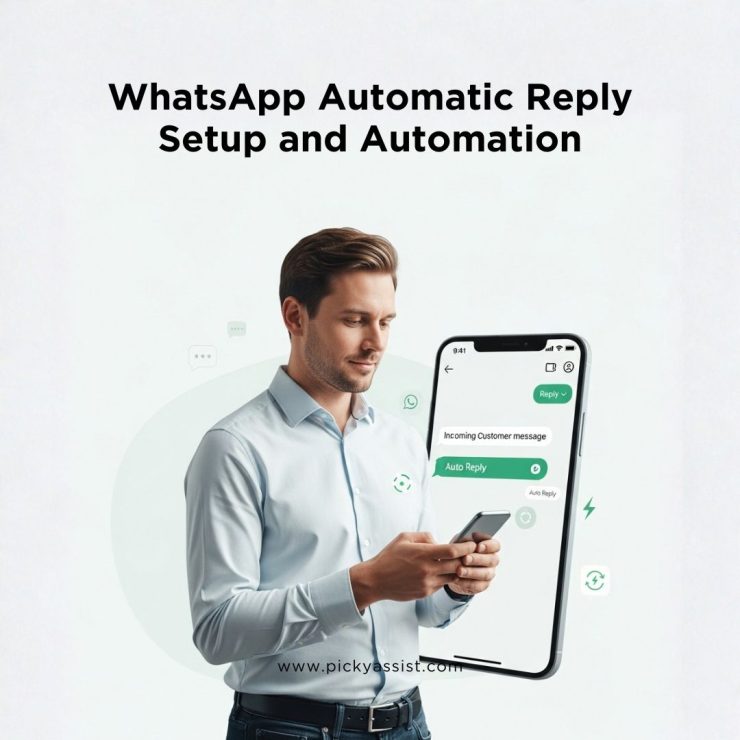
Customer expectations around response time have shifted dramatically over the last five years. Multiple industry studies indicate that over 70% of customers expect a reply within five minutes when they message a business on platforms like WhatsApp. When that expectation is not met, intent drops sharply, especially for high-value inquiries related to pricing, availability, or demos. This is where WhatsApp automatic reply becomes a competitive necessity rather than a simple productivity feature.
What started as a basic greeting message has evolved into a sophisticated automation layer capable of handling complete customer journeys. Today, businesses use automated replies to qualify leads, route conversations, deliver personalised information, collect structured data, and even complete payments without human involvement. This guide explores how WhatsApp automation works in practice, the different types of replies businesses should deploy, real examples that convert, and how advanced chatbot platforms like Picky Assist enable scalable, revenue-focused automation.
What Is a WhatsApp Automatic Reply and Why Businesses Need It?
A WhatsApp automatic reply is a system-generated response that is sent instantly when a customer initiates a conversation or sends a message outside predefined business rules. Unlike manual replies, these messages are triggered automatically based on time, keywords, user actions, or predefined flows.
From a business standpoint, automated replies solve three fundamental problems:
- Response latency, which directly affects lead quality
- Operational dependency on human availability
- Inconsistent messaging across teams and time zones
Automated systems ensure that every incoming message receives immediate acknowledgment, regardless of volume or timing. This reliability has a measurable commercial impact. Research across messaging-led sales channels shows that businesses responding within one minute are up to 40% more likely to convert compared to those that respond after ten minutes. This explains why solutions such as auto responder WhatsApp and auto responder WA are now core components of modern customer engagement stacks.
WhatsApp Automatic Reply vs Manual Responses: The Business Impact
Manual responses depend entirely on staff availability, working hours, and workload distribution. Even well-staffed teams struggle to maintain consistency during peak hours or holidays. Automated systems, on the other hand, operate continuously and follow predefined logic without deviation.
Key Performance Improvements Businesses See
Organisations that move from manual handling to automated replies typically report:
- 50% improvement in lead response time
- 75% increase in customer satisfaction metrics
- Up to 40% reduction in repetitive support workload
An auto reply to WhatsApp message ensures no inquiry is ignored, even when teams are offline. This is particularly critical for high-intent industries such as real estate, automotive dealerships, education, healthcare, and e-commerce, where delayed responses directly correlate with lost revenue.
Brand Consistency and Compliance
Another overlooked advantage of automation is message consistency. Automated replies ensure that brand tone, compliance language, and disclaimers remain uniform across all customer interactions, something that is difficult to maintain with manual responses at scale.
Types of WhatsApp Automatic Replies Businesses Use
Instant Greeting Messages
Instant greetings are triggered the moment a user sends the first message. Often referred to as a WhatsApp auto reply or WhatsApp automatic message, these replies set expectations and guide users toward the next action. A well-designed greeting reduces confusion and increases engagement by clearly explaining what the customer can do next.
Away and After-Hours Messages
An away message in WhatsApp informs users when human agents are unavailable while reassuring them that their message has been received. Businesses that consistently send away messages in WhatsApp experience lower drop-off rates because customers know exactly when to expect a response. These are commonly configured as WhatsApp away message or WhatsApp business away message rules.
Menu-Based Automated Replies
Menu-driven replies introduce structure into conversations. By offering selectable options such as Sales, Support, or Pricing, businesses can collect intent data early and route conversations intelligently. This reduces resolution time and improves first-contact success rates.
Follow-Up and Lead Nurturing Messages
Automated WhatsApp messaging is also used to re-engage prospects who did not convert during the initial interaction. Timed follow-ups help businesses stay top-of-mind without appearing intrusive, significantly improving long-term conversion rates.
How to Set Up WhatsApp Automatic Reply for your Business?
Using WhatsApp Business App
The WhatsApp Business app offers entry-level automation suitable for small teams. Businesses can:
- Set auto reply in WhatsApp Business for greeting messages
- Configure business WhatsApp auto reply for non-working hours
- Create WhatsApp business auto message templates with simple rules
While useful, these features are limited. They do not support conditional logic, integrations, analytics, or multi-step flows, all of which are essential for scaling operations.
Using WhatsApp Business API with Automation Platforms or BSPs
For growing and enterprise businesses, the WhatsApp Business API unlocks advanced capabilities such as:
- Auto response in WhatsApp based on user intent or keywords
- Event-triggered auto message in WhatsApp (form submissions, payments, CRM updates)
- WhatsApp business auto message flows integrated with CRMs, ERPs, and payment gateways
This is where platforms like Picky Assist become critical enablers.
How Picky Assist Automates Replies and WhatsApp Conversations for Business?
Picky Assist is a comprehensive automation platform that enables businesses to automate WhatsApp communications far beyond simple auto-responders. It integrates directly with the WhatsApp Business API and other messaging channels, enabling smart, context-aware, event-driven conversations.
Picky Assist provides a reliable automation layer built specifically for WhatsApp-first environments. Instead of sending isolated replies, businesses can deploy a WhatsApp auto reply bot that understands and remembers user inputs, and executes predefined workflows.
What Picky Assist Does?
Picky Assist provides a unified communication and automation ecosystem that supports WhatsApp, Facebook Messenger, Instagram and other channels through a single CRM dashboard.
Key automation capabilities include:
- Smart auto-replies that respond instantly to inbound messages (24/7)
- Workflow automation triggered by specific events or user actions
- AI-powered logic and rule-based flows
- CRM integration and lead management
- Drip campaigns and broadcast messaging
- Catalog and commerce automation
- Connector integrations with external systems (CRM, ERP, e-commerce)
How Picky Assist Automates WhatsApp Conversations?
Picky Assist’s automation is built around three foundational components that work together to automate replies and customer engagements:
1. Smart Auto-Replies
Smart replies are the foundational automation: pre-configured or AI-assisted replies that respond instantly when a message arrives. Intelligent chatbot automation does not rely on static responses. It dynamically adapts replies based on user behaviour, previous interactions, and selected options. This turns a WhatsApp automatic reply into a guided conversation rather than a dead-end message.
This automation can be:
- Intent-based (replying according to what the customer message contains)
- Rule-based (triggered by keywords, time of day, CRM status, etc.)
- AI hybrid (combining predefined rules with AI suggestions)
Unlike simple canned responses, smart replies can vary based on patterns in user messages and map to specific conversation flows.
2. Workflow & Logic Automation (True Conversational Flows)
Instead of static auto replies, Picky Assist supports conditional workflows and multi-step automation that guide users through conversational sequences. Automated WhatsApp Flows improve customer experience.
Structured automation flows allow businesses to:
- Collect lead details incrementally without overwhelming users
- Qualify prospects using rule-based decision trees
- Route conversations to sales or support teams automatically
- Reduce manual errors during handoffs
These WhatsApp automated flows significantly improve customer experience while maintaining conversation continuity.
For example, instead of replying once, a workflow might:
- Greet a visitor
- Ask qualification questions
- Log lead details
- Trigger a CRM update
- Send tailored follow-ups
- Route to a human agent if the user requests it
This is how WhatsApp conversations are automated end-to-end rather than simply answered once.
3. Integration with Business Systems and Events
Picky Assist helps you connect WhatsApp with external systems through APIs and connectors. This means business events, such as a new lead submission, a CRM update, a payment event, or an order status change, can trigger automated WhatsApp messages.
Examples include:
- Sending order shipment updates when a sales ERP updates status
- Sending payment confirmations when payment gateways report success
- Triggering WhatsApp sequences when a new lead enters the CRM system
This is done through visual workflow builders or direct integrations (e.g., connectors, webhooks), effectively turning WhatsApp into a real-time business automation channel.
Technical Automation Capabilities in Picky Assist Platform
AI-Assisted Replies and Conversational Logic
Picky Assist supports AI-assisted replies and hybrid logic, where rules are combined with AI for higher accuracy and contextual understanding. This enables automated replies that feel more conversational rather than rigid.
Multi-Channel Support
Automation is not limited to WhatsApp. Businesses can unify conversation flows across WhatsApp, Instagram, Facebook Messenger, and SMS, ensuring consistent automation rules across all platforms.
No-Code Automation Builder
The platform provides a visual or no-code automation builder that lets business users configure complex flows without needing programming skills. This is critical for non-technical teams to design automated WhatsApp conversations with branching logic, delays, and triggers.
Smart Routing and Teambox
Incoming messages can be automatically routed to the right teams or agents based on rules like geography, language, product interest, or customer type. This ensures messages are handled by the most suitable team without manual assignments.
CRM and Data Sync
Picky Assist integrates WhatsApp with CRM systems (including Zapier, Trello, Zoho integrations), enabling:
- Live chat inside CRM
- Sync of message histories
- Triggering automated actions based on CRM field updates
Automation Examples in Business that is Possible with WhatsApp Automation
Lead Capture & Qualification
Leads generated from a website form can trigger an instant WhatsApp welcome sequence, collect additional details via conversational flows, and update CRM contacts automatically.
E-Commerce Order Workflows
Customers receive automated:
- Order confirmations
- Shipping updates
- Delivery notifications
- Feedback or review requests
—all via WhatsApp messages triggered by e-commerce platform events.
Reminders & Follow-Ups in Healthcare and Pharmacies
Scheduled notifications such as appointment reminders or payment follow-ups can be automated via logic rules set in Picky Assist, reducing manual outreach.
Payments and Transactions Inside WhatsApp
One of the most impactful use cases is payments. Businesses using WhatsApp automatic message flows for transactions report 30% higher completion rates compared to redirect-based checkouts. Keeping users inside WhatsApp reduces friction, builds trust, and shortens the conversion cycle.
Support Ticketing
Incoming WhatsApp messages can be automatically logged as support tickets, routed, and acknowledged via automated replies before human follow-up, dramatically improving first response times.
How Picky Assist Helps Businesses Scale WhatsApp Automation?
24/7 Availability
Automated replies ensure customers are responded to instantly, even outside business hours. This improves customer experience and prevents lead drop-off.
Personalisation at Scale
Automation rules can include personalization tokens (names, order details, preferences) so messages feel tailored without manual effort.
Compliance and WhatsApp Policies
As an official Meta partner, Picky Assist helps businesses maintain compliance with WhatsApp messaging policies while automating responses.
Analytics and Continuous Improvement
Although basic app replies lack insights, Picky Assist provides analytics and reporting that help teams understand automation performance and optimize flows.
WhatsApp Automatic Reply Template Examples That Convert
A strong auto reply message for WhatsApp should be concise, contextual, and action-oriented.
Greeting Example
“Hi! Thanks for contacting us. Choose an option below so we can help you faster.”
Away Message Example
“Thanks for your message. Our team is currently offline, but we’ll respond during business hours.”
Qualification Example
“To assist you better, please select: 1️. Pricing 2️. Demo 3️. Support”
These examples show how WhatsApp business auto reply messages keep conversations moving rather than stalling them.
Best Practices for WhatsApp Automatic Replies
- Write replies in natural, conversational language
- Always guide users to a next step
- Avoid vague or generic responses
- Review analytics to optimise reply performance
- Combine automation with human escalation paths
Businesses that continuously refine their WhatsApp business auto message strategy see sustained improvements in engagement, retention, and conversion efficiency.
To Conclude
A well-executed WhatsApp automatic reply strategy is no longer optional for businesses that rely on messaging-driven engagement. It directly influences response time, customer trust, operational efficiency, and revenue outcomes. From basic acknowledgements to intelligent chatbots and payment automation, the evolution of WhatsApp automation has reshaped how businesses communicate at scale.
With platforms like Picky Assist enabling advanced chatbot automation and structured WhatsApp flows, businesses can deliver faster responses, richer experiences, and higher conversion rates, all while reducing dependency on manual effort and increasing operational predictability.
FAQs on WhatsApp Automatic Replies
1. What is the best way to set auto reply WhatsApp for business?
Using the WhatsApp Business API with an automation platform provides far greater flexibility, scalability, and data insights compared to app-based replies.
2. Can WhatsApp automatic replies manage customer support?
Yes. Well-designed automation can resolve 70% of repetitive support queries, freeing agents to handle complex cases.
3. Is WhatsApp auto reply effective for payments?
Yes. In-chat payment flows reduce abandonment and significantly improve completion rates.
4. How does WhatsApp automated messaging improve conversions?
Immediate responses preserve intent, while guided conversations reduce friction and decision fatigue.




Add comment