
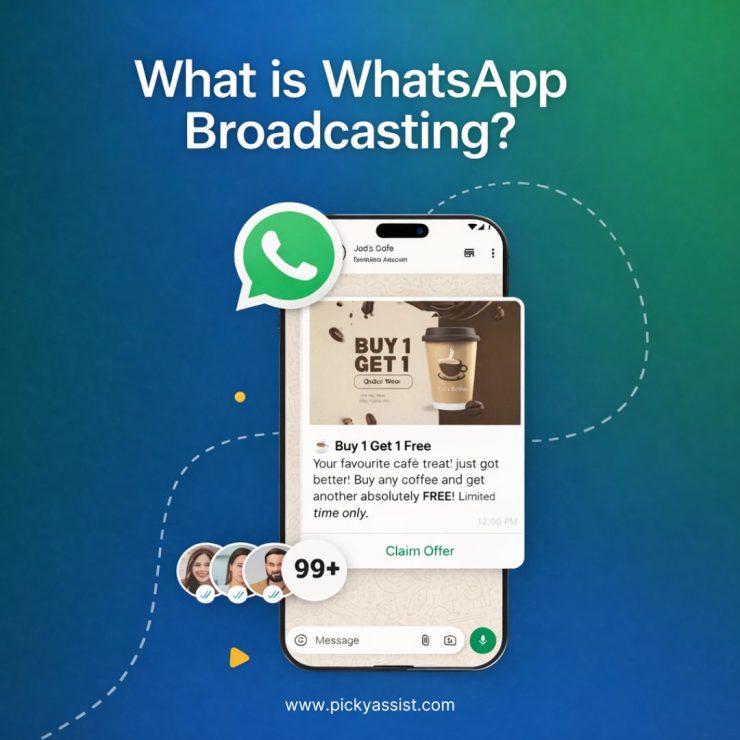
WhatsApp broadcast is one of the most powerful yet misunderstood features in the messaging platform. Many users rely on it to communicate with multiple contacts at once without creating a group chat. Businesses also use WhatsApp broadcast for business to share updates, offers, reminders, and important notifications with customers instantly. In this detailed guide, you will learn what are broadcast messages in WhatsApp, how they work, how businesses use them, and the best practices to maximize results.
What is a broadcast message in WhatsApp?
A broadcast message in WhatsApp allows a user to send the same message to multiple contacts simultaneously without creating a group conversation.
When you send a WhatsApp message broadcast, each recipient receives the message as a private chat, not as part of a group. This means the recipients cannot see other people who received the message.
If someone replies, the response appears as a normal one-to-one chat between you and the recipient.
Key Characteristics of WhatsApp broadcast
- Send one message to multiple contacts at the same time
- Messages are delivered as individual private chats
- Recipients cannot see other recipients
- Replies remain private
- Only contacts who saved your number receive the broadcast message
Broadcast in WhatsApp business is very effective for updates, announcements, and promotions, which would significantly increase your sales and revenue.
What does WhatsApp broadcast do?
Many users ask “what does WhatsApp broadcast do?”
The broadcast feature allows users to communicate with multiple people simultaneously while maintaining the privacy and personalization of individual chats.
Instead of sending the same message repeatedly to different contacts, you can create a broadcast list and send a single message to everyone on the list.
WhatsApp broadcast helps you:
- Send announcements to many contacts instantly
- Share updates without creating group chats
- Maintain private conversations with recipients
- Save time compared to sending individual messages
For businesses, WhatsApp business broadcast becomes a powerful tool for marketing and customer communication.
What is the broadcast feature in WhatsApp?
The broadcast feature in WhatsApp is designed to allow users to send a message to multiple contacts at once using something called a broadcast list.
A broadcast list is a saved list of contacts that receive messages simultaneously whenever you send a broadcast.
Example
If you send a broadcast message to 100 contacts:
- Each contact receives the message separately
- They see it as a direct message from you
- They cannot see the other recipients
This is why WhatsApp broadcast for business is widely used for marketing campaigns and notifications.
What is the use of broadcasting in WhatsApp?
The use of broadcast in WhatsApp varies depending on whether the user is an individual or a business.
Common uses of WhatsApp Broadcast
1. Business Promotions
Companies send promotional offers, discounts, or product announcements using WhatsApp business broadcasts.
2. Customer Notifications
Businesses send reminders, updates, delivery notifications, and appointment confirmations.
3. Community Updates
Organizations send announcements or event notifications.
4. Personal Communication
Individuals use broadcast to send festival wishes, event invitations, or updates to multiple contacts. Because it maintains privacy, broadcast on WhatsApp Business is more professional than group messaging.
What is a broadcast group in WhatsApp?
Many users confuse broadcast lists with groups.
So what is a broadcast group in WhatsApp?
Technically, there is no broadcast group in WhatsApp. The correct term is broadcast list.
Difference Between Broadcast and Groups
| Feature | WhatsApp Broadcast | WhatsApp Group |
| Message visibility | Private | Visible to all members |
| Replies | Private chat | Seen by everyone |
| Recipient awareness | Cannot see others | Members can see all participants |
| Best use | Marketing, announcements | Discussions and collaboration |
Businesses prefer WhatsApp broadcast message communication because it maintains customer privacy.
WhatsApp broadcast for business
WhatsApp broadcast for business has become a major communication channel for brands, retailers, service providers, and online businesses.
Companies use broadcasts on WhatsApp Business to reach customers instantly.
Benefits of WhatsApp business broadcast
1. Direct Communication
Messages reach customers directly on their phones.
2. Higher Engagement
WhatsApp messages have extremely high open rates compared to email.
3. Personalized Communication
Each message appears as a personal chat.
4. Faster Customer Response
Customers can reply instantly.
This is why broadcast in WhatsApp business is widely used for marketing and customer engagement.
How to Send Broadcast Messages on WhatsApp?
Many users search “how to send broadcast messages on WhatsApp.”
Follow these steps to create and send a broadcast message.
1. Open WhatsApp
Launch WhatsApp on your phone.
2. Open Broadcast Lists
On Android:
- Tap the three dots menu
- Select New Broadcast
On iPhone:
- Go to Chats
- Tap Broadcast Lists
- Select New List
3. Select Contacts
Choose the contacts you want to send the message to.
4. Create the Broadcast List
Tap Create.
5. Send Your Message
Type your message and send it. The message will be delivered individually to every contact.
How to broadcast messages on WhatsApp Business?
If you use WhatsApp Business, the process is almost the same.
Steps to Broadcast on WhatsApp Business
- Open WhatsApp Business
- Tap the menu icon
- Select New Broadcast
- Choose contacts
- Send your message
Businesses often use WhatsApp message broadcast to share:
- promotions
- product launches
- event announcements
- payment reminders
- appointment confirmations
Best Practices for WhatsApp Broadcast Messaging
To make the most of WhatsApp broadcasts, follow these best practices.
1. Send Valuable Messages
Avoid sending messages that feel like spam.
2. Personalize Communication
Use the customer’s name whenever possible.
3. Send Messages at the Right Time
Avoid sending broadcasts late at night or early morning.
4. Maintain Contact Consent
Customers should have opted in to receive messages.
5. Avoid Over Messaging
Sending too many broadcasts may lead to customers blocking your number.
Following these best practices improves engagement and builds trust.
Limitations of WhatsApp Broadcast
Even though WhatsApp business broadcast is powerful, there are a few limitations.
1. Contact Saving Requirement
Recipients must have your number saved in their contacts.
2. Broadcast List Limits
There are limits to how many contacts can be added.
3. Limited Automation
Manual broadcasts can become difficult for large businesses.
This is why many companies use WhatsApp automation platforms to manage large-scale broadcasts.
Why Are Businesses Using WhatsApp Broadcast More Than Ever?
Businesses are shifting toward WhatsApp broadcast for business communication because it offers:
- instant customer reach
- high engagement rates
- personalized messaging
- quick responses
- direct communication channel
Unlike email or SMS, broadcast messages in WhatsApp appear in a messaging environment that customers check frequently.
This dramatically improves message visibility and interaction.
Conclusion
Understanding what broadcast messages in WhatsApp are helps individuals and businesses communicate more efficiently.
The WhatsApp broadcast feature allows you to send a single message to multiple contacts while keeping conversations private. For businesses, WhatsApp business broadcast provides a powerful way to deliver updates, promotions, and notifications directly to customers.
When used correctly, broadcast on WhatsApp Business can improve engagement, strengthen customer relationships, and streamline communication.
As messaging continues to dominate digital communication, mastering WhatsApp broadcast messaging is becoming an essential strategy for both individuals and businesses.
FAQ on WhatsApp Broadcasts
1. What is a broadcast message in WhatsApp?
A broadcast message in WhatsApp is a message sent to multiple contacts simultaneously using a broadcast list. Each recipient receives the message privately as if it were sent individually.
2. What does WhatsApp broadcast do?
The WhatsApp broadcast feature allows users to send one message to many contacts at once without creating a group chat. Replies from recipients appear as private conversations.
3. How to broadcast messages on WhatsApp?
To broadcast messages on WhatsApp, open the app, create a new broadcast list, select contacts, and send your message. The message will be delivered to each contact individually.
4. What is the broadcast feature in WhatsApp?
The broadcast feature in WhatsApp enables users to send the same message to multiple contacts simultaneously while keeping replies private.
5. What is the use of broadcasting in WhatsApp?
The use of broadcast in WhatsApp includes sending announcements, promotions, reminders, updates, and event notifications to multiple contacts efficiently.
7. What is a broadcast group in WhatsApp?
There is technically no broadcast group in WhatsApp. Instead, WhatsApp uses broadcast lists, which allow messages to be sent to multiple contacts privately.
8. Can businesses use WhatsApp broadcast?
Yes. WhatsApp broadcast for business is widely used to send marketing messages, notifications, reminders, and updates to customers.



Add comment