
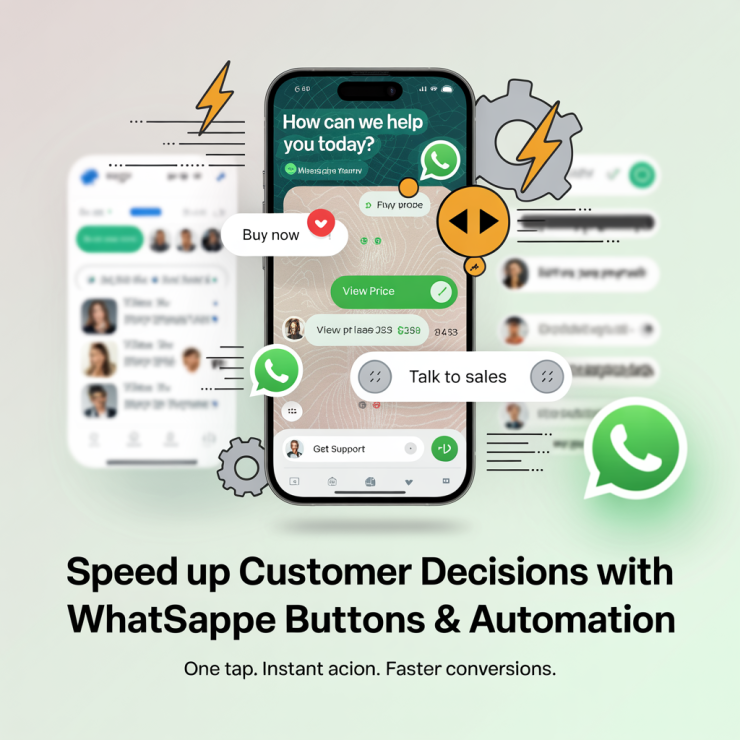
Sales automation has moved beyond emails and landing pages. Today, customers expect instant, guided interactions inside messaging platforms they already use daily. This is where a WhatsApp interactive button becomes a critical growth lever for modern businesses. Instead of forcing users to type responses or wait for agents, interactive buttons allow customers to take predefined actions, such as booking demos, viewing prices, making payments, or speaking to sales, within a single tap.
For businesses using the WhatsApp Business API, these buttons are not just a UI enhancement; they are a conversion accelerator. Studies show that interactive messaging can increase response rates by 60% and reduce drop-offs during lead qualification by more than 30%. In this blog, we explore how WhatsApp interactive buttons enable sales automation, drive faster customer actions, and how platforms like Picky Assist help businesses deploy them effectively at scale.
What is a WhatsApp Interactive Button?
A WhatsApp interactive button is a clickable element embedded inside WhatsApp messages that allows users to choose an action without typing a reply. These buttons are part of WhatsApp’s interactive messaging framework supported through the WhatsApp Business API.
Types of Interactive Buttons in WhatsApp Messages
Interactive buttons are a core feature of WhatsApp Business API messaging. Unlike plain text messages, these buttons guide users through predefined actions, making conversations structured, measurable, and automation-ready. Based on functionality and use case, WhatsApp buttons can be grouped into core and advanced types.
Core WhatsApp Button Types
1. Quick Reply Buttons
Function
Quick reply buttons send a predefined text response when the user taps on them. The response is sent instantly to the business, enabling automation workflows.
Typical use cases
- Yes / No confirmations
- Feedback collection (e.g., ratings from 1–5)
- Simple menu choices such as “Talk to Sales” or “View Pricing”
Key limits
Quick reply buttons are ideal for lead qualification, intent capture, and decision branching within chatbots.
- Maximum of 3 buttons per message
- Each button can be used only once per user interaction
2. Call-to-Action (CTA) Buttons
Function
CTA buttons trigger an external or direct action instead of sending a text response.
Common CTA subtypes
- URL Button: Opens a specified website or landing page
- Phone Call Button: Initiates a phone call
- WhatsApp Call Button: Starts a WhatsApp voice call (limited to one per template)
Key limits
CTA buttons are best suited for driving high-intent actions such as booking demos, completing payments, or connecting directly with a sales team.
- Up to 2 CTA buttons per message
Advanced and Specialized WhatsApp Buttons
3. List Messages (Menu-Based Interactive Buttons)
Function
List messages present multiple options in a dropdown-style menu, each with a title and optional description.
Capabilities
- Supports up to 10 selectable options
- Allows grouping of choices into structured sections
Use cases
- Product or service selection
- Multi-department routing
- Detailed menus or catalogs
List messages are effective when users need to choose from a broader set of options without cluttering the chat interface.
4. Copy Code Buttons
Function
Copies predefined text directly to the user’s clipboard.
Use cases
This button type is especially common in authentication templates and promotional campaigns, where accuracy and speed are critical.
- One-time passwords (OTPs)
- Coupon codes
- Referral or promo codes
5. Flow Buttons
Function
Launches a predefined conversational flow or guided experience within WhatsApp.
Use cases
Flow buttons allow businesses to move beyond linear chats and deliver app-like experiences directly inside WhatsApp.
- Multi-step onboarding
- Guided data collection
- Lead qualification journeys
6. Product Message Buttons
Function
Used within WhatsApp Product Messages or Catalogs to showcase individual items.
Use cases
These buttons are tightly integrated with WhatsApp catalogs and are commonly used in conversational commerce scenarios.
- E-commerce product browsing
- Price and availability checks
- Catalog-driven sales conversations
Why Interactive Buttons Matter More Than Plain Text?
When combined strategically, quick replies, CTA buttons, and menu-based interactive buttons transform WhatsApp from a simple messaging tool into a predictable, scalable business channel. Interactive buttons reduce friction by removing the need for manual typing. More importantly, they:
- Standardize user responses
- Enable reliable automation and analytics
- Reduce drop-offs caused by unclear instructions
- Shorten time-to-action across sales and support journeys
Why are Sales Teams Shifting to WhatsApp Interactive Buttons?
Modern sales cycles demand speed, clarity, and personalization. A WhatsApp interactive button addresses all three.
Faster Decision-Making
When users are presented with options instead of open-ended questions, decision fatigue drops. Businesses report up to a 45% faster lead progression when interactive buttons are used in early sales conversations.
Reduced Manual Follow-Ups
Sales teams no longer need to chase leads for basic actions. Buttons automate intent capture, pricing requests, callbacks, brochure downloads, without human intervention.
Higher Conversion Rates
Compared to traditional chat flows, interactive buttons improve click-through and action completion rates significantly, especially on mobile-first markets like India.
WhatsApp Interactive Button for Sales Automation
Using a WhatsApp interactive button within automated workflows allows businesses to convert chats into structured sales funnels.
Lead Qualification at Scale
Buttons can segment leads instantly:
- “Talk to Sales”
- “View Pricing”
- “Book Demo”
- “Just Browsing”
Each click updates CRM fields automatically when integrated with platforms like Picky Assist, ensuring sales teams focus only on high-intent prospects.
Automated Sales Actions
With proper configuration, buttons can trigger:
- Demo scheduling
- Payment links
- Product catalogs
- CRM status updates
This is where WhatsApp business interactive buttons outperform manual chat handling by reducing sales cycle time by up to 35%.
WhatsApp Interactive Button vs Traditional Text-Based Chats
Interactive buttons in WhatsApp remove ambiguity and standardize responses, making analytics and optimization far easier.
| Aspect | Interactive Buttons | Text-Based Chats |
| Response Speed | High | Moderate |
| User Effort | Minimal | High |
| Automation | Seamless | Limited |
| Data Tracking | Structured | Unstructured |
| Conversion Rate | Higher | Lower |
Role of WhatsApp Interactive Message Templates in Sales
Interactive buttons are deployed using interactive message templates on WhatsApp, which are pre-approved formats required for outbound communication.
A WhatsApp interactive message template typically includes:
- Header (text/image/video)
- Body content
- CTA or quick reply buttons
These templates ensure compliance while enabling scalable automation. Businesses using approved WhatsApp interactive message templates see faster campaign approvals and consistent delivery performance.
WhatsApp CTA Button Use Cases That Drive Revenue
A WhatsApp CTA button is particularly powerful in revenue-focused scenarios.
High-Impact Use Cases
- “Buy Now” for instant checkout
- “Call Sales” for urgent inquiries
- “Get Quote” for B2B lead capture
- “Renew Subscription” for existing customers
Each call to action button on WhatsApp reduces friction and shortens the path from intent to action.
Free WhatsApp Interactive Buttons: What’s Possible?
While the WhatsApp platform does not charge separately for buttons, businesses can use free WhatsApp interactive buttons through approved API providers. The cost primarily depends on:
- WhatsApp conversation charges
- API platform pricing
- Automation and CRM integrations
Picky Assist simplifies access to interactive buttons without requiring in-house development, making them accessible even to small and mid-sized businesses.
How Picky Assist Enables Advanced WhatsApp Interactive Buttons?
Picky Assist is designed to help businesses deploy CTA buttons in WhatsApp flows without technical complexity.
Key capabilities include:
- No-code interactive button creation
- CRM and lead pipeline automation
- Payment and catalog integration
- Analytics on button clicks and conversions
- Support for interactive buttons in WhatsApp across sales, support, and marketing
By combining automation logic with WhatsApp interactive message templates, Picky Assist enables businesses to build revenue-driven chat journeys rather than basic chatbots.
Best Practices for Using WhatsApp Interactive Buttons Effectively
- Limit buttons to 2–3 options to avoid confusion
- Use action-oriented labels (“Book Demo” instead of “Demo”)
- Align each button with a backend workflow
- Track click data to refine sales messaging
- Refresh templates regularly to improve engagement
When used strategically, WhatsApp interactive buttons can outperform landing pages in mobile-driven markets.
Conclusion
A WhatsApp interactive button is no longer a nice-to-have feature, it is a foundational tool for sales automation and faster customer actions. By replacing manual chats with structured, button-driven conversations, businesses can reduce response times, improve lead quality, and increase revenue efficiency. When combined with interactive message templates and a robust automation platform like Picky Assist, WhatsApp becomes a full-fledged sales engine rather than just a messaging channel. Businesses that adopt this approach today are positioning themselves for higher ROI, scalable growth, and superior customer experience in the years ahead.
FAQs on WhatsApp Interactive Button
1. What is a WhatsApp interactive button?
A WhatsApp interactive button is a clickable option within a WhatsApp message that allows users to take predefined actions instantly, improving engagement and automation.
2. How does a WhatsApp interactive button help sales teams?
It automates lead qualification, speeds up customer responses, reduces manual follow-ups, and improves conversion rates by guiding users through structured actions.
3. Are WhatsApp interactive buttons free to use?
The buttons themselves are free, but businesses must use the WhatsApp Business API, which includes conversation-based pricing and platform fees.
4. Can WhatsApp interactive buttons be integrated with CRM?
Yes. When deployed through platforms like Picky Assist, button clicks can update CRM fields, trigger workflows, and notify sales teams in real time.
5. What is the difference between WhatsApp CTA buttons and quick replies?
WhatsApp CTA buttons typically redirect users to actions like calls or URLs, while quick replies capture structured responses within the chat flow.




Add comment