
Picky Assist bridges Zoho CRM to WhatsApp so that leads are engaged at peak intent, nurtured automatically, and moved faster through the pipeline before interest fades. Engage leads from arrival to closure and shorten sales cycles.
Picky Assist is one of the first companies to build a super tight and seamless integration with WhatsApp & Zoho CRM.

Great tool, user friendly and the support team is very professional and helpful. After using different tools for whatsapp, Picky Assist has the best ZOHO CRM integration so far. Also the marketing campaigns can be managed on one single dashboard.

We have had a great experience working with Picky Assist Pvt Ltd. Their platform is very user-friendly and makes communication and automation much easier for our team. Their support team is responsive and professional, always ready to assist and resolve queries quickly.

I have been using Picky Assist since 5 Years, It is the best integration solution with Zoho CRM.Support is very good.

We have done seamless integration of Zoho CRM with Picky Assist and have connected multiple channels. Clients are also happy as every sales person gets connected to whatsapp API channel and chats are available in CRM.

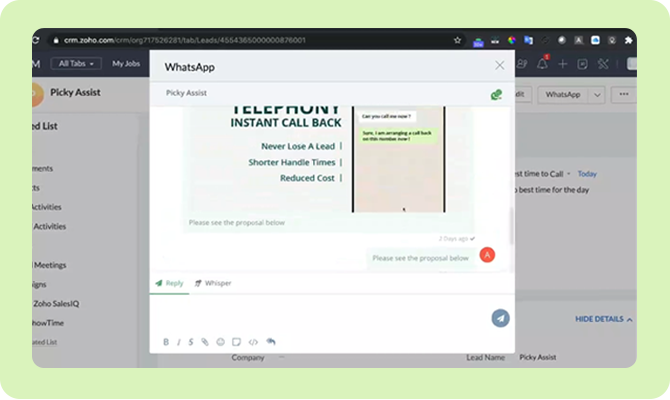
Picky Assist’s deep native Zoho CRM integration lets you send and receive text messages, images, videos, and documents without ever leaving Zoho. Get a complete WhatsApp conversation history within each record to engage every contact with full context.
Manage all conversations in your Zoho CRM from a single, shared inbox. Enable multiple agents to collaborate, assign, and respond using single or multiple WhatsApp numbers; linked to the right Zoho record, ensuring smooth handovers and a consistent customer experience.
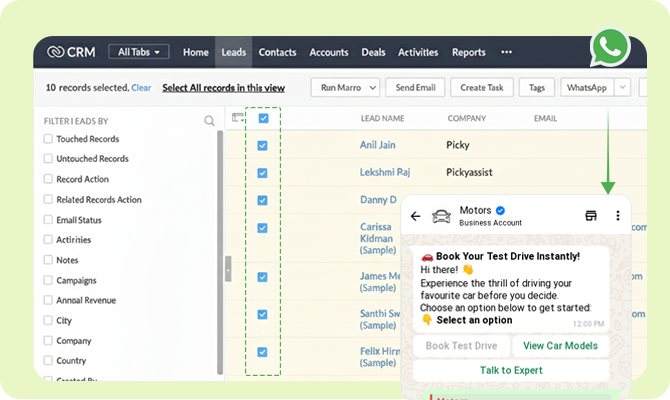
Reach multiple Zoho CRM contacts at once with personalized WhatsApp messages. Select contacts, choose a WhatsApp-approved template or type your message, and send customized messages using CRM data.
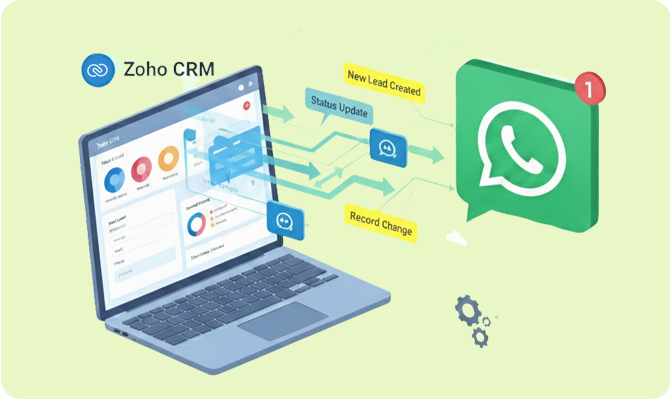
Automatically trigger WhatsApp messages based on Zoho CRM events such as new lead creation, status updates, or record changes. Build workflows that ensure leads are contacted and followed up without delay.
Use WhatsApp Flows to guide users through forms, choices, and actions in a single conversation. Keep momentum high and data synced with Zoho CRM. No redirects, no drop-offs, ensure seamless progress.
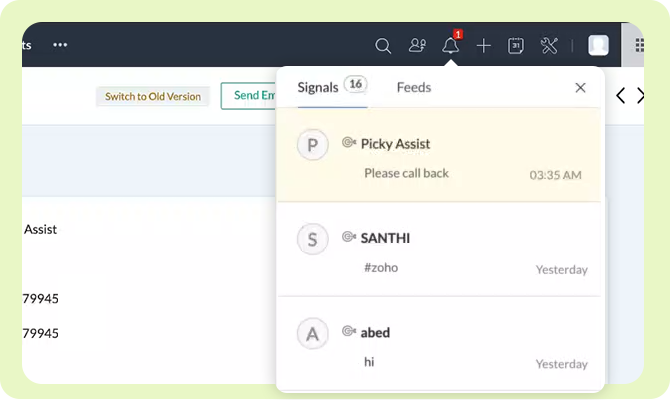
Receive instant Sales Signal notifications inside Zoho CRM when a lead or customer sends a WhatsApp message. Lead owners stay informed and can respond immediately, with no missed conversations.
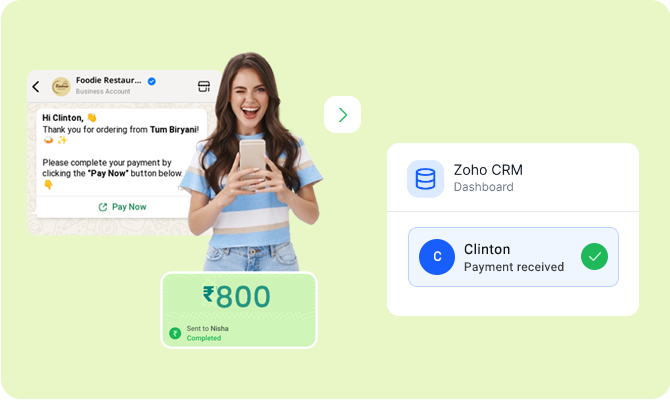
Accept payments directly inside WhatsApp without redirects, external gateways, or browser interruptions. With WhatsApp Pay integrated into Zoho CRM via Picky Assist, customers complete payments in just two simple steps. Every transaction stays connected to the right contact in your CRM.
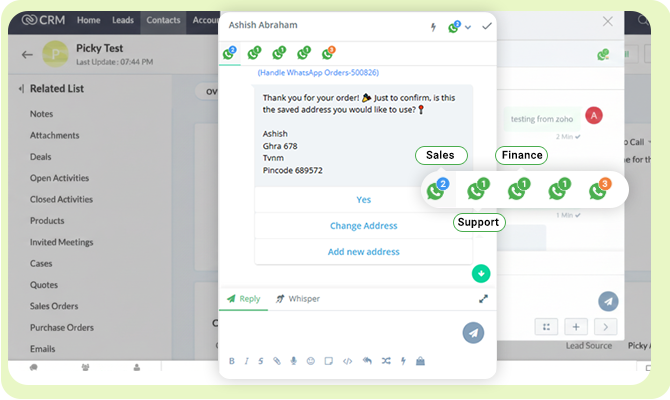
While other integrations limit you to a single number, Picky Assist gives you total control over how your team communicates.
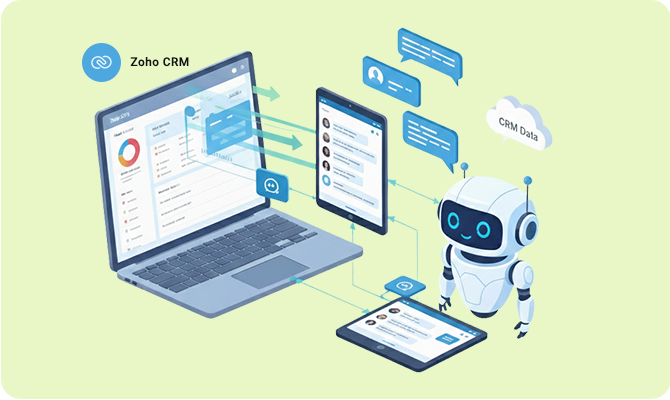
Build no-code chatbots that can “read” your CRM. Your bot can check a customer’s order status, loyalty points, or assigned account manager directly from Zoho and provide instant, personalized answers.
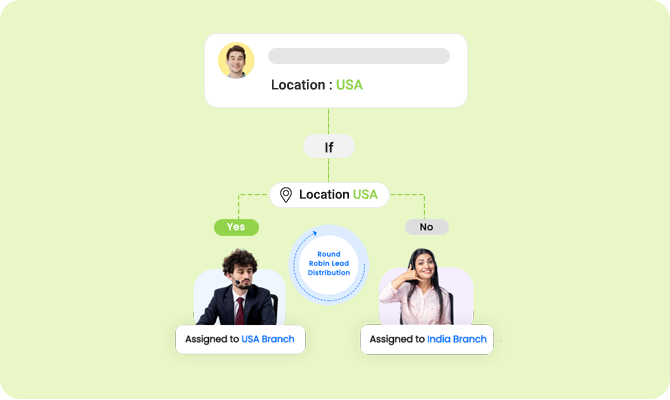
Ensure no lead is left behind. Automatically assign incoming WhatsApp inquiries to your sales reps based on their availability, expertise, or current workload defined in Zoho.
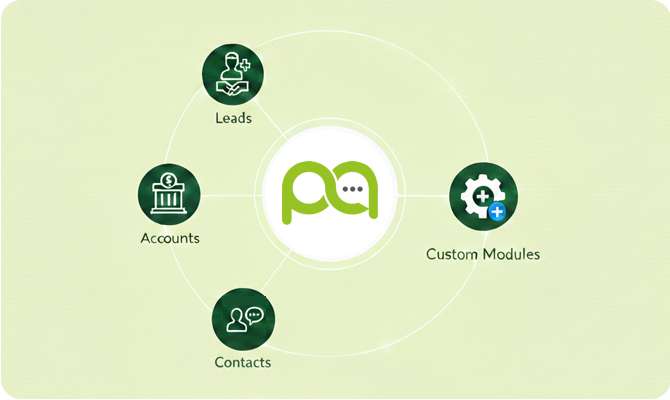
Unlike basic integrations, Picky Assist works across the entire Zoho ecosystem:
100% of WhatsApp inquiries are saved; 0% leakage.
Manage WhatsApp inside Zoho CRM, no more app switching, no more copy and paste
Collect KYC or IDs via WhatsApp and attach them to Zoho records.
Get notified on WhatsApp the moment a high-value lead visits your site.
Know exactly which campaign or QR code triggered a WhatsApp chat and tag them in Zoho.
Send bulk messages using any Zoho CRM field as a variable (e.g., "Hi {First_Name}, your {Policy_Type} is expiring").
Achieve 98% open rates and 3x faster response times compared to traditional email marketing.
Let chatbots handle the "admin work" of updating CRM statuses and collecting IDs or KYC documents.
Automatically assign incoming WhatsApp leads to the right agent in Zoho based on territory, product, or Round Robin rules.
Track response times, conversation volume, and agent performance with Picky Assist dashboards.
Log in to your Picky Assist account using your credentials.
From the main menu, navigate to Apps to view all available integrations.
Find Zoho CRM in the list of apps and click the Settings (⚙️) icon next to it. Then click the Connect button to begin the integration process.
You will be redirected to Zoho’s login page. Sign in using your Zoho CRM Admin credentials.
Review the permissions requested by Picky Assist and approve access to read, write, and delete Zoho CRM data.
Once access is granted, the integration is activated. Two-way data transfer between Zoho CRM and Picky Assist is now live.
Install the Picky Assist V4 App from Zoho CRM marketplace to enable live chat & bulk messaging from Zoho CRM modules.
Track Every Conversation. Measure Every Rupee. Integrate WhatsApp with Zoho CRM.

Copyright © 2026 Picky Assist Inc (USA) & Picky Assist Pvt Ltd (India)