
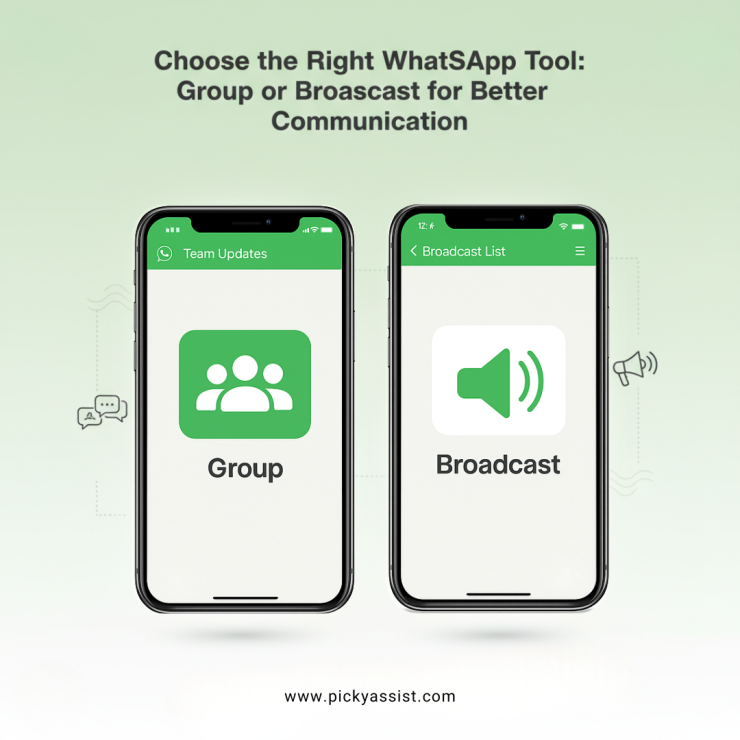
Choosing the right communication format on WhatsApp can completely change how efficiently you reach your customers, teams or communities. Many businesses still struggle to understand the real differences between a group and a broadcast list, especially as they scale communication. That’s why comparing WhatsApp group vs broadcast is no longer a simple feature comparison, it is a strategic business decision.
As customer expectations shift toward faster and more personalised communication, knowing when to use a group and when to use a broadcast becomes essential. Industry behaviour shows that businesses using structured messaging formats see 40% better engagement, reduced opt-outs and more predictable response patterns. This blog breaks it all down with clarity, data-backed insights and practical workflows.
Why Understanding WhatsApp Formats for Businesses?
A WhatsApp group works best when your goal is to encourage discussion or collaboration. But when users prefer privacy or when the conversation should stay one-to-one, a broadcast list becomes significantly more effective. This is where broadcast messaging plays a major role for brands, especially those operating at scale.
Unlike group conversations, a WhatsApp broadcast delivers the same update to multiple people privately, helping businesses maintain personalization without exposing contact details. It’s also why sectors like healthcare, retail, coaching, logistics and events rely heavily on structured formats like WhatsApp broadcast messages to maintain clarity and consistency in every update they send.
WhatsApp Groups – Great for Conversations, Not Great for Messaging at Scale
A WhatsApp group enables multi-way communication. Participants can talk to each other, share updates and collaborate freely. However, as the group grows, the noise grows too. Research across community-driven chats shows that 55% of users mute groups within the first week, reducing message visibility drastically.
Groups also expose phone numbers, which is a major privacy concern for many. This makes a group unsuitable for professional updates, reminders, announcements or promotional pushes.
WhatsApp groups are best at
- Project teams that need shared visibility.
- Event volunteer coordination where multiple people need to reply and update the whole group.
- Community conversations and peer support.
Pros of WhatsApp Groups
- Real-time collaboration; fast back-and-forth.
- Everyone sees the context and replies.
Cons of WhatsApp Groups
- Phone numbers and replies are visible to participants.
- Noise and off-topic messages are common; moderation is required.
WhatsApp Broadcasts: Private, Clean, One-to-Many Messaging
A broadcast list keeps messaging private. Each recipient receives your message individually, and their reply comes back only to you. This is where knowing what is a broadcast in WhatsApp becomes crucial for business workflows. Equally, many teams search “what is broadcast in WhatsApp” simply to confirm whether it’s the right choice for customer communication.
Recipients may not know others who receive the messages. For appointment reminders, offers, order updates or OTPs, a WhatsApp broadcast message is the format that preserves privacy and reduces cross-talk.
With a broadcast list on WhatsApp, you can deliver:
- Appointment reminders
- Shipping updates
- Offers and promotions
- Event notifications
- Support follow-ups
However, recipients must save your number to receive a broadcast. This is a native rule that businesses must follow to maintain deliverability and compliance.
To set it up, many users search instructions on how to create a broadcast list on WhatsApp, which is usually a quick, two-minute process in the regular WhatsApp interface. But as you scale, you’ll need additional features like scheduling, segmentation and template automation.
This is exactly where automation platforms such as Picky Assist extend the native WhatsApp Business capabilities.
How to create a broadcast list on WhatsApp?
- Open WhatsApp and go to Chats.
- Tap Broadcast Lists (iOS) or the menu → New Broadcast (Android).
- Select contacts (up to the native limit) and tap Create.
That’s how to create a broadcast list on WhatsApp in three clicks, recipients who have saved your number will receive the message privately.
If you’re asking how to send broadcast messages on WhatsApp repeatedly or on a schedule, the native app won’t provide automation, the WhatsApp Business API or a third-party platform is the way to go.
If you run campaigns daily, you will quickly outgrow manual broadcasts. Many businesses start with native lists and then move to tools that automate triggers, send sequences, personalise messages and integrate with CRM systems. This is where Picky Assist becomes valuable, helping businesses schedule, personalise and track every WhatsApp broadcast message they send.
Native limitations & Business Scale
- 256 recipients per native broadcast list is the commonly cited cap in WhatsApp’s help and community documentation. Create multiple lists to expand reach, but watch opt-ins and deliverability.
- For programmatic campaigns, businesses rely on WhatsApp Business API partners and platforms (e.g., Picky Assist) to handle templates, scheduling, retry logic, analytics and larger throughput while helping maintain compliance.
WhatsApp Group vs Broadcast: The Real Difference for Businesses
Let’s simplify the core difference. In a WhatsApp group vs broadcast scenario:
Choose a Group When:
- You need active discussions
- Participants must see each other’s messages
- Collaboration is required
Choose a Broadcast When:
- You want privacy
- Recipients should not see each other
- You want a professional, structured communication channel
- You want consistent notifications, reminders or promotions
In business use cases, broadcasts are usually 3x more efficient for conversions, while groups are better suited for engagement.
Why Do Broadcasts Often Win for Customer Communication?
Across industries, brands that switch from groups to broadcast-led communication observe:
- 40% higher open rates
- Reduced drop-offs due to clutter-free messaging
- Better brand perception because messages feel personal
- Cleaner analytics when using automation platforms
These numbers highlight why businesses need a clear understanding of WhatsApp group vs broadcast before building their communication strategy.
Best practices for Broadcasting WhatsApp Messages
Using a structured workflow ensures each WhatsApp broadcast remains relevant and compliant.
- Get explicit opt-in and record consent.
- Keep messages short and personalize at least one field (name, order no.) to boost response.
- Keep frequency reasonable and respect quiet hours.
- Use automation for time-critical messages
- Segment your audience into multiple broadcast lists on WhatsApp (by interest, last purchase, location)using CRM data.
- Use throttling and delays when sending many messages to avoid spam flags. Picky Assist and similar platforms recommend small delays between messages and provide tools to surpass official limits while sending broadcast messages.
- Track response behaviour
Picky Assist: What Automation Adds?
Platforms such as Picky Assist turn native capabilities into an operations-ready workflow:
- Schedule campaigns and set recurring sends.
- Personalize templates at scale.
- Throttle and retry messages to reduce blocks.
- Integrate with CRMs to turn replies into support tickets or sales leads. That means you can start with a broadcast list on WhatsApp and graduate safely to larger, measured campaigns.
To Conclude
As communication on digital platforms matures, choosing between a group and a broadcast is no longer just a functional decision, it affects engagement, professionalism and customer experience. Businesses should begin with a clear understanding of WhatsApp group vs broadcast and decide based on their communication style and audience expectations.
Groups are excellent for collaboration, but broadcasts deliver cleaner, private and scalable messaging. When paired with automation tools like Picky Assist, broadcasts become even more effective, allowing companies to personalise, schedule and track messaging at enterprise scale.
If your goal is clarity, consistency and conversion, broadcasts are usually the more reliable long-term choice.
FAQs on WhatsApp Group vs Broadcast
1. What is a broadcast on WhatsApp?
A broadcast is a private one-to-many messaging feature where recipients receive your message individually. It is ideal for updates, reminders and announcements without exposing contact lists.
2. What is broadcast on WhatsApp and how is it different from a group?
A broadcast sends messages privately to multiple recipients, while a group exposes phone numbers and enables open conversation among all members.
3. How to send broadcast messages on WhatsApp?
Go to Chats → Broadcast Lists → Create New → select recipients → send. Recipients must have your number saved to receive the message.
4. How to create a broadcast list on WhatsApp?
Open WhatsApp → tap Broadcast Lists → New List → choose contacts → Create. This creates a reusable list for future campaigns.

Add comment