
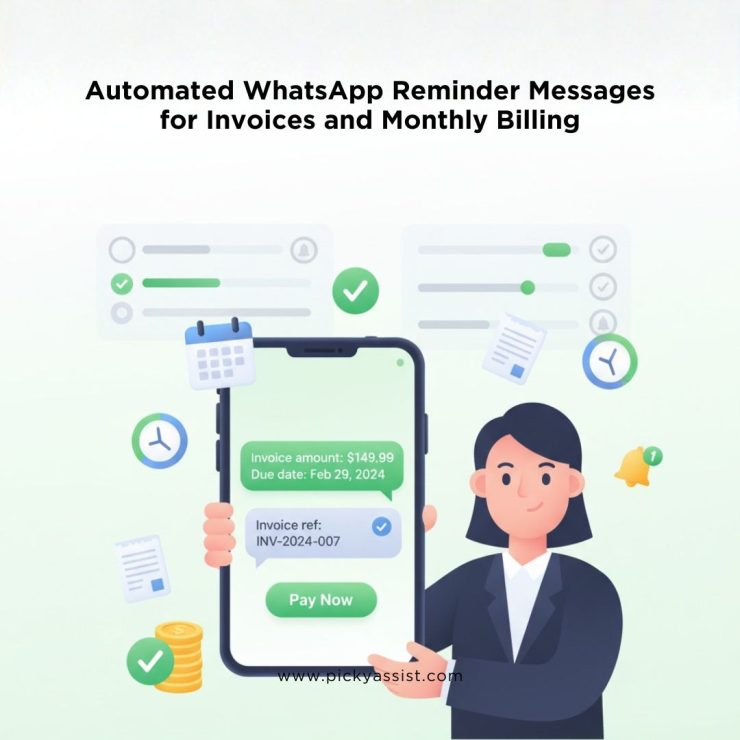
Late or missed payments are a common challenge for businesses with recurring billing cycles. Traditional channels like email and SMS often fail to capture attention, leading to delayed cash flow and increased administrative workload. A WhatsApp reminder message transforms the way businesses communicate about invoices and monthly billing by delivering timely notifications directly on customers’ primary communication platform.
With read rates exceeding 95% within minutes of sending, WhatsApp offers an exceptional engagement advantage. Combined with automated workflows and payment links, WhatsApp reminders can significantly improve on-time collections while reducing operational effort and customer friction.
Why Are Businesses Shifting to WhatsApp Reminder Message for Billing?
Businesses struggle with:
- Low email open rates (25%)
- High manual follow-up costs
- Customer frustration with repetitive communication
A reminder WhatsApp message addresses these pain points by delivering clear, context-rich notifications at the right time, making it easier for customers to act immediately. A well-tuned WhatsApp reminder strategy can improve payment collection efficiency by 40% and drive customer satisfaction by meeting users on a channel they actively use daily.
What is a WhatsApp Reminder Message?
A WhatsApp reminder message is a notification sent via WhatsApp to prompt customers about upcoming actions, such as invoice payments, subscription renewals, or monthly billing deadlines. A WhatsApp reminder message blends the immediacy of messaging with the structure of a billing reminder, enabling customers to view details, ask questions, and complete payments directly within the chat.
This can include:
- Due date alerts
- Overdue invoice prompts
- Monthly subscription reminders
- Payment link delivery
- Query resolution via chat
How WhatsApp Reminder Message Work in Billing Automation?
1. Opt-In and Compliance
Before sending reminders, obtaining explicit customer opt-in for WhatsApp communication ensures compliance with privacy standards and improves acceptance.
2. Pre-Due Date Reminder
Sending a reminder on WhatsApp a few days before the due date primes the customer, increasing the likelihood of timely payment.
3. Due-Date Notification
On the due date, an automated WhatsApp billing reminder reinforces urgency and typically includes the payable amount and invoice reference.
4. Post-Due Follow-Up
If payment is missed, a friendly follow-up WhatsApp message reminder maintains professionalism while prompting action.
5. Two-Way Engagement
Customers can reply directly with queries, making WhatsApp a richer channel than unidirectional alerts.
Benefits of Using WhatsApp Reminder Message for Invoice and Billing
Higher Engagement
WhatsApp messages are read far faster than email or SMS, translating to quicker customer response and action.
Reduced Accounts Receivable Days
By prompting payment reminders at ideal intervals, businesses can shorten the average time to collect, reducing DSO (Days Sales Outstanding).
Lower Operational Effort
Automated reminders in WhatsApp workflows reduce calls, emails, and manual follow-ups.
Better Customer Experience
Customers appreciate reminders delivered through a familiar channel, especially when messages are personalized and non-intrusive.
Seamless Payment Flow
Including payment links within reminder messages allows users to complete transactions without switching apps.
How WhatsApp Reminder Messages Improve Invoice Collection Rates?
Automated reminders remove friction from the payment process. Instead of waiting for customers to remember due dates, businesses can send reminders on WhatsApp at precisely the right moment.
Key outcomes include:
- Reduced overdue invoices
- Fewer manual follow-ups by staff
- Improved customer satisfaction due to polite, timely nudges
- Better cash flow predictability
Businesses that send reminders in WhatsApp before and after due dates often report recovery rates exceeding 50% on overdue invoices.
Use Cases Where WhatsApp Reminders Add Value
Subscription Businesses
Whether SaaS, membership programs, or digital services, subscription companies benefit from automated monthly billing reminders. Thus payment can be collected without fail as its informed among their customers.
Fitness and Healthcare
Gyms can send appointment reminders and monthly billing alerts in the same message stream, enhancing retention and compliance. Hospitals can send appointment reminders scheduled for patients. A dental clinic can send reminders for regular dental check-ups for cleaning or cavities, so that patients are satisfied with care offered.
Professional Services
Consultants, agencies, lawyers and real estate agents can reduce administrative overhead by automating payment follow-ups.
Utility and Billing Services
Recurring utilities or maintenance fees for car service, car wash, flats or apartments can be tracked and collected more efficiently with WhatsApp reminders.
Best Practices for Sending WhatsApp Billing Reminders
Following these best practices ensures reminders feel helpful, not intrusive. To maximize effectiveness and avoid message fatigue:
- Keep reminders clear, concise, and goal-oriented
- Always include a direct payment link or invoice attachment
- Personalize messages with customer name and invoice details
- Respect customer preferences and timing (avoid nights/weekends)
- Limit frequency to avoid overload
WhatsApp Reminder Message Templates for Billing
Below are sample templates that can be used directly in business systems:
Pre-due Reminder
“Hello [Name], your invoice [#1234] of [Amount] is due on [Date]. Please complete payment by then to avoid late fees. Click here: [Payment Link]”
Due-Date Notification
“Hi [Name], your payment for invoice [#1234] is due today. Please settle the amount [Amount] at your convenience: [Payment Link]”
Overdue Follow-Up
“Dear [Name], your invoice [#1234] is overdue. Kindly make the payment at your earliest: [Payment Link]. Reply if you need assistance.”
Automating WhatsApp Reminder Message with Picky Assist
Picky Assist enables businesses to fully automate reminder workflows across WhatsApp without losing personalization. Key capabilities include:
- Automated scheduling: Send reminders based on billing dates or triggers.
- Dynamic content: Messages include invoice numbers, amounts, and customer names.
- Two-way engagement: Customers can respond, ask questions, or confirm payment.
- Rich media support: Attach invoices, QR codes, and payment links directly.
- Analytics dashboards: Track delivery, read rates, and conversion performance.
What Makes Picky Assist the All-in-one Choice for Sending WhatsApp Billing Reminders?
By integrating billing systems with Picky Assist, businesses can reduce manual effort and ensure every customer receives timely and actionable reminders.
With Picky Assist, companies can:
- Automatically send invoice reminders based on billing cycles
- Trigger reminders before and after due dates
- Share invoices and payment links in one message
- Handle replies with chatbots or route them to human agents
- Track delivery, reads, and responses in real time
WhatsApp Business API Compliance for Billing Reminders
Billing reminders are classified as transactional messages, but compliance still matters. Picky Assist ensures full WhatsApp Business API compliance, reducing the risk of message blocking or account suspension.
Key requirements include:
- Customer opt-in before messaging
- Approved message templates
- Clear identification of the business
- Easy opt-out options
Common Challenges and How to Address Them
Message Overload
Too many reminders can cause fatigue. Segment customers and spread reminders smartly.
Compliance and Opt-In
Ensure explicit opt-in and respect unsubscribe requests.
Unclear Messaging
Provide context (invoice amount, due date) and simple payment steps.
Measuring Success of WhatsApp Reminder Campaigns
High read rates combined with strong payment actions indicate a healthy reminder strategy. Most businesses using automated WhatsApp reminders see a 45% improvement in payment turnaround time. To measure success, businesses should track:
- Message open rates
- Payment completion rate
- Time taken to pay after reminder
- Unsubscribe rate
- Reduction in overdue invoices
- Customer engagement score
Conclusion
A WhatsApp reminder message is more than a notification. It’s transforming invoice follow-ups and monthly billing into a high-engagement, low-friction process. By automating reminders, including payment links, and enabling two-way conversations through platforms like Picky Assist, businesses can improve collections, enhance customer experience, and reduce administrative burden. In a digital world where timely communication drives revenue, WhatsApp stands out as an effective channel for billing workflows.
As AI and conversational commerce evolve, WhatsApp reminders will become more predictive and personalized. Businesses will move from static reminders to intelligent nudges based on payment behavior, preferences, and history, further improving collection rates and customer relationships.
FAQs on WhatsApp Reminder Message
What is the best way to send invoice reminder message on WhatsApp?
The best approach is to automate reminders tied to your billing cycle schedule, include clear instructions and payment links, and personalize messages for better engagement.
Can a WhatsApp reminder include a payment link?
Yes. A WhatsApp reminder on invoices can include secure payment links, enabling customers to pay directly from the chat.
Do customers need to opt in for WhatsApp reminder messages?
Yes. Customers must opt in to receive WhatsApp reminders to comply with messaging policies and privacy standards.
How often should WhatsApp billing reminders be sent?
A typical cadence includes a pre-due notice, a due-date reminder, and one follow-up if payment is overdue.
Is WhatsApp better than email for payment reminders?
WhatsApp reminders generally achieve higher visibility and faster responses compared to email reminders, leading to improved collection outcomes.
Add comment