
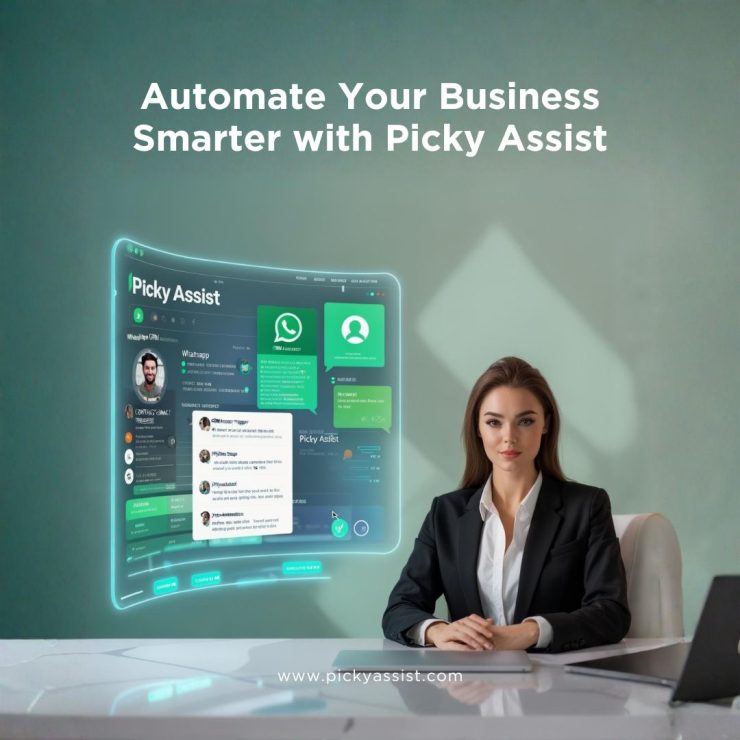
Companies relying on manual handling lose nearly 64% of potential conversions due to slow response speed, making automation a core part of modern operations. This is where Picky Assist emerges as a complete automation engine, built for enterprises that want deep integration, omnichannel capability, and intelligent workflows. When implemented correctly, Picky Assist helps businesses build scale through Business automation on WhatsApp while connecting CRM software, payment systems, websites, landing pages, and team workflows into one unified automation layer.
Why should you Automate your Business Conversations now?
Messaging platforms have replaced many legacy customer channels; WhatsApp is central in India as a trusted, high-open channel. When you combine contextual automation with payment and CRM integrations, you convert conversations into revenue and measurable retention. Picky Assist offers no-code chatbots, a connector layer (Zapier/others), catalog/payment automation and a team inbox, the tools needed to operationalize conversational workflows. Expect first response time drops of 70% and measurable uplifts in conversions for pilot use cases.
10 Intelligent Automations Every Business Should Run Using Picky Assist
Below are 10 powerful things organisations can automate using Picky Assist to create predictable, measurable and profitable digital operations.
1. 24/7 Customer Engagement with AI Chatbots
AI chatbots powered by Picky Assist ensure customers receive instant responses across WhatsApp, Instagram, Facebook and Web Chats, even when your team is offline. Brands using automated WhatsApp messages for business workflows have reported reducing their first-response time by 70%, directly improving customer satisfaction and lead qualification. The system blends human takeover with bot-driven flows, ensuring your support team handles only high-intent queries while the bot manages greetings, FAQs, auto message WhatsApp flows, and repeated customer interactions without failing.
2. Real-Time Lead Capture and Nurturing
With Picky Assist, every lead generated through Facebook Lead Ads, Google Forms, landing pages, or website embeds gets pushed instantly into your CRM solution. After capture, the platform triggers WhatsApp automation funnels and drip communication automatically, reducing lead leakage by 52%. Businesses can design personalised follow-ups, segmentation workflows and WhatsApp automation for business sequences that nurture cold leads into warm prospects using contextual messages delivered at the right time.
3. WhatsApp Commerce – Orders, Payments & Catalogs
Picky Assist enables complete e-commerce automation inside WhatsApp, right from product catalogs to order confirmations, payment collection and shipping notifications. This eliminates the need for customers to visit external websites. When paired with marketing automation WhatsApp strategies, businesses see an uplift in checkout completion rates because customers purchase within a familiar chat interface. The automation also supports Razorpay integrations, inventory syncing and delivery updates using automatic message WhatsApp workflows that reduce manual operations drastically.
4. Event-Based Smart Messaging
Event-triggered workflows in Picky Assist are built for businesses that rely on timed communication. For example, when a CRM status changes to “Converted,” Picky Assist can automatically send onboarding details. If an order is marked “Delivered,” the system can push a feedback request two days later. This aligns perfectly with WhatsApp business automated messages that nurture customers with precision-timed conversations. Companies using such workflows have seen 55% improvement in customer re-engagement through intelligent auto messages on WhatsApp triggers.
5. Automated Lead Assignment and Distribution
Picky Assist intelligently distributes leads or customer chats to the right team members using automation rules like geography, product type, source, or language. This reduces response bottlenecks and ensures every conversation is handled by the most appropriate agent. Businesses leveraging WhatsApp for business automation combined with Teambox have observed faster handling times, more consistency in customer communication and higher agent productivity, especially in high-volume sales environments where speed drives conversions.
6. Meeting & Appointment Reminder Automation
Missed meetings are one of the biggest revenue leak points for service-based businesses. Automated reminders through WhatsApp business automated responses can reduce missed appointments by 45%, making the process more predictable. Picky Assist allows you to send scheduled reminders, post-meeting follow-ups, webinar links, and feedback requests, all through automated messages on WhatsApp business. This ensures a more professional, timely and structured customer experience at scale.
7. Personalised Bulk Messaging with Broadcaster
Unlike traditional bulk messaging tools, Picky Assist empowers businesses to run highly targeted campaigns using CRM data. Personalised fields such as name, last purchase, location or interest can be inserted into each message, increasing campaign engagement by 60%. This is where WhatsApp automation marketing becomes powerful, enabling large-scale outreach without losing the personalisation customers expect. Broadcaster also provides delivery stats, click-through analytics and performance reports that allow teams to optimize their communication cycles.
8. Integration Workflows with 3000+ Apps
Picky Assist’s connector and integration ecosystem allow businesses to synchronise their operations across CRMs, helpdesks, calendars, e-commerce platforms and internal tools. By combining the WhatsApp automation API with integration platforms like Zapier or Make, companies can automate CRM updates, ticket creation, meeting scheduling, order syncing and more. This creates a true end-to-end automated WhatsApp business workflow where every tool in the organisation communicates seamlessly.
9. Automated Support Ticket Creation
Incoming messages from WhatsApp, Instagram or Facebook can automatically be converted into support tickets inside Zendesk or Picky Assist Teambox. This ensures no conversation goes unanswered and reduces the support team’s manual workload by a significant margin. With WhatsApp business automated messages for acknowledgement, customers instantly feel attended, even before an agent replies. Businesses using omnichannel automation report 40% improvement in ticket resolution speed through structured workflows.
10. Call Tracking & Follow-Up Automation
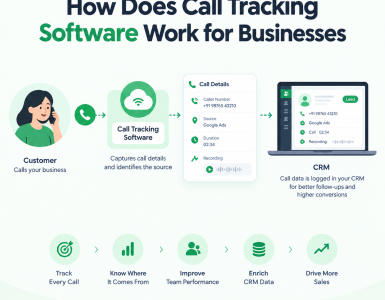
With Picky Assist, every inbound, outbound or missed call can be logged automatically inside the CRM system. Missed calls outside business hours can trigger instant automatic message WhatsApp templates with callback options, FAQs or links, ensuring customers never feel ignored. This level of automated WhatsApp business messages helps businesses maintain continuity, especially for sales teams that rely on continuous engagement to close deals.
Implementation priorities
- Week 0 (Prep): Get official WhatsApp channel or validate web automation path. Create 5 template messages (order, shipping, appointment, feedback, missed-call).
- Weeks 1–2: Build chatbot + lead capture; run one small broadcaster test.
- Weeks 3–6: Pilot catalog + Razorpay checkout for a small SKU set.
- Month 2: Integrate CRM + ticketing; automate lead assignment.
- Month 3: Scale broadcasts, instrument analytics and optimize templates.
FAQs on WhatsApp Business Automation
1. What is the fastest way to achieve business automation on WhatsApp for an SMB?
Begin with one high-value transactional flow, order confirmations and delivery updates, and automate that end-to-end (catalog → payment → shipping message). This proves ROI quickly and reduces manual work. Use Picky Assist’s catalog and payment connectors for a faster rollout.
2. Can I send automated marketing messages on WhatsApp without violating policies?
Yes, if you use templated, approved messages for transactional content and obtain explicit opt-ins for promotional messages. Personalization and limited frequencies protect sender reputation. Picky Assist’s broadcaster and template management features help maintain compliance.
3. How does WhatsApp automation affect customer support KPIs?
Automating first responses and ticket creation shortens first response times by roughly 70% in many pilots, frees human agents for complex issues and improves CSAT when handovers are timely and contextual. Track resolution time and reopen rates to quantify success.
4. How do I automate my WhatsApp Business?
You can automate WhatsApp Business by integrating it with Picky Assist, which connects directly to the WhatsApp Cloud API. The platform lets you build no-code workflows, send automated replies, and trigger messages based on events. You can also deploy AI chatbots for 24/7 customer conversations. Picky Assist handles everything from lead capture to follow-ups without manual work.
5. How to send 1000 WhatsApp messages at once?
To send 1000 WhatsApp messages at once, use the Picky Assist Broadcaster tool. It supports large-scale, API-approved WhatsApp template messaging. You can personalize each message, segment your audience, and track delivery analytics in real time. This makes it ideal for promotions, updates, and bulk notifications. You can also send messages without account bans or blocks.
6. Can WhatsApp Business send automated messages?
Yes, WhatsApp Business can send automated messages when paired with a platform like Picky Assist. It enables auto-replies, drip campaigns, reminders, ticket updates, and smart routing. You can automate responses for FAQs or full customer journeys. This helps businesses operate round the clock without manual intervention.
7. Which WhatsApp automation is best?
Picky Assist is the best WhatsApp automation tool available due to its flexibility and scalability. It offers chatbots, workflow automation, bulk messaging, and integration with 3000+ apps. The platform supports deep API-level control with WhatsApp Cloud API. This makes it suitable for sales, support, and marketing automation of any size.
Add comment