
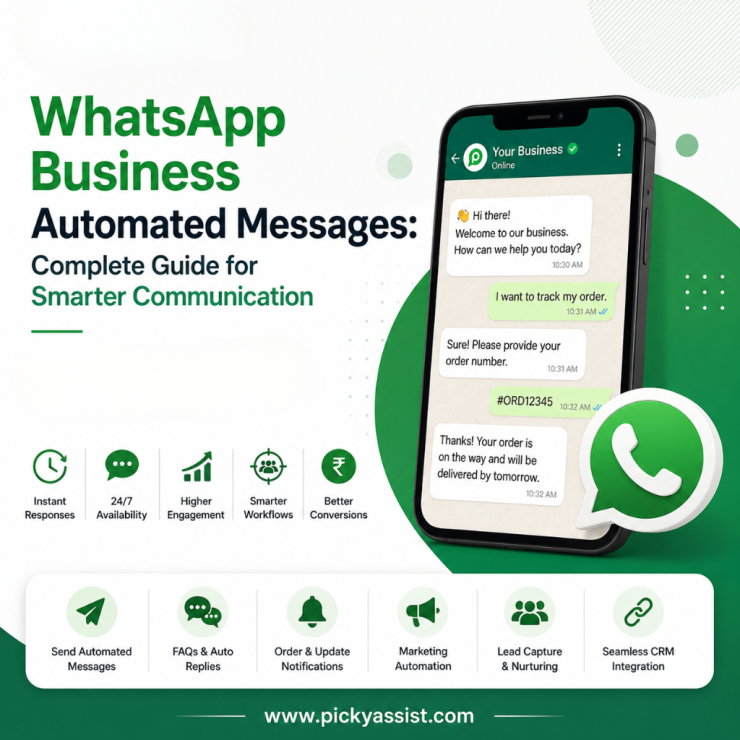
Customers don’t wait anymore. They expect instant replies, real-time updates, and consistent communication. No matter the time or channel. For businesses, this creates a clear challenge: how do you maintain responsiveness without expanding teams or increasing operational complexity? This is exactly where WhatsApp business automated messages come into play.
Instead of relying on manual replies, businesses are now building structured communication systems that respond instantly, guide conversations, and move customers toward action. When done right, automation doesn’t replace human interaction, it enhances it.
This guide breaks down how automated messaging on WhatsApp works, why it matters, and how businesses can use it strategically to improve engagement, efficiency, and conversions using platforms like Picky Assist.
What Are WhatsApp Business Automated Messages?
WhatsApp business automated messages are pre-configured responses and notifications triggered by user actions, time-based events, or system workflows.
They go beyond simple replies. A well-designed automation system can:
- Welcome new users instantly
- Answer frequently asked questions
- Send order confirmations and updates
- Follow up on enquiries
- Trigger reminders and alerts
Unlike basic messaging, these interactions are structured and scalable. They ensure that every customer receives a timely, relevant response without manual effort.
Why Automated Messaging Matters for Business?
1. Customer Expectations Have Changed
People expect immediate responses. Even a short delay can lead to drop-offs or lost opportunities.
2. Conversations Drive Business Outcomes
Messaging is no longer just support, it’s part of the sales journey. A timely reply can move a lead closer to conversion.
3. Manual Communication Doesn’t Scale
As enquiry volumes increase, manual responses become inconsistent and inefficient.
4. Consistency Builds Trust
Automation ensures that every customer receives accurate and brand-aligned communication.
Types of WhatsApp Messages Businesses Should Automate
Welcome Messages
These are triggered when a customer first interacts with your business. A strong welcome message sets expectations and guides the next step.
Quick Replies and FAQs
A WhatsApp auto reply message can instantly answer common questions like pricing, availability, or working hours.
Order and Transaction Updates
Automated notifications keep customers informed about:
- Order confirmations
- Shipping updates
- Payment receipts
Follow-Up Messages
One of the most powerful use cases. Businesses can automate WhatsApp messages to re-engage leads who didn’t convert initially.
Appointment and Reminder Messages
Useful for service-based businesses to reduce no-shows and improve operational efficiency.
How WhatsApp Automation Works in Practice?
At a strategic level, automation is built on three components:
1. Triggers
These initiate the conversation flow. For example:
- A user sends a message
- A form is submitted
- A purchase is completed
2. Logic and Flow Design
This defines how conversations progress. Instead of static replies, businesses create structured paths based on user responses.
3. System Integration
Modern WhatsApp automation for business connects with CRM systems, allowing data to flow across touchpoints.
This ensures every interaction is contextual and actionable.
WhatsApp Auto Reply vs Advanced Automation
Many businesses start with a basic WhatsApp business auto reply, but quickly realize its limitations.
| Feature | Auto Reply | Advanced Automation |
|---|---|---|
| Response Type | Fixed | Dynamic |
| Personalization | Limited | High |
| Workflow Logic | None | Multi-step |
| Integration | No | Yes |
| Use Case | Basic replies | Full customer journeys |
The difference lies in how deeply the system supports business processes.
Key Benefits of WhatsApp Business Automation
Faster Response Times
Instant replies improve customer satisfaction and reduce drop-offs.
Higher Lead Conversion
Structured follow-ups ensure that no opportunity is missed.
Operational Efficiency
Teams spend less time on repetitive tasks and more on strategic work.
Improved Customer Experience
Personalized and timely communication builds stronger relationships.
Scalability Without Complexity
Businesses can handle large volumes of conversations without increasing headcount.
Real-World Use Cases
E-commerce
- Product enquiries
- Order tracking
- Cart recovery
Healthcare
- Appointment confirmations
- Patient reminders
- Follow-ups
Education
- Course enquiries
- Admission processes
- Fee reminders
Real Estate
- Lead qualification
- Property details
- Site visit scheduling
Service Businesses
- Booking confirmations
- Service reminders
- Feedback collection
How to Implement WhatsApp Business Automated Messages
Step 1: Identify Key Interaction Points
Focus on areas where automation can reduce manual effort:
- Enquiries
- Follow-ups
- Notifications
Step 2: Design Clear Conversation Flows
Avoid overcomplication. Keep flows intuitive and goal-oriented.
Step 3: Choose the Right Platform
Managing automation manually is complex. Platforms like Picky Assist simplify the process.
Step 4: Integrate with Your CRM
CRM integration ensures better tracking, segmentation, and personalization.
Step 5: Test and Optimize
Monitor performance and refine based on user behavior.
Where Picky Assist Adds Value?
Implementing WhatsApp business automation effectively requires more than just access, it requires a structured system.
Picky Assist brings that structure together.
What Businesses Can Do with Picky Assist?
- Build automation flows without coding
- Manage leads through an integrated CRM
- Send targeted campaigns using broadcaster tools
- Enable chatbot-driven conversations
- Centralize customer communication on Shared inbox
Instead of juggling multiple tools, businesses can manage everything within one platform.
Best Practices for High-Impact Automated Messaging
Keep Messages Conversational
Automation should feel natural, not scripted.
Focus on Relevance
Send messages based on user behavior, not assumptions.
Avoid Over-Automation
Not every interaction should be automated. Balance is key.
Enable Human Handover
Make it easy for users to connect with a real person when needed.
Stay Compliant
Always ensure customer opt-in and follow WhatsApp policies.
Common Mistakes to Avoid
- Sending too many messages
- Using generic, impersonal responses
- Ignoring user intent
- Not updating flows regularly
- Treating automation as a one-time setup
Automation is not static, it evolves with your business.
Conclusion
WhatsApp business automated messages are no longer optional. They are a core part of modern customer communication.
When implemented strategically, they allow businesses to:
- Respond instantly
- Engage consistently
- Convert efficiently
- Scale sustainably
The real advantage lies in creating a system where every interaction is timely, relevant, and purposeful. With platforms like Picky Assist, businesses can move beyond basic messaging and build a structured communication engine that supports growth at every stage.
FAQs on WhatsApp Business Automated Messages
1. What are WhatsApp business automated messages?
They are pre-configured messages sent automatically based on triggers like user actions, time events, or system workflows.
2. How do automated messages improve business performance?
They reduce response time, improve customer engagement, and increase conversion rates through consistent communication.
3. What is the difference between WhatsApp auto reply and automation?
Auto reply is basic and fixed, while automation involves structured workflows, personalization, and integrations.
4. Can small businesses use WhatsApp automation?
Yes. With platforms like Picky Assist, even small businesses can implement automation without technical expertise.
5. Is coding required to set up automated messages?
No. No-code tools allow businesses to create workflows easily using visual builders.
6. Can automated messages be personalized?
Yes. Messages can include user data, preferences, and behavior to create a personalized experience.
7. Is WhatsApp automation secure?
Yes, when implemented through official providers, it follows strict security and compliance standards.
8. How long does it take to set up WhatsApp automation?
Basic setups can be done in a few hours, while advanced workflows may take a few days.

Add comment