
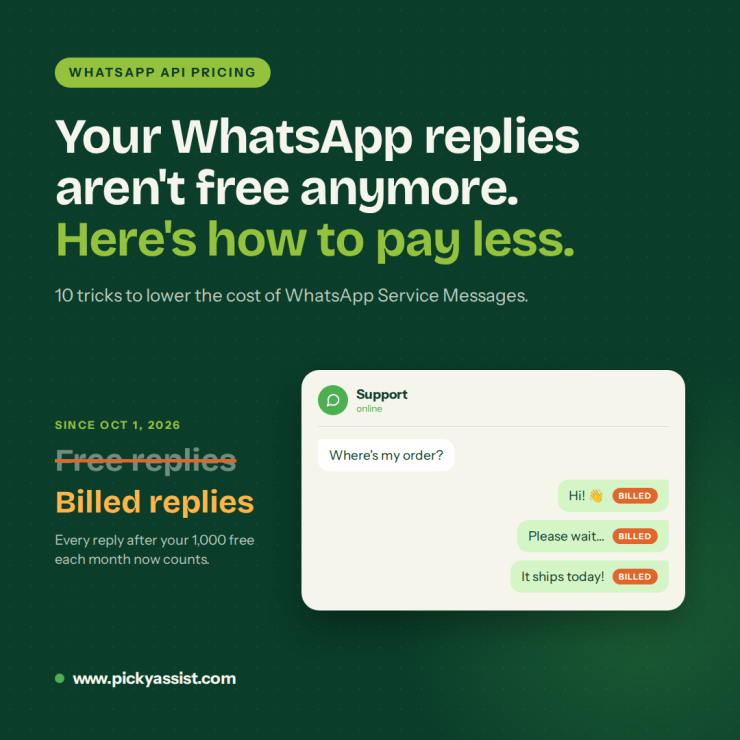
What if the replies your support team sends every day were quietly becoming your biggest WhatsApp expense? For years, replying to your customers on WhatsApp cost you nothing. As of October 1, 2026, that is no longer true. The fastest way to lower the cost of WhatsApp Service Messages is to send fewer of them per conversation. Use your free monthly allowance on purpose, open chats through free entry points, bundle updates into one message, and move low-value queries off WhatsApp.
Since October 1, 2026, replies that used to be free inside a customer’s 24-hour window now carry a price, so habits that were harmless last year can quietly inflate your bill.
What Changed on October 1, 2026 and Why It Matters?
Until now, free-form replies sent inside an open 24-hour customer service window cost nothing. Meta now charges for WhatsApp Service Messages at utility and authentication rates that vary by market, with a free allowance of 1,000 messages per business phone number each month.
Other changes in the same update:
- Rate card updates: Marketing, utility, and authentication rates go up or down in specific markets, as they do every quarter.
- Newly standalone markets: Nine markets leave their regional “Rest Of” pricing group and get their own rates and volume tiers, plus new authentication-international rates.
- Utility messages in open windows: Utility templates sent in response to a user inside an open window have been free since July 1, 2025. They are now chargeable.
Together, these changes reshape your WhatsApp message cost, especially if your support team runs long back-and-forth chats or sends frequent order updates. Check the current rate card for your market before you forecast budgets, because WhatsApp message API pricing is revised quarterly and differs by country.
10 Smart Tricks to Lower the Cost of Your WhatsApp Service Messages
Trick 1: Use WhatsApp Flows to Shorten Conversations
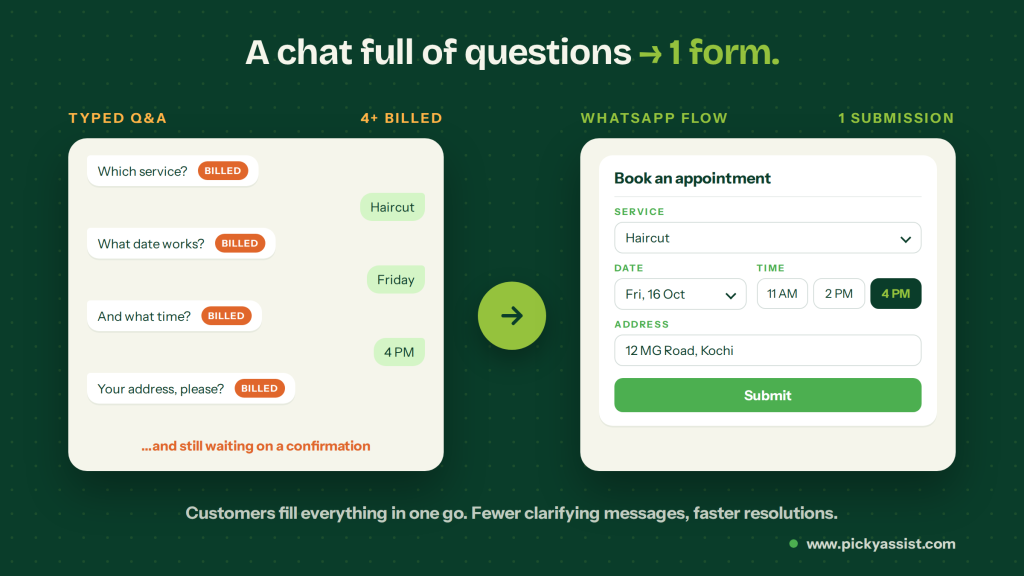
WhatsApp Flows let customers complete a task inside the chat using a structured form with screens, dropdowns, date pickers, and buttons. Instead of answering one question at a time, the customer fills in everything in one go and submits it. A task that would normally take five or six back-and-forth messages (asking for the date, then the time, then the address, then a confirmation) becomes one short interaction. That means fewer clarifying exchanges, shorter conversations, and more resolutions inside the open window.
Good places to use a flow:
- Bookings and rescheduling: Let customers pick a service, date, and time slot on one screen.
- Order changes: Collect the order number, the new address, and a confirmation in a single form.
- Support requests: Capture the issue type, a short description, and the order details upfront, so agents don’t have to ask for them.
- Returns and refunds: Gather the reason, product, and preferred resolution in one submission.
- Feedback and lead qualification: Ask a few structured questions without a long chat.
Trick 2: Use Your Free Monthly Allowance Deliberately
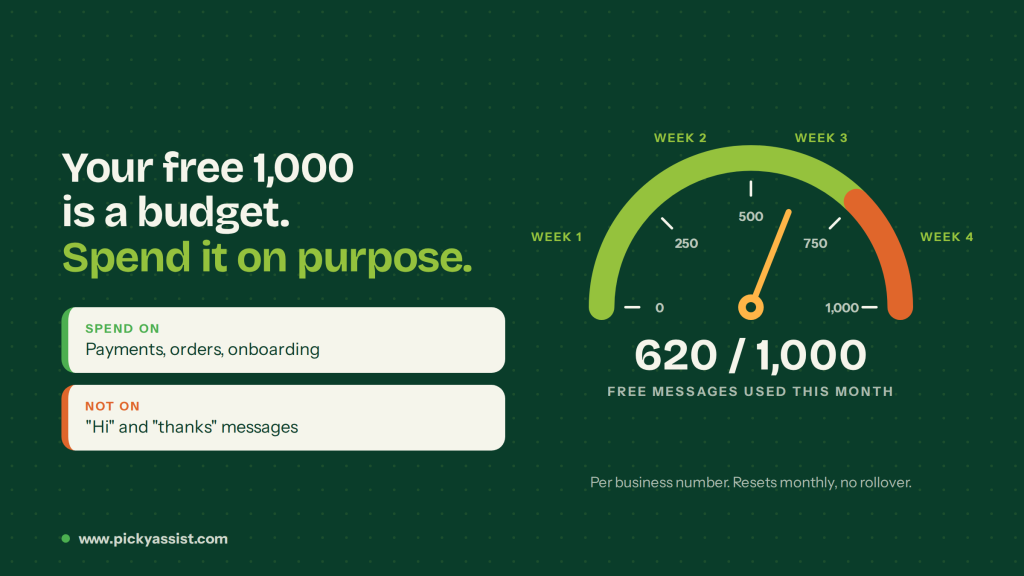
The first 1,000 WhatsApp Service Messages each month are free for every business phone number. That works like a small monthly budget, and it only helps if you manage it.
- Track usage weekly, not at month-end, so you know how fast you are burning through the allowance.
- Spend free messages on high-value conversations such as order problems, payment issues, and onboarding help. Don’t spend them on greetings and “thanks” exchanges.
- Remember the allowance is per number. If you run more than one business phone number, each has its own 1,000.
Trick 3: Start Conversations With Click-to-WhatsApp Ads
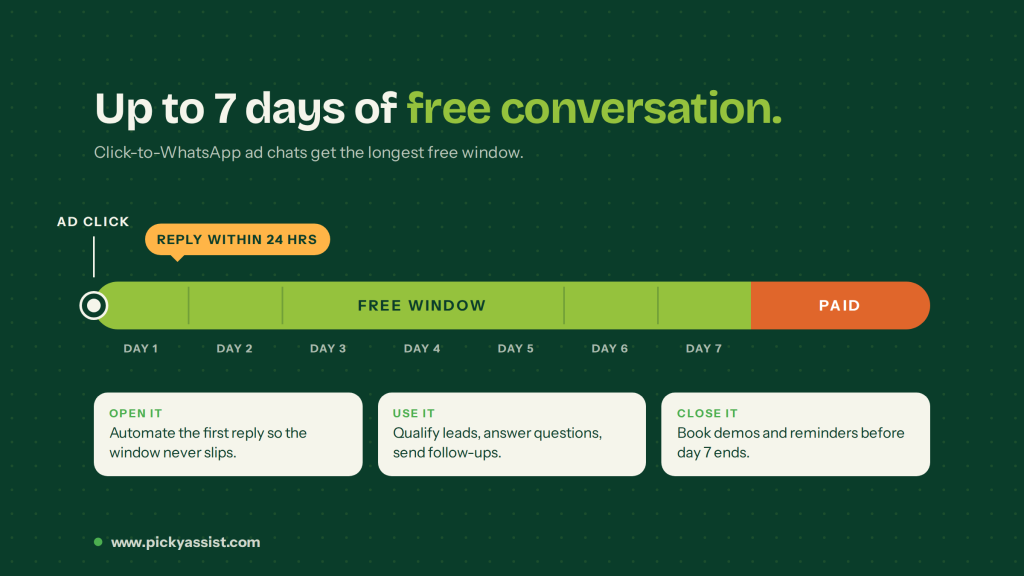
Meta has extended the free entry window for Click-to-WhatsApp (CTWA) ad conversations from 72 hours to up to 7 days, starting late September 2026. User-initiated conversations from qualifying CTWA ads now stay in a free billing window for up to a week, so this is the cheapest place to hold your longest conversations.
- Reply within 24 hours of the user’s first message. The 7-day free window only opens if you respond in time, so automate the first reply and you won’t lose it outside working hours.
- Use the window for any message type. Qualify leads, answer questions, and send follow-ups at no additional conversation charge while the window is active.
- Finish the conversation before day 7 ends. Standard conversation-based pricing applies to any interactions or template messages sent after the window expires, so schedule demos, payment reminders, and follow-ups inside the week.
- Keep ad-led chats separate from support chats. This shows you how much volume the free window absorbs and when a conversation is about to turn paid.
Trick 4: Combine Updates Into One Message
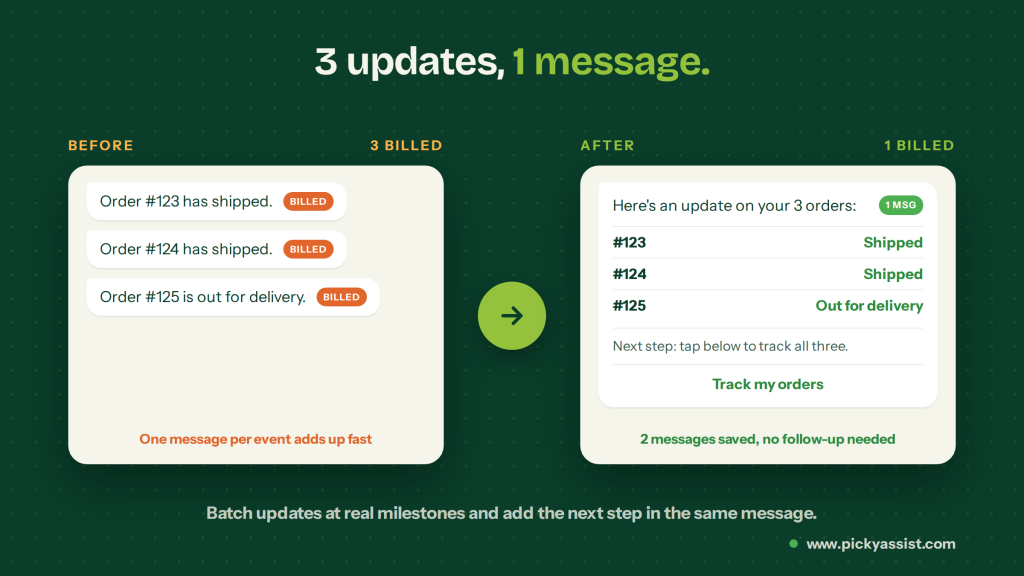
Many businesses send one message per event: one for order 123, another for 124, another for 125. Each message adds to your volume. Instead, send a single message that carries several statuses, for example tracking details for orders 123, 124, and 125 together.
A few ways to apply this:
- Batch updates for customers with multiple open orders or tickets.
- Send updates at meaningful milestones such as shipped or delivered, not at every internal scan or status change.
- Put the next step for the customer in the same message so they don’t have to ask a follow-up question.
Trick 5: Route Low-Value Queries Elsewhere
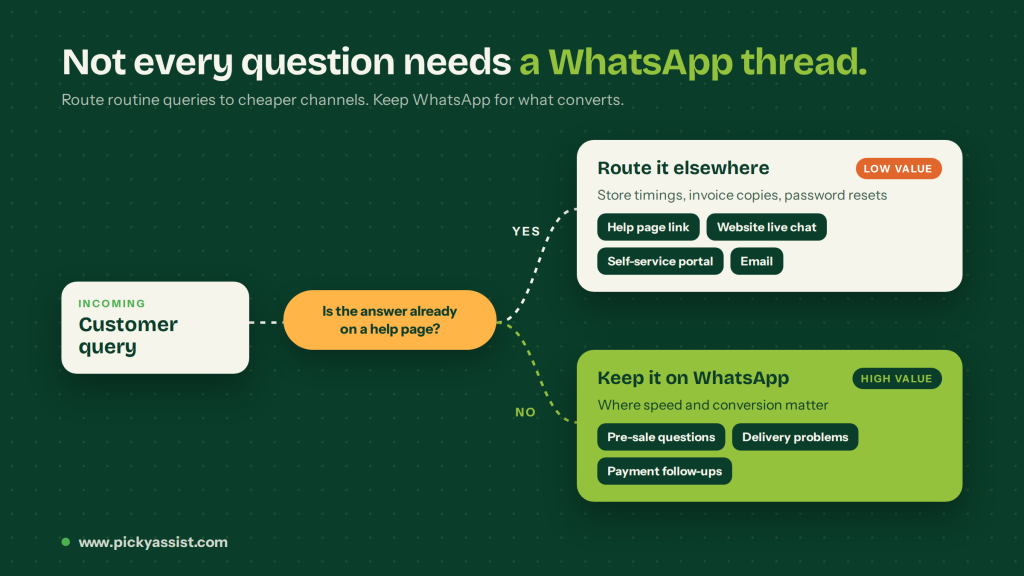
Not every question deserves a WhatsApp thread. Queries like store timings, invoice copy requests, or password resets can go to your website live chat, a self-service portal, or email. Reserve WhatsApp Service Messages for conversations where speed and conversion matter, such as pre-sale questions, delivery problems, and payment follow-ups.
A simple routing rule helps: if the answer already exists on a help page, link to it from an automated reply instead of starting a live conversation.
Trick 6: Use the Coexistence Method
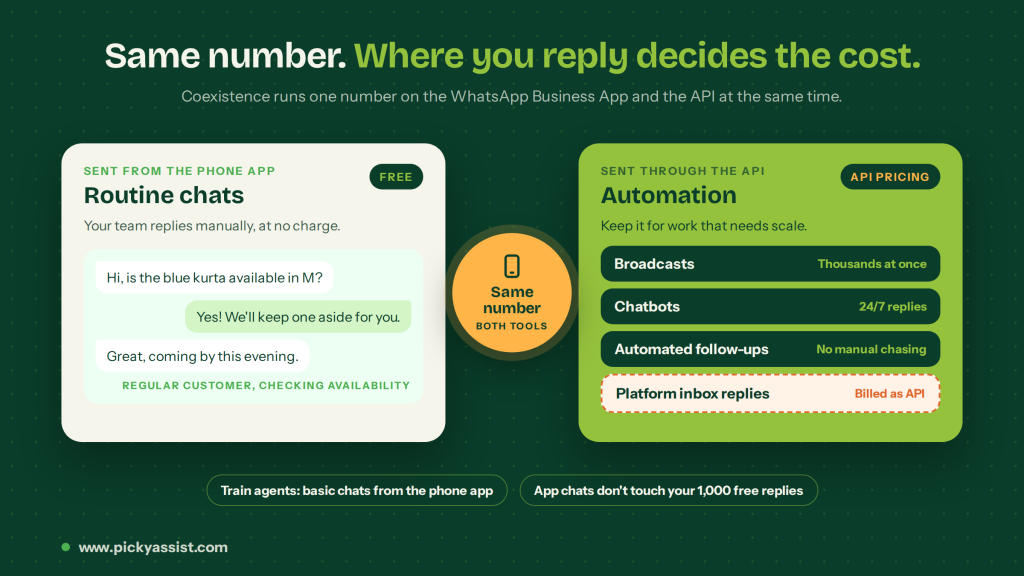
Coexistence lets one phone number work on both the free WhatsApp Business App and the API at the same time. Messages your team sends manually from the app stay free, while messages sent through a connected platform follow API pricing. That means the saving depends on where each reply is sent.
- Protect your free allowance. Because app chats don’t count toward API usage, your 1,000 free service replies go to conversations that actually need automation.
- Answer routine chats from the app. A regular customer checking availability or asking a quick question can be handled by your team directly in the app at no charge.
- Keep the API for automation. Use it for broadcasts, chatbots, and automated follow-ups, the work that needs scale.
- Train your team on the rules. Replies sent from the platform inbox are billed as API messages, so agents should answer basic chats from the phone app.
Trick 7: Trim Your Chatbot Flows
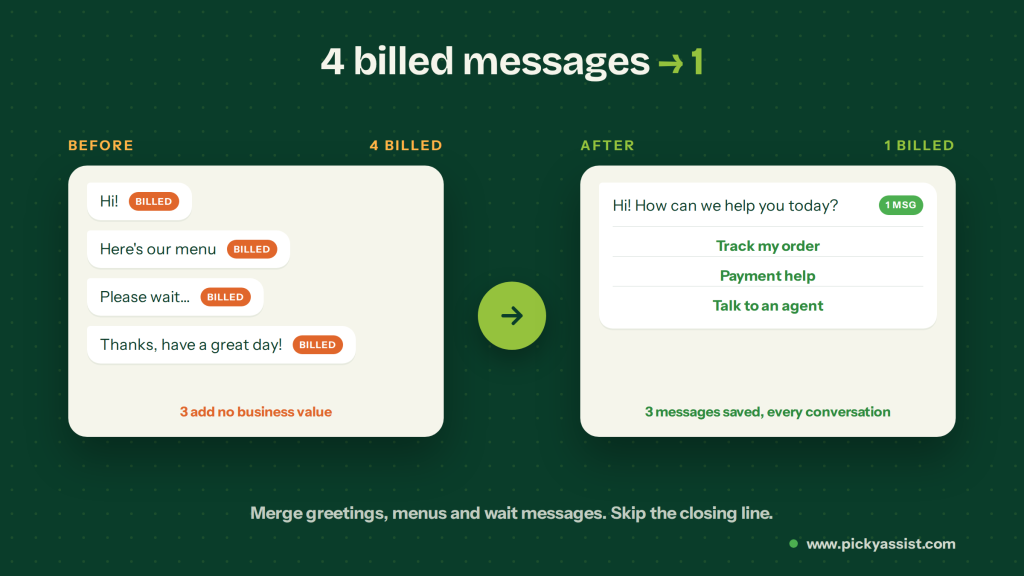
Many bots send a greeting, then a menu, then a “please wait” message. Merge these into one message, since each message bubble is a billable delivery. End the conversation as soon as the issue is resolved, because closing lines like “Thanks!” and “Have a great day!” use up your allowance for no business value.
Trick 8: Let an AI Employee Resolve Conversations in Fewer Messages
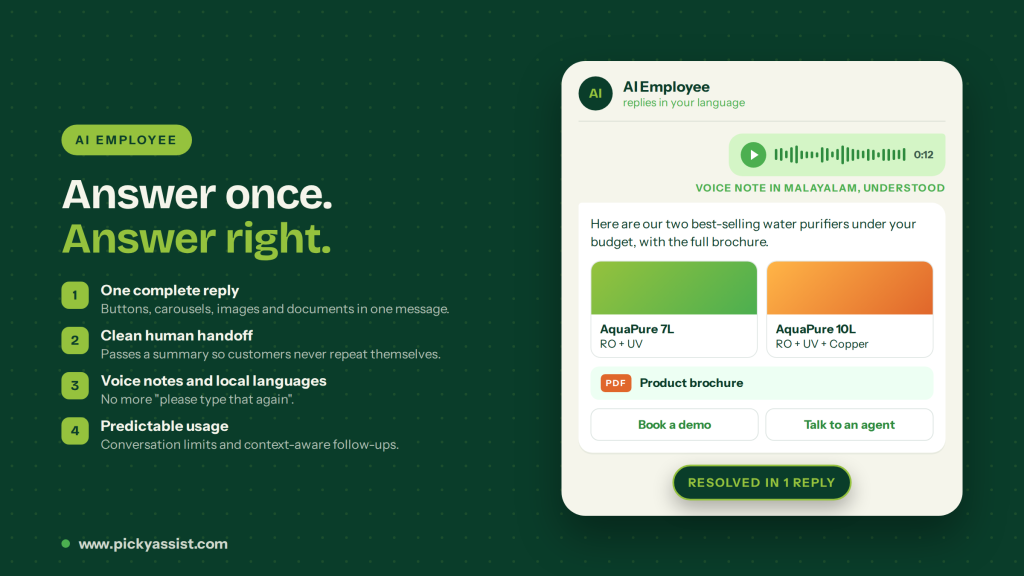
Every reply inside the customer window can now be billable, and automated replies count too. An AI Employee trained on your instructions, product knowledge, brochures, and images answers accurately the first time, so conversations need fewer follow-up messages.
- Answer in one complete reply. It responds from the business information you provide, and uses buttons, list menus, carousels, images, and documents to share options and details in a single message.
- Set boundaries and hand them over cleanly. You decide what it can say and when a human takes over. At handoff it passes on a short summary, so customers never repeat themselves.
- Understand voice messages and local languages. It reads voice notes and replies in the customer’s preferred language, which avoids “please type that again” messages.
- Keep usage predictable. Set conversation limits for each customer and use context-aware follow-ups to bring customers back to unfinished chats.
Trick 9: Split High-Volume Teams Across Numbers
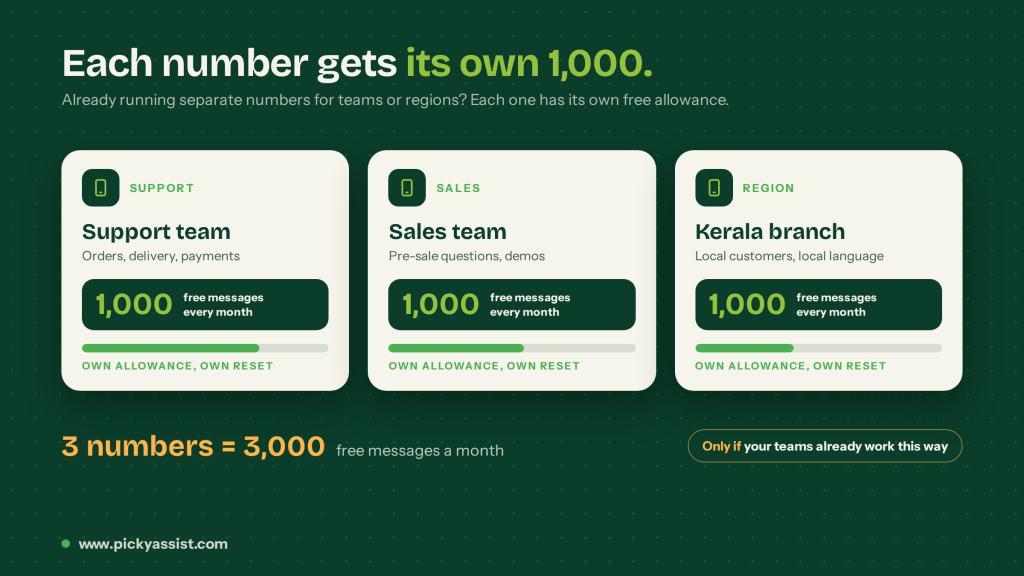
If you already run separate business phone numbers for support, sales, or regions, each number gets its own 1,000 free messages every month. Treat this as an option to consider, not something to set up just for the allowance. It only makes sense when the structure already works for your teams.
Trick 10: Use Per-Number Reporting
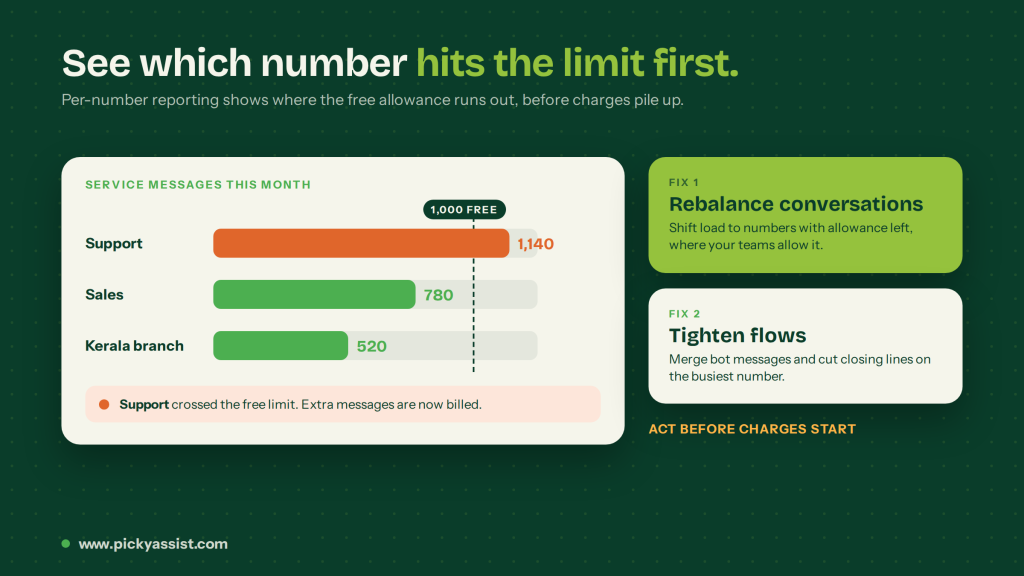
Watching usage for each business phone number shows you which one crosses the limit first. That lets you rebalance conversations or tighten flows before charges start.
Quick Comparison: Which Trick Fits Which Situation
| Trick | Best for | How it lowers cost |
|---|---|---|
| Free monthly allowance | Every business number | Covers your first 1,000 messages each month |
| Click-to-WhatsApp ads | Lead generation and sales inquiries | Free entry point window of up to 7 days |
| Combined updates | Order and ticket tracking | Fewer messages per customer |
| Quick replies | Support triage, confirmations | Shorter conversations |
| Smart routing | FAQs and routine requests | Moves low-value queries off WhatsApp |
| Coexistence | Mixed human and automated teams | Keeps basic chats in the free app |
| Trimmed chatbot flows | Bots with greetings, menus, and wait messages | Merges several bubbles into one and skips closing messages |
| One complete reply | Support agents and FAQs | Fewer messages per resolved conversation |
| Splitting teams across numbers | Businesses already running multiple numbers | Each number gets its own 1,000 free messages |
| Per-number reporting | Teams with several numbers | Shows which number hits the limit first |
Monthly Routine to Keep Your WhatsApp Costs Under Control
A quick review at the start of each month shows where your messages, and your money, are going. Work through these five checks! This takes little time and shows quickly which habits are driving costs.
- Volume per business number: The free allowance resets every month and unused messages don’t carry over. Are you using it fully, or is one number overloaded?
- Top conversation types: List your five most common reasons customers trigger WhatsApp Service Messages, then decide which can be combined, automated with buttons, or routed elsewhere.
- Messages per resolved conversation: Compare this month’s average with last month’s. If it is falling, combined updates and complete single replies are working.
- Chatbot and template activity: Check how many messages your bot flows send per conversation, and how many utility templates each customer receives. Templates are charged separately and don’t use the free allowance.
- Entry points and spend: See how many conversations start from Click-to-WhatsApp ads compared with customer-initiated chats, and compare your credit balance and charges with your monthly budget.
Final Thoughts
Lowering the cost of WhatsApp Service Messages doesn’t mean giving customers worse support. It means making every message do more work. Spend your free allowance on the right chats, open conversations through free entry points, combine updates, and guide users with buttons. Trim bot flows, skip closing messages, answer in one complete reply, and send routine queries to cheaper channels.
Since October 1, 2026, replies that were once free now have a price. The good news is that most of the savings come from small habits, not big changes. A shorter chatbot flow, a combined order update, or a quick-reply button may save only a few messages per conversation, but across thousands of conversations a month the savings add up quickly.
The free allowance resets every month and doesn’t roll over, so reviewing your usage each month is as important as any single trick. Platforms like Picky Assist, with chatbots, automated funnels, and conversational CRM in one place, make it easier to put these habits into your daily workflow without adding manual effort. Start with the one or two tricks that fit your current setup, measure the difference next month, and build from there.



Add comment