
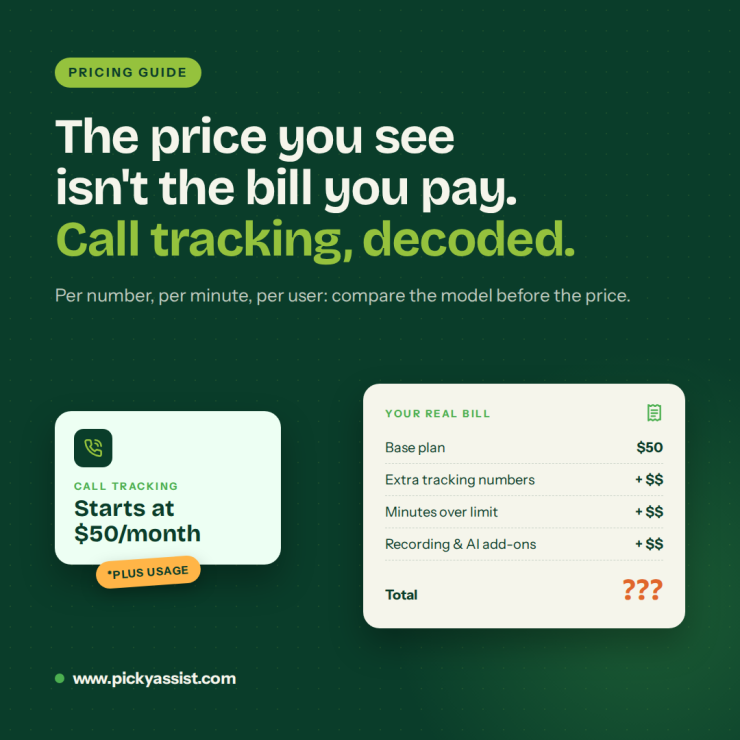
You search for a tool, open three pricing pages, and get three different answers: per number, per minute, per user, or “contact sales.” Call tracking software cost is hard to compare because vendors charge for different things. This guide explains the pricing models, what drives the bill, and how to choose without overpaying.
How Much Does Call Tracking Software Cost?
There is no single market price. Most vendors use one of four pricing models, so compare the model before you compare the number.
| Pricing model | How you’re charged | Best for | Watch for |
|---|---|---|---|
| Per tracking number | Monthly fee per number | Marketing teams tracking ad sources | Cost grows with every campaign |
| Usage-based | Per minute or per call | Low, steady call volume | Surprise bills in busy months |
| Per user | Monthly fee per agent | Sales and support teams | Cost scales with headcount |
| Bundled | Included in a CRM plan | Teams already using a CRM | Features limited to that CRM |
What Drives Call Tracking Software Cost?
Six factors move the price most:
- Call volume and minutes: More calls and longer calls raise usage-based bills.
- Number of users: Per-agent plans grow as your team grows.
- Tracking numbers: Each number you add for a campaign or location usually adds a fee.
- Recording and transcription: These are often priced as add-ons.
- AI features: Summaries, sentiment analysis, and lead scoring usually sit in higher tiers.
- Integrations: CRM connectors may cost extra or need a specific plan.
Hidden Costs to Check Before You Buy
The advertised price rarely equals the final invoice. Ask each vendor about setup fees, hardware or VoIP requirements, transcription charges, storage limits, CRM connector fees, and contract length.
Then ask one question that cuts through the noise: “What would my monthly bill be if my call volume doubled?” The answer shows how call tracking software cost behaves as you grow.
Popular Call Tracking Software Starting Prices
| Software | Starting price | What’s included / pricing model |
|---|---|---|
| Picky Assist (CallBlaze) | Free with every Picky Assist V4 plan | Bundled with the Conversational CRM. SIM-based, Android only, no call recording. V3 users need to upgrade to V4. |
| CallRail | $50/month | 5 numbers and 250 minutes included |
| WhatConverts | ~$30/month | Usage credits included |
| CallTrackingMetrics | ~$65 to $79/month | Base plan plus usage fees |
| Ringba | ~$147/month | Base plan plus usage |
CallBlaze has no separate price. Its cost is whatever the customer already pays for a V4 plan. The other four use tracking numbers and charge for usage on top of the base fee, so their real monthly bill will be higher than the starting price.
Call Logging vs. Call Monitoring: Pay Only for What You Need
Call logging software records who called, when, and for how long, while call monitoring services add recordings, transcripts, and quality scoring. A small sales team may only need logging with follow-up automation. A compliance-driven team needs transcripts. Buying features you won’t use is the most common way to overspend.
Where CallBlaze by Picky Assist works as the best Call tracking Software?
CallBlaze logs calls made from an Android device straight into Picky Assist Conversational CRM. It needs no hardware, VoIP service, or third-party phone system. It is currently free and included with all V4 plans, which changes the call tracking software cost equation for existing users. Customers on V3 need to upgrade and migrate to V4.
Here is what it does in practice:
- Logs inbound, outbound, and missed calls automatically, with duration and timestamps.
- Lets you choose which SIM to track, so only business calls are logged.
- Adds unknown numbers as new CRM contacts.
- Triggers follow-up tasks on missed calls.
Because it lives inside Picky Assist, call data sits next to your WhatsApp conversations, chatbots, automation workflows, and campaign automation. Teams can collaborate on the same contact record, and integrations keep the data flowing to other tools. CallBlaze tracks calls from business Android phones. It is not built for ad-source attribution with dynamic tracking numbers, so marketing-attribution needs may call for a different tool.
How to Compare the Best Call Tracking Services?
Use this checklist when shortlisting vendors:
- Pricing clarity: Can you calculate the total cost without a sales call?
- CRM integration: Is it native, or does it need a paid connector?
- Real-time logging: Do you get transcripts, or only call counts?
- Automation: Do missed calls trigger follow-ups?
- Scalability: Does it work for five reps and for a call center?
Conclusion
Call tracking software cost depends on the pricing model, your call volume, team size, and the features you add on top. Choose the model that fits how your business grows. Check for hidden fees. Prioritize CRM integration and automation over feature count.
If your team already runs on a CRM, a tool that logs calls into it will cost less in time and money than a standalone system. Explore Picky Assist and CallBlaze to see how call tracking, WhatsApp conversations, and automation work in one place.
FAQs on Call Tracking Software Cost
It varies widely by model and volume. Vendors charge per number, per minute, per user, or bundle it into a plan. Compare total monthly cost at your expected volume, not entry prices.
Yes. CallBlaze is currently free and included with all Picky Assist V4 plans. Other vendors may offer trials or limited free tiers. Those who paid for V4 plans don’t have to pay additionally for Call Blaze call tracking services.
Call logging records call details like time and duration. Call tracking also connects calls to contacts, outcomes, and often lead sources.
Not always. CallBlaze works from Android devices without hardware or VoIP. Some other tools require number porting or phone-system integration.
Look for real-time logging, recordings, transcripts, agent-wise reports, missed-call follow-ups, and CRM integration.
Yes. CallBlaze tracks only the business SIM you select, so personal calls stay out of the system.
AI features such as summaries, sentiment analysis, and lead flagging are often reserved for higher tiers. Confirm whether they are included before comparing plans.
Measure it against missed leads recovered, follow-up speed, and time saved on manual logging. If those improve, the tool pays for itself.



Add comment