
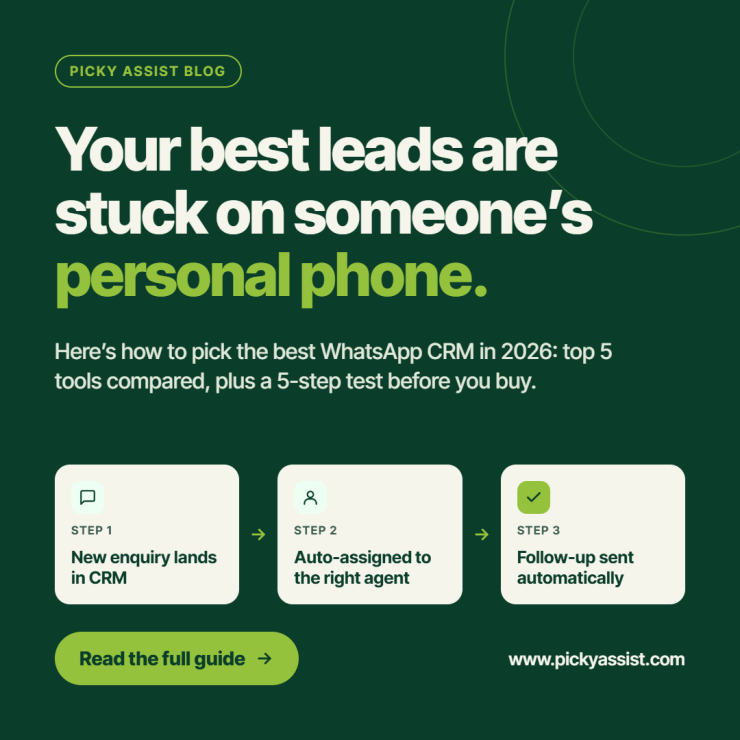
The best WhatsApp CRM turns every customer chat into a tracked lead, assigns it to the right person, and triggers the next follow-up without manual effort.
Consider a furniture showroom with three salespeople. Enquiries arrive on WhatsApp from Instagram ads, the website, and walk-ins. Each salesperson replies from a personal phone. When one goes on leave, her leads go quiet, and nobody knows what price she quoted.
A CRM fixes this by moving conversations off personal phones and into one shared system. This guide explains what to look for and how to test before you commit.
What is a WhatsApp Business CRM?
A WhatsApp business CRM stores every WhatsApp conversation against a lead or customer record, so your team sees the full history in one place. It usually runs on the official WhatsApp Business API, which allows multiple agents, approved templates, and automation.
Picky Assist WhatsApp-first CRM is built around automated conversations. It has automated broadcaster that supports sending bulk messages without account being blocked and AI Chatbots that replies to customers on time, every time. Also Picky Assist has built-in AI agents for lead qualifications, data collection from text messages, and data extraction and analysis even from images or voice messages sent. The same is automatically added to CRM software without fail with an automated follow-up action assigned to the right employee.
WhatsApp-First CRM vs CRM With an Add-On
| Factor | WhatsApp-first CRM | Traditional CRM + add-on | Spreadsheet + WhatsApp app |
|---|---|---|---|
| Conversation history | Attached to the lead record | Depends on the add-on | Scattered across phones |
| Team access | Shared inbox, assignment rules | Varies by tool | One device per number |
| Automation | Chatbots, follow-ups, triggers | Often limited to CRM workflows | Manual |
| Broadcasts and templates | Built-in | Sometimes needs another tool | Limited |
| Setup effort | Moderate | Moderate to high | Low |
What Features Should the Best WhatsApp CRM Have?
- Official API connection: keeps your number compliant and supports multiple agents.
- Shared inbox with assignment: every chat has an owner.
- Lead records and pipeline stages: each conversation updates the lead’s status.
- Chatbots: reply instantly and qualify leads around the clock.
- Automated follow-ups: messages and tasks triggered by lead status or customer silence.
- Template and broadcast management: supports campaigns and reminders.
- Integrations: connects forms, ad platforms, payment tools, and spreadsheets.
- Reporting: shows response time, lead source, and conversion by agent.
Where WhatsApp CRM Benefits for Your Team?
Match the tool to your workflow, not to a feature count.
- A sales team running ad leads, like the showroom above, needs an instant first reply, routing, and follow-up reminders. Prioritize chatbots, assignment rules, and tasks.
- A clinic or salon needs appointment reminders and easy rescheduling. Prioritize templates, scheduled messages, and simple flows.
- A D2C brand needs repeat purchases. Prioritize segmentation by last purchase and broadcast tools.
How to Test a CRM Before You Buy?
Teams comparing the best CRM with WhatsApp integration should run one real lead through every shortlisted tool:
- Connect a test number through the official API.
- Send an enquiry and check how it is assigned.
- Confirm a follow-up fires automatically when nobody replies.
- Open the lead record and verify the full chat history appears.
- Send a template message and a small broadcast.
Whichever tool you pick as the best CRM for WhatsApp should pass all five steps without workarounds.
Top Best 5 WhatsApp CRM Platforms in 2026 Compared
| Platform | Best For | Starting Price | Key Feature |
|---|---|---|---|
| Picky Assist | Best for all growing Businesses who needs Chatbots, AI Agents, Payment Collector, broadcasts and CRM in one platform to Scale ahead | Free Plan is there, paid plan starts at ₹2499/month | Conversational CRM with automated funnels, AI agents, no-code chatbots, Role based access, broadcasts, catalogs, auto payment collections, smart replies, AI mate |
| WATI | Growing Businesses | ₹2,499/month | Role-based access, no-code bots |
| Interakt | E-commerce & Shopify | ₹2,499/month | Automated order notifications |
| AiSensy | Broadcasts & small teams | ₹999/month | Unlimited broadcasts, simple UI |
| Gallabox | Retail businesses | ₹2,099/month | Interactive drip campaigns |
Prices are the entry-level figures at the time of writing. Check each vendor’s pricing page before you commit, because plans and Meta’s conversation charges change.
Where Picky Assist Works as the Best CRM?
When teams shortlist the best WhatsApp CRM options, Picky Assist is a WhatsApp-first choice. It is an official Meta Partner that combines a shared Teambox inbox, a sales CRM, a no-code chatbot builder, broadcasts, and automation workflows in one platform.
Here is how that works in practice. Leads from forms, ads, or calls land in the CRM. A chatbot replies at once and qualifies them. The conversation goes to an agent, and a lead status change can trigger follow-up tasks and WhatsApp messages. The same inbox also handles Messenger, Instagram, and email, and Connector links your other tools through more than 3,000 supported apps.
Choosing the Best WhatsApp CRM
Choosing the best WhatsApp CRM comes down to four questions:
- Does it run on the official API?
- Does every conversation attach to a lead record?
- Can your team share the inbox and automate follow-ups?
- Does it connect with the tools you already use?
If you want a CRM for WhatsApp that answers yes to all four, explore Picky Assist and test it with a real lead this week.
FAQs on the Best WhatsApp CRM
Look for official API access, a shared inbox, simple automation, and pricing that scales with your team. Avoid tools that need a developer for basic setup. Start with chatbot replies and automated follow-ups, then add broadcasts.
It connects your WhatsApp number to a CRM through the official API. Incoming messages create or update lead records, your team replies from a shared inbox, and automation handles routine follow-ups.
Yes, when you use the official API, collect opt-in, and send approved templates for business-initiated messages. Unofficial tools that automate regular accounts risk a number ban.
Yes. An API-based shared inbox lets multiple agents handle one number, with assignment rules so each chat has an owner. The standard WhatsApp Business app limits how many devices you can link.
Costs usually combine a platform fee with Meta’s per-message charges for template messages, which vary by category and country. Use a pricing calculator, such as the one on Picky Assist’s site, to estimate your monthly spend.
Yes. You can trigger a message when a lead goes silent or changes status. Outside the 24-hour customer service window, the follow-up must use an approved template.
Yes. Import contacts from a spreadsheet or connect your existing tools through integrations. Keep a record of each contact’s opt-in before you send campaigns.



Add comment