
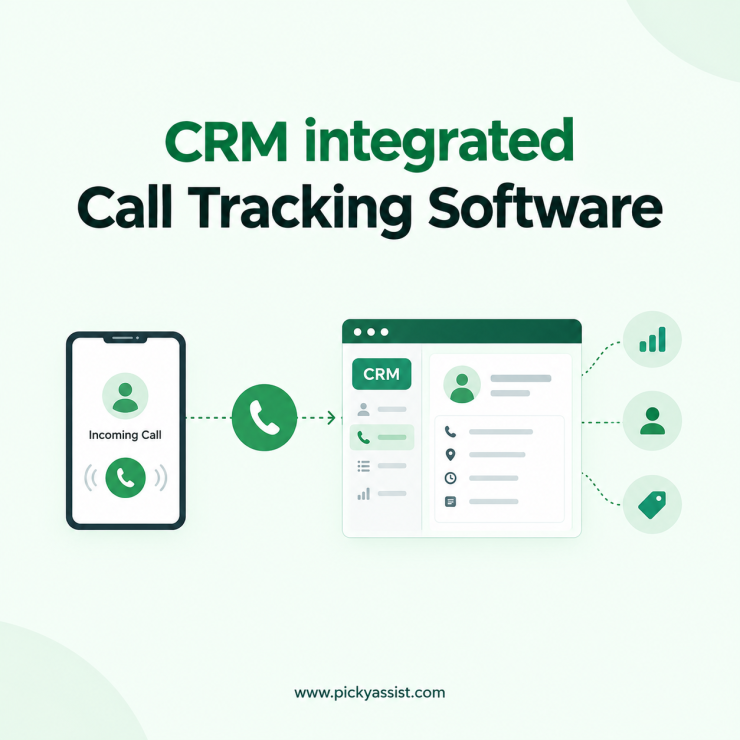
A prospect calls your sales line at 11:40 on a Tuesday. Your rep answers, talks for six minutes, and promises to send a quote. Nobody logs the call. By Friday, the lead has gone cold, and no one can say what was promised. This gap is common in growing teams, and an automated call tracking CRM exists to close it. It records every call against a contact, so your pipeline reflects what actually happened on the phone. This guide explains how the system works, what to compare before you choose one, and how to set it up so your team actually uses it.
What is a Call Tracking CRM?
It is a customer relationship platform that automatically logs inbound and outbound calls against the correct contact record. Each entry captures the caller’s number, call time, duration, the team member who handled it, and the outcome. Some systems also store recordings and notes.
The difference from a plain call log is context. A phone log tells you a call happened. A CRM tells you which lead it belonged to, which deal stage they were in, and what should happen next.
When Sales Teams Lose Leads Without Call Data?
Calls are often the highest-intent touchpoint. People who phone you usually want an answer now. Yet the details of those calls typically live in a rep’s memory or a personal notebook.
Three problems follow:
- Missed calls go unnoticed because no one owns the follow-up.
- Managers cannot see which lead sources produce real conversations.
- When a rep leaves, the call history leaves with them.
Moving calls into the CRM fixes all three, because the record belongs to the company rather than the individual.
How Call Tracking Works Inside a CRM for Lead Capture?
The process is simple once the phone system is connected:
- A call comes in or goes out through a connected number or device.
- The system matches the number to an existing contact, or creates a new lead.
- Call details are logged on that contact’s timeline automatically.
- A rule triggers the next action, such as a follow-up task for a missed call.
- Reports show call volume, response time, and outcomes by team members.
Call Tracking CRM vs. Standalone Call Tracking Tool
Many teams start with a standalone tool, then hit a ceiling. Here is how the two approaches compare.
| Factor | Standalone call tracking tool | Call tracking inside a CRM |
|---|---|---|
| Lead context | Call data only | Call data plus deal stage, notes, and history |
| Follow-up | Manual, often through spreadsheets | Automated tasks and reminders |
| Reporting | Call metrics | Calls tied to pipeline and conversions |
| Team visibility | Often limited to managers | Shared across sales and support |
| Setup effort | Low at first, higher once data must be merged | One system to configure |
Standalone tools suit teams that only need call counts. If your goal is to close more deals from those calls, a unified system saves you the manual merging.
What to Look for in a CRM With Call Tracking?
Not every platform handles calls equally well. Check for these capabilities:
- Automatic call logging with no manual entry
- Missed-call alerts and follow-up tasks
- Contact matching, so repeat callers show their full history
- Call notes and recordings attached to the contact
- Integrations with messaging apps, email, and the tools you already use
- Role-based access, so reps see their leads and managers see everything
Test the first two during a trial. If reps must click through several screens to log a call, adoption will drop.
A Practical Example: CRM Tracking Sales Calls for a Coaching Institute
Consider an education counselling team that receives course enquiries from ads. Before using a CRM, counsellors call back whichever leads they remember. Missed calls sit unnoticed until a student complains.
With a connected system, the picture changes. Every call logs to the student’s record. A missed call creates a task with a deadline. After a completed call, the CRM sends a brochure on WhatsApp. At the end of the week, the manager reviews which counsellors have pending follow-ups and reassigns them.
Nothing about the team’s effort changed. The system simply made sure no lead depended on someone’s memory.
CallBlaze by Picky Assist for CRM integrated Automated Call Tracking
Picky Assist treats calls as one channel inside a wider conversation system. Its call tracking product, CallBlaze, logs calls automatically into the built-in CRM, creates follow-up tasks for missed calls, and can trigger WhatsApp messages or chatbot flows through connectors.
For teams that want a call tracking CRM without stitching several tools together, this setup keeps the full picture in one place. Calls, WhatsApp chats, and other channels sit in the same contact record, so a team member sees the history before replying. Automation workflows handle routine follow-ups, chatbots qualify new leads before a person steps in, and campaign automation lets you re-engage contacts who never picked up. Shared inboxes and integrations keep sales and support working from the same data.
How to Choose the Right Call Tracking Software?
Ask four questions before you commit:
- Do most of our leads call, chat, or both?
- Who follows up on missed calls today, and how fast?
- Can reps log a call without leaving the screen they already use?
- Will this connect to the tools we already run?
If you answered “both” to the first question, a call tracking CRM that also handles chat will serve you better than a phone-only tool.
Conclusion
Phone calls carry some of your best leads, and they deserve the same record-keeping as a form fill. A call tracking CRM gives each call an owner, a history, and a next step. When you compare options, prioritize automatic logging, missed-call follow-ups, shared visibility, and integrations. A CRM with call tracking built in will usually serve a growing sales team better than a standalone tool plus spreadsheets.
If you want to see how this works alongside WhatsApp and your other channels, explore Picky Assist’s CRM and CallBlaze, and test the workflow with your own leads.
Frequently Asked Questions on Call Tracking CRM
It logs every inbound and outbound call to the right contact, creates follow-up tasks, and shows how calls move leads through your pipeline. Sales and support teams use it to stop losing leads and to see their full conversation history.
Yes. Small teams often benefit most, because one missed lead is a bigger share of their pipeline. Automatic logging also removes the manual note-taking that small teams rarely keep up.
Call logging records that a call happened. Call tracking adds context, such as the lead source, the owner, the outcome, and the next action.
Yes, if it supports workflow rules. A missed call can create a task for a team member, send a WhatsApp message, or start a chatbot conversation, depending on how you set it up.
Not necessarily. Logging call details and recording audio are separate features. If you record calls, consent requirements vary by country and region, so check local rules before enabling it.
Through connectors and automation. In Picky Assist, a call event such as a missed call can trigger a WhatsApp message or chatbot flow, and the activity appears in the same contact record.
Track how quickly missed calls get a follow-up, how many calls link to a lead record, and how many calls move to the next deal stage. Compare these before and after rollout.
CallBlaze is currently included with all Picky Assist V4 plans at no extra charge. Customers still on V3 need to upgrade and migrate to V4 to access the full CallBlaze functionality.




Add comment