
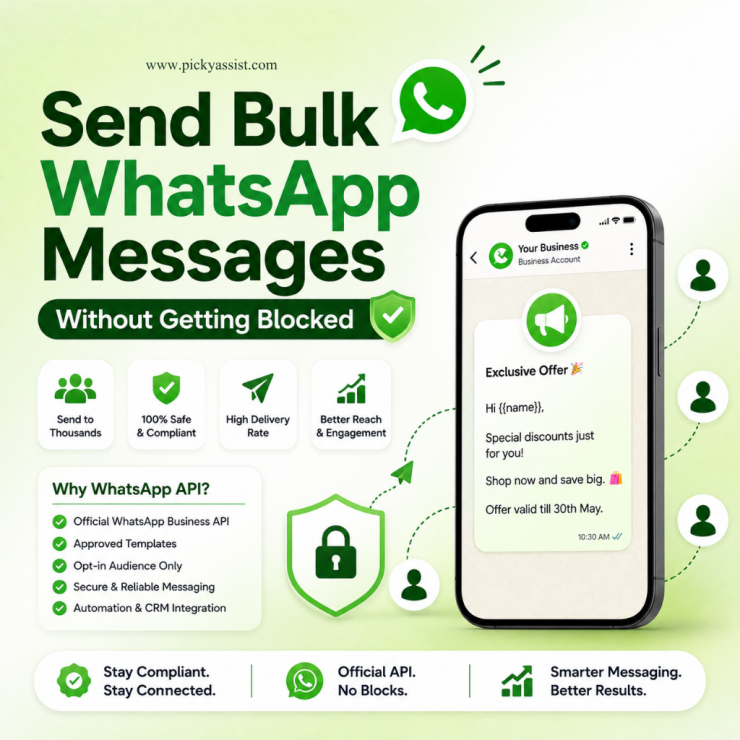
Businesses today compete through communication speed, personalization, and customer responsiveness, not just pricing or product quality. That is why many businesses are using WhatsApp business API for bulk messaging to automate campaigns like discount sales or new offer announcements. Businesses use WhatsApp API bulk messaging to:
- Reach customers instantly
- Automate campaigns and notifications
- Improve response rates
- Reduce manual communication work
- Integrate WhatsApp with CRM and sales workflows, so they wont loose leads
However, bulk WhatsApp messaging requires the right setup, approval process, and automation strategy to work effectively and stay compliant. This guide explains how to send bulk WhatsApp messages through API, common mistakes businesses should avoid, and how platforms like Picky Assist help businesses streamline WhatsApp communication through automation and centralized workflows.
Why Are Businesses Moving Toward WhatsApp API Bulk Messaging?
Customers increasingly prefer messaging apps over phone calls and emails. WhatsApp has become one of the most active communication channels globally because it supports fast, conversational, mobile-first engagement. Businesses now use WhatsApp for:
- Promotional campaigns
- Lead nurturing
- Appointment reminders
- Payment notifications
- Customer onboarding
- Product updates
- Event reminders
- Re-engagement campaigns
- Customer support automation
Unlike traditional communication systems, WhatsApp conversations feel more direct and interactive. That creates higher engagement opportunities when messaging is done correctly.
What is WhatsApp Business API for Bulk Messaging?
The WhatsApp Business API is Meta’s official infrastructure for businesses that need to send bulk messages at scale. For bulk messaging specifically, the API is what makes it possible to:
- Send pre-approved template messages to large segmented contact lists in a single campaign
- Trigger bulk sends programmatically from a CRM system
- Stay within Meta’s messaging tiers and quality-rating rules as sending volume grows
- Track delivery, read, and failure rates across an entire campaign rather than message-by-message
- Automate follow-up flows once a bulk message opens a 24-hour customer service window
On its own, the API has no dashboard; it’s a set of endpoints, not something a marketing or support team can log into and use directly. That’s the gap a platform like Picky Assist fills: it sits on top of the raw API and gives businesses an operational interface for building templates, segmenting audiences, scheduling broadcasts, and monitoring campaign performance, without needing developers to manage the API connection directly for every send.
Can You Send Bulk WhatsApp Messages Legally?
Yes, but only when businesses follow WhatsApp’s policies. This is where many companies make mistakes. Using unofficial software, browser extensions, or scraped databases can result in:
- Number bans
- Low delivery rates
- Compliance risks
- Reputation damage
- Customer complaints
The official WhatsApp Business API supports bulk communication using approved message templates and opt-in customer lists. That means customers must consent to receive messages from your business.
How to use WhatsApp business API for bulk messaging?
The process is more structured than sending standard promotional blasts. Here is the correct workflow businesses typically follow.
1. Get Access to WhatsApp Business API
Businesses first need API access through an official provider or automation platform. Platforms like Picky Assist simplify this process by helping businesses manage:
- WhatsApp onboarding
- API configuration
- Messaging setup
- Template management
- Automation workflows
- Team collaboration
This removes much of the technical complexity businesses face when attempting direct API implementation.
2. Verify Your Business
Meta requires business verification before enabling certain WhatsApp API capabilities. Typically, businesses need:
- A verified business identity
- A valid business website
- Official business details
- A phone number not actively used on regular WhatsApp
Verification improves trust and unlocks higher messaging capabilities.
3. Create Approved Message Templates
Bulk outbound messages require approved templates. These templates are pre-reviewed to ensure businesses are not sending spam or misleading content. Common template categories include:
Promotional Messages
- Discounts
- Product launches
- Limited-time offers
- Seasonal campaigns
Utility Messages
- Payment reminders
- Delivery updates
- Appointment confirmations
Authentication Messages
- OTPs
- Login verification
- Security notifications
For example:
“Hello Sarah, your appointment is confirmed for Tuesday at 11 AM. Reply to RESCHEDULE if you need assistance.”
Templates should sound conversational and useful rather than overly promotional.
4. Upload or Sync Customer Contacts
Businesses can send messages to opted-in users through:
- CRM integrations
- Contact imports
- Website lead forms
- Customer databases
- E-commerce systems
- Existing sales pipelines
Platforms like Picky Assist help businesses organize customer lists while automating segmentation and campaign workflows.
5. Segment Your Audience
Effective bulk messaging is not about sending the same message to everyone. Segmentation improves engagement and reduces opt-outs. Businesses often segment audiences based on:
- Purchase history
- Lead stage
- Geography
- Industry
- Engagement level
- Appointment status
- Subscription type
For example, a healthcare provider may send different reminders to new patients and returning patients. Similarly, SaaS companies may send onboarding messages only to trial users who have not completed setup.
6. Launch the Campaign Through API Automation
Once templates and audiences are ready, businesses can schedule and automate campaigns. This may include:
- Instant broadcasts
- Recurring reminders
- Trigger-based automation
- Drip campaigns
- Behavioral follow-ups
Instead of manually sending messages, businesses automate workflows based on customer actions.
For example:
- A lead submits a website form
- WhatsApp automatically sends a welcome message
- The chatbot qualifies the lead
- Sales teams receive notifications
- Follow-ups trigger automatically
This operational model is one of the biggest reasons businesses adopt WhatsApp API systems.
Why Do Businesses Use Meta Partner Platforms Instead of Direct API Coding?
Technically, businesses can integrate directly with WhatsApp APIs. However, most companies prefer operational platforms because direct API management often requires:
- Backend development
- Server maintenance
- Webhook handling
- Template management systems
- Campaign logic
- CRM synchronization
- Automation architecture
Platforms like Picky Assist simplify deployment through:
- No-code chatbot builders
- Shared team inboxes
- Broadcast management
- CRM integrations
- Automation workflows
- Multi-channel communication
- Customer segmentation
- Campaign scheduling
This significantly reduces implementation time.
Common Use Cases for Bulk WhatsApp API Messaging
Different industries use WhatsApp messaging differently.
E-Commerce Businesses
E-commerce companies use WhatsApp for:
- Cart recovery
- Shipping updates
- Product promotions
- COD confirmations
- Customer support
These workflows improve conversion rates while reducing manual communication.
Healthcare and Clinics
Healthcare providers automate:
- Appointment reminders
- Patient follow-ups
- Prescription notifications
- Feedback collection
This helps reduce missed appointments and improves operational efficiency.
Educational Institutions
EdTech businesses use WhatsApp for:
- Student onboarding
- Class reminders
- Webinar updates
- Fee notifications
- Course engagement
Messaging automation helps institutions maintain higher engagement rates.
SaaS Companies
SaaS businesses use WhatsApp API systems for:
- Trial onboarding
- Activation reminders
- Feature announcements
- Customer support
- Renewal reminders
Embedded communication workflows help reduce onboarding friction.
Bulk WhatsApp Messaging vs Spam: Know the Difference
Many businesses confuse scale with spam. That is a major mistake. Spam messaging typically involves:
- Sending messages without consent
- Irrelevant promotions
- Excessive frequency
- Purchased contact databases
Effective WhatsApp API communication focuses on relevance and permission. Strong campaigns usually include:
- Customer opt-ins
- Personalized messaging
- Useful information
- Timing relevance
- Clear value
Businesses that prioritize customer experience generally achieve better engagement rates and lower complaint risks.
Best Practices for Using WhatsApp business API for bulk messaging?
Keep Messages Short and Clear
WhatsApp is conversational. Long, overly corporate messages reduce engagement. Focus on:
- Clarity
- Actionability
- Relevance
- Conversational tone
Avoid Aggressive Promotions
Messages that sound too sales-heavy often perform poorly. Instead of:
“BUY NOW BEFORE OFFER ENDS!”
Try:
“We thought you might be interested in our latest pricing update.”
Natural messaging performs better.
Use Automation Carefully
Automation should improve communication, not overwhelm customers. Businesses should avoid:
- Excessive follow-ups
- Repetitive reminders
- Irrelevant campaigns
Smart automation balances scale with personalization.
Monitor Campaign Performance
Businesses should track:
- Delivery rates
- Read rates
- Response rates
- Opt-outs
- Conversion metrics
These insights help optimize future campaigns.
How Picky Assist helps with using Whatsapp business API for bulk messaging?
Picky Assist helps businesses run bulk WhatsApp messaging through the official WhatsApp Business API by handling three things most companies struggle with on their own: Meta-compliant message templates, audience segmentation, and delivery infrastructure that respects WhatsApp’s rate limits and quality rating system. Instead of manually managing API calls, template approvals, and opt-out tracking, businesses use Picky Assist’s Broadcaster to schedule and send bulk campaigns; promotional offers, order updates, event reminders; to segmented contact lists while staying within Meta’s messaging policies.
How Picky Assist’s Broadcaster Handles This?
Template creation and submission: Businesses draft message templates (marketing, utility, or authentication category) inside Picky Assist, which are then submitted to Meta for approval through the connected WhatsApp Business API account. Getting the category and variable structure right on the first submission avoids rejection delays.
Audience segmentation: Contact lists can be filtered by tags, custom fields, or CRM stage — so a broadcast doesn’t go to an entire database indiscriminately. Segmented sends tend to produce better engagement and fewer opt-outs, which protects the sending number’s quality rating.
Scheduled and throttled delivery: Rather than firing every message at once, Picky Assist paces delivery in line with the account’s current messaging tier, reducing the risk of a spam flag from sending behavior.
Delivery and read tracking: Each broadcast reports sent, delivered, read, and failed counts, so a business can see which template or segment is underperforming before the next campaign.
Opt-out management: Contacts who reply STOP or similar are automatically suppressed from future broadcasts, which is both a compliance requirement and a quality-rating safeguard.
Common Mistakes Businesses Should Avoid
Using Unofficial Bulk Messaging Tools
Unofficial tools create long-term risks including bans and delivery failures. Official API systems are safer and more scalable.
Sending Messages Without Opt-In
Permission-based communication is critical for sustainable WhatsApp marketing.
Over-Automating Conversations
Customers still expect human escalation when needed. Automation should support customer experience, not replace it entirely.
Ignoring Segmentation
Mass generic messaging often reduces engagement. Relevant communication performs significantly better.
Conclusion
Understanding how to send bulk WhatsApp messages through API is no longer just a technical consideration. It is becoming a core business communication strategy. However, successful implementation requires more than simply sending messages at scale. Businesses need:
- Official API infrastructure
- Customer opt-ins
- Message approval workflows
- Smart segmentation
- Automation logic
- Performance monitoring
When executed correctly, WhatsApp API messaging can improve customer engagement, operational efficiency, and response speed across multiple business functions. Platforms like Picky Assist help businesses simplify this transition by combining automation, broadcasting, chatbot workflows, CRM integrations, and centralized communication management into one operational system.
FAQs on WhatsApp messages through API
1. What is the difference between WhatsApp Business App and WhatsApp Business API?
The WhatsApp Business App is designed for small businesses managing conversations manually. The WhatsApp Business API supports automation, bulk messaging, CRM integrations, multi-agent access, and scalable communication workflows.
2. Can businesses send promotional bulk messages through WhatsApp API?
Yes, businesses can send promotional campaigns through approved message templates, provided customers have opted in to receive communication.
3. Is bulk WhatsApp messaging legal?
Bulk WhatsApp messaging is allowed when businesses follow Meta’s policies, use approved APIs, and communicate with users who have provided consent.
4. Do businesses need coding knowledge to use WhatsApp API?
Not necessarily. Platforms like Picky Assist provide no-code and low-code interfaces that simplify campaign management and automation workflows.
5. How many bulk WhatsApp messages can businesses send daily?
Message limits depend on WhatsApp account quality, verification status, and messaging tiers assigned by Meta.
6. Can WhatsApp API integrate with CRM systems?
Yes. Businesses commonly integrate WhatsApp API with CRM platforms to automate lead management, customer support, follow-ups, and campaign workflows.
7. What industries benefit most from bulk WhatsApp API messaging?
Industries such as healthcare, education, e-commerce, SaaS, real estate, travel, and financial services commonly use WhatsApp API communication.
8. Why do businesses prefer platforms like Picky Assist for WhatsApp automation?
Businesses often prefer operational platforms because they simplify API management, automation, chatbot creation, campaign scheduling, and customer communication workflows without requiring complex development resources.
Add comment