
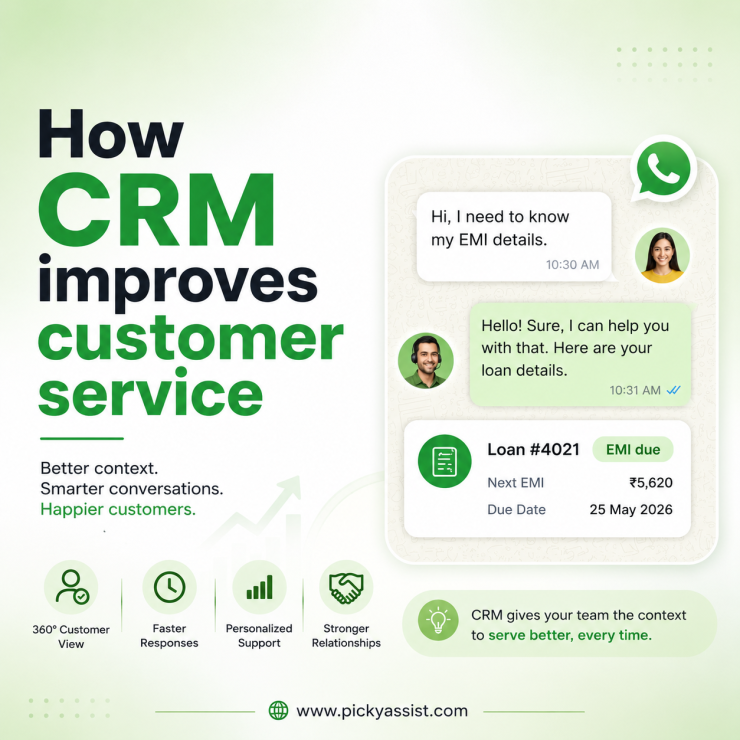
CRM improves customer service by giving every agent a single, shared view of a customer’s history; past conversations, purchases, open issues, so replies are faster, consistent, and don’t require the customer to repeat themselves. The improvement isn’t automatic: it comes from routing rules, response-time tracking, and the CRM being connected to the actual channel customers use to reach you, not just from having customer data stored somewhere.
A mid-sized NBFC we worked with had five support agents handling WhatsApp queries from a shared number, no CRM behind it, just the chat app. A customer asking about a loan EMI delay would get a different answer depending on which agent picked up, because nobody could see what the last agent had already told them.
Average resolution took three back-and-forth threads per customer, and complaint escalations were running close to 12% of total tickets.
Six weeks after connecting a conversational CRM to that same number with a shared customer record, tagging by loan stage, and assignment rules escalations dropped to under 5%, and most queries closed in the first exchange. Nothing about the customers changed. What changed was whether the agent could see what had already happened.
What does “CRM improves Customer Service” actually mean?
Most explanations of this stop at “CRM stores customer data, so agents know more.” That’s true but incomplete; a spreadsheet stores customer data too, and it doesn’t improve service. The mechanisms that actually move outcomes are more specific:
Context Continuity
When a customer’s last five conversations, purchase history, and open tickets sit in one record, an agent doesn’t ask a customer to re-explain their issue. This alone is what cuts resolution threads the most in practice, repetition is the single biggest driver of customer frustration in multi-agent support teams.
Faster First Response
CRM-backed routing assigns incoming queries automatically, by tag, by agent load, by customer segment; instead of a chat sitting unclaimed until someone notices it. First response time (FRT) is the metric that correlates most tightly with satisfaction: industry benchmarking from 2026 shows sub-5-minute responses landing around 92% CSAT, dropping to roughly half that when responses stretch past 24 hours. A CRM doesn’t answer faster on its own, but it removes the “nobody claimed this chat” gap that causes most of the delay.
Consistent Follow-through
A CRM with pipeline stages catches the query that would otherwise fall through, the customer who was told “we’ll check and get back to you” and then never heard back. That failure mode is invisible in a plain chat inbox and highly visible in a CRM with an open-task view.
Personalization without Extra Agent Effort
Tags and segment data let a bot or agent reference relevant context; “I see you’re on the Gold plan”, without the agent manually digging through past tickets. Done well, this feels attentive. Done sloppily (surfacing account details the customer didn’t volunteer in that conversation), it feels invasive, a distinction worth building into agent training, not just the CRM setup.
Measurable Service Quality
CSAT, FRT, and resolution time become trackable per agent and per issue type automatically, instead of being anecdotal. Businesses that track CSAT systematically report meaningfully higher retention than those that don’t measure it at all, the tracking itself surfaces problems before they become churn.
Before and After: What actually changes on the ground?
| Without CRM | With CRM connected to the support channel |
|---|---|
| Agent asks customer to repeat their issue or account details | Agent sees full history before replying |
| Chats sit unclaimed until someone notices | Auto-assignment routes by rule (tag, load, segment) |
| “We’ll get back to you” often means no one follows up | Open items visible as tasks with owners |
| Service quality is anecdotal (“agents seem slow”) | FRT, CSAT, resolution time tracked per agent/issue |
| Personalization depends on one agent’s memory | Any agent can pick up with full context |
How CRM improves Customer Service in Banking specifically?
Banking and NBFC support has a structural problem plain CRM advice doesn’t address: a single customer often has multiple products; a savings account, a card, a loan, each historically owned by a different internal team, with no shared view across them. A relationship manager handling a card dispute usually can’t see that the same customer also has an overdue EMI conversation open with collections.
CRM improves this by unifying the record across products rather than per department, so a query about one product surfaces relevant context from the others; a customer disputing a card charge who also has a loan in early delinquency is a very different conversation than one who doesn’t.
Academic and industry research on retention in commercial banking consistently ties CRM-driven personalization and consistent engagement to materially lower churn, and banks that invest in CRM-backed CX report growing several times faster than those that treat it as a back-office record-keeping tool rather than a service layer.
The compliance angle matters more here than in most verticals: banking CRMs need to log consent and handle sensitive financial data under stricter regulatory obligations than a retail support inbox does. That’s a genuine constraint on which CRM and messaging setup a bank can use, worth flagging to a compliance team early rather than after a WhatsApp-based support pilot is already live.
A framework for actually getting the improvement, not just buying the tool
- Consolidate the channel first. If customer conversations happen on WhatsApp, email, and phone, and only one of those feeds the CRM, agents still work from partial context. Connect the channel customers actually use before adding more CRM features.
- Define routing rules explicitly. “New customer” vs “existing customer with open ticket” vs “VIP segment” should route differently. Without this, the CRM is just a better-organized inbox, not a faster one.
- Set a first-response SLA and track it. Even a simple 2-hour target, visible per agent, changes behavior faster than any feature the CRM ships with.
- Tag for the personalization you’ll actually use. Plan-tier, product held, last purchase date; tag what agents will realistically reference, not everything the CRM can technically capture.
- Automate the follow-up, not the whole conversation. A reminder that a ticket has been open 24 hours with no update catches the drop-through failure mode without replacing the human judgment the resolution itself needs.
- Review CSAT and FRT monthly, by agent and issue type. This is where you catch a specific agent or a specific issue category quietly dragging the average down before it shows up as churn.
Where businesses expect the CRM to fix this alone, and it doesn’t?
The most common failure we see isn’t a bad CRM, it’s a CRM agents don’t actually check before replying, because it’s a separate tab from the channel they’re messaging in. A conversational CRM that lives inside the same WhatsApp interface an agent is already replying from removes that friction; a CRM that requires switching tools to look something up gets skipped under time pressure, and you’re back to the original problem with better software sitting unused.
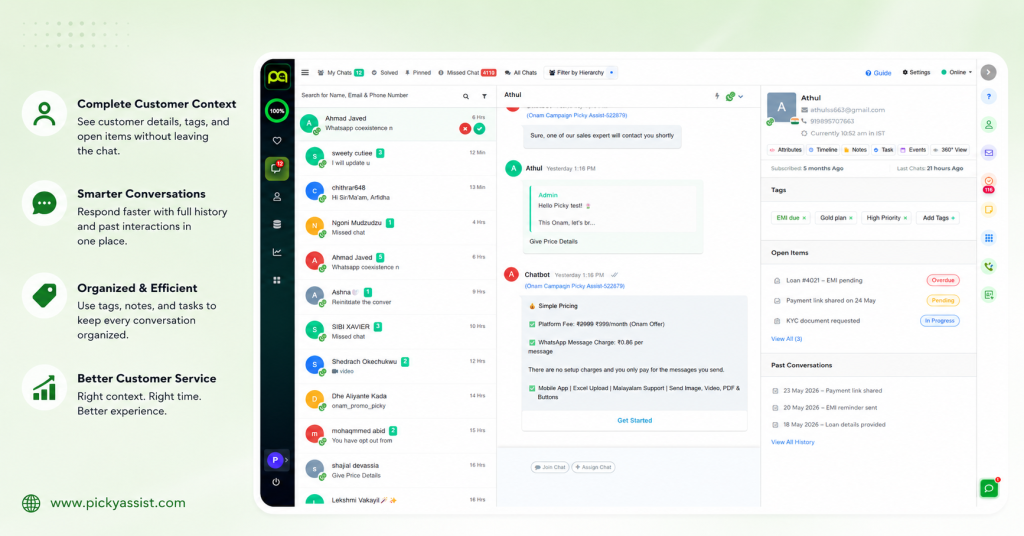
This is the specific gap Picky Assist’s Conversational CRM is built to close, customer history, tags, and assignment sit inside the same WhatsApp conversation thread the agent is already in, rather than a separate system they have to remember to check.
FAQs on How CRM improves Customer Service
CRM improves customer service primarily by giving agents a shared view of a customer’s history, so they don’t ask customers to repeat themselves, and by enabling routing rules that get queries to the right agent faster. The improvement depends on the CRM being connected to the actual support channel and having clear routing and SLA rules, not just on storing data.
CRM increases satisfaction mainly by reducing response time and repetition, the two factors most correlated with CSAT in current customer service benchmarking. It also allows consistent follow-up on open issues, which prevents the “no one got back to me” experience that drives complaints.
Even a small team benefits from shared context and automated follow-up reminders, since informal tracking (“I think Priya handled that one”) breaks down as soon as an agent is out sick or a query sits over a weekend. The main value for a small team is consistency, not scale.
In banking, CRM unifies a customer’s record across products; savings, cards, loans, so a support conversation about one product has visibility into related issues elsewhere in the relationship. This reduces the disjointed experience of dealing with a different “team” for every product a customer holds, and supports the consent and data-handling logs banking compliance requires.
Beyond CRM, banks improve customer relationships through personalized, timely communication (proactive alerts, not just reactive support), consistent context across products, and fast first response, all of which a properly connected CRM enables but doesn’t guarantee on its own. Staff training on when personalization helps versus feels invasive matters as much as the system itself.
No. CRM organizes context and automates routing and follow-up reminders, but judgment calls on resolving a complex or sensitive issue still need a human. The realistic gain is agents spending less time hunting for context and more time on the actual resolution.
A helpdesk tool is generally built around tickets and resolution status; a CRM is built around the customer relationship and often includes sales and lifecycle data alongside support history. Many modern conversational CRMs blend both, which is useful when the same customer relationship spans sales inquiries and support issues.



Add comment