
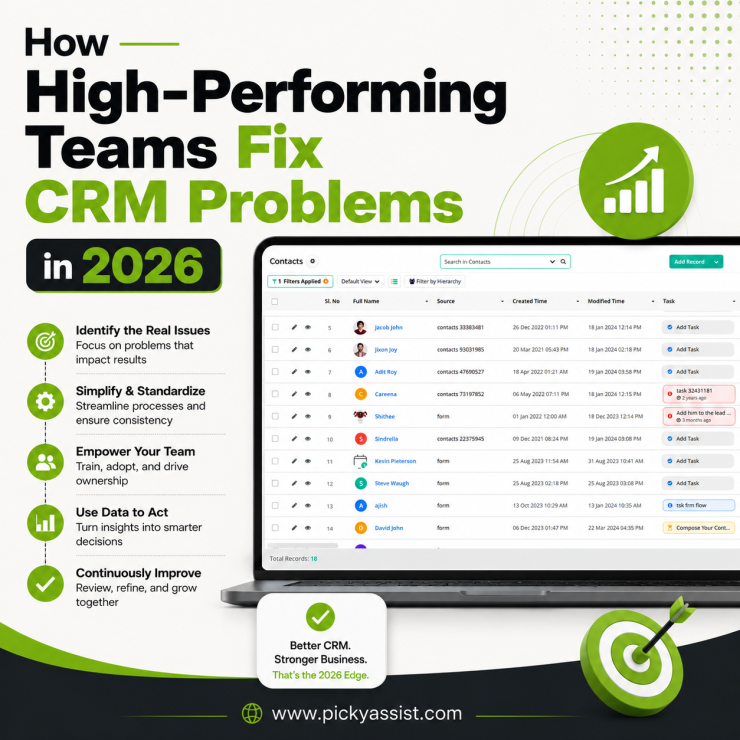
Every CRM rollout looks the same in month one: clean dashboards, a proud sales team, a manager finally seeing “everything in one place.” By month four, half the deals live in someone’s WhatsApp inbox again, three reps are keeping a personal spreadsheet “just in case,” and nobody trusts the reports enough to make a decision from them. That gap between what a CRM promises and what actually happens six months in, is where almost all common CRM problems lives. Not in the software’s feature list, but in how it gets adopted, fed, and maintained.
The most common CRM problems are poor data quality, low user adoption, disconnected communication channels, weak lead follow-up, and reporting nobody trusts. Most trace back to one root cause, the CRM system asks people to do extra work instead of fitting into work they’re already doing. Fix the friction points, not just the software, and the rest tends to resolve on its own.
Why Do the Same CRM Problems Show Up Everywhere?
Having implemented and audited CRM setups for dozens of small and mid-sized businesses, the pattern repeats with strange consistency: the tool is rarely the actual problem. A ₹500/month CRM used properly outperforms a ₹50,000/month enterprise system that half the team ignores.
The businesses that struggle share three traits: they picked a CRM based on features instead of workflow fit, they never assigned a single owner to keep the data honest, and they treated go-live as the finish line instead of week one.
With that context, here’s a practitioner’s breakdown of the common CRM problems and solutions that come up in almost every account audit, followed by a separate look at the problems that hit specifically during implementation.
The Most Common CRM Problems and Solutions
Let’s understand the most common challenges in CRM implementation and its solutions all at a glance.
1. Bad or Duplicate Data
The problem: Reps enter leads inconsistently, some log a phone number with a country code, some without; some create a new contact instead of updating an existing one. Within a year, a database of 10,000 contacts can easily carry 15–20% duplicates or dead entries, based on patterns typically seen across CRM audits.
The fix: Set one mandatory format for phone/email fields at the point of entry, run a deduplication pass quarterly (most CRMs have a native merge tool), and make lead source and contact-update fields required, not optional. Auto-capturing leads from a single channel, like a WhatsApp number; instead of five manual entry points removes most of the duplication at the source.
2. Low User Adoption
The problem: Sales teams built on relationships often see CRM logging as admin work that slows down actual selling. If entering a lead takes 90 seconds longer than just texting the customer directly, most reps will quietly skip it.
The fix: Reduce the number of required fields to the bare minimum needed for a follow-up (name, number, interest, next action). Tie CRM usage to something reps already care about commission tracking or lead ownership protection, so the system works for them, not just for the manager’s dashboard.
3. Disconnected Communication Channels
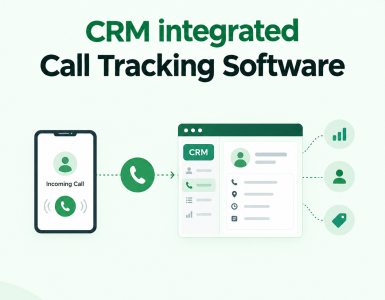
The problem: A lead messages on WhatsApp, calls the office line, and fills a website form and the CRM sees three separate, unlinked people. This is one of the most common CRM issues for businesses that added WhatsApp as a sales channel without connecting it to their core system.
The fix: Consolidate customer-facing channels into the CRM through native integrations rather than manual copy-paste. This is the specific gap Picky Assist’s Conversational CRM is built to close. It syncs WhatsApp conversations, contact history, and lead status directly into the CRM record, so a rep sees the full thread instead of hunting across three tools.
4. Weak or Inconsistent Lead Follow-Up
The problem: Leads go cold not because the product was wrong, but because nobody followed up within a useful window. Industry benchmarks commonly cited in sales research suggest response time within the first hour dramatically improves conversion odds compared to next-day follow-up, treating this as a directional figure rather than a guaranteed rate for any specific business.
The fix: Build automated follow-up sequences tied to the lead stage, not manual reminders that depend on a rep remembering. A simple rule, “no lead sits untouched for more than 4 business hours”; enforced through automated nudges or WhatsApp broadcast follow-ups closes far more gaps than a longer feature list ever will.
5. Reports Nobody Trusts
The problem: If the underlying data is inconsistent (see #1), every report built on top of it is too. Sales meetings turn into arguments about whose number is “the real one” instead of decisions.
The fix: Pick one system of record per metric pipeline value comes from the CRM, full stop, not from a parallel spreadsheets. Audit the top three reports leadership actually uses monthly and trace each field back to where it’s entered; that’s usually where the trust breaks down.
6. Poor Fit Between CRM and Actual Sales Process
The problem: Off-the-shelf pipeline stages,
("Lead → Qualified → Proposal → Won")
often don’t match how a business actually sells; especially in high-touch, conversation-driven sales common in WhatsApp-first markets like India and Southeast Asia.
The fix: Map your actual sales conversation stages before configuring pipeline stages in the CRM, not after. If most deals are decided over 3–4 WhatsApp exchanges rather than formal proposals, the CRM stages should reflect that instead of a generic B2B template.
7. No Clear Data Ownership
The problem: “Everyone’s responsibility” usually means nobody’s responsibility. Field definitions drift, tags get created ad hoc, and within a year the CRM has 40 tags where 8 would do.
The fix: Assign one person, often ops or a senior sales coordinator, not IT; as the CRM data owner responsible for field hygiene, tag governance, and quarterly cleanup.
8. Automation That Wasn’t Actually Tested
The problem: A workflow rule fires on the wrong trigger, and leads get skipped, duplicated, or messaged twice. This is the single most common self-inflicted CRM problem in businesses that automate before they stabilize their base data.
The fix: Test every new automation on a small, tagged batch of contacts before rolling it out to the full list. Review automation logs weekly for the first month after any change.
Common CRM Problems in Implementation
Implementation-phase issues are distinct from day-to-day CRM problems, they happen once, but badly handled, they cause every problem above.
| Implementation Stage | Common CRM Problem | Practical Fix |
|---|---|---|
| Planning | No documented sales process before configuration | Map the process on paper first; configure the CRM to match it, not the reverse |
| Data Migration | Historical data imported without cleaning | Deduplicate and standardize formats before migration, not after |
| Integration | Communication channels (WhatsApp, email, calls) added later as afterthoughts | Scope integrations during initial setup, even if launched in phase two |
| Training | One-time training session, no reinforcement | Run a 15-minute refresher at 30 and 60 days post-launch |
| Rollout | Full team switched over on day one | Pilot with one team or region for 2–3 weeks first |
| Ownership | No assigned CRM administrator | Name an owner before go-live, not after problems appear |
A common CRM problem and strategies to avoid it in implementation specifically: teams treat the CRM as a data-entry tool to configure, when it should be treated as a process to design, the software comes second.
A 10-Minute Diagnostics Checklist
Before blaming the CRM itself, run through this:
- Can you name the single source of truth for pipeline value? If not, that’s problem #5.
- Do more than 10% of your contacts have duplicate or malformed entries? That’s problem #1.
- Would your top-performing rep still use the CRM if it weren’t mandatory? If no, that’s problem #2.
- Are leads from different channels (WhatsApp, calls, web forms) automatically merged into one record? If not, that’s problem #3.
- Is there a written rule for maximum follow-up delay, and is it enforced automatically? If not, that’s problem #4.
Most businesses will find they’re dealing with two or three of these at once, rarely just one.
FAQ on Common CRM Problems and its Fixes
The most frequent issues are poor data quality, low team adoption, disconnected communication channels, inconsistent lead follow-up, and unreliable reporting. Most stem from the CRM adding friction to daily work rather than removing it.
Adoption drops when logging data takes noticeably longer than doing the actual sales task, or when the CRM doesn’t reflect the real sales conversation flow. Reducing required fields and connecting the tools reps already use, like WhatsApp; solves most of this.
Standardize entry formats (especially phone numbers) at the point of capture, run scheduled deduplication, and automate lead capture from a single channel rather than relying on manual multi-channel entry.
The biggest ones are configuring the CRM before mapping the actual sales process, migrating unclean historical data, and rolling out to the whole team at once without a pilot phase. Each is preventable with sequencing, not more features.
Yes, when it’s a native two-way sync rather than manual copy-paste. Tools that connect WhatsApp conversations directly into CRM contact records , which is how Picky Assist’s Conversational CRM works, eliminate the “three versions of the same lead” problem common in WhatsApp-first sales teams.




Add comment