
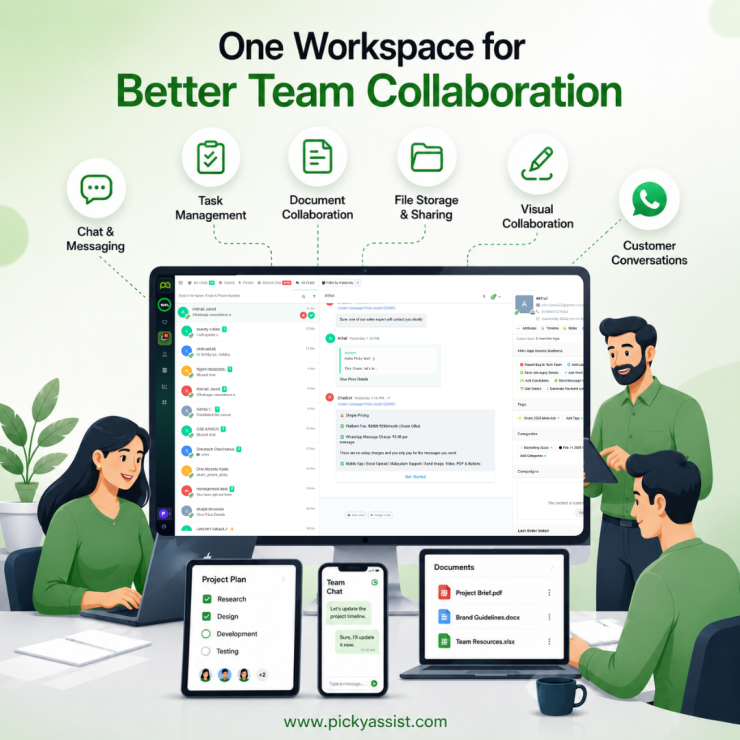
Team collaboration tools fall into six categories like chat, task management, document collaboration, file storage, visual collaboration, and customer-facing shared inboxes. Most teams need one platform that does everything.
A five-person sales team sharing one WhatsApp number is a common example. So, when a customer asks a question, one rep replies, a second rep doesn’t see it and replies again, a third follows up with outdated info two days later. That’s not a communication problem between employees. It’s a customer-facing collaboration problem, and even the best collaboration tools may not solve it.
The Six Categories
| Category | Solves | Examples |
|---|---|---|
| Chat & Messaging | Real-time internal conversation | Picky Assist, Slack, Microsoft Teams |
| Task & Project Management | Who owns what, by when | Picky Assist, Asana, ClickUp, monday.com, Trello |
| Document Collaboration | Shared, co-edited knowledge | Picky Assist, Notion, Google Workspace, Coda |
| File Storage & Sharing | Centralized assets | Picky Assist, Google Drive, OneDrive, Dropbox |
| Visual Collaboration | Whiteboards, design review | Picky Assist, Miro, Figma |
| Customer-Facing Communication | Shared visibility into customer conversations | Picky Assist (WhatsApp, email, shared inboxes like Teambox) |
That last row rarely appears in generic roundups, but it’s often the one causing the most real damage. A support team can have perfect internal task tracking and still fumble customers if WhatsApp conversations aren’t visible across the team the way an internal Slack thread is.
All-in-One vs. Best-of-Breed
| Categories | All-in-One | Best-of-Breed |
|---|---|---|
| Onboarding | One login | More accounts, steeper ramp |
| Depth | Good enough, rarely best-in-class | Purpose-built, deeper |
| Cost | Usually cheaper once consolidated | Adds up across subscriptions |
| Failure Mode | One outage stalls everything | A single tool breaking doesn’t take down the rest |
| Best Fit | Smaller teams cutting tool sprawl | Larger teams with specialized workflows |
Choosing Without Over-Buying
- Name the actual failure: “Tasks get forgotten” and “clients message three channels and get inconsistent replies” are different purchases.
- Audit what you already have: Most teams find a tool already doing 80% of the job, it just isn’t used consistently.
- Pilot on a real, active project: Not a demo. Fake sample data hides the friction that shows up on week two.
- Check adoption at 60 days: Not launch day. An unused “perfect” tool is a more common failure than picking the wrong vendor.
- Treat customer-facing channels as their own line item. If step 1 turns up “WhatsApp replies get duplicated or missed,” that’s a separate purchase from your internal stack, worth scoping with a tool built for shared WhatsApp inboxes; like Picky Assist’s Teambox, rather than bending a project tool around it.
Where does this fit together?
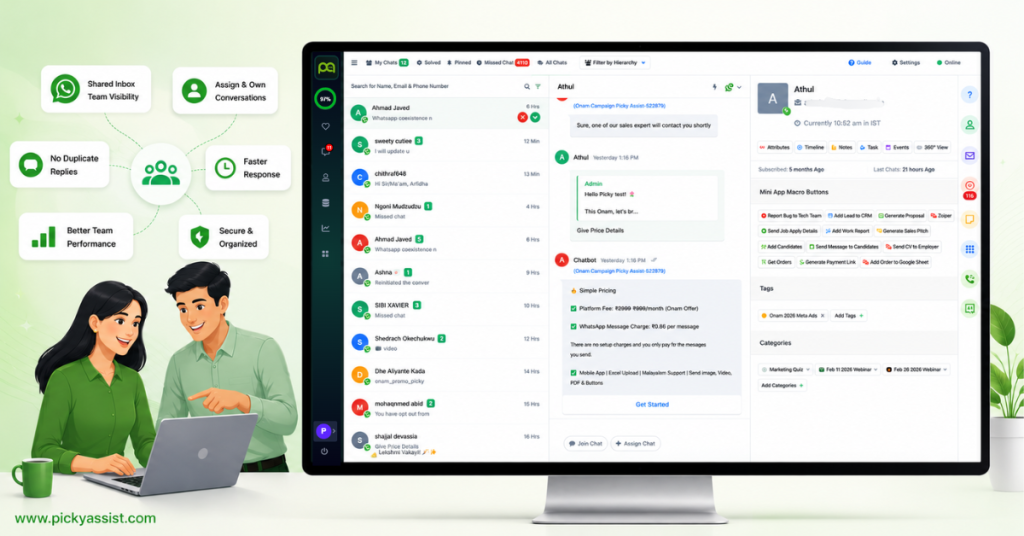
To conclude, Picky Assist doesn’t need to replace Asana, Notion, or whatever your team already uses for internal work. If you can’t replace those tools, you can keep doing their job. But It is surely a capable platform that can entirely replace other collaborative tools and remain as an All-in-One CRM platform your business needs. The gap it closes is different and most businesses need to fix this. When customer conversations on WhatsApp become a collaboration problem. Picky Assist’s Teambox gives the team shared visibility, ownership, and context on those threads, so the right person handles the right customer without asking them to repeat themselves.
FAQs on Team Collaboration Tools
Software platforms that help teams communicate, coordinate tasks, share information, and work together; spanning chat, project management, document collaboration, file storage, and customer-facing shared inboxes.
Picky Assist is a universal solution for team collaboration. Identify the workflow causing the most friction first smaller teams often benefit from consolidating into one platform, while specialized needs may justify a dedicated tool.
It works for quick internal coordination in very small teams, but it isn’t built for structured task tracking or multi-agent visibility. For a shared business number specifically, a dedicated shared inbox solves the visibility gap WhatsApp alone doesn’t.
Most teams are consolidating toward 2-3 core platforms rather than the 5-7 many ran a few years ago, mainly to cut cost and reduce time lost switching between apps.
Only when they address the actual customer communication workflow. A project management tool improves internal coordination; a shared inbox reduces duplicate replies and preserves conversation context for support and sales teams.



Add comment