
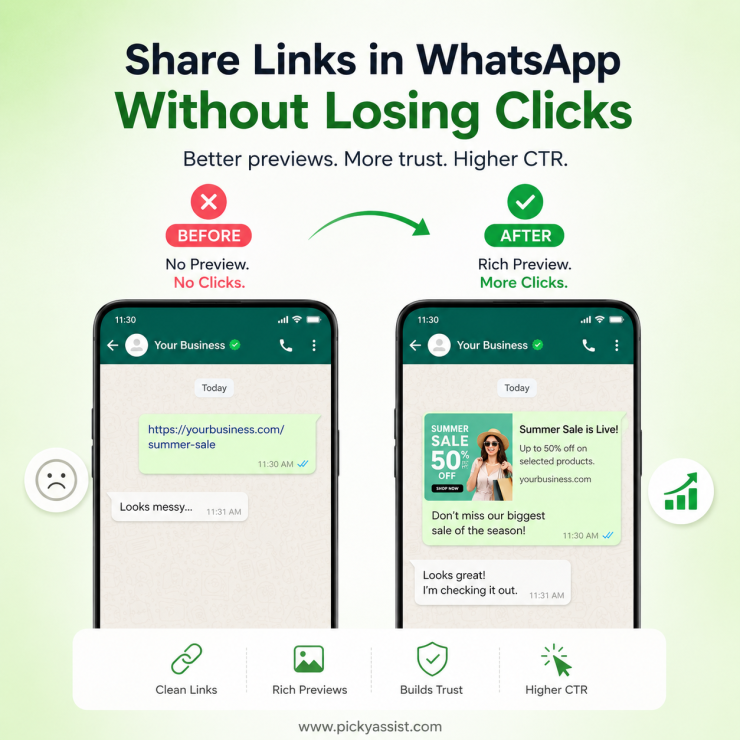
To share a link in WhatsApp, paste the URL into the chat box and send. WhatsApp automatically generates a preview card from the page’s metadata. For business use, the better method is a click-to-chat or campaign link (https://wa.me/<number>?text=<message>, or a tracked link inside a broadcast) so you control what the customer sees and can measure what happens after the click.
A client once asked why their WhatsApp broadcast link “looks broken”. No image, no title, just a bare URL. Nothing was wrong with WhatsApp; their landing page had no Open Graph tags, so there was nothing to pull a preview from. Adding an OG title, description, and image nearly doubled click-throughs on the next campaign. Link sharing looks trivial until it’s quietly costing you clicks.
Sharing a Link vs. Sharing a Chat Invitation
These get confused constantly, and they’re not the same action:
- Sharing a URL in conversation — paste any link into a chat or group; WhatsApp fetches the page and renders a preview card automatically.
- Sharing a click-to-chat link — a wa.me link that opens a conversation with you, not a webpage. Useful in bios, ads, and email signatures.
- Sharing a link inside a template message — on the WhatsApp Business Platform, links embedded in approved templates (Utility, Marketing, Authentication categories) are the only way to include a clickable URL in an outbound broadcast, since free-form messages only work within an open service window.
The most common setup mistake: putting a wa.me link inside a broadcast expecting it to route to a website, when a normal hyperlink in the template body was what was actually needed.
Why Do WhatsApp Links Show Previews?
When you paste a website link into WhatsApp, the app tries to fetch basic information from that webpage before you send the message. If the website is set up correctly, WhatsApp automatically displays a link preview with the page title, a short description, and sometimes an image. This gives people a quick idea of what they’ll see before they tap the link.
Think of it like the cover of a book. Instead of showing only a long web address, WhatsApp displays a small “preview card” that helps the recipient understand where the link will take them.
For example, if you share a link to your company’s product page, the recipient might see:
- The page title (such as “AI Chatbot for WhatsApp Business”)
- A short description of the page
- A featured image from your website
This preview makes your message look more trustworthy and professional than sending a plain URL. If a link doesn’t show a preview, it usually means one of these things:
- The website doesn’t allow WhatsApp to access its preview information.
- The webpage doesn’t have the required title, description, or image set up.
- The website is temporarily unavailable or loading too slowly.
- WhatsApp couldn’t retrieve the information due to a temporary network issue.
For businesses, link previews do more than make messages look attractive, they help customers recognize your brand, understand what they’re about to open, and feel more confident clicking the link. A clear title, relevant image, and accurate description can significantly improve engagement compared to sending a plain web address.
How Link Sharing Impacts Brand Reputation?
Most businesses underestimate the stakes here. A raw or generically shortened link reads as lower-trust to recipients who’ve learned to associate bad links with scams. WhatsApp’s own automated detection can flag accounts sending high volumes of links to unfamiliar, particularly newly registered, domains. For a verified business number, one flagged broadcast can trigger a quality-rating drop that throttles future delivery, not just that campaign.
The fix is consistency. Use your own domain instead of a third-party shortener, keep the destination page stable so the cached preview stays accurate, and never let the actual destination diverge from what the preview promises, both WhatsApp and recipients treat a mismatch as a spam signal.
A Working Checklist Before You Send!
| Check | Why does it matter? |
| OG title, description, and image set on the landing page | Determines whether the link shows a preview or bare text |
| Using your own domain, not a generic shortener | Shortened, unfamiliar domains get flagged more often |
| Link type matches the channel (chat link vs. template link vs. broadcast link) | Prevents the “wrong link type” setup mistake above |
| Destination page matches preview content | Mismatches read as spam to both users and WhatsApp’s systems |
| Link tested on both mobile and WhatsApp | Preview rendering occasionally differs between clients |
Where is this Headed?
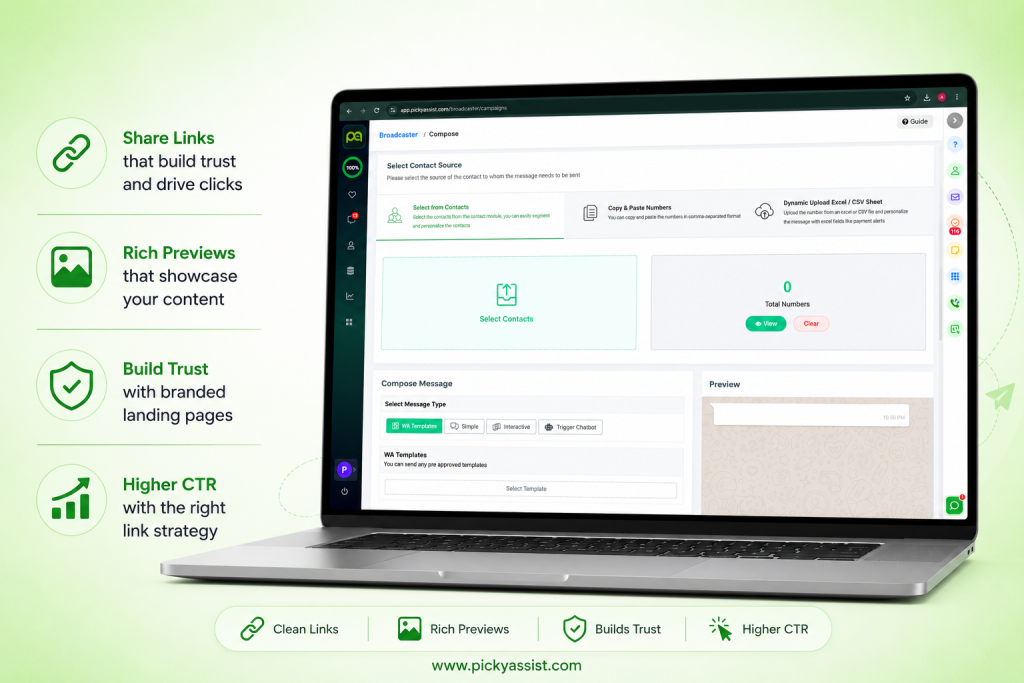
It is observed in businesses that there is a leap from “send a link, hope they click” toward keeping the interaction inside the chat itself. In-chat, forms, and checkout are already replacing click-out-to-a-website patterns for many business use cases. Picky Assist’s broadcaster tools handle the template and link-tracking side of this for businesses sending at volume, which makes the checklist above easier to apply consistently.
FAQs on Sharing a Link in WhatsApp
The linked page is missing Open Graph metadata, or WhatsApp cached an older version of the page before the metadata was added. Add OG tags and share a fresh version of the URL to force a re-fetch.
Yes, but only inside an approved message template if you’re messaging outside an open 24-hour service window; free-form links only work within an active conversation. Platforms like Picky Assist manage template approval and link tracking for this automatically.
Yes. High volumes of links to unfamiliar or suspicious domains can lower your quality rating, which throttles how many messages you can send going forward.
A wa.me link opens a chat with a specific WhatsApp number; a regular URL opens a webpage. They serve different purposes and shouldn’t be used interchangeably in campaigns.
Generally, unfamiliar shortened domains are more likely to be flagged as suspicious. A branded link on your own domain preserves trust and preview accuracy.



Add comment