
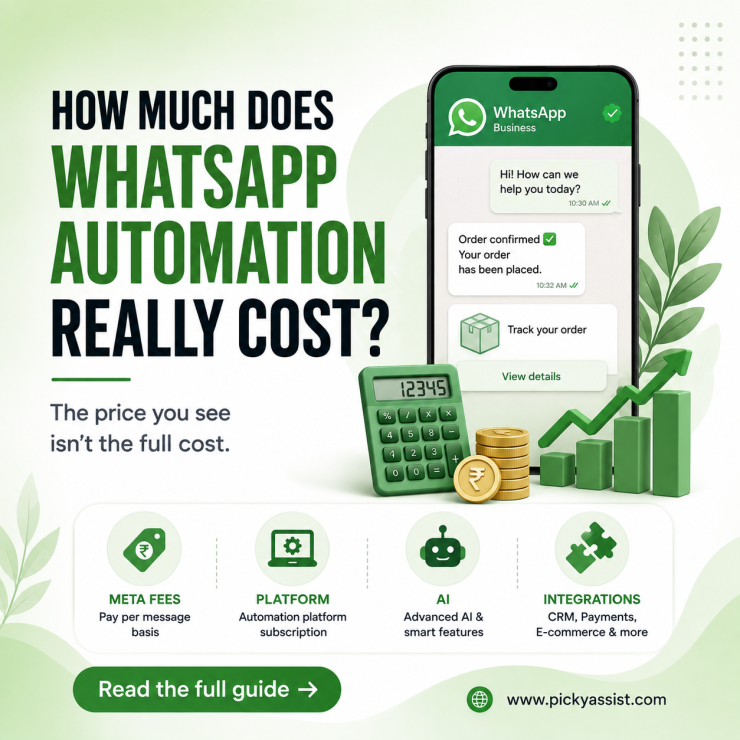
In 2026, businesses usually pay for some combination of Meta’s message charges, an automation platform subscription, optional AI or advanced features, and implementation. So there is no single WhatsApp Automation Cost and it totally depends on various other aspects.
For an India-based business messaging Indian customers, current published Meta rates are about ₹0.8631 for marketing messages and ₹0.115 for utility or authentication messages.
(Note: Upcoming WhatsApp Cost updates take place in October 2026, and WhatsApp would update its pricing plans quarterly)
Service replies inside the 24-hour customer-service window can be free. Your software provider may then charge a monthly platform fee or add a provider markup.
That means a small business can spend a few thousand rupees per month, while a high-volume operation can spend much more. The right budget depends on message volume and what you automate.
What makes WhatsApp Automation Cost vary?
The most important point is that WhatsApp automation is not one product or one bill. Think of the cost as four layers.
1. Meta Messaging Fees
Meta charges based on message category and the recipient’s market. Common categories include marketing, utility, and authentication. Customer-service replies within the applicable 24-hour window are treated differently.
For example, a promotional broadcast is normally a marketing message. An order confirmation usually requires a utility message to be sent. An OTP is sent via authentication message.
2. Platform Subscription
A WhatsApp automation tool can provide the interface you need to build flows, manage contacts, route chats, send campaigns, connect a CRM, and measure results.
Some platforms have free plans. Others charge monthly or annual subscription fees. Advanced capabilities such as AI agents, extra seats, higher sending limits, or chatbot builders may be separate add-ons.
3. Implementation
Businesses can build simple workflows internally. More complex deployments may require someone to design conversation logic, write templates, connect a CRM or commerce system, test edge cases, and manage Meta approval.
Implementation can be a one-time cost rather than a recurring messaging expense.
4. Integrations and Infrastructure
Your final bill can also include CRM, ecommerce, payment, scheduling, AI, analytics, or middleware services. These costs are easy to miss when comparing headline subscription prices.
Pricing by Business Size
There is no universal price bracket, but a useful planning model is more valuable than a generic “starting from” price.
| Business Profile | Typical Automation | Main Cost Drivers |
|---|---|---|
| Small local business | FAQs, lead capture, reminders | Platform fee + limited message usage |
| Growing SMB | Lead qualification, follow-ups, broadcasts, CRM sync | Subscription + marketing messages + integrations |
| D2C/ecommerce brand | Catalog, cart recovery, order updates, campaigns | Message volume + commerce integrations + automation features |
| Large team | Multi-agent support, segmentation, AI, analytics | Higher plan + seats + AI + message volume |
| Enterprise | Multi-system workflows, multiple numbers, custom controls | Enterprise platform + implementation + usage |
The key lesson for WhatsApp automation for business is simple: do not choose a plan based only on its monthly subscription. Estimate the total cost of ownership.
How to Calculate Your Monthly WhatsApp Automation Cost?
(Note: Upcoming WhatsApp Cost updates take place in October 2026, and WhatsApp would update its pricing plans quarterly)
Use this formula. You can also automate WhatsApp messages from CRM events, payment events, or booking triggers.
Monthly cost = Platform subscription + Meta message charges + add-ons + implementation allocation + integration costs + applicable taxes
Suppose an Indian business sends 5,000 marketing messages and 2,000 utility messages in a month.
Using the published India rates above:
5,000 × ₹0.8631 = ₹4,315.50
2,000 × ₹0.115 = ₹230
Meta messaging subtotal = ₹4,545.50
Then add the platform subscription and any paid add-ons.
This example shows why message volume matters. A ₹2,000 platform can become a ₹6,500+ monthly operation once message usage is included.
However, do not assume every message creates a charge. Customer-initiated conversations and service replies can have different treatment under Meta’s pricing rules. Always classify the actual message type before forecasting spend.
What Does a WhatsApp Automation Platform Actually Pay For?
When comparing vendors, look beyond “WhatsApp API access.” A serious WhatsApp automation tool may bundle several operational layers.
Flow Builder
A visual builder lets your team create lead qualification, booking, support, payment, and follow-up workflows without coding every interaction.
Shared Inbox
Teams need a way to take over when automation reaches a human-support scenario. Agent routing and conversation history can affect the value of a platform more than a small difference in subscription price. Collaborative inboxes like Teambox connects multiple channels into one connected space, where teams can track progress easier and faster.
Campaign and Segmentation Tools
WhatsApp marketing automation becomes more useful when audiences can be segmented by purchase history, lead stage, location, or engagement.
CRM and Integrations
A platform becomes more valuable when customer data moves between WhatsApp and systems such as Shopify, WooCommerce, CRM system, payment gateways, or calendars.
Analytics
Look for delivery, read, click, reply, conversion, and campaign-level reporting. These metrics help you judge whether automation is reducing cost or simply adding another software bill.
How Much Do WhatsApp Automation Platforms Charge?
Published prices vary widely because platforms package features differently.
Picky Assist offers a Free Forever plan at ₹0/month, while its paid plans start with Starter at ₹2,499/month, Growth at ₹3,999/month, and Scale at ₹4,999/month. The plans include different limits for contacts, interactions, users, and features such as WhatsApp Commerce, AI Mate, API access, and integrations. Picky Assist also offers an API Only plan at ₹999/month for businesses that need WhatsApp API access without the full automation platform.
AiSensy’s current published India pricing lists plans from ₹1,500/month, with a ₹3,200/month Pro plan and ₹9,100/month Premium plan. It also lists chatbot and AI add-ons separately.
That illustrates an important comparison rule: a low entry price does not necessarily equal a low operating cost. A platform may charge separately for chatbot flows, AI usage, additional agents, or other capabilities.
Third-party 2026 pricing comparisons also show that Indian providers commonly combine monthly platform fees with Meta’s usage charges, although the exact plans and markups differ.
Before choosing a WhatsApp automation tool, ask for the complete price structure rather than only the subscription price.
When Does WhatsApp Automation Become Expensive?
The biggest cost jump usually comes from scale and complexity.
A business can have low message volume but still pay more because it needs multiple agents, AI, advanced integrations, dedicated support, or custom implementation.
Conversely, a business with high message volume can sometimes control costs through efficient workflows and appropriate message categories.
This creates two different kinds of scale:
- Messaging scale: more outbound messages.
- Operational scale: more users, agents, workflows, integrations, and automation complexity.
Your pricing model needs to account for both.
A Practical Buying Checklist
Before choosing a provider, ask these questions:
- What is the monthly platform fee?
- Are Meta message charges included or separate?
- What are the current rates for marketing, utility, and authentication messages in my target markets?
- Are service replies free under the applicable window?
- Are chatbot flows included?
- Is AI charged separately?
- How many agents are included?
- Are additional phone numbers charged separately?
- Are CRM and ecommerce integrations included?
- Are there setup or onboarding charges?
- What happens if message volume exceeds the plan?
- Can I export my contacts and conversation data?
- What support is included in this budget?
These questions reveal the real WhatsApp Automation Cost far better than a “₹X per month” headline.
Common Mistakes When Estimating Automation Costs
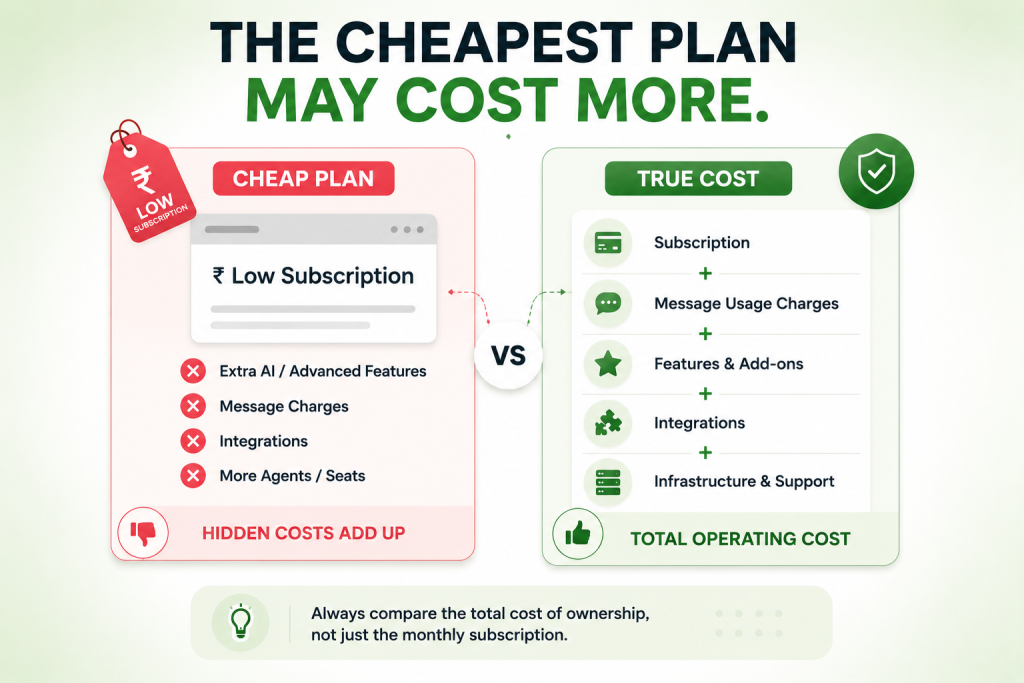
Looking Only at the Monthly Plan
The subscription is only one part of the bill. For many teams, the WhatsApp automation tool becomes the operating layer for daily conversations.
Ignoring Recipient Country
Meta pricing depends on the recipient’s market. A business messaging customers across countries should model its traffic by destination.
Treating All Messages as Marketing
Order updates, OTPs, support responses, and promotions have different purposes and pricing treatment.
Comparing Providers Without Normalizing Costs
One provider may show a subscription fee while another advertises an all-in message rate. Put both into the same monthly-volume model.
Measuring Automation by Message Count
More automated messages do not automatically mean better automation. Measure leads qualified, appointments booked, orders recovered, tickets resolved, and agent hours saved.
What is the Cheapest Way to Automate WhatsApp?
The cheapest option is not always the lowest subscription.
A low-cost setup can become expensive if it requires manual workarounds, separate tools, poor integrations, or frequent human intervention.
For a small business, start with one high-value workflow. For example:
Customer message → automated qualification → CRM update → sales handoff → follow-up.
Once that workflow produces measurable results, add booking, payments, reminders, or post-purchase automation.
This approach controls the budget while proving ROI before expanding.
Final Takeaway
WhatsApp Automation Cost is best understood as a total operating model, not a single software price.
For most businesses, the calculation has four major parts: Meta messaging charges, platform subscription, optional add-ons, and implementation or integration costs.
The smartest approach is to estimate monthly message volume, classify messages correctly, compare all-in provider pricing, and calculate the business value created by automation.
If automation saves staff time, improves lead response, increases conversions, or reduces missed follow-ups, the right question is not “How cheap can I make it?”
It is:
“What level of automation produces the best return at a sustainable cost?”
FAQs on WhatsApp Automation Cost
There is no single average. A realistic budget includes the platform fee, Meta message charges, add-ons, integrations, and implementation. Small businesses may operate at a few thousand rupees monthly, while larger deployments can reach much higher levels.
Basic access to the WhatsApp Business Platform does not mean unlimited free messaging. Meta charges for applicable business-initiated messages, while platforms may charge subscription or service fees.
Applicable business-initiated WhatsApp automated messages can incur Meta message charges based on category and recipient market. Service replies within the relevant customer-service window may be free.
It can be, when automation replaces repetitive work or improves conversion, response speed, retention, or customer service capacity. Compare the total operating cost with the business outcome.
Common uses include lead qualification, appointment reminders, order updates, customer support, payment notifications, cart recovery, and follow-up sequences.
They can reduce operational costs when they replace repetitive manual work and are designed to send only relevant messages. The business should measure savings and revenue against messaging and platform expenses. Review whether WhatsApp automated messages are improving the intended outcome.



Add comment