
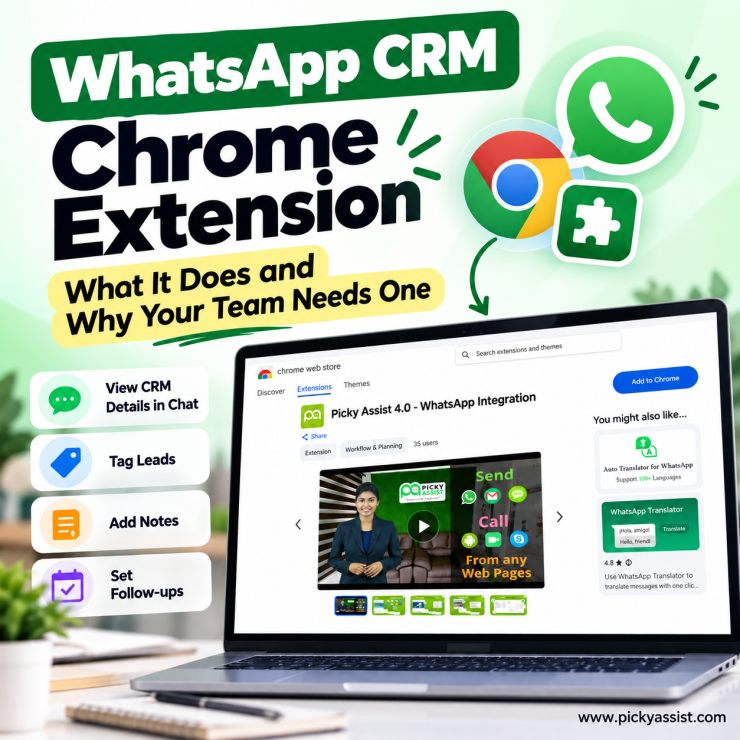
If you’ve priced out CRM software recently, you’ve probably hit a wall: full platforms with WhatsApp integration often mean migrating your entire sales process into a new system. But if your team already lives inside WhatsApp Web for customer conversations, a WhatsApp CRM chrome extension solves the same problem without the migration.
It’s a lighter, faster way to get CRM functionality where your conversations already happen, and understanding what it actually does (versus a full CRM platform) matters before you decide which one fits your budget and workflow.
What is a WhatsApp CRM Chrome Extension?
A WhatsApp CRM chrome extension is a browser add-on that layers CRM functionality directly on top of WhatsApp Web. Instead of switching between tabs to log a conversation, tag a lead, or check contact history, the extension brings that data into the same window where you’re already chatting. For sales and support teams handling high message volume, this removes one of the most common sources of lost context: forgetting to update the CRM after a conversation ends.
How does a WhatsApp CRM Extension Work?
Most WhatsApp CRM extension tools work by injecting a sidebar or overlay into WhatsApp Web. When you open a chat, the extension pulls up relevant contact data, past notes, or deal status next to the conversation. Some go further, letting you tag contacts, set follow-up reminders, or push conversation data into a connected CRM automatically. The core value is proximity: instead of context living in a separate app, it sits right beside the chat.
Chrome Extension vs. Full WhatsApp CRM Platform
This is where most businesses get confused, so it’s worth being direct about the difference.
| Factor | WhatsApp CRM Chrome Extension | Full WhatsApp CRM Platform |
|---|---|---|
| Setup | Install and go, minimal configuration | Requires account setup, number verification |
| Scope | Adds CRM features to WhatsApp Web | Full multi-channel automation and CRM |
| Team visibility | Often limited to one browser/user | Shared across the whole team |
| Automation | Basic tagging or reminders | Chatbots, campaign automation, workflows |
| Best for | Solo users or small teams testing the concept | Growing teams managing volume at scale |
| Data persistence | Tied to browser session in many cases | Centralized, accessible from anywhere |
A chrome extension works well as a starting point, particularly for a solo founder or a two-person sales team handling a manageable volume of chats. The friction shows up at scale: a rep leaves, or a manager needs conversation history — and a browser extension can’t handle that.
When a Chrome Extension Stops Being Enough?
Consider a small consulting firm using a WhatsApp CRM extension to tag leads and jot quick notes during calls. It works fine with two team members. But once the firm hires a third salesperson and the founder wants a single view of every conversation across the team, the extension’s per-browser limitation becomes the bottleneck. Conversations tied to one person’s Chrome profile aren’t visible to the rest of the team, and there’s no shared automation to route new inquiries or follow up on cold leads.
This is a common growth pattern: the extension solves the immediate problem of “I need context while chatting,” but it doesn’t solve the bigger one, which is “my whole team needs shared visibility and automated follow-up.”
How Picky Assist Chrome Extension Works?
Picky Assist Chrome extension lets you open and manage WhatsApp conversations directly from any webpage without switching between tabs or apps. Select a mobile number on any site (Google Search, Google Maps, LinkedIn, a Google Sheet, your CRM), and the extension loads that contact’s conversation history right there on the page. You can switch channels from a dropdown to view history from a different connected number, or start a fresh conversation on the spot: right-click the selected number, click the Picky Assist icon, draft your message, and send with the option to open it directly in Teambox.
Steps to Set Up
- Add country codes. Under extension settings, enter your country codes separated by commas (e.g., 91, 971, 1). Numbers without a code on a webpage will auto-append the correct one when you select them.
- Set your default channel. Go to Quick Access > Channel ID and enter the ID of your connected WhatsApp channel (found under Settings > Channels). This is what powers deep-linking to conversations.
- Assign channel IDs per team member. If each rep uses a different WhatsApp channel, share their respective Channel ID and confirm they’ve been granted channel access under Organisation > Roles.
- Start using it. Select any number on a webpage, click the Picky Assist icon that appears, and the conversation loads instantly or start a new one from scratch.
Note: Only WhatsApp channels currently support deep-linking with mobile numbers in the Chrome extension.
Frequently Asked Questions on WhatsApp CRM Chrome Extension
A browser add-on that layers CRM features, like contact tagging and notes, directly onto WhatsApp Web.
No. An extension adds basic CRM functionality to your browser, while a full platform centralizes conversations and automation for an entire team.
Most extensions are tied to an individual browser session, which limits shared visibility across a team.
Typically only basic features like tagging or reminders; deeper automation like chatbots and campaigns usually requires a full platform.
Usually once team size grows and conversations need to be visible and manageable across multiple reps, not just one browser.
Pricing varies by provider, but the value comes from what a full platform adds: automation, shared visibility, and multi-channel support that a free extension doesn’t offer.
No, Picky Assist operates as a full Conversational CRM platform, centralizing WhatsApp and other channel conversations for team-wide access.
Consider team size, whether you need shared visibility, automation needs, and whether the tool scales beyond a single browser session.





Add comment