
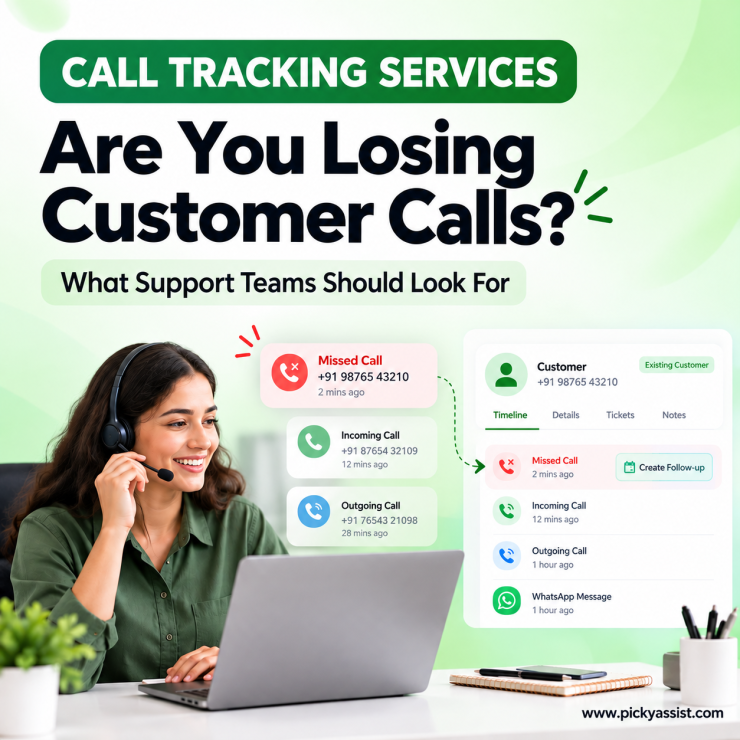
If you run a support or service desk, you’ve likely priced out call tracking services and found the same problem twice. Call tracking services are built for marketing attribution charges for features your team never touches, while basic call logging apps don’t give managers the visibility a service operation actually needs.
That mismatch matters, because a help desk isn’t chasing ad attribution, it’s trying to make sure no customer issue gets lost between the first call and the resolution. Before comparing vendors, it’s worth understanding what call tracking services should actually deliver for a support-focused team.
What are Call Tracking Services?
CRM call tracking services is the process of automatically logging and analyzing inbound ,outbound and even missed phone calls directly within your CRM system. Unlike standalone call tracking tools that operate separately from your contact database, CRM-integrated call tracking ties every phone interaction directly to a lead, contact, or deal, giving you a complete view of customer engagement instead of a disconnected call log.
What Should Call Tracking Services Cover for a Support Team?
For sales and marketing teams, call tracking services usually center on attribution, which campaign generated a call. For support and service operations, the priority is different: every inbound call logged, every case traceable to a customer record, and every unresolved issue visible to a manager without having to ask. A service call tracking software should capture call duration, outcome, and which agent handled it, then tie that directly to the customer’s existing record, not a standalone log.
Where Helpdesk Teams Lose Visibility Without Call Tracking Services?
Support teams without proper call tracking solutions run into a familiar pattern. A customer calls about an issue, an agent handles it, and the resolution exists only in that agent’s memory or a scribbled note. When the customer calls back, a different agent has no history to work from. Multiply that across dozens of daily calls, and a helpdesk loses the one thing that makes support effective: continuity.
This is exactly the gap that call logging software for helpdesk operations is meant to close, ensuring every interaction is recorded against the right customer, regardless of which agent picks up next time.
Basic Call Logging vs. a Full Call Center Tracking System
Not every tool marketed under call tracking services offers the same depth. Here’s the practical difference:
| Capability | Basic Call Logging | Call Center Tracking System |
|---|---|---|
| Call recorded to customer record | Sometimes, manually | Yes, automatically |
| Missed call follow-up | Rarely | Triggered automatically |
| Agent performance visibility | Limited | Full breakdown by agent |
| New caller auto-added as contact | No | Yes |
| Works without added hardware | Varies | Ideally yes |
A service desk handling meaningful call volume typically outgrows basic logging quickly. That’s when a proper call center tracking software becomes less of a nice-to-have and more of an operational necessity.
What Strong Call Tracking Solutions Include?
When evaluating call center call tracking software for a support team, look for:
- Automatic call-to-contact matching, so history follows the customer, not the agent
- Missed-call recovery, turning unanswered calls into follow-up tasks instead of lost tickets
- Agent-level reporting, showing call volume and resolution patterns without manual check-ins
- No added hardware or VoIP requirement, keeping setup simple for teams already using mobile lines
- Privacy controls, tracking only business-designated numbers, not personal calls
These criteria apply whether you’re comparing dedicated call monitoring services or evaluating whether your current CRM’s call features are enough.
Is Picky Assist’s CallBlaze a reliable Call Tracking Service?
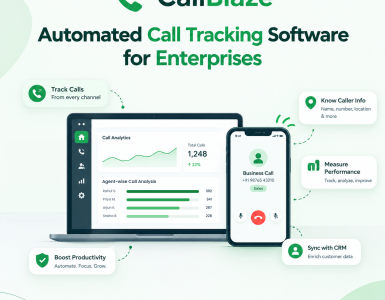
CallBlaze, Picky Assist’s phone-bridge tool, is built around this exact use case. It logs calls made from Android devices directly into Picky Assist’s Conversational CRM, without requiring hardware, VoIP infrastructure, or a separate call center system. For a support team, that means every call, resolved or missed, becomes part of the same customer record used for WhatsApp conversations and case history.
Because CallBlaze runs inside the same platform as Picky Assist’s automation workflows, a missed call doesn’t just sit in a log. It can trigger a follow-up task or WhatsApp message automatically, and a completed call updates the CRM without an agent needing to type anything. For teams already using Picky Assist for customer conversations and team collaboration, this extends call tracking services into infrastructure you already have, rather than adding a new tool to check daily.
Buying Call Tracking Services vs. Building Your Own Process
Some support teams try to replicate call tracking manually through shared spreadsheets or ticket notes. It works briefly, but it depends entirely on agents remembering to update records consistently, which rarely holds up once call volume grows. Purpose-built call tracking services remove that dependency by logging automatically, which is the real value: not just having the data, but never having to chase someone for it.
Frequently Asked Questions on Call Tracking Services
Tools that record, log, and analyze business phone calls, connecting each one to a customer or CRM record for full visibility.
Sales-focused tools often prioritize campaign attribution; support-focused call tracking services prioritize case continuity and agent accountability.
Automatic call-to-contact matching, missed-call recovery, and agent-level reporting without manual entry.
Not always. Tools like CallBlaze work directly on Android devices without hardware or VoIP setup.
Yes, most call center tracking software can trigger an automatic follow-up task the moment a call goes unanswered.
Reputable providers, including CallBlaze, track only business-designated SIM cards, leaving personal calls untouched.
Pricing varies by provider. CallBlaze is currently included free with all Picky Assist V4 plans.
Even small teams benefit once missed calls start costing customers, automated logging removes reliance on manual memory regardless of team size.



Add comment