
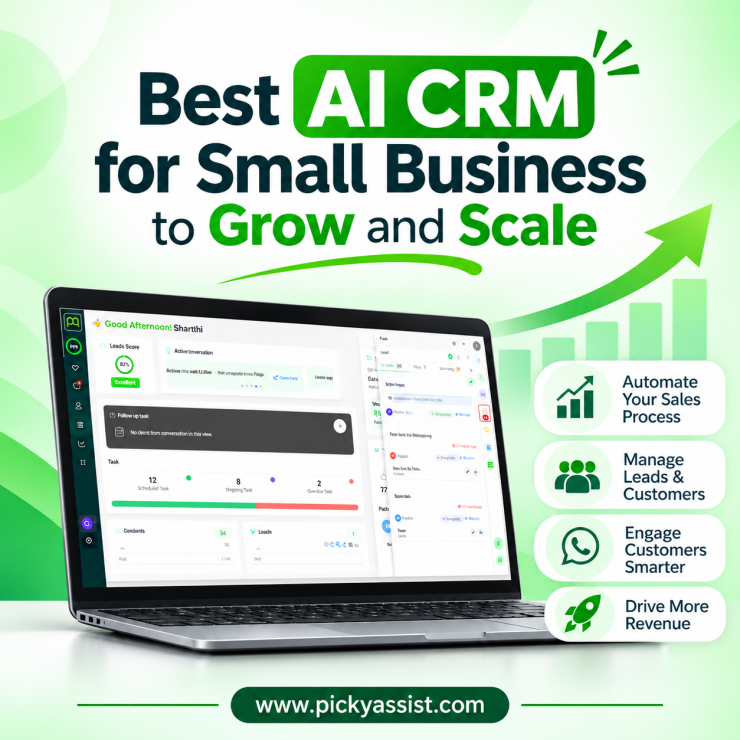
Managing customer relationships is rarely just about keeping names and phone numbers in a database. It involves responding to enquiries, following up with leads, remembering customer preferences, tracking sales opportunities, managing conversations across multiple channels, and ensuring that no potential customer gets overlooked. As businesses grow, these responsibilities become increasingly difficult to manage manually. A customer may enquire through WhatsApp, revisit through Instagram, request a quotation over email, and eventually make a purchase after several follow-ups. Here most businesses may choose to get the best AI CRM for small business with the most features or the most sophisticated artificial intelligence. It is the one that helps a business understand its customers, respond faster, automate routine interactions, organize sales activities, and convert more enquiries into revenue without adding unnecessary operational complexity.
For founders, sales managers, and business owners, choosing the right AI CRM means finding a practical balance between automation, customer experience, affordability, and scalability. This guide explains what an AI CRM does, which features matter most, how to evaluate different platforms, and how businesses can use intelligent automation to build stronger customer relationships.
What is an AI CRM and How does it Help Small Businesses?
An AI CRM is a customer relationship management system that combines customer data, communication history, sales processes, and artificial intelligence to help businesses manage customer interactions more efficiently.
Traditional CRM systems primarily store customer information and provide tools for tracking sales activities. AI-powered CRM systems go further by analyzing information, assisting employees, automating routine tasks, and supporting customer communication.
For example, when a customer enquires about a product, an AI-enabled CRM can help the business:
- Capture the enquiry and customer details automatically.
- Identify the customer’s interests and requirements.
- Respond to frequently asked questions.
- Assign the enquiry to the appropriate sales representative.
- Schedule follow-ups based on customer behaviour.
- Summarize previous conversations before an employee responds.
- Recommend relevant products, services, or next steps.
Instead of treating CRM as a digital filing cabinet, businesses can use it as an operational system that actively supports sales, marketing, and customer service.
Traditional CRM vs AI CRM
| Capability | Traditional CRM | AI-powered CRM |
|---|---|---|
| Customer data management | Stores customer information | Organizes and uses customer data intelligently |
| Lead tracking | Manual status updates | Can automate lead classification and updates |
| Customer communication | Mostly employee-driven | AI-assisted and automated communication |
| Follow-ups | Manual reminders | Automated reminders and behaviour-triggered workflows |
| Customer support | Employees handle most enquiries | AI handles routine questions and assists employees |
| Conversation analysis | Employees review chats manually | AI can summarize and analyze interactions |
| Sales productivity | Depends heavily on manual work | Reduces repetitive work and improves decision-making |
| Personalization | Based on manually entered information | Uses customer context to support relevant interactions |
The key difference is not simply the presence of AI. It is how effectively the technology connects customer information with actions that improve business outcomes.
Why Small Businesses Need AI-Powered CRM?
Small businesses often have limited resources. A founder may manage sales, marketing, customer support, operations, and finance simultaneously. A small sales team may handle hundreds of enquiries without dedicated support staff. This creates several operational challenges.
Missed leads and delayed responses
Customers expect quick answers, especially when enquiring about products, pricing, availability, appointments, or services. If a business responds several hours later, the customer may already have contacted a competitor. An AI CRM can respond immediately to common questions, collect relevant information, and notify the sales team when a human conversation is required.
Inconsistent follow-ups
Many businesses generate enquiries through advertising, social media, websites, referrals, and messaging platforms. However, collecting leads is only the beginning. Without a structured follow-up process, employees may forget to contact prospects, overlook pending quotations, or fail to reconnect with customers who showed interest. Automated workflows can trigger follow-ups based on lead status, enquiry date, customer activity, or predefined conditions.
Fragmented customer conversations
Customers rarely communicate through just one channel. They may contact a business through WhatsApp, Instagram, Facebook Messenger, email, or a website chat widget. If employees manage these conversations separately, customer information becomes fragmented. A unified CRM brings customer details and conversation history together, helping employees understand the complete context before responding.
Repetitive administrative work
Sales teams frequently perform repetitive activities such as updating contact records, assigning leads, sending reminders, preparing messages, and recording customer interactions. Automation reduces this administrative burden, allowing employees to spend more time on negotiations, consultations, relationship building, and closing sales.
Limited customer insights
A small business may have thousands of customer interactions but no practical way to identify patterns. AI can help businesses analyze conversation trends, customer sentiment, common questions, buying interests, and follow-up opportunities, making customer data more useful for business decisions.
What Features Should You Look for in the Best AI CRM for Small Business?
Not every CRM marketed as AI-powered delivers meaningful automation. Business owners should evaluate the features based on how they solve actual operational problems.
AI-powered customer communication
The CRM should help businesses respond to customer enquiries without requiring employees to handle every message manually. An AI chatbot can answer questions about products, services, pricing, business hours, policies, availability, and processes using approved business information.
For example, a furniture retailer receiving a WhatsApp enquiry about a sofa can automatically provide product specifications, available colours, pricing information, delivery details, and options for speaking with a salesperson.
A well-designed system should allow businesses to determine when automation handles a conversation and when it transfers the interaction to a human.
Automated lead capture and qualification
Lead generation becomes more valuable when enquiries are captured and qualified automatically.
An AI CRM should help collect details such as:
- Customer name and contact information
- Product or service interest
- Budget or purchase requirements
- Preferred location
- Purchase timeline
- Appointment preferences
- Additional qualification details
Businesses can use this information to categorize prospects and prioritize high-intent leads.
For example, a real estate business can automatically ask whether a prospect is interested in a residential property, commercial property, rental, or investment. It can then collect the budget and preferred location before assigning the lead to the appropriate salesperson.
Automated follow-up workflows
Follow-up automation is one of the most valuable CRM capabilities for small businesses. The platform should allow users to create workflows based on events, conditions, and customer actions.
Example: Automated lead nurturing
Step 1 — Lead captured
A customer submits an enquiry through an advertisement or WhatsApp.
Step 2 — Instant response
The CRM sends an acknowledgement and collects additional information.
Step 3 — Lead qualification
The system identifies the customer’s needs and assigns a suitable category.
Step 4 — Sales assignment
The lead is assigned to an employee with a follow-up reminder.
Step 5 — Conversion or nurturing
The CRM tracks the outcome and triggers the next action, such as a quotation, reminder, or nurturing campaign. This process makes follow-ups consistent without requiring employees to remember every task.
Unified customer inbox
A shared inbox is particularly useful for small teams managing customer communication across multiple channels.
The CRM should allow employees to:
- View conversations in one place.
- Assign chats to team members.
- Track conversation ownership.
- Add internal notes.
- Review customer history.
- Transfer conversations between employees.
- Monitor unresolved enquiries.
- Collaborate without duplicating responses.
This reduces the risk of two employees responding to the same customer or an enquiry remaining unanswered.
Customer segmentation and personalization
Customer segmentation helps businesses deliver relevant messages instead of sending the same communication to everyone.
An AI CRM should support segmentation based on customer attributes, tags, purchase history, enquiry status, preferences, location, and engagement.
For example, a clothing retailer can segment customers into:
- New customers
- Repeat buyers
- Customers interested in ethnic wear
- Customers who purchased during a seasonal campaign
- Customers who have not purchased in the past six months
- Customers with pending orders
This makes campaigns more relevant and helps businesses personalize customer engagement at scale.
AI-assisted Sales and Customer Support
Artificial intelligence should assist employees, not simply replace communication with automated replies. Useful AI capabilities include:
- Summarizing lengthy conversations.
- Generating professional replies.
- Improving message tone and clarity.
- Translating messages.
- Analyzing customer sentiment.
- Extracting important information from conversations.
- Suggesting follow-up actions.
- Identifying unresolved customer issues.
An intelligent virtual agent can handle repetitive requests, while employees focus on complex enquiries, negotiations, complaints, and relationship-sensitive conversations.
Integration with existing business tools
A CRM should connect with the tools a business already uses.
Look for integrations with:
- Website forms
- Advertising platforms
- Ecommerce systems
- Payment gateways
- Email platforms
- Accounting software
- Google Sheets
- Project management tools
- Existing CRM systems
- Business APIs
Integrations prevent employees from repeatedly entering the same information across multiple applications.
For example, when an order is created in an ecommerce platform, the CRM could update the customer record and trigger an order confirmation message. When a payment is received, it could update the payment status and send a receipt.
Customization and scalability
Every business has a different customer journey.
A CRM should allow businesses to configure fields, categories, lead stages, workflows, user roles, permissions, and reporting requirements.
A flexible system is particularly valuable when a small business grows from a founder-led operation into a team with separate sales, support, and marketing functions.
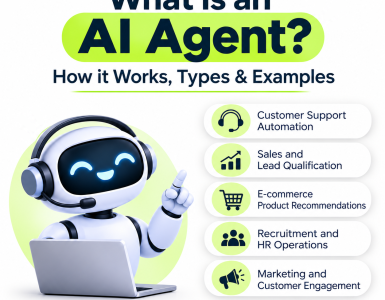
How AI Agents Make CRM More Intelligent?
AI agents are changing CRM from a system that records activities into a system that can perform certain activities independently.
An AI agent can receive a task, understand the available information, evaluate the situation, and perform actions according to its permissions and configured objectives.
Unlike a basic chatbot that follows a predefined conversation, an AI agent may be able to retrieve customer information, evaluate a request, trigger workflows, update CRM records, and determine the next appropriate action.
How an AI agent works inside a CRM?
A typical AI-driven CRM process involves five stages:
- Input: The agent receives a customer enquiry, CRM event, or instruction.
- Context: It retrieves relevant customer details, conversation history, product information, or business rules.
- Reasoning: It evaluates the request and determines an appropriate response or action.
- Execution: It performs permitted actions, such as answering, updating records, assigning leads, or triggering a workflow.
- Evaluation: It checks the outcome and continues the process, escalates the interaction, or requests human assistance.
AI Agent vs Chatbot: What is the difference?
| Capability | Traditional chatbot | AI agent |
|---|---|---|
| Primary purpose | Answer questions and guide conversations | Complete tasks and achieve defined objectives |
| Interaction | Often follows predefined flows | Can evaluate context and choose actions |
| Knowledge | Scripted answers or connected knowledge | Can use contextual data and tools |
| CRM actions | Limited or flow-dependent | Can perform permitted CRM operations |
| Workflow | Usually follows predefined branches | May select actions based on goals and conditions |
| Complexity | Best for predictable interactions | Best for more dynamic tasks |
For example, a chatbot might answer a customer asking about a delivery date. An AI agent could retrieve the order information, check the delivery status, explain the expected arrival, update the CRM interaction, and escalate a delayed order if necessary.
The level of autonomy depends on the platform, integrations, configuration, permissions, and safeguards.
Where intelligent agents deliver practical business value?
Small businesses can use intelligent agents for several tasks:
Sales qualification: Collect requirements, evaluate buying intent, categorize prospects, and direct qualified leads to sales representatives.
Customer support: Resolve common queries using business information and escalate unresolved problems.
Appointment management: Collect scheduling preferences, confirm appointments, and send reminders.
Lead nurturing: Trigger relevant messages based on customer interests and engagement.
CRM administration: Update customer records, summarize interactions, and help maintain organized data.
The objective is to automate routine decisions and actions while maintaining human oversight where judgment, negotiation, or sensitive communication is required.
AI CRM vs CRM with AI Chatbot vs AI Agent Platform
Business owners often compare platforms that use similar terminology but offer different capabilities. Understanding the distinction helps avoid paying for technology that does not address the actual business problem.
| Platform type | What it does | Best suited for |
|---|---|---|
| Traditional CRM | Stores customer records, sales pipelines, activities, and tasks | Businesses that primarily need structured customer and sales management |
| AI-enhanced CRM | Adds AI assistance, analysis, summaries, predictions, and automation | Teams that want better productivity and customer insights |
| CRM with AI Chatbot | Automates customer conversations and basic qualification | Businesses receiving repetitive customer enquiries |
| AI Agent Platform | Executes tasks across CRM, communication, workflows, and connected tools | Businesses seeking more advanced operational automation |
| Conversational CRM | Connects customer records, conversations, sales workflows, and team collaboration | Businesses that manage sales and support through messaging channels |
A small business should not assume that the most advanced AI platform is automatically the right choice.
If the primary problem is missed WhatsApp enquiries, the business may benefit more from a CRM with an effective shared inbox, chatbot, and follow-up automation than from an expensive AI platform with complex predictive analytics.
When the team spends hours manually updating records, an AI-enhanced CRM with automation and integrations may offer more immediate value.
If the business handles complex customer requests across multiple systems, an agent-based platform may be worth evaluating.
The right solution depends on the business process, not the technology label.
How to Choose the Best AI CRM for Small Business?
Before comparing vendors, identify the operational problems you want to solve.
Use the following framework to evaluate CRM platforms.
Step 1: Identify your biggest customer management problem
Start with the problem causing the most revenue leakage or operational inefficiency.
| Business problem | CRM capability to prioritize |
|---|---|
| Leads are not followed up | Automated reminders, lead assignment, follow-up workflows |
| Customers wait too long for responses | AI chatbot, instant replies, shared inbox |
| Customer data is scattered | Centralized CRM, contact management, integrations |
| Employees spend time on repetitive tasks | Workflow automation, AI assistance, macros |
| Marketing campaigns generate poor engagement | Segmentation, personalized messaging, campaign analytics |
| Support teams receive repetitive questions | Knowledge-based automation and AI support |
| Sales teams cannot track opportunities | Sales pipeline, activity tracking, reports |
| Customers are not returning | Retention campaigns, customer segmentation, re-engagement automation |
Step 2: Calculate the actual cost of manual processes
The subscription price is only one part of the CRM investment.
Consider the time employees spend on repetitive activities.
For example, assume a small business receives 100 enquiries per day and employees spend an average of four minutes handling repetitive initial responses and data collection.
That represents:
- 100 enquiries × 4 minutes = 400 minutes per day
- 400 minutes = approximately 6.67 hours per day
- Approximately 200 hours per month, assuming 30 operating days
Even if automation reduces only a portion of this workload, the business can redirect valuable employee time toward higher-value activities.
The actual savings depend on enquiry volume, automation coverage, employee costs, and the complexity of conversations.
Step 3: Evaluate ease of implementation
A CRM should not require a lengthy technical implementation for simple business workflows.
Look for:
- No-code workflow builders.
- Visual chatbot builders.
- Simple contact import.
- Prebuilt integrations.
- Clear user permissions.
- Easy onboarding.
- Accessible support and documentation.
- Flexible configuration.
Small businesses should prioritize platforms that employees can adopt without extensive training.
Step 4: Check communication channel compatibility
If customers predominantly contact your business through messaging platforms, channel compatibility should be a major purchasing criterion.
Check whether the CRM supports the channels your customers actually use, such as:
- WhatsApp Business Platform
- Facebook Messenger
- Website chat
- Other relevant business communication channels
Also check whether the platform supports shared team communication, channel-specific automation, and the relevant messaging policies.
Step 5: Compare pricing against usage
CRM pricing can vary based on users, contacts, message volume, AI usage, integrations, and additional modules.
Before choosing, calculate:
- Monthly subscription costs.
- Number of employee seats required.
- Contact limits.
- Messaging charges.
- AI usage costs.
- Integration costs.
- Onboarding costs.
- Additional charges for premium features.
A low-priced plan may become expensive when the business adds employees or increases message volume. A higher-priced plan may be more economical if it combines several tools that the business currently pays for separately.
Step 6: Test real customer scenarios
Do not evaluate a CRM solely through a feature checklist or sales presentation.
Test the workflows that your business performs every day.
For example:
- Capture a new enquiry.
- Send an automatic response.
- Collect qualification information.
- Assign the lead.
- Notify the sales representative.
- Schedule a follow-up.
- Update the sales stage.
- Send a quotation or product information.
- Record the outcome.
- Trigger a customer re-engagement message if the prospect does not convert.
A platform that handles these workflows reliably is more valuable than one with dozens of impressive features that your employees rarely use.
Best AI CRM for Small Business: Which Solution Fits Your Business?
The best AI CRM for small business depends on the type of customer relationship, communication volume, and operational requirements.
Here are common business scenarios and the CRM capabilities they need.
Small retail and ecommerce businesses
Retailers often receive enquiries about product availability, sizes, colours, delivery, payments, returns, and offers.
They need:
- Product information automation.
- Customer segmentation.
- Order updates.
- Abandoned enquiry follow-ups.
- Repeat-purchase campaigns.
- WhatsApp commerce.
- Customer support automation.
A CRM connected to messaging and ecommerce tools can help retailers manage the customer journey from enquiry to purchase and post-sale engagement.
Service-based businesses
Consultants, agencies, salons, repair services, and professional service providers often rely on appointments, quotations, consultations, and timely follow-ups.
They need:
- Lead qualification.
- Appointment scheduling.
- Automated reminders.
- Quotation follow-ups.
- Service history.
- Customer feedback collection.
- Team assignment.
A CRM can prevent missed appointments and help employees maintain consistent communication.
Real estate businesses
Real estate sales involve long buying cycles, multiple property preferences, site visits, and frequent follow-ups.
An AI CRM can help collect buyer requirements, categorize leads by budget and location, share property information, schedule site visits, and remind sales representatives to follow up.
Education and coaching businesses
Education providers receive enquiries about courses, fees, eligibility, schedules, admissions, and documentation.
They need:
- Automated course enquiries.
- Student qualification.
- Counselling appointment scheduling.
- Application follow-ups.
- Admission reminders.
- Document collection.
- Student engagement campaigns.
An AI-enabled CRM can support admissions teams by handling common questions and maintaining visibility over prospective students.
B2B and SaaS companies
B2B companies often have longer sales cycles and multiple stakeholders.
They need:
- Lead scoring and qualification.
- Account management.
- Sales pipeline visibility.
- Meeting scheduling.
- Proposal follow-ups.
- CRM integrations.
- Activity tracking.
- Deal reporting.
AI assistance can help sales representatives prepare for meetings, summarize conversations, identify unresolved objections, and plan their next interaction.
How Picky Assist Helps Small Businesses Manage Customers with AI and Automation?
For businesses that rely on WhatsApp, social messaging, and digital enquiries, CRM should do more than store customer records. It should connect customer communication with sales, marketing, support, and business workflows.
Picky Assist combines conversational CRM, messaging automation, chatbots, AI capabilities, lead management, and workflow integrations within a unified platform.
Rather than requiring businesses to manage separate tools for messaging, customer records, follow-ups, and automation, Picky Assist brings these capabilities together to help teams operate more efficiently.
Conversational CRM for Managing Customer Relationships
Picky Assist helps businesses manage leads, contacts, conversations, follow-ups, and team activities through its CRM ecosystem.
Teams can organize customer records, assign conversations, maintain notes, track customer activities, and manage communication in a centralized environment.
Its CRM capabilities are particularly relevant to businesses that manage customer relationships through WhatsApp and other digital channels.
The Picky Assist CRM includes contact management, tags, categories, custom fields, reminders, contact filters, event logs, roles and privileges, and automation capabilities.
These features help small businesses maintain structured customer information without creating unnecessary administrative work.
WhatsApp automation for instant customer engagement
WhatsApp has become an important customer communication channel for many businesses.
Picky Assist enables businesses to automate WhatsApp interactions using chatbots, workflows, and messaging tools.
Businesses can configure automation for:
- New enquiry responses.
- Product and service information.
- Lead qualification.
- Appointment confirmations.
- Order updates.
- Payment reminders.
- Customer feedback.
- Post-purchase communication.
- Follow-up campaigns.
This helps businesses respond consistently, even when employees are unavailable.
AI chatbots for handling repetitive enquiries
Picky Assist provides chatbot capabilities that businesses can use to build customer interaction flows using a visual, no-code builder.
Chatbots can help businesses automate common customer questions, collect information, guide customers through processes, and route conversations to the appropriate team.
Businesses can also use AI-driven chatbot capabilities with their own business information to answer customer questions more naturally.
A knowledge based agent can use a structured knowledge source containing FAQs, product information, business policies, service details, and relevant documentation to provide contextual answers.
For example, an online retailer can provide its product catalogue, shipping policies, return conditions, and frequently asked questions as reference information for customer support automation.
This reduces the need for employees to manually answer the same questions repeatedly.
AI Mate for employee productivity
AI should also improve the productivity of employees who manage customer conversations.
Picky Assist AI Mate offers AI assistance across its product ecosystem, including capabilities such as chat summarization, reply generation, message improvement, sentiment analysis, and translation.
These capabilities are useful when employees handle lengthy conversations, communicate with customers in different languages, or need to prepare professional responses quickly.
Instead of manually reviewing an entire conversation, a sales representative can use an AI summary to understand the customer’s requirements and continue the interaction with better context.
AI agents for business automation
Picky Assist also offers AI agent capabilities designed to help businesses automate customer engagement, lead qualification, customer support, and operational actions.
An AI virtual agent can be useful when customer interactions require more than a simple scripted response.
Depending on the configured capabilities, integrations, and permissions, AI-driven automation can help businesses collect customer information, answer questions, initiate processes, and support employees with the next step in a workflow.
Businesses should define clear instructions, provide accurate knowledge sources, configure appropriate permissions, and establish human escalation rules before deploying AI agents for customer-facing processes.
Broadcaster for customer nurturing
Lead generation does not end when a customer submits an enquiry.
Businesses need to maintain communication, nurture prospects, share relevant updates, and encourage customers to return.
Picky Assist Broadcaster supports targeted messaging and campaigns that businesses can use to nurture leads and engage customers.
When combined with CRM segmentation, businesses can send relevant messages to customers based on their interests, categories, or engagement.
For example, a travel agency can segment customers based on destination preferences and send relevant travel offers rather than broadcasting the same promotion to every contact.
Connectors for integrating business applications
CRM becomes more powerful when it connects with other applications.
Picky Assist Connector supports integrations and automation across connected applications, helping businesses synchronize information and trigger actions when specific events occur.
For example:
- A new lead in a connected application can be added to the CRM.
- A CRM status change can trigger a WhatsApp notification.
- A new order can trigger customer communication.
- A payment event can initiate a reminder or confirmation.
- A third-party event can start a workflow.
The platform advertises integrations with thousands of applications through its connector ecosystem, helping businesses reduce manual data entry and repetitive processes.
Why Picky Assist AI CRM is worth evaluating?
The best AI CRM for small business should simplify the entire customer journey rather than solve only one isolated problem.
Picky Assist is worth evaluating if your business wants to combine:
- Conversational CRM and contact management.
- WhatsApp Business automation.
- AI-powered customer communication.
- No-code chatbot building.
- Lead qualification and follow-up workflows.
- Shared inbox and team collaboration.
- Customer segmentation and broadcasting.
- Business application integrations.
- AI assistance for sales and support teams.
Its modular approach allows businesses to combine capabilities according to their requirements rather than relying on disconnected tools for each activity.
Explore the Picky Assist product ecosystem to see how CRM, chatbots, AI agents, workflows, Teambox, Broadcaster, and Connector can work together.
How to Implement an AI CRM Without Disrupting Your Business?
Adopting a CRM does not need to mean changing every business process overnight.
A gradual implementation helps employees understand the system, allows businesses to test automation, and reduces the risk of customer communication errors.
Phase 1: Organize your customer data
Start by collecting existing customer information from spreadsheets, messaging tools, website forms, and other systems.
Remove duplicate records, standardize important fields, and define the information your team needs to collect.
Useful fields may include:
- Customer name
- Phone number
- Email address
- Lead source
- Product interest
- Customer type
- Lead status
- Assigned employee
- Follow-up date
- Purchase history
Good customer data is the foundation of effective automation.
Phase 2: Define your customer journey
Map the steps a customer follows from the first enquiry to the final purchase.
For example:
New enquiry → Qualification → Product consultation → Quotation → Follow-up → Purchase → Customer retention
Define the responsibilities of employees at each stage and identify tasks that can be automated.
Phase 3: Automate high-volume repetitive interactions
Start with the processes that consume the most employee time.
Common examples include:
- Frequently asked questions.
- Initial enquiry acknowledgements.
- Lead information collection.
- Appointment reminders.
- Order notifications.
- Payment reminders.
- Customer feedback requests.
Automating these processes first makes it easier to measure the benefits of CRM adoption.
Phase 4: Introduce AI with reliable knowledge sources
AI responses should be based on accurate and approved business information.
Create a knowledge base containing:
- Product and service information.
- Pricing details.
- Frequently asked questions.
- Business policies.
- Delivery and payment information.
- Troubleshooting instructions.
- Escalation procedures.
A knowledge based agent in artificial intelligence uses information, rules, or a knowledge representation to support its decisions and responses. In practical CRM applications, reliable business knowledge helps AI automation provide more consistent and contextually relevant customer answers.
Avoid allowing AI to invent prices, make unsupported promises, or provide information that has not been verified.
Phase 5: Establish human escalation rules
Not every customer interaction should be automated.
Define situations where a conversation must be transferred to an employee, including:
- Customer complaints.
- Refund disputes.
- Complex product recommendations.
- Negotiations.
- Sensitive information.
- Uncertainty in AI responses.
- Requests for a human representative.
This ensures automation improves customer experience without creating unnecessary frustration.
Phase 6: Measure performance and optimize
After implementing the CRM, monitor the metrics that directly affect business performance.
| Metric | What it tells you |
|---|---|
| First response time | How quickly customers receive an initial response |
| Lead conversion rate | How effectively enquiries become customers |
| Follow-up completion rate | Whether prospects receive consistent follow-ups |
| Customer resolution time | How quickly customer issues are resolved |
| Automation rate | How many routine interactions are handled automatically |
| Qualified lead rate | The percentage of enquiries that meet your sales criteria |
| Customer retention rate | How effectively the business maintains existing relationships |
| Employee productivity | Whether employees spend less time on repetitive administrative tasks |
Use these insights to refine workflows, improve chatbot answers, adjust lead qualification, and optimize customer engagement.
Common Mistakes to Avoid When Choosing an AI CRM
Choosing the wrong CRM can create more work instead of reducing it. Avoid these common mistakes.
Choosing based on AI features alone
AI features are valuable only when they solve a real business problem.
A sophisticated AI model will not compensate for poor customer data, ineffective workflows, disconnected communication channels, or a confusing user experience.
Evaluate how the AI capability fits into the overall business process.
Ignoring employee adoption
A CRM that employees find difficult to use is unlikely to deliver its full potential.
Choose an intuitive platform and train employees on the workflows they will use regularly.
Automating everything immediately
Too much automation can make customer interactions feel impersonal.
Start with predictable, repetitive processes. Keep human involvement available for situations requiring judgment, empathy, or specialized knowledge.
Failing to measure results
Without measurable objectives, businesses cannot determine whether CRM implementation has improved performance.
Define targets for response time, follow-up consistency, lead conversion, support workload, and customer retention before deployment.
Overlooking integrations
A CRM that does not connect with existing business tools may create duplicate data entry and operational friction.
Check integrations and automation capabilities before committing to a platform.
Ignoring data security and access controls
Customer data should be accessible only to authorized employees.
Evaluate user roles, permissions, data handling policies, authentication, privacy practices, and compliance requirements according to your industry and location.
Conclusion: Choosing an AI CRM That Helps Your Business Grow
Choosing the right CRM is a strategic decision that affects how your business attracts leads, communicates with customers, manages sales opportunities, and builds long-term relationships.
The best AI CRM for small business should provide more than contact management. It should help you reduce repetitive work, respond to enquiries faster, maintain consistent follow-ups, improve customer visibility, and make your team more productive.
Before making a decision, prioritize the capabilities that directly address your business challenges: conversational CRM, intelligent automation, AI assistance, lead management, customer segmentation, integrations, and ease of implementation.
For businesses that depend on WhatsApp and digital conversations, combining CRM with messaging automation can create a more connected customer experience. Instead of treating customer communication, sales management, and follow-up as separate activities, businesses can manage them through coordinated workflows.
Picky Assist brings WhatsApp AI conversational CRM together for small businesses, including real estate businesses, hospitals, dental clinics, automobile service centres, educational institutions, financial services and travel and tourism companies. It supports businesses in the USA, UK, France, Italy, Germany, Spain, Africa, the UAE, and beyond.
Picky Assist brings conversational CRM, WhatsApp automation, chatbots, AI agents, Broadcaster, Teambox, and business integrations together to help businesses simplify customer management and scale their operations.
If you want to spend less time managing repetitive customer interactions and more time growing your business, explore Picky Assist and see how its CRM and AI automation capabilities can fit your customer journey.
Add comment