
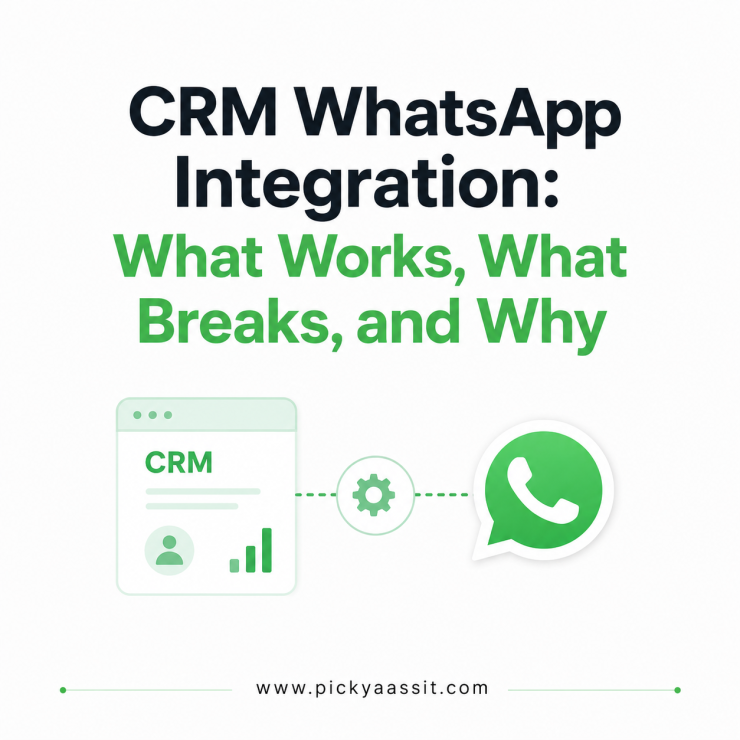
The first question we ask a client who says “We want to integrate our CRM with WhatsApp” will be: do you mean sync contacts, or do you mean run the whole conversation inside the CRM with WhatsApp integration system? Almost every time, they mean the second thing, but the tool they’ve already picked only does the first. That mismatch is where most WhatsApp CRM integration projects go sideways, not at setup, but weeks later when someone notices the CRM shows a contact updated an hour ago, but the actual WhatsApp reply happened five minutes ago.
CRM WhatsApp integration connects your CRM’s contact and pipeline data to live WhatsApp conversations, either through a native API-based connection or a third-party sync tool. The method you choose determines how fast your CRM reflects real chat activity, a native integration updates in near real time, while a middleware software sync typically lags by minutes and can miss events if the connector goes down.
The Three Ways CRM WhatsApp Integration System Actually Gets Built
Every setup we’ve configured falls into one of three categories, and they behave very differently under real usage.
1. Native API integration: The CRM connects directly to the WhatsApp Business API, so incoming and outgoing messages, contact creation, and status updates all happen inside one system. There’s no second tool translating data between two platforms. This is how Picky Assist’s CRM is built, the chat and the contact record are the same object, not two records kept in sync.
2. Middleware/automation sync: Tools like Zapier or Pabbly Connect watch for a trigger (new WhatsApp message, new contact) and push that data into a separate CRM like HubSpot or Zoho. It’s fast to set up and works well for simple, low-volume flows. It struggles the moment volume or complexity increases trigger delays, rate limits, and partial syncs during outages are common at scale.
3. BSP-provided connector: Some WhatsApp Business Solution Providers ship pre-built, one-click connectors to specific CRMs (Zoho, Salesforce, HubSpot). These sit between native and middleware integration, usually more reliable than a generic automation tool, but limited to whatever fields and events the connector was built to support. Adding a custom field often means waiting on the provider’s roadmap, not configuring it yourself.
What Actually Breaks in Each Method?
| Integration method | Typical sync speed | Where does it break? |
|---|---|---|
| Native API integration | Near real-time | Rare, mainly WhatsApp API downtime itself |
| Middleware/automation sync | Minutes, sometimes longer under load | Trigger delays, rate limits, silent failures during outages |
| BSP-provided connector | Seconds to minutes | Missing custom fields, limited event types, roadmap-dependent updates |
The failure mode that costs businesses the most isn’t total breakage, it’s partialc, silent breakage. A BSP sync fails for one contact out of two hundred doesn’t throw an obvious error. A failed sync leaves one lead’s CRM record outdated, and two different agents unknowingly contact the same lead until the customer points out the duplicate outreach.
Contact Deduplication: The Problem Nobody Mentions Upfront
WhatsApp identifies a contact by phone number. CRMs often identify a contact by email first, phone number second, or by whatever field was used at the original entry. When these two systems sync, small formatting mismatches, a missing country code, a stray space, a number saved with and without a leading zero; create duplicate contact records instead of merging into one.
In practice, this shows up most on businesses migrating from a spreadsheet-based contact list, where numbers were entered inconsistently for years before the CRM integration existed. The fix isn’t a one-time cleanup; it’s a standardization rule (always E.164 format, country code included, no spaces) applied at the point of entry going forward, plus a one-time merge pass on historical data.
Template Messages Need to Sync Both Ways
A CRM WhatsApp integration isn’t just about pulling chat data into the CRM, it also needs to push template messages back out correctly. WhatsApp requires pre-approved templates for any message sent outside the 24-hour window after a customer’s last reply, and Meta classifies each template into a category (Marketing, Utility, or Authentication) that affects both delivery rules and cost.
A common integration gap: the CRM lets a user build and send a “follow-up” message that looks like freeform text, but if it’s going out after the 24-hour window closes, it has to route through an approved template instead. Integrations that don’t handle this distinction will either fail to send the message or send it in a way that risks the number’s quality rating. A CRM that’s built specifically around the WhatsApp API, rather than treating WhatsApp as one channel among many, tends to catch this automatically, because template state is part of the same system instead of bolted on separately.
A Quick Framework: What to Check Before You Integrate?
- How many messages does your team send and receive daily? Under a few hundred, middleware may hold up fine. Beyond that, sync lag starts showing up as real operational friction.
- Does your CRM need custom fields specific to your business? If yes, a BSP connector’s fixed field list may not cover you, check before committing.
- How many people work from the CRM simultaneously? More concurrent users means sync delays compound faster, since everyone’s acting on slightly different data.
- Do you send template-based follow-ups regularly? If template category handling isn’t native to the integration, budget time to manage that manually or choose a platform where it is.
How Picky Assist Handles CRM WhatsApp Integration?
Unlike traditional CRM integrations that rely on middleware to synchronize conversations after they happen, Picky Assist combines WhatsApp Business messaging and CRM functionality within the same platform. Every incoming and outgoing WhatsApp conversation is automatically linked to its corresponding contact, lead, and deal record without requiring a separate synchronization layer. Since chats, contact management, automation, team collaboration, and pipeline tracking operate from a single system, businesses avoid common issues such as sync delays, duplicate records, missed conversation updates, and connector failures. The platform also supports native WhatsApp Business API capabilities, including template message management, shared team inboxes, lead assignment, automation workflows, and custom CRM fields, allowing teams to manage customer conversations and sales processes from one unified workspace.
To Conclude
If sync lag or duplicate contacts are already showing up in your CRM, the fastest fix usually isn’t switching CRMs entirely, it’s checking which of the three integration methods above you’re actually running on. If you’re on middleware integration platforms and outgrowing it, Picky Assist’s CRM runs as a native WhatsApp integration by design, which removes the sync layer altogether rather than trying to make it faster.
FAQ on CRM WhatsApp Integration
1. What is CRM WhatsApp integration?
CRM WhatsApp integration connects a CRM’s contact and pipeline data to live WhatsApp conversations, so chats update contact records automatically instead of requiring manual entry. It can be built as a native API connection, a middleware sync tool, or a BSP-provided connector, each with different speed and reliability tradeoffs.
2. What’s the difference between native and third-party CRM WhatsApp integration?
Native integration connects the CRM directly to the WhatsApp Business API, so chat and contact data live in one system with minimal delay. Third-party integration uses a separate tool to move data between WhatsApp and the CRM, which is faster to set up but introduces sync delays and a second point of failure.
3. Does WhatsApp CRM integration work with any CRM?
Most integration methods work with major CRMs like HubSpot, Zoho, and Salesforce, either through the CRM’s own WhatsApp connector or a middleware tool. Purpose-built WhatsApp CRMs, where the CRM and messaging layer are the same product, aren’t a separate integration at all, the chat is the CRM record.
4. Why does my CRM show outdated WhatsApp conversation data?
This almost always points to a middleware sync method with trigger delays, rate limits, or a silent partial failure. Checking sync speed under real message volume, not just during setup testing, usually reveals the gap.
5. Can I integrate WhatsApp with a CRM without coding?
Yes. BSP-provided connectors and no-code automation tools like Zapier or Pabbly Connect let you set up basic contact and message sync without writing code. Custom logic like routing based on message content or syncing non-standard fields, typically still needs developer involvement or a platform built to handle it natively.
6. How long does it take to set up CRM WhatsApp integration?
A basic middleware sync can be running within a day. A native integration or a setup with custom fields, routing rules, and template handling typically takes one to two weeks, depending on how much historical contact data needs cleaning and deduplication first.
7. Is a WhatsApp business CRM the same as integrating WhatsApp with a regular CRM?
Not quite. A WhatsApp business CRM is purpose-built with the chat interface and CRM functions in one product. Integrating WhatsApp with a regular CRM keeps them as two separate systems connected by a sync layer, which works but carries the lag and duplication risks covered above.



Add comment