
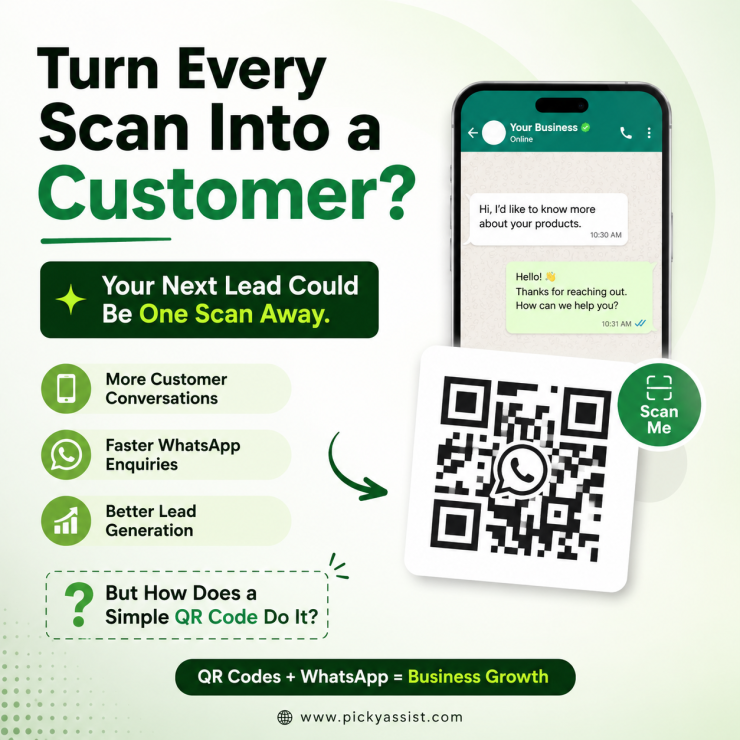
A QR code is no longer just a way to share information. For businesses, it has become a powerful bridge between offline customers and online conversations, especially on WhatsApp. With a free QR code generator, you can create a scannable code that allows customers to instantly open a WhatsApp chat with your business, without saving a number, searching contacts, or typing messages manually. This simple action removes friction and helps businesses start conversations faster.
For companies that use WhatsApp for sales, customer support, bookings, enquiries, or lead generation, QR codes can significantly improve customer engagement and conversion rates.
What is a QR Code Generator for Business?
A QR code generator is a tool that creates a scannable image that directs users to a specific action or destination.
For WhatsApp-based businesses, this destination is usually a direct chat with your business number. You can also configure a pre-filled message, which helps guide the customer on what to say.
For example, when a customer scans your QR code, WhatsApp can open with:
“Hi, I’d like to know more about your products.”
This eliminates confusion and ensures your business receives clear, actionable enquiries from the start.
Why Should Businesses Use a QR Code?
In today’s fast-paced digital environment, every extra step in the customer journey can lead to drop-offs. Customers don’t want to search for numbers or type long messages. A QR code removes this friction completely. Businesses can place QR codes across multiple touchpoints, including:
- Product packaging
- Business cards
- Posters and banners
- Restaurant menus
- Store counters
- Product brochures
- Event displays
- Receipts and invoices
- Vehicle branding and signage
- Social media posts and digital ads
With just one scan, customers can instantly start a WhatsApp conversation with your business. This makes QR codes a low-cost but high-impact marketing tool.
How Does a WhatsApp QR Code Work?
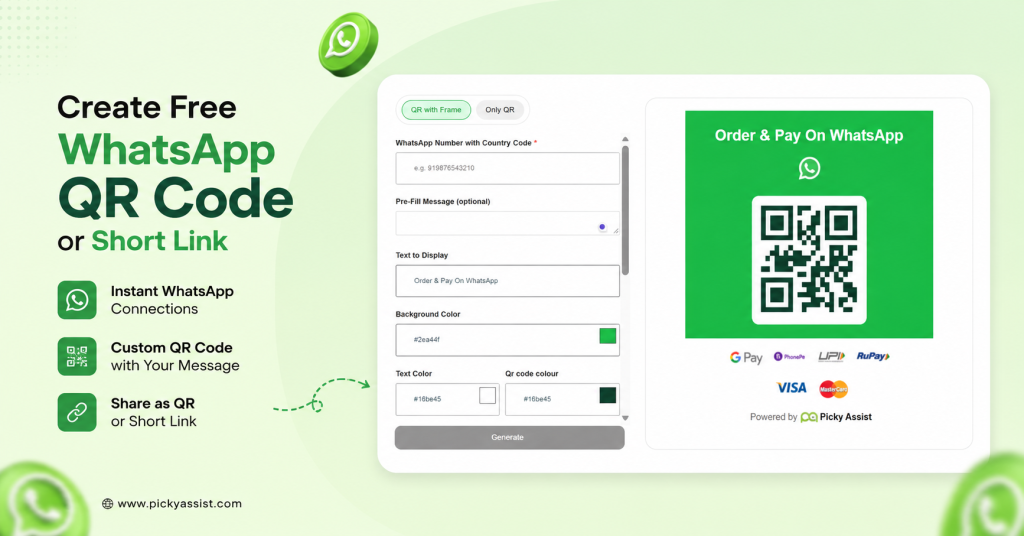
The WhatsApp QR code journey is simple and user-friendly:
Scan → Open WhatsApp → Pre-filled message → Send → Start conversation
Here’s what happens step-by-step:
- The customer scans your QR code using their smartphone camera.
- WhatsApp automatically opens with your business number.
- A pre-filled message appears (if configured).
- The customer taps “Send.”
- The conversation begins instantly.
This is especially useful when you want customers to take specific actions such as:
- Booking an appointment
- Requesting a quotation
- Checking offers or discounts
- Asking about product availability
- Getting customer support
- Inquiring about services
By guiding the conversation, businesses can improve response quality and reduce back-and-forth communication.
What Information Can You Add to a Business QR Code?
A WhatsApp QR code typically includes two key elements:
1. Business WhatsApp Number
This ensures all messages are directed to the correct business account or team.
2. Pre-Filled Message
This helps customers start the conversation with context.
Instead of receiving a simple “Hi,” your business might receive:
“Hi, I scanned your QR code and would like to know the price of Product A.”
This small detail improves efficiency, helps sales teams respond faster, and improves lead quality.
How QR Codes Can Help Generate More Leads?
A QR code alone does not generate sales—but it plays a critical role in starting the customer journey.
When combined with WhatsApp, it becomes a powerful lead-generation entry point.
A typical flow looks like this:
Advertisement → QR Code → WhatsApp Chat → Automated Qualification → Sales Team
Here’s what happens:
- A customer scans a QR code from an ad or product display
- They are instantly redirected to WhatsApp
- Automation can ask questions, share information, or guide the user
- Qualified leads are sent to the sales team
This transforms a simple QR code into the first step of a conversational sales funnel, helping businesses capture and convert leads more effectively.
QR Codes + WhatsApp Automation: The Next Level
While QR codes bring customers into WhatsApp, automation ensures they are handled efficiently. With WhatsApp automation, businesses can:
- Welcome new customers instantly
- Ask qualifying questions
- Share product catalogs
- Provide pricing information
- Collect customer details
- Answer FAQs automatically
- Schedule appointments
- Send payment links
- Share order updates
- Route chats to the right team
- Follow up with potential leads
For example, a customer scanning a QR code on a product display can be guided through a structured conversation that helps them choose the right product instead of waiting for manual replies.
Platforms like Picky Assist allow businesses to connect QR code campaigns with chatbots, CRM systems, automation workflows, and team inboxes, creating a complete WhatsApp business ecosystem.
Are WhatsApp QR Codes Permanent?
Yes, WhatsApp QR codes generated for a business number are generally static and can be used long-term. Once created, they can be printed on marketing materials, packaging, or signage without needing frequent updates.
However, businesses should ensure:
- The WhatsApp number remains active
- The QR code is tested before mass printing
- The destination link is correct and functional
This is especially important for large-scale campaigns like brochures, billboards, or product packaging.
Where Should You Place Your Business QR Code?
The effectiveness of a QR code depends heavily on placement. You should place it where customers naturally interact with your brand.
Retail
- Product shelves
- Checkout counters
- Bills and receipts
Restaurants
- Menus
- Tables
- Packaging and takeaway boxes
Real Estate
- Property boards
- Flyers and brochures
- Advertisement banners
Education
- Admission forms
- Course brochures
- Event posters
Healthcare
- Appointment cards
- Reception desks
- Prescription slips
E-commerce
- Packaging inserts
- Thank-you cards
- Delivery boxes
Events
- Registration desks
- Badges
- Stage banners
Best Practice: Use Strong CTAs
Instead of a generic “Scan Me,” use action-driven messages like:
- “Scan to Chat on WhatsApp”
- “Scan to Get a Quote”
- “Scan to Book an Appointment”
- “Scan for Today’s Offers”
A clear call-to-action increases scan rates and improves engagement.
Free QR Code Generator for Business Growth
A QR code may look simple, but it can play a major role in your customer acquisition strategy. The real value comes when you connect it with WhatsApp automation, CRM systems, and follow-up workflows.
A single scan can lead to:
Scan → Conversation → Qualified Lead → Customer
This makes QR codes a cost-effective and scalable marketing tool for businesses of all sizes.
Final Thoughts
A QR code is more than just a digital shortcut. It is a customer engagement tool. When combined with WhatsApp, it becomes a powerful way to start conversations, generate leads, and improve customer experience. By integrating QR codes with automation tools like Picky Assist, businesses can turn every scan into a structured, meaningful, and potentially profitable interaction.
FAQs on WhatsApp QR Code Generator
Yes, you can create a WhatsApp QR code for free using a QR code generator tool.
If it is a static QR code, you cannot edit it after printing. Always test before mass production.
No, the user needs an internet connection to open WhatsApp after scanning.
Yes, if you use dynamic QR codes or analytics-enabled tools, you can track scans and engagement.
Yes, QR codes are safe as long as they are generated from trusted platforms.



Add comment