
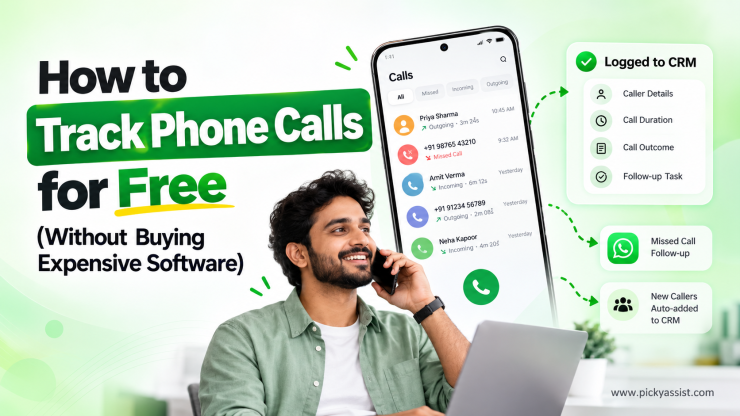
If you’ve ever searched for a way to track phone calls without paying for a full call center suite, you already know the problem. Most “call tracking” tools are built for large sales floors, priced really big, and packed with features a small team will never touch.
Meanwhile, missed calls and undocumented follow-ups are quietly costing you leads every week. Before you commit a budget to a dedicated platform, it’s worth knowing exactly what free and low-cost call tracking can and can’t do, so you spend only where it actually moves the needle.
What Does Call Tracking Actually Mean?
Call tracking is the process of recording who called, who was called, when, for how long, and what happened next. At its simplest, that’s a logbook. At its most useful, it’s an automated system that feeds every call straight into your CRM, flags missed calls for follow-up, and connects call outcomes to your other communication channels. The gap between those two versions is exactly where most businesses get stuck.
Free Ways to Track Business Phone Calls
You don’t need paid software to start. Here are the methods businesses commonly use first:
- Native call logs: Every smartphone keeps a call history with duration and timestamps. Free, but it disappears when the phone is reset and isn’t shared across a team.
- Manual spreadsheet logging: A shared sheet where reps note caller name, outcome, and next steps. Zero cost, but entirely dependent on reps remembering to update it.
- Free-tier calling apps: Some VoIP and dialer apps include basic call history at no charge, though most cap minutes or lock reporting behind a paid plan.
- Call forwarding with manual notes: Routing business calls to one number and logging outcomes by hand after each conversation.
These approaches work for solo founders or very small teams handling a handful of calls a day. The trouble starts the moment the call volume grows.
A Simple Breakdown for Free Call Tracking Methods
| Method | Cost | Auto-logged to CRM | Missed-call follow-up | Team visibility |
|---|---|---|---|---|
| Native phone log | Free | No | No | No |
| Spreadsheet | Free | Manual only | Manual only | Limited |
| Free-tier dialer app | Free/limited | Rarely | Rarely | Rarely |
| Call monitoring system | Often included in CRM plans | Yes | Yes | Yes |
Manual methods rely on human memory, which is precisely where leads slip through. A rep forgets to log a call, a missed call never gets a follow-up task, and a manager has no way to see call activity without directly asking the team. This is the point where a proper call monitoring software stops being a luxury and starts being a business decision, not just a budget one.
What does a Real Call Monitoring Software Add for Your Business?
Free call tracking software tools leave gaps. A dedicated call tracking system closes them automatically:
- Every call logged automatically — duration, direction, and outcome recorded the moment a call ends, no manual entry required
- Missed calls become follow-up tasks — instead of quietly disappearing, they trigger a next step
- New callers auto-added to CRM — any number that calls in gets saved as a contact, so no one falls outside your pipeline
- No dependence on memory — reps don’t need to remember to log anything; the system does it for them
Where Picky Assist’s CallBlaze Works?
| What CallBlaze does | Why it matters |
|---|---|
| Sits on top of your existing WhatsApp, chatbot, and CRM workflows | Call data joins the same system as your other conversations, instead of living in a separate tool |
| Missed call → automatic WhatsApp follow-up | Leads get re-engaged without anyone chasing them down |
| Completed call → automatic CRM update | No one has to touch a keyboard after hanging up |
| Included free with all Picky Assist V4 plans | No separate license cost once you’re on V4 |
| V3 users need to upgrade to V4 | Required to unlock full CallBlaze functionality |
If you’re already running WhatsApp automation on Picky Assist, CallBlaze isn’t a new expense to evaluate, it’s a feature you’re likely already entitled to.
If you wish to grow business and reach new client bases with a minimal marketing budget, Picky Assist is always the right option to choose. Our WhatsApp marketing automation plans come along with a free call tracking software feature included for every business!
Frequently Asked Questions on Call Tracking Software
Yes, using your phone’s native call log or a manual spreadsheet, though neither scales beyond a very small team.
Most free-tier tools cap minutes, contacts, or reporting, with core features locked behind a paid upgrade.
Call tracking logs call data like duration and outcome; call monitoring often adds real-time visibility and performance reporting on top of that data.
Only if your CRM doesn’t automatically log calls, most standard CRMs require manual entry unless connected to a call tracking system.
A call tracking system connects to your business phone line and pushes call data, like duration and caller ID, directly into matching CRM contact records.
Yes, tools like CallBlaze can generate a follow-up task or trigger a WhatsApp message automatically when a call is missed or unanswered.
CallBlaze is included at no extra cost with all Picky Assist V4 plans; businesses on V3 need to upgrade to V4 to access it. For new businesses wishing to scale our call tracking software is totally free and an add-on along with Picky Ass
Any team handling enough calls that a manager can no longer track outcomes by memory or ask each rep individually usually benefits from automated tracking.


Add comment