
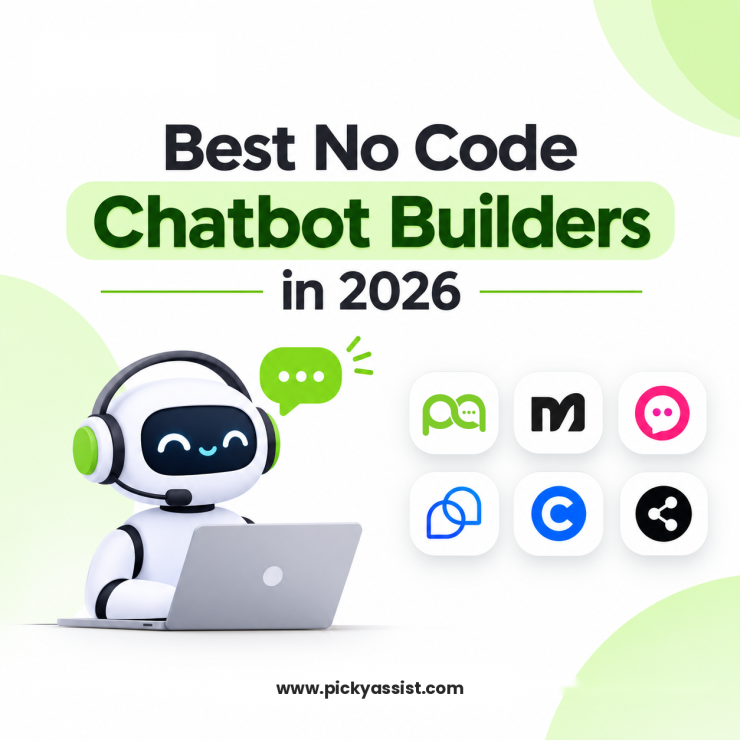
The chatbot ecosystem has undergone a fundamental transformation over the last five years. What once consisted of rigid, rule-based scripts has evolved into intelligent, adaptive conversational systems capable of understanding intent, generating human-like responses, and driving measurable business outcomes. In 2026, the no code chatbot builders category sits at the center of this shift.
Businesses no longer want to depend on developers or long implementation cycles to launch automation. Instead, they demand visual builders, AI-powered conversations, deep integrations, and enterprise-grade scalability, without writing a single line of code.
This guide explores the 10 best no code chatbot builders in 2026, with a strong emphasis on WhatsApp automation, real-world business impact, and why platforms such as Picky Assist stand out for organizations focused on sustainable growth and ROI.
What is a No Code Chatbot Builder?
A no-code chatbot builder is a software platform that lets marketers, support leads and business owners build conversational agents without a developer. Instead of writing scripts, you work on a visual canvas. You drag in steps such as a greeting, a question, a button menu or a condition, and connect them to map how the conversation should flow.
What No Code Chatbot Builders Must Have and Offer in 2026?
- Visual chatbot builders: Map the whole conversation on a canvas by placing steps and linking them in the order customers should move through them.
- AI knowledge training: Feed the chatbot your documents, FAQs and web pages so it answers from your own information instead of guessing.
- Plug-and-play integrations: Link your CRM, messaging apps and online store through simple connections, with no developer or technical setup.
- Multi-channel publishing: Build once, then go live on your website, WhatsApp, Instagram and Meta (Facebook) and other channels.
- Built-in analytics dashboard: See how many conversations the bot handles, how many it resolves and how satisfied users are, so you know what to improve next.
Why No Code Chatbots Matter More Than Ever in 2026?
Customer communication habits have permanently shifted toward messaging. Industry research consistently shows that over 75% of customers now prefer messaging over email or phone for sales and support interactions. This preference is even stronger in mobile-first markets.
Among all messaging platforms, WhatsApp dominates regions such as India, the Middle East, and Southeast Asia. For businesses operating in these markets, WhatsApp is no longer just a channel, it is the primary digital storefront.
Organizations adopting a no code chatbot in 2026 typically report:
- 50% faster response times, improving first-contact resolution
- 40% higher lead conversion rates, driven by real-time engagement
- Up to 60% reduction in repetitive support tickets, lowering operational costs
The rise of conversational commerce has made solutions like a No-code Chatbots that answers instantly essential infrastructure for managing orders or limit cart abandonment by automated follow-ups relevant rather than optional experimentation.
What to Look for Before Buying a Chatbot Builder?
A chatbot can look impressive in a demo and still struggle with real customers. These six checks help you tell the difference before you commit.
1. AI or Rule-Based Builders
Rule-based builders follow a fixed decision tree: the customer taps an option and the bot moves down a pre-set path. They are easy to set up and predictable, but they stall as soon as someone asks something the script didn’t anticipate. AI-powered builders interpret the meaning of a message rather than matching exact choices, so they cope better with open-ended questions. If your chatbot will handle support queries, lean toward AI. For short, scripted flows like lead capture or appointment booking, rule-based is often enough, and many platforms let you combine both.
2. True No-Code Usability
If a small change needs a developer, the tool isn’t really no-code. A non-technical teammate should be able to add new knowledge, adjust a conversation path and update a policy without raising an IT ticket. Test this during the free trial: sign up, upload a document and try to get a bot live without outside help. If you need to lean heavily on documentation just to finish setup, keep looking.
3. Channel Coverage
A chatbot only helps on the channels where your customers actually contact you. Before you shortlist anything, list your top two or three channels, such as WhatsApp, Instagram DMs or your website chat. Then confirm each platform supports them natively. A website-only builder solves the wrong problem if most of your conversations happen in messaging apps. Coverage differs a lot between tools, so check each channel on the vendor’s own page.
4. Knowledge Base Connection
Generic answers frustrate customers. The bot needs to know your return policy, product details and shipping rules. Platforms that use retrieval-augmented generation (RAG) look up the relevant part of your content before writing a reply. That keeps answers grounded in what you’ve provided and reduces made-up responses. Chatbase and Botpress both let you train an agent on your own documents and website content, while basic flow builders usually don’t.
5. Human handoff
Every bot reaches its limit eventually. When it does, the agent taking over should see the full chat history, the customer’s details and what they were trying to do, so nobody has to repeat themselves. A weak escalation path creates more frustration than the bot removes. Test it before launch: ask the bot something it can’t resolve and check what the agent actually receives.
6. Pricing model
Platforms usually charge in one of three ways: per agent seat, per conversation, or a flat monthly fee. Per-seat costs rise as your team grows. Per-conversation costs rise with traffic, so a successful campaign can multiply your bill overnight. Flat plans are predictable but often come with usage caps. Before you decide, work out what each plan would cost at double your current volume.
10 Best No Code Chatbot Builders in 2026 [Easy and Fast Builders]
1. Picky Assist Chatbot Builder
Picky Assist gives you the best platform to build no chatbots using a visual drag-and-drop builder along with no code connectors. You place each block of chat on the canvas, draw links between steps using simple clicks and publish it. The no-code connectors ensure integration of chatbot with other relevant platforms or CRM system, so a working chatbot never needs a line of code. You can switch between AI replies (Smart Replies) and rule-based AI agents, and hand chats to a human agent with the full conversation context. Picky Assist Chatbot builders offers the best no code chatbot builder platform in India for businesses who needs to grow without additional hires.
Features:
- A drag-and-drop canvas where you build the conversation paths and connect them with lines.
- Step blocks for messages with buttons and list menus, questions with answer validation, filters (20+ types), smart delays, actions, a traffic splitter, a data formatter and routing to another flow.
- Built-in two-way Zapier integration, plus easy connection to make, Pabbly Connect and other automation platforms. That lets you push and pull data from your other software without code.
- Webhook and HTTP API steps for developers who want deeper custom integrations. These are optional.
- A built-in modular CRM that shows chatbot data in a spreadsheet-style or Kanban view.
- How to build: Create a new flow and drag in Send Message and Ask Questions steps. Draw links between them to set the path, then add filters, delays or actions where the conversation needs to branch. Connect Zapier, Make or Pabbly for external tools, or use Data Lookup to read from and write to your CRM. Fix anything the validator flags, test the flow and publish.
- Best for: Non-technical teams and SMBs that want to launch WhatsApp chatbots fast. Typical uses are lead handling, candidate shortlisting, payment collection, onboarding, feedback collection and event bookings.
- Pricing: Free Forever at ₹0/month, Starter ₹2,499/month, Growth ₹3,999/month (Most Popular), Scale ₹4,999/month. Yearly billing is ₹24,999 (Starter), ₹39,999 (Growth) and ₹49,999 (Scale).
2. Landbot
Features: A drag-and-drop flow builder for chatbots on websites, WhatsApp and Facebook Messenger. Message, question and logic blocks cover branching and if/else conditions. AI agents handle lead generation, appointment booking and support.
How to build: Click “Build a Chatbot” and pick your channel, then connect blocks on the canvas. You can use either the no-code builder or the AI assistant. Test the flow in preview, then publish.
Best for: Lead generation and conversational forms on websites and WhatsApp.
Pricing: Free Sandbox plan (100 chats/month, web only), then Starter at $40/month. WhatsApp is billed on a separate plan, from about €80/month.
3. Botpress
Features: A visual flow editor with a built-in emulator, plus integrations, custom code and deployment setup in one place. Agents can go live on WhatsApp, Slack, Instagram and websites.
How to build: Start a project, add a knowledge base and deploy. In Studio you can crawl your website as the knowledge source and test answers in the emulator.
Best for: Developer-leaning teams that want open-source flexibility and customization that drag-and-drop builders can’t offer.
Pricing: Limited free plan; Plus from $89/month.
4. Voiceflow
Features: An Agent step that searches a knowledge base, follows custom logic and calls functions. You can add fixed workflows for control and flexible playbooks for agentic behaviour. It supports both chat and voice agents.
How to build: Create a project, configure the agent and click Publish. Add a knowledge base from the left sidebar so it answers from real information.
Best for: Cross-functional teams that build agents together on a shared canvas.
Pricing: Limited free plan; Pro from $40/month per seat.
5. Chatbase
Features: Train an agent on your website or documents, then deploy it as a chat bubble, help page, or on WhatsApp, Messenger, Instagram and Shopify.
How to build: Click “New AI Agent”, choose your training data and click “Create Agent”. Test in the Playground, then paste the embed script on your site.
Best for: A support bot that answers from your existing content. The vendor’s own estimate is about five minutes to set up.
Pricing: Free plan with 50 message credits a month. Hobby is $40/month, or $32/month billed annually.
6. Tidio
Features: Flows (rule-based chatbot), the Lyro AI agent and live chat in one platform. Templates cover welcome messages, cart recovery, discount triggers and product recommendations.
How to build: Open Flows in the dashboard, pick a template or start from scratch, and add a trigger, conditions and actions. Flows handle structured intake and Lyro handles open conversation.
Best for: Small and medium online stores, especially Shopify, that want live chat and an AI agent together.
Pricing: Limited free plan; Starter from $29/month.
7. ManyChat
Features: An AI Flow Builder assistant that drafts automations for Instagram, Messenger, WhatsApp or Telegram. Triggers include comment-to-DM, story replies, DM keywords and ad clicks.
How to build: Open Automation, click New Automation, add a trigger and build your message blocks. Add buttons and conditions, then publish.
Best for: Creators and marketers who sell through Instagram DMs and social channels.
Pricing: Free plan (up to 1,000 contacts); Pro from $15/month.
8. Jotform AI Agents
Features: A no-code builder that lets you start from scratch or use ready-made agents. You can train it on documents, spreadsheets, FAQs and URLs.
How to build: Describe the agent in the prompt, click “Create Agent”, then open the Train tab to add knowledge. Deploy it with an embed code on your website or WordPress.
Best for: Small teams that want a quick, prompt-based start, especially for conversational form completion.
Pricing: Free plan; paid from $34/month.
9. HubSpot Chatbot Builder
Features: Live chat and rule-based bots are included on every plan, including Free. The AI Customer Agent (Breeze) needs a Professional or Enterprise plan and uses usage-based pricing. Answers can be mapped straight to CRM contact properties.
How to build: Go to Conversations, click “Create chatflow”, pick a channel and a bot type such as Qualify Leads. Edit the actions, then publish.
Best for: Teams already running HubSpot CRM.
Pricing: Rule-based chatbot included free on every plan; the Breeze AI agent is charged by usage on Professional and Enterprise.
10. Chatfuel
Features: A drag-and-drop builder with automation across WhatsApp, Instagram, Messenger, TikTok DMs and website chat. Pre-built templates cover lead generation, support, e-commerce sales and appointment booking. Flows have to be rebuilt for each channel, because duplication isn’t supported.
How to build: Connect your channel, start from a template, add blocks and conditions, test and publish.
Best for: SMBs whose customers are mainly on Instagram and WhatsApp.
Pricing: Free plan; Business from $15/month for Facebook and Instagram. WhatsApp plans start at about $49.49/month.
Why Picky Assist Delivers the Highest Business ROI?
Among all platforms reviewed, Picky Assist consistently delivers the strongest ROI for businesses that rely heavily on WhatsApp for sales and support.
Organizations using a WA chatbot built on Picky Assist benefit from:
- Faster lead response and qualification
- Reduced manual workload for support teams
- Higher customer satisfaction through instant AI-driven replies
- Clear visibility into performance via analytics dashboards
Its ability to manage WhatsApp bot API access, automate workflows, and scale across departments makes it particularly valuable for growing brands.
No Code Chatbot Use cases in Various Industries
Most small and mid-sized businesses don’t have a developer on payroll, and they don’t need one to automate customer conversations. A visual builder lets a marketer, front-desk lead, or founder create a working chatbot using drag-and-drop flows, approved message templates, and ready-made integrations. Here are eight industries where that approach works well, with the specific job the chatbot takes on in each.
1. Retail and D2C Brands: Catalog Browsing and Order Updates
- The problem: Shoppers ask the same questions all day: “Is this in stock?”, “Where is my order?”, “How do I return this?”
- What the no-code chatbot does: It shares product catalogs inside the chat, answers delivery and return questions, and sends order status updates automatically. After delivery, it asks for feedback and invites a reorder. For Ecommerce businesses chatbot helps to display products or services inside natural conversations
2. Healthcare Clinics and Diagnostic Labs: Appointments and Reminders
- The problem: Reception staff spend hours confirming slots and answering timing questions, and missed appointments cost revenue.
- What the no-code chatbot does: It shows available slots, books appointments, and sends reminder messages. It shares test preparation instructions and report-ready alerts. Clinical questions go straight to a staff member.
3. Education and Coaching Institutes: Admission Enquiry Handling
- The problem: Enquiries arrive in bursts after ads and open days. Counselors can’t reply to everyone fast enough, so interested parents drift away.
- What the no-code chatbot does: It asks about the course, batch, and timeline, shares fee structures and brochures, and books counseling calls. Qualified leads are assigned to a counselor automatically, and the rest enter a follow-up sequence.
4. Real Estate: Lead Qualification and Site-Visit Booking
The problem: Portals and ads generate many enquiries, but most aren’t ready to buy. Agents waste time on unqualified leads.
What the no-code chatbot does: It asks about budget, location, property type, and purchase timeline. It shares matching listings and brochures and schedules site visits. Agents receive a short summary of each qualified lead.
5. Restaurants, Bakeries and Cloud Kitchens: Ordering and Reorders
The problem: Orders arrive by phone and chat, and mistakes happen when staff retype them.
What the no-code chatbot does: It displays the menu, takes orders with add-ons and delivery details, shares a payment link, and confirms the order. It can also message past customers about new items and festival specials.Who builds it: The owner or store manager, using a menu catalog and an ordering flow.
6. Travel Agencies and Hotels: Enquiries, Bookings and Itineraries
The problem: Travelers ask about packages, availability, and visas, and slow replies mean they book elsewhere.
What the no-code chatbot does: It collects destination, dates, and group size, then shares matching packages. It captures booking details, collects document uploads, and sends itinerary and check-in reminders. Complex custom trips go to a travel consultant.
7. Financial Services and NBFCs: Loan Enquiries and Document Collection
The problem: Loan teams repeat the same eligibility questions and chase customers for documents manually.
What the no-code chatbot does: It asks a few eligibility questions, explains products in plain language, and collects required documents in the chat. It also sends payment due reminders and routes qualified applicants to a loan officer.
8. HR and Recruitment Teams: Candidate Screening and Scheduling
The problem: Recruiters receive hundreds of applications and spend much of their time on first-round questions and interview scheduling.
What the no-code chatbot does: It asks screening questions on experience, notice period, and expected salary, collects résumés, and shortlists candidates against your criteria. It then books interview slots and sends reminders.
What These Use Cases Have in Common
Every example follows the same pattern: a repetitive conversation, clear rules for what the chatbot can answer, and a handoff to a person when judgement is needed. None of them requires code. They require clean content, a defined goal, and a platform that connects the chatbot to your CRM and team inbox.
Picky Assist’s visual chatbot builder is built for this kind of setup. Teams create flows without developers, connect them to a conversational CRM, and let agents take over any chat from a shared inbox. Start with one use case from the list above, launch it as a pilot, and expand once you’ve reviewed the results.
To Conclude
The future of customer interaction is conversational, immediate, and intelligent. Businesses that adopt automation early gain speed, efficiency, and customer trust at scale. With platforms like Picky Assist, companies can deploy secure, compliant, and intelligent WhatsApp automation without technical friction. In a market where responsiveness defines credibility, a chatbot in WhatsApp is the most direct path to sustainable growth.
FAQs on No Code Chatbot Builders
1. What is a no code AI chatbot?
A no code AI chatbot builders allows businesses to build intelligent conversational chatbots using visual dashboards and no code connectors without coding skills. These chatbots use AI to understand intent and automate conversations across platforms such as WhatsApp.
2. Can I build an AI WhatsApp chatbot without coding?
Yes. Modern platforms allow teams to create WhatsApp chatbot workflows using drag-and-drop builders and templates, making automation accessible to non-technical users.
3. Is WhatsApp automation suitable for sales?
Absolutely. Businesses using a WhatsApp AI chatbot report higher engagement and faster conversions because conversations happen in real time within a familiar channel.
4. Which chatbot platform is best for WhatsApp in 2026?
For WhatsApp-first automation, platforms with native WhatsApp API bot support and AI capabilities, such as Picky Assist, offer the best balance of scalability, compliance, and ROI.
Add comment