
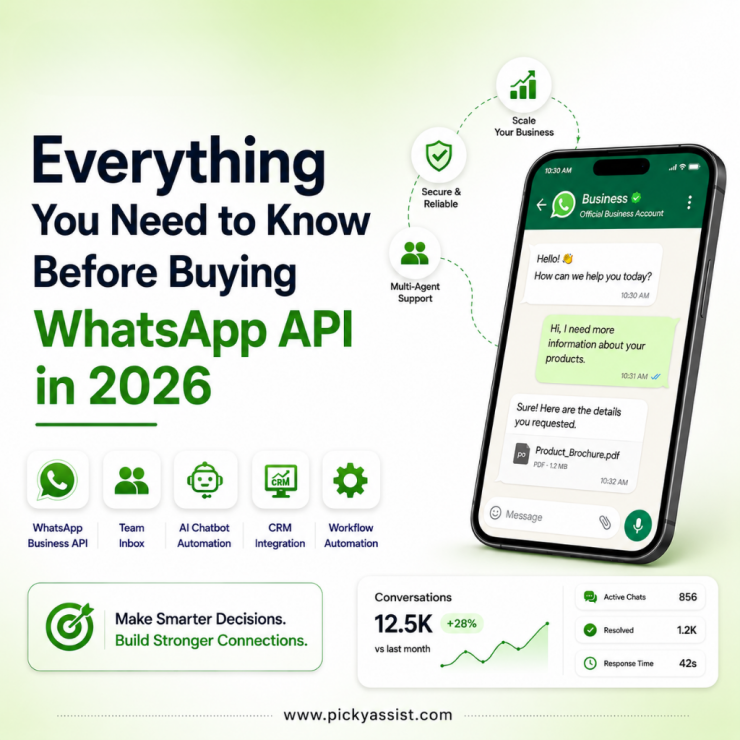
Businesses are actively looking for scalable ways to engage customers on WhatsApp. However, many companies searching for “how to buy WhatsApp Business API” quickly realize the process is not as straightforward as purchasing standard software.
Unlike traditional SaaS tools, the WhatsApp Business API is provided through Meta’s official ecosystem and is typically accessed via authorized providers. Businesses must understand eligibility, setup requirements, pricing structures, integration models, and platform capabilities before getting started.
This guide explains exactly how to buy WhatsApp Business API, what businesses should evaluate before choosing a provider, how pricing works, and how platforms like Picky Assist help simplify deployment, automation, and customer communication management.
What is WhatsApp Business API?
The WhatsApp Business API is an enterprise communication solution developed by Meta that allows businesses to communicate with customers at scale on WhatsApp. Unlike the standard WhatsApp Business App, the API version is designed for:
- Customer support teams
- Sales automation
- Lead qualification
- Appointment reminders
- Marketing notifications
- Multi-agent communication
- CRM integrations
- Automated workflows
Businesses use the API to connect WhatsApp with internal systems such as CRMs, helpdesk software, ERP platforms, eCommerce stores, and marketing automation tools. The API itself does not include a visual inbox or automation dashboard by default. Businesses typically access it through a Business Solution Provider (BSP) like Picky Assist.
Why Are Businesses Searching for WhatsApp Business API?
Customer expectations have changed significantly over the last few years. Businesses are now expected to respond instantly across digital channels. WhatsApp has become particularly important because customers already use it daily for personal communication. As a result, businesses increasingly use WhatsApp to:
- Reduce response time
- Improve lead conversion
- Automate repetitive support tasks
- Centralize communication
- Improve customer engagement
- Send transactional updates
- Manage customer conversations at scale
This growing demand has increased interest in buying and integrating the WhatsApp Business API across industries including healthcare, education, real estate, retail, travel, finance, automotive, and SaaS platforms.
Can You Directly Buy WhatsApp Business API?
One of the most common misconceptions is that businesses can simply “buy” the API directly like a regular software subscription. In reality, businesses usually gain access through an official WhatsApp Business Solution Provider. The process generally involves:
- Choosing a BSP
- Verifying your Meta Business account
- Registering a phone number
- Completing WhatsApp approval
- Configuring messaging workflows
- Integrating automation or CRM systems
This is why selecting the right provider matters significantly.
How to Buy WhatsApp Business API Step by Step?
Step 1: Define Your Business Use Case
Before selecting a provider, businesses should identify how they plan to use WhatsApp. For example:
Customer Support
Businesses may want a shared team inbox with automated routing and chatbot assistance.
Lead Qualification
Sales teams may want automated workflows that capture and qualify leads instantly.
Notifications and Alerts
Businesses often use WhatsApp for appointment reminders, payment confirmations, shipping updates, and transactional alerts.
Marketing Automation
Some companies use approved template messaging for re-engagement campaigns and customer nurturing. Understanding the intended workflow helps determine which provider features are necessary.
Step 2: Choose an Official WhatsApp Business Solution Provider
This is one of the most important decisions in the process. A BSP acts as the operational layer between Meta and your business. Different providers offer different levels of functionality. When evaluating providers, businesses should compare:
API Access
Ensure the provider offers official WhatsApp API access and not unofficial gateway solutions.
Automation Features
Check whether the platform includes:
- Chatbot builder
- Workflow automation
- Lead routing
- Team collaboration
- CRM tools
- Broadcast capabilities
Integration Flexibility
A strong provider should support integrations with:
- CRM systems
- Webhooks
- Zapier
- ERP platforms
- eCommerce systems
- Marketing tools
Scalability
Businesses should evaluate whether the platform can support future growth, higher messaging volumes, and multi-agent operations. Picky Assist helps businesses simplify WhatsApp API onboarding while also providing automation tools, chatbot capabilities, CRM workflows, and multi-channel communication management from a centralized environment.
Step 3: Create and Verify Your Meta Business Account
To access the WhatsApp API, businesses typically need:
- A Meta Business Manager account
- Business verification
- A valid business website
- Official business details
- A phone number not actively connected to standard WhatsApp
Verification is important because Meta reviews business legitimacy before enabling higher messaging capabilities.
Step 4: Register Your WhatsApp Number
Businesses can either:
- Use a new phone number
- Migrate an existing WhatsApp Business number
During setup, the number is connected to the WhatsApp Business Platform through the BSP.
This step includes:
- OTP verification
- Display name approval
- Business profile configuration
Step 5: Configure Messaging and Automation
Once approved, businesses can begin configuring workflows. This is where the real operational value begins. Typical configurations include:
Automated Replies
Businesses can instantly acknowledge inquiries and reduce response delays.
Chatbot Flows
AI-powered or rule-based automation can qualify leads, answer FAQs, and guide users through predefined journeys.
Team Inbox Management
Multiple agents can handle customer conversations from a shared dashboard.
CRM Synchronization
Customer interactions can automatically sync with sales pipelines and support systems. Picky Assist supports conversational automation workflows that help businesses reduce manual workload while improving customer response efficiency.
Step 6: Launch WhatsApp API Integration
After setup, businesses can integrate WhatsApp into broader operational systems. Common WhatsApp API integration use cases include:
- Website chat widgets
- Lead capture forms
- CRM workflows
- ERP notifications
- Payment alerts
- Marketing funnels
- SaaS platform communication
- Customer onboarding journeys
For growing businesses, integration flexibility becomes extremely important because WhatsApp often becomes part of a larger customer engagement ecosystem.
WhatsApp Business API Pricing Explained
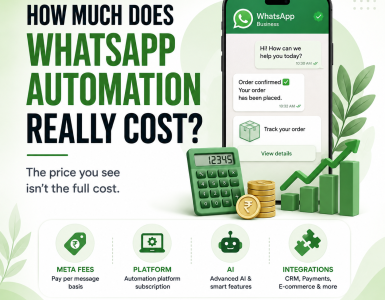
Understanding WhatsApp Business API pricing is critical before implementation. Pricing generally consists of two components:
1. Meta Conversation Charges
Meta charges businesses based on conversation categories such as:
- Utility conversations
- Authentication conversations
- Marketing conversations
- Service conversations
Pricing varies by:
- Country
- Conversation type
- Messaging volume
2. Provider Platform Charges
Business Solution Providers may charge for:
- Platform access
- Automation features
- Team inboxes
- Chatbot tools
- CRM modules
- Broadcast messaging
- Workflow automation
Some providers offer simple API access only, while others provide a complete customer communication platform. Businesses should compare long-term operational value rather than only entry-level pricing.
Common Mistakes Businesses Make When Buying WhatsApp API
Choosing Based Only on Price
Low-cost providers may lack scalability, automation capabilities, or official compliance support.
Ignoring Automation Requirements
Businesses often purchase API access without considering future workflow automation needs. This later creates operational bottlenecks.
Not Planning Integration Requirements
Businesses should evaluate integration compatibility early, especially if they use CRM systems or external platforms.
Using Unofficial Solutions
Unofficial APIs can create serious risks including:
- Number bans
- Compliance issues
- Service interruptions
- Data security concerns
Using an official BSP is significantly safer for long-term business operations.
Who Should Use WhatsApp Business API?
The API is especially valuable for businesses handling high communication volume.
eCommerce Businesses
For order updates, abandoned cart recovery, and customer support.
Healthcare Providers
For appointment reminders, patient engagement, and support communication.
Educational Institutions
For admission inquiries, student engagement, and automated notifications.
Real Estate Companies
For lead qualification and property inquiry management.
Financial Services
For customer onboarding, reminders, and service communication.
SaaS Platforms
For embedded customer communication and automated support workflows.
Why Businesses Choose Picky Assist for WhatsApp API?
Businesses often require more than just raw API access. Picky Assist helps companies operationalize WhatsApp communication through:
- No-code chatbot builder
- Shared team inbox
- Broadcast messaging
- CRM automation
- Workflow automation
- Multi-channel communication management
- Integration capabilities
- Conversational funnels
- Lead management tools
Instead of managing disconnected tools separately, businesses can centralize customer engagement workflows within a unified environment. This is especially valuable for businesses scaling customer communication across support, sales, and marketing teams.
How Long Does It Take to Get WhatsApp Business API?
The timeline depends on:
- Business verification status
- Display name approval
- Provider onboarding workflow
- Documentation readiness
In many cases, businesses can complete onboarding relatively quickly when working with an experienced provider. However, approval delays may occur if:
- Business information is inconsistent
- Websites are incomplete
- Policy compliance issues exist
Is WhatsApp Business API Worth It?
For businesses managing growing customer conversations, the answer is often yes. The API helps businesses:
- Improve response speed
- Reduce manual communication
- Automate repetitive tasks
- Improve customer experience
- Scale support operations
- Centralize conversations
- Increase lead conversion efficiency
The real value comes not just from messaging itself, but from integrating WhatsApp into broader business workflows and automation systems.
Conclusion
Businesses searching for how to buy WhatsApp Business API are usually looking for more than messaging access. They are looking for scalable customer communication infrastructure. The process involves more than simply purchasing software. Businesses must evaluate providers, understand pricing models, plan integrations, and align WhatsApp workflows with operational goals.
Choosing the right platform can significantly impact customer engagement efficiency, lead management, automation capabilities, and long-term scalability. Picky Assist helps businesses simplify this process by combining official WhatsApp API access with automation tools, CRM workflows, chatbot capabilities, and multi-channel communication management designed for modern business operations.
FAQs on How to buy WhatsApp Business API
1. How do I buy WhatsApp Business API for my company?
Businesses typically access the WhatsApp Business API through an official Business Solution Provider. The process includes business verification, phone number registration, approval setup, and workflow configuration.
2. Can I get WhatsApp Business API without Meta verification?
In most cases, business verification is required to unlock full messaging capabilities and improve account trust levels within the WhatsApp ecosystem.
3. What is the difference between WhatsApp Business App and WhatsApp Business API?
The WhatsApp Business App is designed for small businesses with basic communication needs, while the API is built for scalable automation, multi-agent communication, CRM integrations, and enterprise workflows.
4. How much does WhatsApp Business API cost?
WhatsApp Business API pricing generally includes Meta conversation charges and provider platform fees. Costs vary depending on conversation category, country, usage volume, and provider features.
5. Can I integrate WhatsApp API with my CRM?
Yes. Most official providers support WhatsApp API integration with CRM systems, marketing tools, ERP platforms, and workflow automation software.
6. Is WhatsApp Business API suitable for small businesses?
Yes. Small businesses with growing communication needs can benefit from automation, centralized conversations, lead management, and faster customer response workflows.
7. How long does WhatsApp API approval take?
Approval timelines vary depending on business verification, display name approval, and provider onboarding efficiency. Some setups can be completed relatively quickly if documentation is ready.
8. Why should businesses use a WhatsApp Business Solution Provider?
Business Solution Providers simplify API onboarding, compliance, automation setup, integrations, and operational management while helping businesses scale communication efficiently.

Add comment