
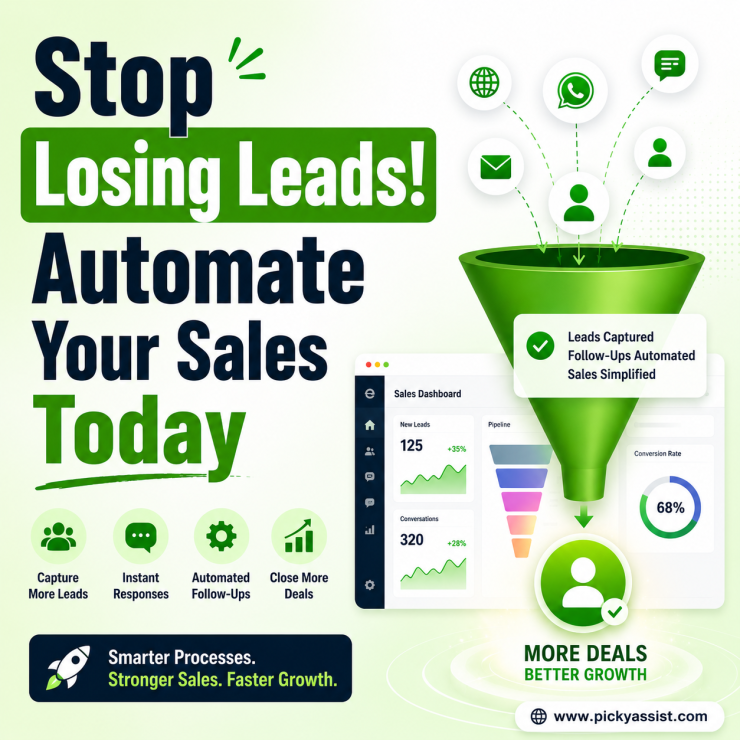
A salesperson may have dozens of conversations happening at once. Leads come from websites, social channels, messaging apps, referrals, and campaigns. Some prospects need immediate answers, while others require follow-ups over days or weeks. A missed follow-up, delayed response, or forgotten customer detail can affect the entire sales journey. This is why businesses are adopting sales automation tools to create more organized, efficient, and scalable sales processes.
Modern sales automation helps teams manage customer interactions, automate repetitive tasks, track prospects, and spend more time building meaningful relationships. However, automation is not about replacing sales teams. The real purpose is to help teams work smarter by reducing manual tasks and creating better customer experiences.
This guide explains how sales automation works, what features businesses should consider, and how solutions like Picky Assist help companies connect customer conversations with sales workflows.
What Are Sales Automation Tools?
Sales automation tools are technologies that help businesses automate repetitive sales activities and manage customer journeys more effectively. These tools support sales teams by handling tasks such as:
- Lead capture
- Customer follow-ups
- Communication workflows
- Lead qualification
- Sales tracking
- Customer engagement
Instead of manually managing every interaction, teams can create structured processes that guide prospects from the first conversation to conversion. A well-designed sales automation system helps businesses create consistency while allowing sales professionals to focus on strategic conversations.
Why Sales Automation Matters for Growing Businesses?
Sales success depends on timing, organization, and customer understanding. A potential customer may show interest today but need additional information before making a decision. Without automation, teams often struggle with:
- Tracking every inquiry
- Remembering follow-ups
- Managing multiple communication channels
- Keeping customer information updated
As customer volume increases, manual processes become difficult to maintain. A modern automated sales system helps businesses respond faster, maintain customer context, and create smoother buying experiences.
How Sales Automation Changes the Sales Process?
Traditional sales processes often depend heavily on manual work.
A salesperson receives an inquiry → searches for customer information → replies → remembers follow-up dates → updates records.
Automation creates a more connected workflow. Example:
- A prospect sends an inquiry
- Customer information is captured automatically
- Relevant information is shared instantly
- Sales team receives context for follow-up
This allows sales teams to focus on conversations that need human expertise.
Features to Look for in Sales Automation Software
1. Lead Management
A strong automation platform helps businesses organize incoming leads. It can help teams:
- Capture customer details
- Categorize prospects
- Track conversations
- Identify sales opportunities
This prevents potential customers from being overlooked.
2. Automated Follow-Ups
Many sales opportunities require multiple interactions before a decision is made. Follow-up automation helps businesses stay connected without relying completely on manual reminders.
For example:
A customer asks about a service → receives product details → gets a follow-up message later → connects with sales when ready.
This creates a consistent customer experience.
3. CRM Integration
Customer information is one of the most valuable sales assets. A marketing automation CRM or connected customer system helps businesses understand:
- Previous conversations
- Customer interests
- Buying stage
- Communication history
Sales teams can use this information to personalize interactions.
4. Communication Automation
Customers expect quick responses. A connected communication workflow helps businesses manage conversations through channels customers prefer. This can include:
- WhatsApp conversations
- Chat interactions
- Customer inquiries
- Automated responses
Sales Automation Examples Across Industries
E-commerce Businesses
Online stores often receive questions about:
- Product availability
- Delivery information
- Pricing
- Order status
Automation can help provide quick responses and guide customers toward purchase.
Example:
Customer asks about a product → automation shares details → sales team joins for personalized assistance.
Real Estate Businesses
Real estate teams manage many inquiries every day. Automation can help:
- Capture buyer requirements
- Share property details
- Schedule conversations
- Follow up with prospects
This helps agents focus on serious buyers.
Service-Based Businesses
Healthcare Clinics, Consultants, agencies, and service providers use automation to:
- Collect inquiries
- Understand customer needs
- Schedule discussions
- Maintain relationships
Sales Automation and Customer Conversations
Sales is no longer limited to phone calls and emails. Customers often begin their buying journey through messaging channels. A WhatsApp automation platform helps businesses connect sales conversations with automated workflows.
For example:
A customer asks about a service
↓
Chatbot provides initial information
↓
CRM records customer details
↓
Sales representative continues the discussion
This creates a faster and more organized sales experience.
The Role of Chatbots in Sales Automation
A chatbot automation tool supports sales teams by handling initial customer interactions. Chatbots can help with:
- Frequently asked questions
- Lead qualification
- Product discovery
- Customer routing
A chatbot does not replace sales conversations. Instead, it prepares better opportunities for sales teams.
How Picky Assist Supports Sales Automation?
Picky Assist helps businesses connect customer communication with sales workflows through automation, CRM capabilities, and conversational tools. Instead of managing conversations separately, businesses can create organized customer journeys.
With Picky Assist, businesses can use:
Lead Capture Workflows
Capture customer information directly from conversations and organize prospects.
Automated Customer Engagement
Create workflows that help businesses respond quickly and maintain consistent communication.
Chatbot Workflows
Businesses can build automated conversation flows that answer common questions and guide customers.
Team Collaboration
Sales teams can work together with shared conversation history and customer context within shared inbox.
Campaign Automation
Businesses can plan communication campaigns that support customer engagement and follow-up strategies.
How to Choose the Right Sales Automation Tools?
Choosing the right solution depends on how well it fits your sales process, customer journey, and business goals. The goal is not simply to automate more tasks. The goal is to create a smoother system where technology supports your sales team. Before selecting a platform, businesses should evaluate a few important areas.
Ease of Use
A sales platform should make daily work easier. Teams should be able to:
- Manage customer conversations
- Create workflows
- Track opportunities
- Access customer information
A complicated system may slow adoption and reduce productivity.
Scalability
A solution should support business growth. As customer interactions increase, businesses need tools that can handle:
- More leads
- More conversations
- Larger teams
- More complex workflows
Scalability ensures the platform continues supporting business needs over time.
Integration Capabilities
Sales processes often involve multiple tools. A strong platform should connect with existing systems such as:
- CRM software
- Communication channels
- Business applications
- Marketing tools
Integrations systems help create a connected workflow.
Common Sales Automation Mistakes to Avoid
Automating Without Understanding the Customer Journey
Automation works best when it follows a clear sales process. Businesses should first understand:
- How do customers discover them?
- What questions do prospects ask?
- Where leads usually drop off?
Then automation can solve real problems.
Making Communication Too Generic
Customers respond better to relevant conversations. Automation should support personalization instead of sending identical messages to everyone. Customer data and conversation history help businesses create better experiences.
Ignoring Human Interaction
Automation should support sales teams, not remove the personal element. Complex questions, negotiations, and relationship-building still require human involvement. The best systems combine automation with human expertise.
Sales Automation vs Traditional Sales Processes
Traditional sales methods often depend on individual effort. A salesperson remembers follow-ups, updates records, and manages conversations manually. Sales automation creates a structured process.
| Traditional Sales | Automated Sales Process |
|---|---|
| Manual follow-ups | Scheduled workflows |
| Scattered customer information | Organized customer data |
| Repeated tasks | Automated processes |
| Limited visibility | Better tracking |
Automation helps teams spend more time selling and less time managing repetitive work.
Conclusion
The right sales automation tools help businesses create organized sales processes, improve customer engagement, and reduce repetitive manual work. Modern sales teams need more than a place to store leads. They need systems that connect conversations, customer data, automation, and workflows.
When implemented correctly, automation helps businesses respond faster, follow up consistently, and create better customer experiences. Picky Assist helps businesses bring sales conversations, chatbot workflows, CRM capabilities, campaign automation, and customer engagement into one connected system. By choosing the right automation approach, businesses can build a scalable sales process that supports growth while allowing teams to focus on meaningful customer relationships.
FAQs on Sales Automation Tools
1. What are sales automation tools?
Sales automation tools are software solutions that help businesses automate repetitive sales activities such as lead management, follow-ups, communication, and customer tracking. They help sales teams work more efficiently.
2. How do sales automation tools improve sales performance?
They help businesses respond faster, organize customer information, automate follow-ups, and create consistent sales processes. This allows teams to focus on high-value conversations.
3. What features should sales automation software include?
Important features include:
- Lead management
- CRM integration
- Workflow automation
- Customer communication tools
- Analytics
- Team collaboration
The best choice depends on business requirements.
4. Can small businesses use sales automation?
Yes. Small businesses can use automation to manage leads, improve follow-ups, and handle customer communication more efficiently. Automation helps smaller teams compete by reducing manual workload.
5. How does CRM improve sales automation?
CRM systems store customer information and conversation history. When connected with automation, teams can understand customer needs and provide more personalized interactions.
6. What is the difference between sales automation and marketing automation?
Sales automation focuses on managing sales activities such as lead follow-ups and customer conversations. Marketing automation focuses more on campaigns, audience engagement, and nurturing prospects. Many businesses use both together.
7. How does WhatsApp automation support sales teams?
WhatsApp automation helps businesses manage customer conversations, send updates, answer common questions, and guide prospects through sales journeys. It connects messaging with business workflows.
8. How does Picky Assist help with sales automation?
Picky Assist helps businesses automate customer conversations, create chatbot workflows, manage CRM-based interactions, and organize sales communication through connected workflows.



Add comment