
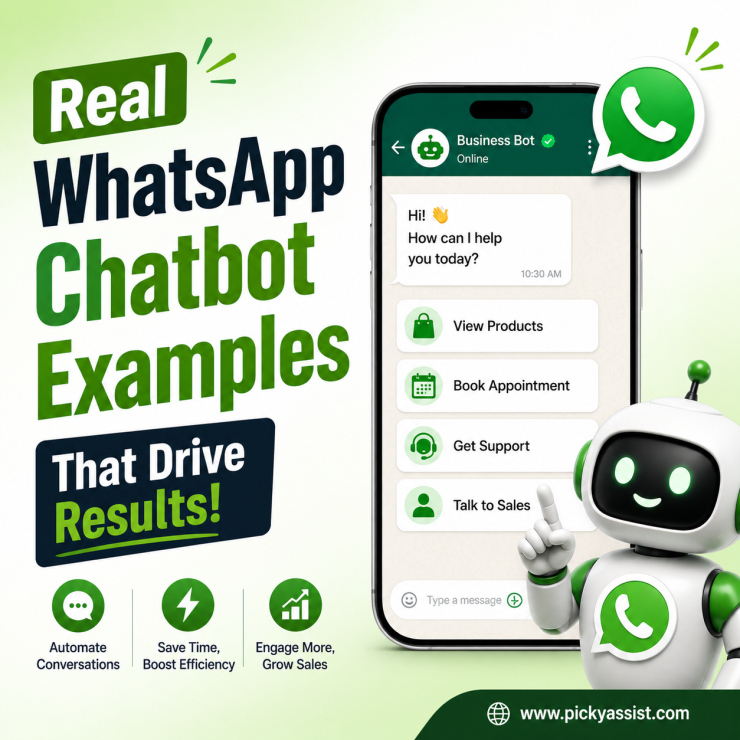
WhatsApp has become a primary customer communication channel. However, managing every conversation manually becomes challenging when inquiries increase. A structured chatbot helps businesses respond faster, organize conversations, and improve customer experiences. A practical WhatsApp chatbot example shows how businesses can use automation to handle customer queries, guide users, collect information, and support sales processes.
Chatbots have become an important part of modern customer engagement strategies. However, a chatbot is not only about automated replies. A well-designed CRM system connects customer conversations with workflows, CRM data, and human support when needed. This guide explains how WhatsApp chatbots work, real business examples, and how businesses can use automation platforms like Picky Assist to create better customer communication experiences.
What is a WhatsApp Chatbot?
A WhatsApp chatbot is an automated system that communicates with customers through WhatsApp. It uses predefined workflows, business rules, and automation logic to respond to customer messages. A chatbot can help businesses:
- Answer common questions
- Collect customer details
- Provide product information
- Schedule appointments
- Guide customers through processes
- Route conversations to teams
Unlike traditional messaging, chatbot automation allows businesses to provide faster responses without requiring a team member to answer every message manually. A well-built WhatsApp bot works as a digital assistant that supports customers throughout their journey.
Why do Businesses Use WhatsApp Chatbots?
Businesses adopt chatbot automation because customer communication is becoming more complex. A growing business may receive hundreds or thousands of messages about:
- Product availability
- Pricing
- Service details
- Order updates
- Support requests
Without automation, teams spend significant time handling repetitive questions. A chatbot helps by managing routine interactions while employees focus on conversations that require personal attention.
WhatsApp Chatbot Examples for Different Industries
1. Retail Store Chatbot Example
Retail businesses often receive repeated questions such as:
- Is this product available?
- What are the prices?
- Do you offer delivery?
- What sizes are available?
A chatbot can provide instant answers.
Example flow:
Customer: “Do you have this product?”
Bot: “Yes, this item is available. Would you like to check available options?”
Customer selects:
- View products
- Talk to sales team
- Check offers
This reduces response time and helps customers move closer to purchase decisions.
2. Restaurant WhatsApp Chatbot Example
Restaurants can use chatbots for customer convenience. Common chatbot activities include:
- Menu sharing
- Table booking
- Order inquiries
- Delivery information
- Customer feedback
Example:
Customer: “I want to see today’s menu.”
Bot: “Here is our latest menu. Would you like to place an order?”
The chatbot handles basic interactions while staff focus on preparing and serving customers.
3. Customer Support Chatbot Example
Support teams often handle similar questions repeatedly. A chatbot can answer:
- Service information
- Troubleshooting steps
- Policy questions
- Account-related queries
Example:
Customer: “How can I reset my password?”
Bot provides:
- Step-by-step instructions
- Helpful links
- Option to connect with support
This improves customer experience by providing immediate assistance.
4. Lead Generation Chatbot Example
Sales teams can use chatbots to collect and qualify leads. A chatbot may ask:
- What service are you interested in?
- What is your requirement?
- When would you like a callback?
The information can then be shared with sales teams for follow-up. This creates a smoother lead management process.
5. Appointment Booking Chatbot Example
Service businesses can automate scheduling. Examples:
- Dental Clinics
- Salons
- Training institutes
- Consultants
A chatbot can:
- Ask customer requirements
- Show available options
- Confirm booking details
- Send reminders
This reduces manual coordination.
Try our Demo Chatbots made for smarter businesses like yours!
How WhatsApp Chatbot Automation Works?
A chatbot follows a structured conversation flow. A simple workflow looks like:
Customer sends message
 ↓
 Bot identifies intent
 ↓
 Bot provides response
 ↓
 Customer selects action
 ↓
 Human team joins if required
Modern chatbot systems can include:
- Decision trees
- Customer segmentation
- CRM integration
- Automated follow-ups
- Workflow triggers
This creates a more organized customer journey.
WhatsApp Bot for Business: Key Benefits
Faster Customer Response
Customers often expect immediate answers. A chatbot helps businesses provide quick assistance even outside working hours.
Reduced Manual Work
Teams can avoid repeatedly answering the same questions. Automation handles routine conversations so employees can focus on more important tasks.
Better Customer Experience
A consistent chatbot experience helps customers find information easily. Instead of waiting for replies, customers can complete simple tasks instantly.
Improved Sales Process
Chatbots can support sales by:
- Capturing leads
- Sharing product information
- Qualifying prospects
- Triggering follow-ups
Important Features to Look for in a WhatsApp Chatbot Platform
Choosing the right platform matters because businesses need more than basic automated replies. Important features include:
Visual Chatbot Builder
A simple workflow builder allows teams to create and update chatbot journeys without depending heavily on technical resources.
CRM Integration
A chatbot becomes more powerful when connected with customer information. CRM integration helps businesses maintain:
- Customer history
- Previous conversations
- Lead information
Human Handover
Automation should work together with human support. A good system allows conversations to move from chatbot to team members when needed.
Analytics and Reporting
Businesses should understand:
- Customer interactions
- Popular questions
- Workflow performance
- Engagement patterns
Analytics helps improve chatbot effectiveness.
WhatsApp Bot API and Business Automation
Businesses that want advanced automation usually connect WhatsApp with their software systems. A WhatsApp bot API enables businesses to integrate messaging with:
- CRM systems
- Sales tools
- Support platforms
- Internal applications
This allows businesses to create automated workflows instead of isolated chatbot conversations.
How Picky Assist Helps Businesses Build WhatsApp Chatbots?
Picky Assist helps businesses create structured customer communication workflows through automation tools, CRM capabilities, and chatbot solutions. Businesses can use Picky Assist to design chatbot journeys that support:
Customer Conversations
Manage customer interactions through organized workflows.
Automated Responses
Create automated replies for common customer questions.
Sales Automation
Capture leads, qualify customers, and support follow-up processes.
Team Collaboration
Allow multiple team members to manage conversations efficiently.
Multi-Channel Engagement
Connect customer conversations across communication channels while maintaining organized workflows.
Best Practices for Creating an Effective WhatsApp Chatbot
A chatbot delivers the best results when it is designed around customer needs rather than only automation. Businesses should focus on creating conversations that feel helpful and natural.
1. Understand Customer Questions
Before building a chatbot, businesses should identify common customer requests. Examples:
- Product questions
- Service inquiries
- Pricing details
- Booking requests
- Support issues
This helps create useful chatbot flows.
2. Keep Conversations Simple
Customers should not have to go through complicated steps. A good chatbot uses:
- Clear options
- Short messages
- Simple navigation
- Relevant answers
The goal is to help customers reach solutions quickly.
3. Include Human Support Options
Not every customer request can be automated. A strong chatbot should allow customers to connect with a team member when needed.
For example:
Customer asks a complex question → chatbot identifies the requirement → conversation moves to the sales/support team. This creates a balance between automation and personal service.
4. Update Chatbot Flows Regularly
Customers need to change over time. Businesses should review chatbot performance and improve workflows based on:
- Customer feedback
- New products
- Common issues
- Business changes
A chatbot should continue evolving.
Conclusion
A well-designed WhatsApp chatbot example demonstrates how businesses can use automation to improve customer communication, reduce repetitive tasks, and create faster support experiences. Chatbots help businesses handle common inquiries, capture leads, guide customers, and connect conversations with business workflows.
However, the best results come from combining automation with customer understanding, CRM organization, and human support. Businesses looking to scale customer communication need more than simple replies. They need systems that connect conversations, workflows, and customer data.
Picky Assist helps businesses create structured WhatsApp communication experiences through chatbot creation, automation workflows, CRM capabilities, integration with other applications, campaign management, and team collaboration tools. By choosing the right chatbot strategy, businesses can improve customer engagement and build stronger relationships.
FAQs on WhatsApp chatbot example
1. What is a WhatsApp chatbot example?
A WhatsApp chatbot example shows how businesses use automated conversations to help customers. Examples include product inquiries, appointment booking, customer support, lead collection, and order updates.
2. How does a WhatsApp chatbot help businesses?
A WhatsApp chatbot helps businesses automate customer conversations, answer common questions, collect information, and improve response speed. It allows teams to focus on more complex customer interactions.
3. What is the difference between a WhatsApp bot and a chatbot?
A WhatsApp bot is an automated system that interacts with customers through WhatsApp. A chatbot usually refers to a conversational system that guides users through automated interactions. Both terms are often used to describe automated customer communication tools.
4. Can small businesses use a WhatsApp bot for business?
Yes. Small businesses can use chatbots to automate customer support, inquiries, bookings, and follow-ups. Automation helps small teams manage communication more efficiently.
5. What is a WhatsApp bot API?
A WhatsApp bot API allows businesses to connect WhatsApp communication with software systems and automation tools. It enables advanced workflows, integrations, and automated messaging.
6. What features should a WhatsApp business chatbot have?
A useful WhatsApp business chatbot should include:
- Easy workflow creation
- Customer data management
- Human handover options
- Automation tools
- Integration capabilities
The right features depend on business requirements.
7. How does a WhatsApp chatbot improve customer support?
A chatbot provides instant answers to common questions and helps customers find information quickly. Support teams can handle complex issues while automation manages routine requests.
8. How does Picky Assist help businesses with chatbot automation?
Picky Assist helps businesses create chatbot workflows, manage customer conversations, automate communication, and connect customer engagement with CRM and business processes.




Add comment