
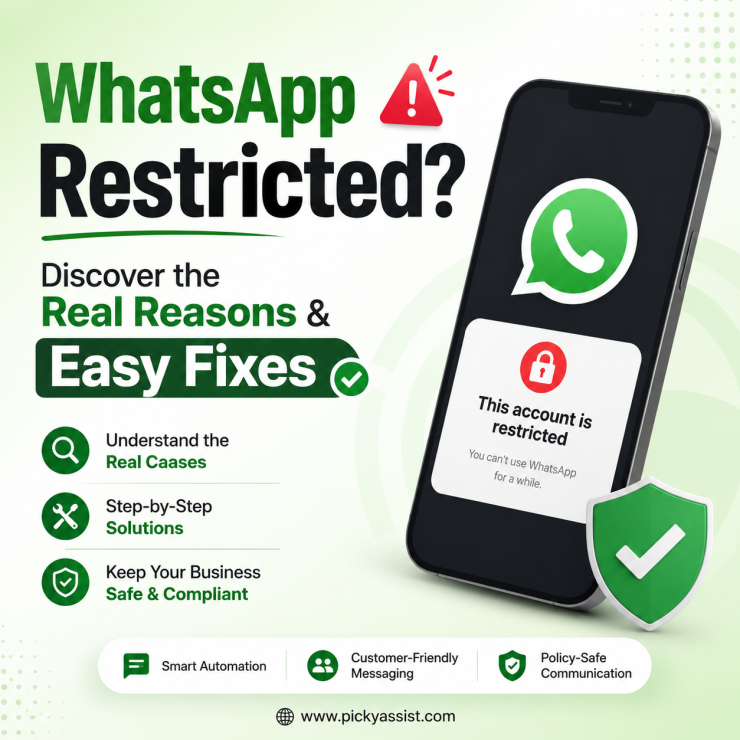
A sudden message saying your WhatsApp account is restricted can create confusion, especially when your business depends on customer conversations, order updates, lead follow-ups, or support communication. For individuals, a restriction may interrupt regular conversations. For businesses, it can affect customer experience, sales processes, and team communication. WhatsApp restriction in some ways are imposed to protect users from spam, unwanted communication, and unsafe activities.
These actions are not always permanent bans. In many cases, they are temporary limitations designed to encourage users and businesses to follow proper messaging practices. For companies using WhatsApp as a customer communication channel, the right approach is not only avoiding restrictions but also building structured conversations through official tools, customer consent, and automation practices.
What is the Restriction on WhatsApp?
A WhatsApp restriction is an enforcement action taken when WhatsApp detects activities that may violate its policies or create a poor user experience. A restricted account may experience limitations such as:
- Unable to start new conversations
- Unable to create groups
- Unable to connect additional devices
- Limited messaging capabilities
- Temporary loss of certain account functions
The level of restriction depends on the type and severity of the activity detected. A business account that sends relevant updates to customers who expect communication is treated differently from an account sending repeated unsolicited messages to unknown users.
Types of WhatsApp Restrictions Explained
WhatsApp restrictions usually happen in different stages depending on the risk level associated with an account.
1. Account Warning
A warning is an early signal that WhatsApp has noticed unusual activity. At this stage:
- The account usually remains functional
- Messages can continue normally
- The account activity may be monitored more closely
Businesses receiving warnings should review their messaging habits before the situation becomes more serious.
2. Temporary Restriction
A temporary restriction limits certain actions for a specific period. Users may see messages indicating that the account is restricted at the moment. During this period, common limitations may include:
- Starting new chats
- Adding members to groups
- Using linked devices
- Sending messages to new contacts
Temporary restrictions often act as a cooling period. Once the restriction period ends, normal access may return if no further violations occur.
3. Temporary or Permanent Ban
In severe cases, WhatsApp may completely block an account. The user may see a message like:
“This account can no longer use WhatsApp.”
A banned account loses access to WhatsApp features and requires an appeal process if the user believes the decision was incorrect.
Why Does WhatsApp Restrict Accounts?
Understanding the reasons behind restrictions helps businesses avoid communication problems.
Using Unofficial WhatsApp Applications
Modified applications such as unofficial WhatsApp versions can create security and privacy risks. These apps may offer additional features, but they are not supported by WhatsApp and can result in account enforcement actions. Businesses should always use official WhatsApp solutions and approved methods for customer communication.
Sending Spam or Unwanted Bulk Messages
One of the biggest reasons accounts face restrictions is sending messages that recipients do not expect.
Examples include:
- Sending identical promotions to large numbers of unknown users
- Messaging people without consent
- Repeated follow-ups after users show no interest
- Sending excessive promotional content
A better approach is permission-based communication where customers choose to receive updates and could opt-out. A well-structured WhatsApp automation platform helps businesses organize customer journeys instead of manually sending repeated messages.
Receiving Too Many User Reports or Blocks
WhatsApp considers user feedback when evaluating account behavior. If many people block or report an account within a short time, it may affect the account’s quality rating and trust signals.
This commonly happens when businesses:
- Contact outdated databases
- Message users without context
- Send irrelevant campaigns
Maintaining accurate customer lists and providing valuable conversations reduces these risks.
Unauthorized Automation or Data Scraping
Automation itself is not the problem. The issue is using unauthorized tools that imitate human activity or collect user information improperly.
Businesses should avoid:
- Unofficial scripts
- Unknown third-party tools
- Automated scraping methods
- Systems that do not follow WhatsApp guidelines
A professional business messaging setup focuses on customer-approved workflows, conversation history, and controlled automation.
How Picky Assist Helps Businesses Avoid WhatsApp Restrictions?
Businesses often face WhatsApp restrictions not because they use automation, but because they use the wrong approach to automation. Sending repeated messages without context, contacting users who never interacted with the business, or relying on unofficial tools can increase the chances of account limitations.
Picky Assist helps businesses build structured WhatsApp communication using authorised business messaging practices, automation workflows, and customer-focused conversations.
Preventing Spam & Bulk Messaging Issues
One of the common reasons businesses face restrictions is sending identical messages to large numbers of users without proper engagement. For example, manually uploading contact lists and repeatedly sending promotional messages can lead to customers ignoring, blocking, or reporting the account.
With Picky Assist, businesses can create more organised messaging journeys instead of uncontrolled bulk messaging.
Businesses can:
- Send relevant updates based on customer actions
- Create targeted campaigns for specific customer groups
- Automate follow-ups based on conversations
- Personalise communication using customer information
- Manage customer responses from a unified inbox
For example, an online store can send order updates, product recommendations, and customer support messages based on customer activity instead of sending the same message to everyone. This helps businesses maintain meaningful conversations while improving customer engagement.
Reducing User Reports and Blocks Through Better Customer Experiences
A high number of user reports or blocks can affect the quality of a WhatsApp business account.
This often happens when customers receive messages they do not expect or when businesses continue contacting users without considering their interests. Picky Assist helps businesses improve customer communication by creating conversation-based workflows. With chatbot automation and CRM capabilities, businesses can:
- Respond instantly to customer questions
- Qualify leads before sending sales messages
- Route conversations to the right team members
- Maintain previous conversation history
- Send useful reminders and updates
Instead of customers receiving random promotional messages, they get responses based on their needs and interactions.
Avoiding Risks From Unauthorised Automation and Data Scraping
Automation is important for businesses handling thousands of customer conversations, but using unofficial scripts, scraping tools, or unsupported systems can create account risks. Picky Assist provides a Meta-approved WhatsApp automation solution that enables businesses to automate customer communication through authorised methods. Businesses can use Picky Assist to:
- Build no-code chatbot workflows
- Automate customer support responses
- Manage WhatsApp conversations across teams
- Connect business systems through integrations
- Trigger messages based on real customer actions
This allows businesses to scale conversations without depending on risky third-party tools that attempt to bypass WhatsApp processes.
How Businesses Can Prevent WhatsApp Restrictions?
Avoiding restrictions requires more than reducing message volume. Businesses need a customer-focused communication strategy.
Use Customer Permission-Based Messaging
Before sending promotions, updates, or reminders, ensure customers have agreed to receive communication. This improves customer experience and reduces unwanted interactions.
Create Meaningful Automated Conversations
Automation works best when it helps customers. Examples:
- Answering product questions
- Sharing order updates
- Collecting customer requirements
- Booking appointments
- Providing support information
A chatbot workflow can handle repetitive questions while allowing human teams to step in when needed.
Manage Conversations Through a Shared Workspace
When multiple employees handle customer conversations, scattered chats can create delays. A conversational CRM helps teams:
- Track customer history
- Assign conversations
- Collaborate internally
- Maintain consistent responses
How to Remove or Appeal a WhatsApp Restriction?
If your account has been restricted, the next steps depend on the type of restriction.
Request a Review
If WhatsApp has completely banned your account:
- Open WhatsApp
- Select the option to request a review
- Verify your phone number if required
- Explain why you believe the restriction happened incorrectly
WhatsApp reviews the account activity before restoring access.
Move Away From Unofficial Apps
If you are using a modified WhatsApp application:
- Remove the unofficial version
- Install the official WhatsApp application
- Secure your account
- Review your messaging practices
Continuing to use unsupported apps can increase the chances of future restrictions.
Contact WhatsApp Support
Businesses that believe their account was restricted incorrectly can contact WhatsApp support through official channels and provide relevant details. When requesting support, include:
- Business information
- Description of communication activity
- Reason you believe the restriction occurred
- Steps taken to correct the issue
Conclusion
A WhatsApp restriction usually happens when an account violates platform rules through activities such as spam messaging, unofficial apps, excessive reports, or unauthorized automation.
For individuals, understanding account limitations and privacy settings helps maintain a safer messaging experience. For businesses, preventing restrictions requires a customer-focused communication strategy built on consent, relevance, and approved tools.
Platforms like Picky Assist help businesses manage customer conversations through automation workflows, chatbots, CRM features, and team collaboration tools.
By creating organized conversations instead of uncontrolled messaging, businesses can improve customer engagement while maintaining a more reliable WhatsApp communication system.
FAQs on WhatsApp Restriction
1. Why is my WhatsApp account restricted?
A WhatsApp account may be restricted due to spam behavior, bulk messaging, user reports, unofficial apps, or unauthorized automation methods.
2. Can I still receive messages when my WhatsApp account is restricted?
Yes, many restricted accounts can still receive incoming messages even if certain actions like starting new chats or creating groups are limited.
3. How long does a temporary WhatsApp restriction last?
Temporary restrictions often last for a limited period, commonly around 24–72 hours, depending on the reason for enforcement.
4. Can WhatsApp permanently ban an account?
Yes. Serious or repeated violations can result in a permanent ban where the account can no longer use WhatsApp.
Does using WhatsApp Plus or GBWhatsApp cause restrictions?
Yes. Using unofficial WhatsApp applications can violate WhatsApp’s policies and may result in account restrictions or bans. Instead use API WhatsApp solutions offered by Meta-approved official partners like Picky Assist.
6. How do I remove restrictions from WhatsApp?
Open WhatsApp, choose the Request Review option, verify your number, and submit your explanation for review.
7. Can business automation cause a WhatsApp restriction?
Automation itself is not the issue. Restrictions usually happen when businesses use unauthorized tools or send unwanted messages. Picky Assist offers a Meta-approved solution that your business can trust and send business communications without facing bans. Picky Assist can guide you through entire process and setup your business require.
8. How can businesses safely use WhatsApp automation?
Businesses should use approved solutions, communicate with opted-in customers, create useful workflows, and avoid spam-like messaging behavior.

Add comment