
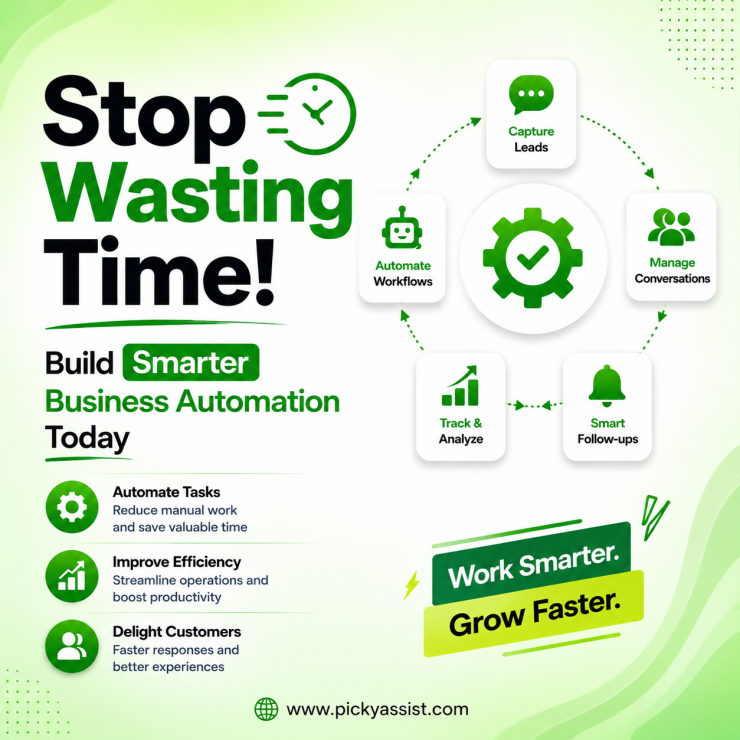
Running a growing business often means dealing with hundreds of repetitive tasks every day, replying to customer questions, updating records, assigning conversations, following up with leads, sending reminders, and coordinating between teams. The challenge is not just completing these tasks. The real challenge is creating a reliable business automation process that reduces manual effort while improving customer experiences.
Many companies start exploring automation after facing common operational problems: slow response times, scattered customer conversations, missed follow-ups, and teams spending hours on repetitive work. But choosing the right automation approach requires more than adding software tools. Businesses need to understand which processes should be automated, how automation connects different departments, and how technology supports long-term growth.
A well-designed CRM automation strategy combines workflows, customer data, communication channels, and intelligent tools to help teams work more efficiently.
What is a Business Automation Process?
A business automation process is a structured approach to using technology to complete repetitive business activities with minimal manual involvement. Instead of employees handling every step manually, automation systems follow predefined workflows based on specific triggers, rules, or customer actions.
For example:
- A customer sends a WhatsApp message asking about pricing.
- A chatbot instantly provides basic information.
- The conversation is assigned to the right sales representative.
- Customer details are captured in the CRM system.
- Follow-up messages are scheduled automatically.
This creates a smoother journey for both the customer and the internal team. Business automation does not mean removing human involvement. The goal is to allow teams to focus on higher-value activities while software manages predictable tasks.
Why Are Businesses Investing in Automation Processes?
Customer expectations have changed. People expect fast responses, consistent communication, and convenient interactions across their preferred channels. At the same time, businesses are managing more customer touchpoints than ever before:
- Website enquiries
- WhatsApp conversations
- Social media messages
- Email requests
- Sales follow-ups
- Customer support tickets
Without a proper system, managing these interactions becomes difficult. A strong automation process helps businesses:
Reduce Repetitive Work
Employees often spend significant time performing routine actions such as sending updates, assigning conversations, collecting information, and responding to common questions. Automation handles these predictable activities so teams can focus on strategy, relationship building, and problem-solving.
Improve Customer Response Time
Customers do not always contact businesses during working hours. Automated workflows help companies provide immediate responses, collect important details, and guide customers toward the next step.
Create Consistent Experiences
When communication depends only on manual processes, customer experiences can vary between employees. Automation creates structured workflows that maintain consistency while still allowing personal conversations when needed.
Improve Team Collaboration
As companies grow, customer conversations often move between sales, support, and operations teams. A centralized communication system makes it easier for teams to access context, track conversations, and avoid duplicated responses.
Common Areas Where Businesses Apply Automation
Automation can support almost every department when implemented strategically.
Sales Automation
Sales teams use automation to manage lead capture, qualification, reminders, and follow-ups. A prospect who downloads a resource or submits an enquiry can automatically enter a nurturing workflow instead of waiting for a salesperson to manually respond.
Customer Support Automation
Support teams handle many repetitive questions every day. A chatbot automation tool can answer frequently asked questions, collect customer information, and route complex issues to human agents. This improves efficiency without replacing meaningful customer conversations.
Marketing Automation
Marketing teams use automation for:
- Campaign scheduling
- Customer segmentation
- Personalised messaging
- Follow-up sequences
- Customer engagement campaigns
A business messaging software solution can help companies communicate with customers at the right moment while maintaining relevant conversations.
Internal Workflow Automation
Automation is not limited to customer-facing activities. Businesses also automate:
- Employee notifications
- Task assignments
- Approval workflows
- Data updates
- Reporting processes
These improvements help teams operate with fewer delays.
The Role of WhatsApp in Business Automation
Messaging has become one of the most important customer communication channels. For many businesses, WhatsApp is where customers ask questions, request updates, compare options, and make purchase decisions.
A WhatsApp automation platform helps businesses create structured customer journeys through:
- Automated replies
- Interactive chatbot flows
- Lead qualification
- Follow-up sequences
- Customer notifications
Instead of treating WhatsApp as only a messaging app, businesses can use it as part of a complete customer communication strategy. Platforms like Picky Assist help businesses manage conversations across multiple channels while combining automation workflows, CRM capabilities, and team collaboration features.
How to Build an Effective Automation Strategy?
A successful automation implementation starts with understanding business operations.
1. Identify Repetitive Tasks
Begin by mapping daily activities.
Ask:
- Which tasks consume the most employee time?
- Which processes happen repeatedly?
- Where do delays usually occur?
The best automation opportunities are usually repetitive, rule-based processes.
2. Define Clear Workflows
Automation works best when processes are clearly designed. A workflow should define:
- Trigger event
- Required action
- Responsible team
- Customer communication
- Next step
For example, a new enquiry workflow might:
- Receive customer message
- Collect customer requirements
- Assign conversation
- Notify sales team
- Schedule follow-up
3. Connect Customer Data
Automation becomes more powerful when communication, customer records, and workflows work together.
A conversational CRM allows teams to maintain customer context instead of managing disconnected conversations.
4. Measure Performance
Businesses should monitor:
- Response time
- Conversion rates
- Customer satisfaction
- Team productivity
- Workflow performance
Automation should continuously improve business operations.
Managing Customer Conversations at Scale
One of the biggest challenges for growing companies is handling conversations across multiple channels. Teams may receive messages from different platforms, making it difficult to track ownership and customer history.
Using a unified workspace helps businesses organize conversations, assign responsibilities, and maintain visibility. A solution with team inbox management capabilities allows employees to collaborate while ensuring customer messages reach the right person.
For companies handling large communication volumes, shared access becomes essential. A structured approach to managing shared inbox conversations prevents missed messages and improves accountability.
How Picky Assist Supports Business Automation?
Businesses looking for a practical automation solution often need more than isolated tools. Picky Assist brings together customer conversations, automation workflows, and communication management in one platform.
It helps businesses create:
- WhatsApp automation workflows
- No-code chatbot journeys
- Multi-channel customer conversations
- CRM-based follow-ups
- Campaign automation
- Team collaboration workflows
- Third-party integrations
With features designed around real business operations, companies can build automation systems that support sales, customer service, and engagement activities.
Its Teambox environment helps teams organize customer interactions while maintaining visibility across conversations. The goal is not simply automating messages, it is creating smoother customer journeys and more efficient internal processes.
Business Automation Process vs Traditional Manual Operations
| Traditional Process | Automated Process |
|---|---|
| Employees handle every request manually | Workflows manage repetitive steps |
| Customer data may be scattered | Information stays connected |
| Follow-ups depend on reminders | Follow-ups can run automatically |
| Teams manage separate conversations | Teams collaborate from one system |
| Reporting takes extra effort | Activity data can be tracked easily |
How to Choose the Right Business Automation Solution?
Selecting automation software is an important decision because the platform becomes part of daily operations. A good solution should match your business workflows instead of forcing your team to completely change how they work. Before choosing a platform, evaluate these factors:
1. Ease of Workflow Creation
Automation should be accessible to business teams, not only developers. Look for platforms that allow teams to create workflows visually, adjust processes quickly, and improve customer journeys without depending on technical resources. A flexible chatbot builder and workflow system can help businesses adapt automation as customer needs change.
2. Communication Channel Support
Customers rarely communicate through only one channel. Businesses may receive enquiries through:
- Website forms
- Other messaging platforms
A complete customer communication platform helps teams manage these interactions from a connected environment.
3. CRM and Customer Context
Automation becomes more effective when businesses understand the customer behind every interaction. A CRM-connected automation system helps teams:
- Store customer details
- Track conversation history
- Segment audiences
- Personalize communication
- Improve follow-ups
This allows sales and support teams to have more meaningful conversations.
4. Collaboration Features
Growing teams need visibility into customer interactions. A shared workspace allows multiple employees to work together without losing important information. Finding the best way to manage a shared inbox depends on having features like assignment rules, conversation tracking, and team visibility.
Business Examples of Automation Workflows
Understanding practical examples makes automation easier to evaluate.
Example 1: Real Estate Lead Management
A Real Estate business receives enquiries from multiple sources. Without automation:
- Leads may wait hours for responses
- Sales teams manually qualify every enquiry
- Follow-ups can be forgotten
With automation:
- A chatbot collects property requirements
- Leads are categorized automatically
- Sales representatives receive qualified enquiries
- Follow-ups are scheduled
The team spends more time closing opportunities instead of organizing leads.
Example 2: E-commerce Customer Support
E-commerce stores receive questions about:
- Order status
- Delivery updates
- Product availability
- Returns
Automation can answer common questions instantly while sending complex cases to support agents. This creates faster service without increasing workload.
Example 3: Education and Training Businesses
Educational Institutions often manage enquiries about:
- Courses
- Fees
- Admission dates
- Application status
Automated conversations can provide instant answers, collect student information, and guide prospects toward the correct next action.
Common Mistakes Businesses Make With Automation
Automation delivers better results when implemented thoughtfully.
Automating Broken Processes
A poor manual process will not become effective simply because it is automated. Businesses should first improve workflows before adding automation.
Creating Too Many Complex Workflows
Overly complicated automation can confuse teams and customers. Start with high-impact processes and expand gradually.
Ignoring Human Support
Automation works best when it supports people. Customers may still need human assistance for complex questions, exceptions, or relationship-driven conversations.
Building Smarter Business Operations Through Automation
A successful business automation process is not about adding technology everywhere. It is about identifying where technology can remove friction, improve communication, and help teams work better. The right approach combines automation workflows, customer information, collaboration tools, and human expertise.
Businesses should consider solutions that support their actual operational needs, whether that means improving customer support, streamlining sales follow-ups, automating messaging, or creating better team coordination. Picky Assist helps businesses bring conversations, automation workflows, CRM capabilities, chatbot journeys, and integrations into one connected platform. If your goal is to build smoother operations and create better customer experiences, exploring a flexible automation platform can be the next step.
FAQs on Business Automation Process
1. What is a business automation process?
A business automation process is a system where technology handles repetitive business tasks using predefined workflows, rules, or triggers. It helps companies reduce manual work, improve consistency, and create more efficient operations.
2. Which business processes can be automated?
Many processes can be automated, including customer support responses, sales follow-ups, lead management, appointment reminders, marketing campaigns, internal notifications, and data updates.
3. How does automation improve customer experience?
Automation improves customer experience by providing faster responses, consistent communication, and easier access to information. It helps businesses respond quickly while ensuring customers receive relevant support.
4. Can small businesses use automation tools?
Yes. Small businesses can use automation to reduce repetitive work, organize customer conversations, manage leads, and improve team productivity without needing large operational teams.
5. What is the difference between automation and AI?
Automation follows predefined workflows and rules to complete tasks. AI can analyze information, understand patterns, and assist with more flexible decision-making. Many modern business tools combine both.
6. How does WhatsApp automation help businesses?
WhatsApp automation helps businesses manage customer conversations using automated replies, chatbot workflows, notifications, and follow-up messages while keeping communication organized.
7. What features should businesses look for in automation software?
Businesses should evaluate workflow flexibility, CRM integration, communication channels, reporting, chatbot capabilities, collaboration tools, and scalability before choosing software.
8. How can Picky Assist help with business automation?
Picky Assist helps businesses manage customer communication through WhatsApp automation, chatbot workflows, CRM features, multi-channel conversations, campaign automation, and team collaboration tools.




Add comment