
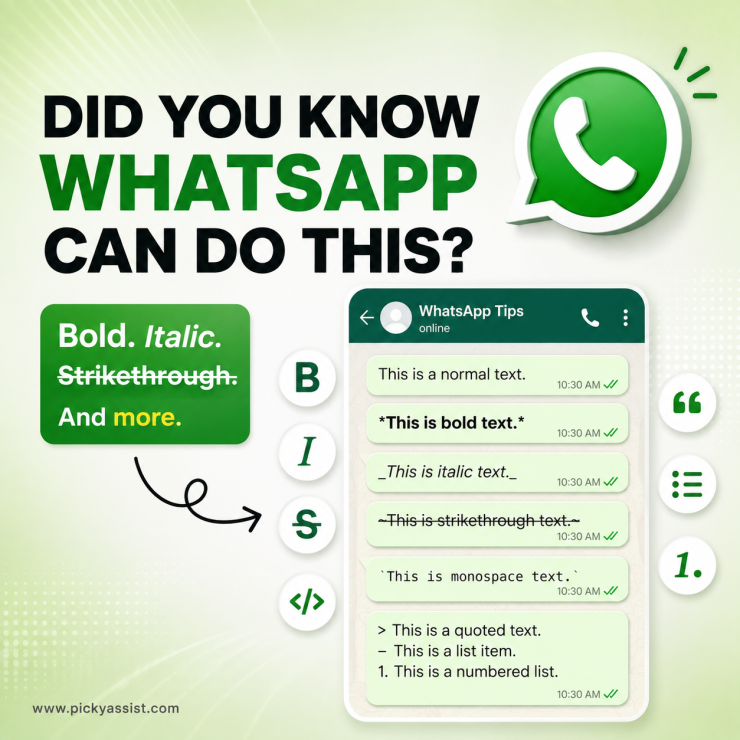
WhatsApp text formatting lets you change the appearance of your messages using simple symbols. You can make words bold, italic, strikethrough, or use monospace formatting without installing another app.
If you are searching for how to format WhatsApp text, the good news is that most formatting can be done directly inside WhatsApp. You simply place the correct symbol before and after the text. These simple options are also useful cool text hacks when you want important information to stand out in a WhatsApp conversation.
How to Format Text on WhatsApp?
WhatsApp supports several text formatting options, including bold, italic, strikethrough, monospace, lists, quotes, and inline code. Here is a quick reference:
| Style | Syntax | Best used for |
|---|---|---|
| Bold | *your text* | Emphasize key words or headings |
| Italic | _your text_ | Add subtle emphasis or cite foreign words |
| ~your text~ | Show corrections or outdated information | |
| M o n o s p a c e | “`your text“` | Share code snippets or make text stand out |
| Inline code | `your text` | Highlight commands or short code references |
| Block quote | > text (new line) | Quote or highlight a block of text |
| Bulleted list | – item or * item | Organize unordered information |
| Numbered list | 1. item | Create step-by-step sequences |
Cool Text Hacks and Tricks for WhatsApp Text
You do not need complicated apps to make WhatsApp messages easier to read. A few simple formatting tricks can make a significant difference.
Combine formatting styles
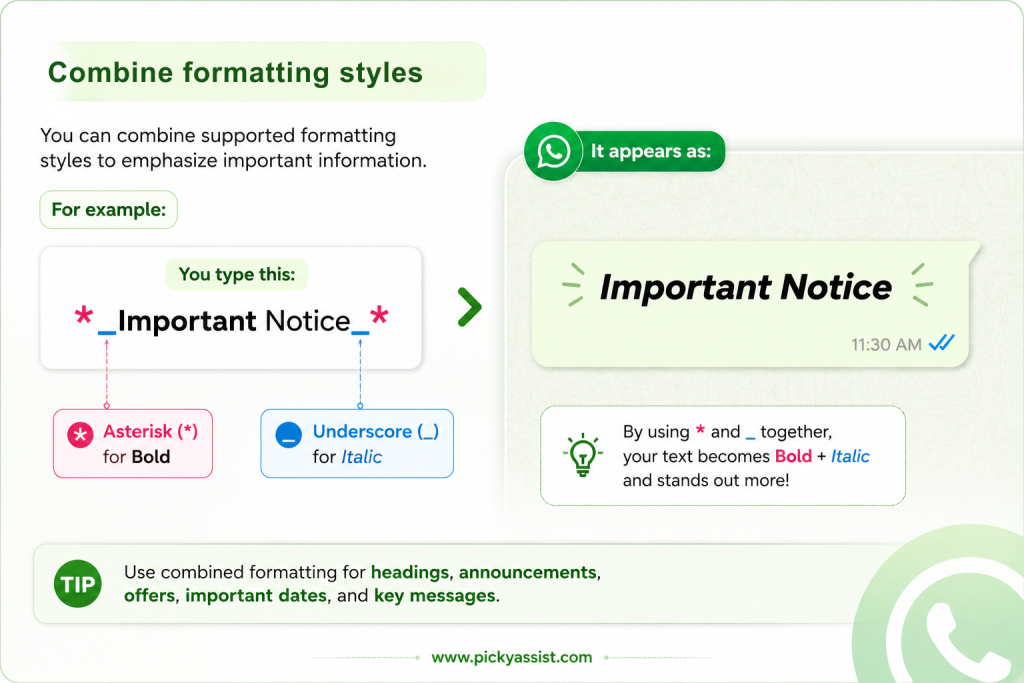
You can combine supported formatting styles to emphasize important information.
For example:
*_Important Notice_*
This can make an important phrase stand out more strongly.
Highlight the most important information
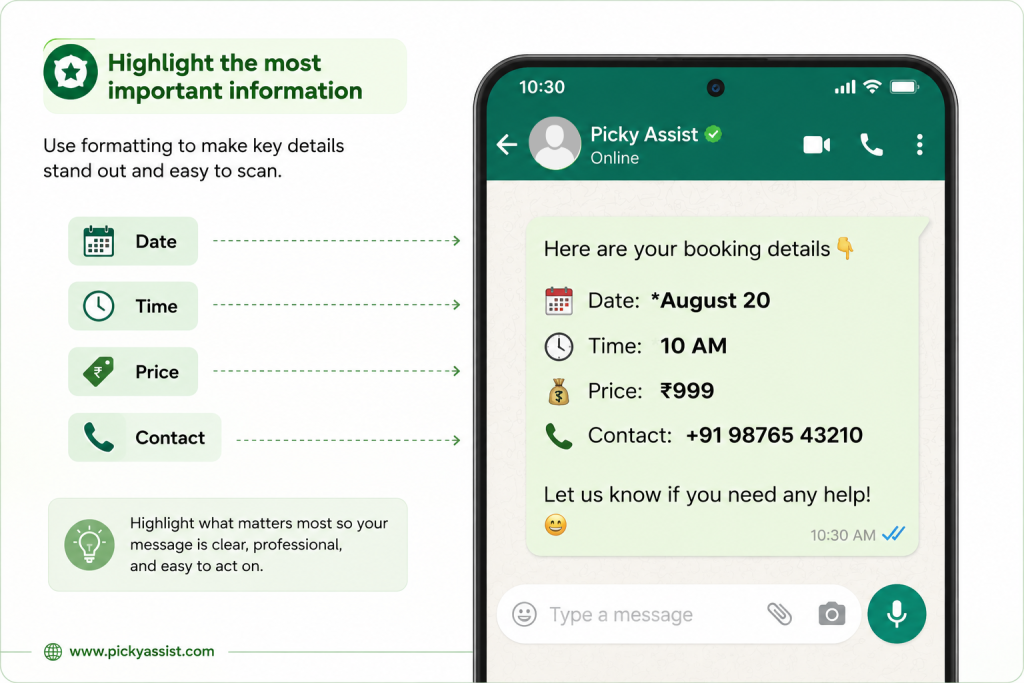
Avoid formatting every word. Instead, emphasize information such as:
- Dates
- Times
- Prices
- Deadlines
- Important instructions
- Order numbers
- Calls to action
For example: Your appointment is *tomorrow at 10 AM*.
This is easier to scan than formatting the entire sentence.
Use lists for long messages
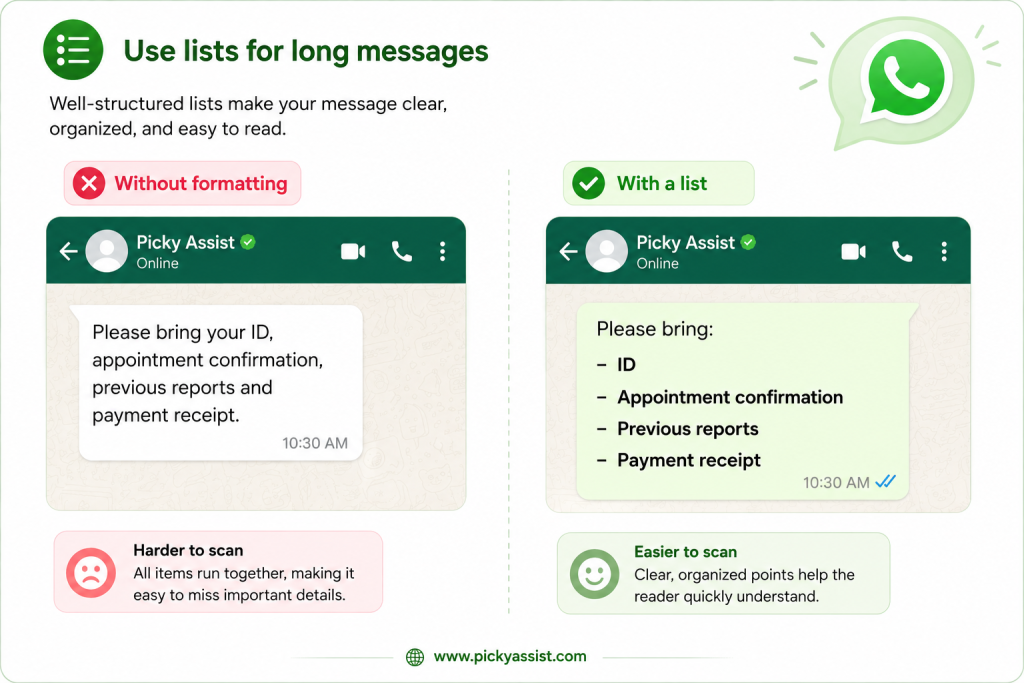
If you have several points to communicate, avoid creating one large paragraph.
Instead of:
Please bring your ID, appointment confirmation, previous reports and payment receipt.
Use:
Please bring:
– ID
– Appointment confirmation
– Previous reports
– Payment receipt
This makes the message much easier to read.
WhatsApp Text Formatting for Businesses
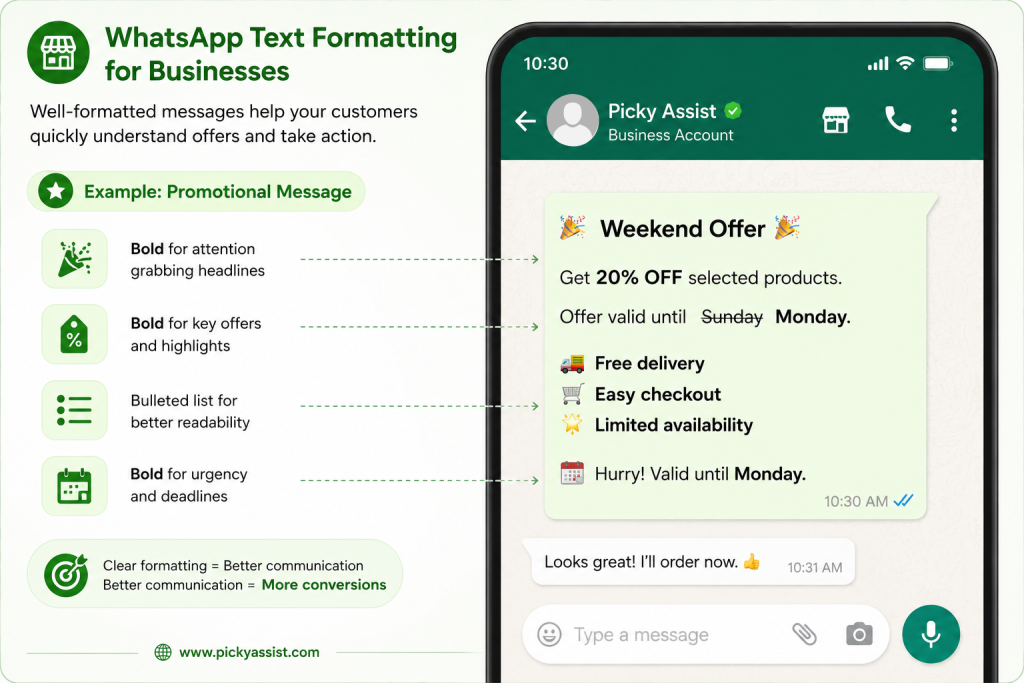
WhatsApp text formatting is not only useful for personal chats. Businesses can use it to make customer messages clearer and easier to scan.
For example, a business can structure a promotional message like this:
*Weekend Offer*
Get 20% off selected products.
Offer valid until ~Sunday~ *Monday*.
– Free delivery
– Easy checkout
– Limited availability
A business using WhatsApp automation can also apply formatting when creating customer-facing messages, depending on the messaging tools and supported message formats.
For example, Picky Assist can help businesses combine WhatsApp automation with chatbots, broadcasts, CRM workflows, catalogues, and automated customer conversations.
WhatsApp Text Formatting: Quick Cheat Sheet
For quick reference:
- *text* → Bold
- _text_ → Italic
- ~text~ →
Strikethrough - text → M o n o s p a c e
- `text` → Inline code
- > text → Block quote
- – text → Bulleted list
- 1. text → Numbered list
FAQs on WhatsApp Text Formatting
Use special symbols before and after your text. For example, *text* creates bold, while _text_ creates italic text.
Type an asterisk before and after the text, such as *Hello*. WhatsApp displays it as Hello.
Place an underscore before and after the text, such as _Hello_.
Place a tilde on both sides of the text: ~Hello~.
Yes. Supported formatting styles can be combined in certain combinations. Make sure the formatting symbols are placed correctly around the text.
Useful tricks include combining formatting styles, highlighting important words, using lists for long messages, and using monospace or block quotes to separate specific information.
Yes. Businesses can use text formatting to make customer communications, instructions, offers, product information, and automated WhatsApp messages easier to read.





Add comment