
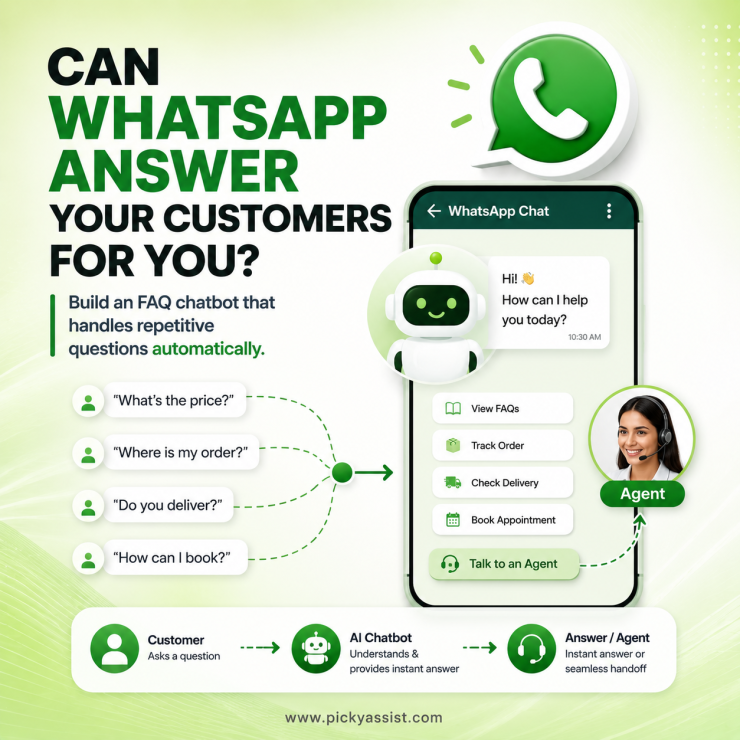
Customers do not want to wait for an answer to a simple question. They want to know “Where is my order?”, “What are your prices?”, “Do you deliver here?”, or “How can I book an appointment?” and get an answer immediately. For businesses handling customer conversations on WhatsApp, these repetitive questions can quickly consume a support team’s time. A WhatsApp Frequently Asked Questions chatbot solves this by answering frequently asked questions automatically and handing complex conversations to human agents when necessary.
This guide explains how businesses can build an FAQ chatbot on WhatsApp, which questions to automate, how to structure the conversation, and how to keep the chatbot useful after launch.
What is a WhatsApp FAQ Chatbot?
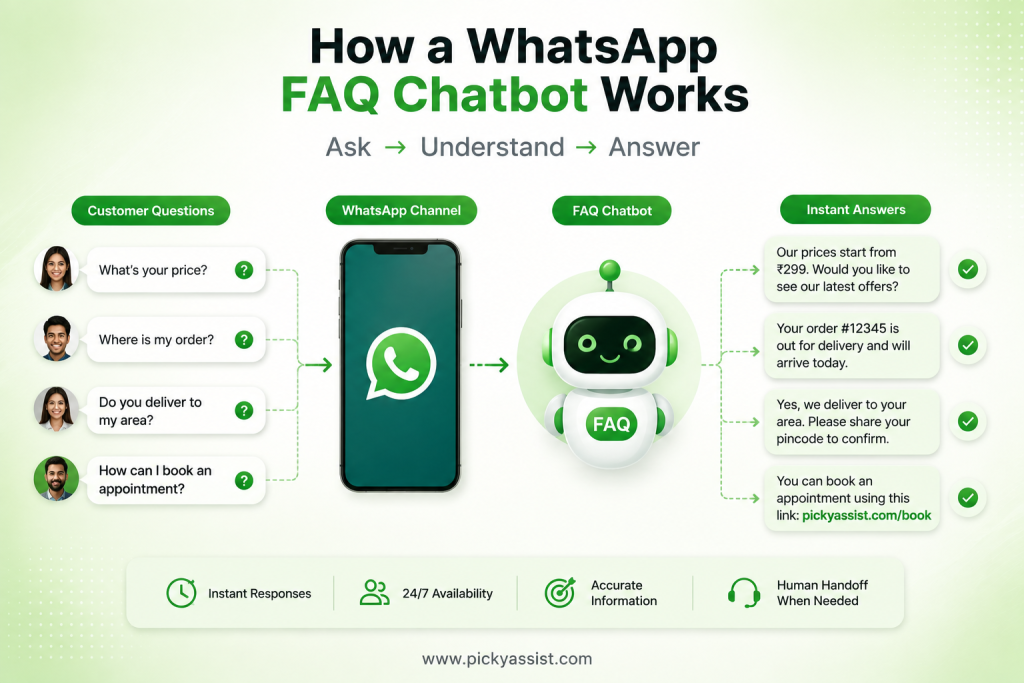
A WhatsApp FAQ chatbot is an automated conversational system that answers common customer questions through WhatsApp.
Instead of requiring an employee to answer the same question repeatedly, the chatbot provides a predefined or AI-assisted response based on what the customer asks.
For example:
Customer: What are your delivery charges?
WhatsApp chatbot: Delivery is free for orders above ₹999. Orders below ₹999 have a ₹50 delivery charge. Would you like to check delivery availability for your location?
The chatbot can also guide customers through menus, buttons, quick replies, and predefined conversation flows.
The important distinction is that an effective FAQ chatbot should not simply display a list of answers. It should help customers find the right answer with as little effort as possible.
Why Automate Frequently Asked Questions on WhatsApp?
WhatsApp is already a direct communication channel between customers and businesses. Adding FAQ automation allows businesses to handle repetitive conversations without making customers wait for an agent.
1. Give customers faster answers
A chatbot can respond to common questions immediately instead of putting customers into a support queue. This is particularly useful for questions about:
- Product availability
- Pricing
- Delivery
- Returns and refunds
- Business hours
- Locations
- Appointment booking
- Payment methods
- Order status
- Services
2. Reduce repetitive support work
If your team answers the same 20 questions every day, those conversations are strong candidates for automation.
The chatbot can handle routine questions while agents focus on complaints, complex requests, sales conversations, and cases that require judgment.
3. Provide consistent information
A centralized FAQ flow helps ensure customers receive the same approved information instead of different answers from different employees.
This is especially important for pricing, policies, delivery information, and product details.
4. Make support available beyond office hours
An automated WhatsApp FAQ chatbot can continue answering supported questions outside your team’s working hours.
That does not mean every conversation should be automated. The objective is to ensure customers are not left without useful information simply because an agent is unavailable.
What Questions Should a WhatsApp FAQ Chatbot Answer?
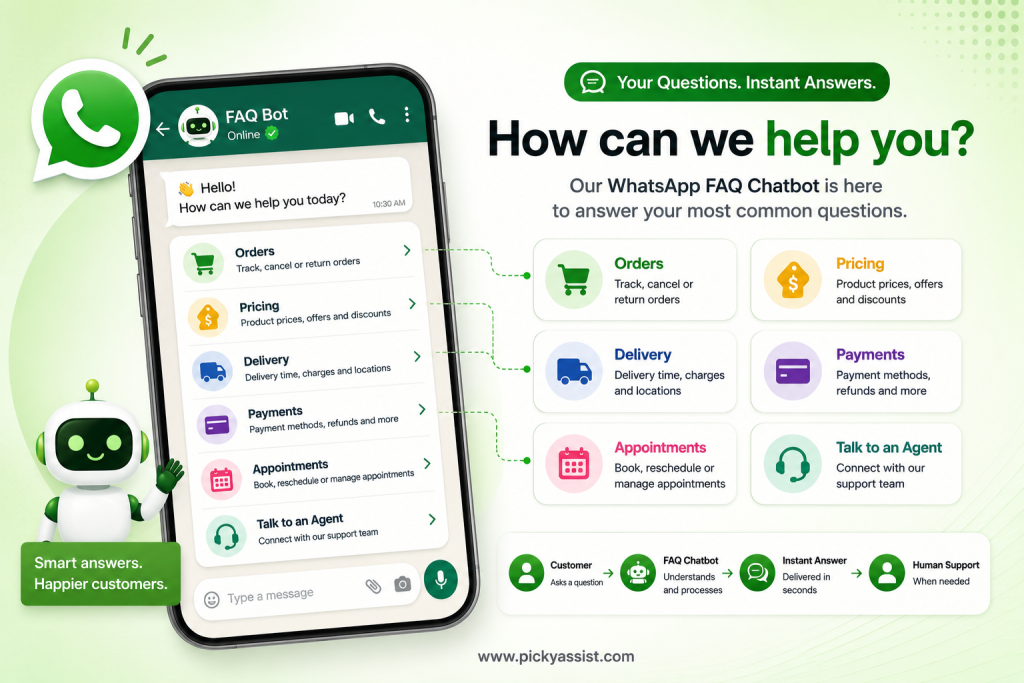
The best FAQs come from your actual customer conversations, not assumptions about what customers might ask.
Review your WhatsApp chats, support tickets, emails, and sales conversations to identify questions that appear repeatedly.
For an e-commerce business, the FAQ chatbot could answer:
“How long does delivery take?”
“Can I return my order?”
“What payment methods do you accept?”
“Will you deliver to my location?”
For a service business, the questions might be:
“What are your working hours?”
“How much does the service cost?”
“How do I book an appointment?”
“Can I reschedule my appointment?”
Start with your most frequent questions. You can expand the chatbot’s knowledge base as new patterns emerge.
How to Build a WhatsApp FAQ Chatbot?
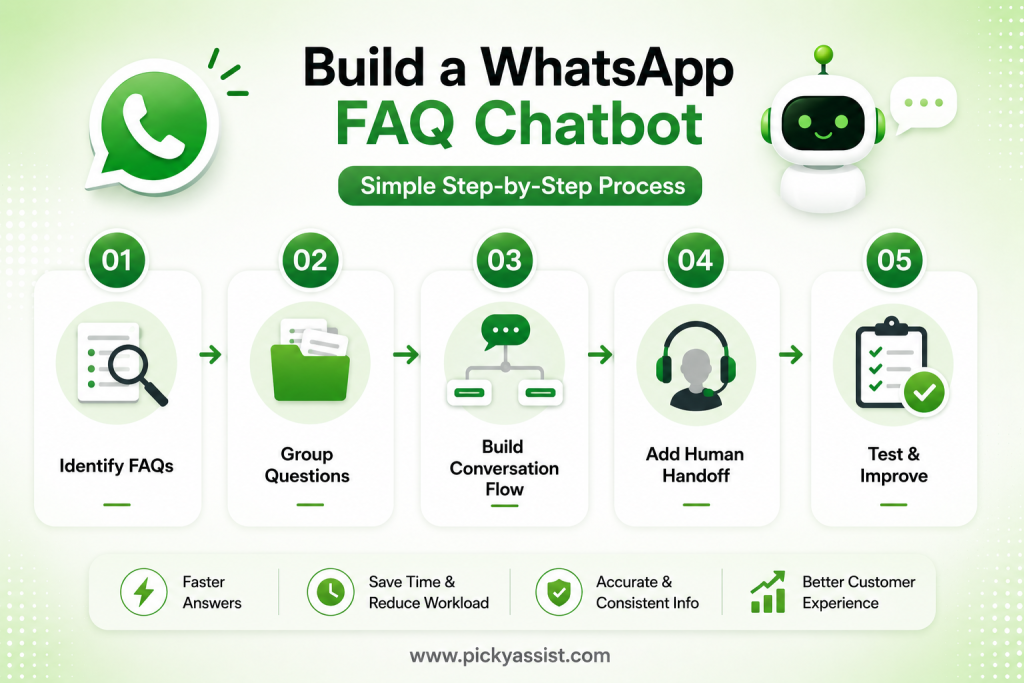
Building an effective FAQ chatbot involves more than adding questions and answers.
1. Identify your most common questions
Start with the questions your support team receives most often.
Prioritize questions that are:
- Frequently repeated
- Easy to answer
- Based on stable business information
- Useful across a large customer segment
Avoid automating complicated questions that require human judgment.
Step 2: Group FAQs into categories
Organize questions so customers can navigate them quickly.
For example:
Orders
- Status of Order
- Delivery time
- Cancellation
Payments
- Methods of Payment
- Refunds
- Failed payments
Products
- Pricing
- Availability
- Specifications
Support
- Contact an agent
- Complaint
- Service request
Logical categories make the conversation easier to navigate.
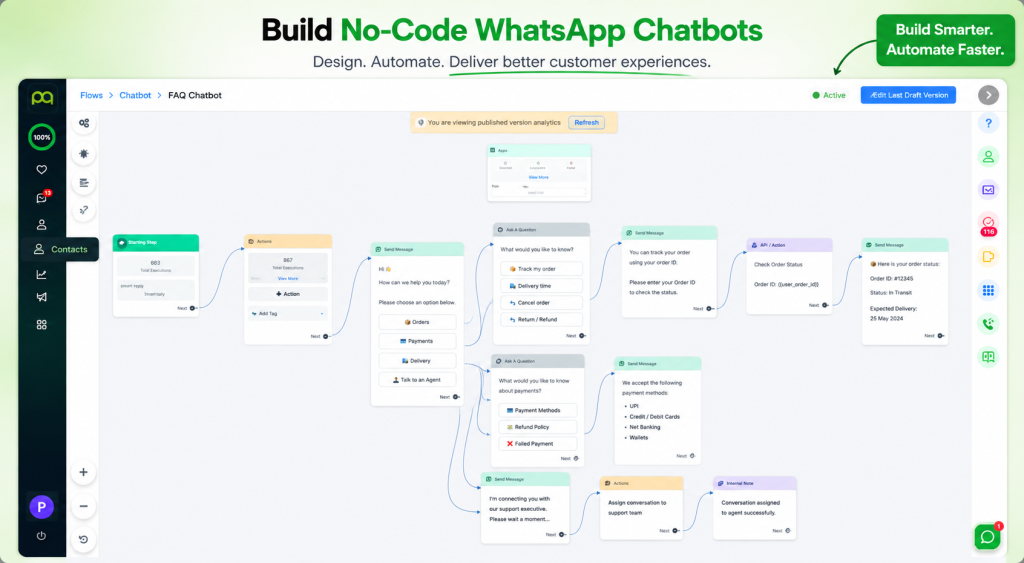
Step 3: Design the conversation flow
Do not make customers type everything manually.
Use buttons, menus, quick replies, and clear options wherever possible.
For example:
Hi! How can we help you today?
[Orders] [Products] [Payments] [Talk to an agent]
If the customer selects Orders, the chatbot can display:
What would you like to know?
[Track order] [Delivery time] [Cancel order] [Return order]
This turns a long FAQ page into a guided conversation.
Step 4: Add fallback and human handoff
This is one of the most important parts of FAQ automation.
A chatbot should know when it cannot confidently answer.
Instead of repeatedly giving irrelevant responses, it should say:
“I couldn’t find the information you need. Would you like to speak with our support team?”
The conversation can then be transferred to a human agent with the relevant chat context.
A good FAQ chatbot does not try to replace your support team. It protects their time by handling the repetitive work first.
Step 5: Test real customer questions
Do not test only the exact questions you entered into the chatbot.
Customers may ask:
- “How much is delivery?”
- “delivery cost?”
- “Do I pay for shipping?”
- “Is shipping free?”
- “How much for home delivery?”
These questions may have the same intent but different wording. Test common variations before launching the chatbot.
How to Improve a WhatsApp FAQ Chatbot After Launch?
Launching the chatbot is only the beginning. Review conversations regularly to identify:
- Questions the chatbot failed to answer
- FAQs customers repeatedly search for
- Conversations frequently transferred to agents
- Incorrect or outdated answers
- Questions that should become new automated flows
Your FAQ should evolve with your business.
If you launch a new product, change your return policy, introduce a new payment method, or expand delivery locations, update the relevant chatbot responses immediately.
FAQ Chatbot vs Human Support: What Should Be Automated?
Not every customer query should go to a chatbot.
| Customer Query | Best Approach |
|---|---|
| Business hours | Chatbot |
| Product price | Chatbot |
| Delivery information | Chatbot |
| Order tracking | Chatbot + CRM integration |
| Appointment booking | Chatbot + automation |
| Complex complaint | Human agent |
| Sensitive account issue | Human agent |
| Unusual customer request | Human agent |
The strongest approach is automation plus human support, not automation instead of human support.
Build a Better WhatsApp Customer Support Experience
A WhatsApp FAQ chatbot should do more than reduce the number of messages your team answers manually.
It should help customers find information faster, navigate common requests easily, and reach a human when automation is no longer appropriate.
The most effective implementation follows a simple model:
Identify repetitive questions → Build useful answers → Create guided flows → Test real queries → Automate repetitive conversations → Escalate complex issues → Continuously improve.
With Picky Assist, businesses can build no-code WhatsApp chatbot flows to automate FAQs, guide customers through conversations, and connect automated interactions with broader customer engagement workflows.
The result is not simply a chatbot answering questions. It is a WhatsApp support experience designed to give customers faster answers while allowing your team to spend more time on conversations that actually need a human.
Frequently Asked Questions on WhatsApp Chatbot
A WhatsApp FAQ chatbot automatically answers common customer questions through WhatsApp using predefined responses, conversational flows, or AI-powered interactions.
It can automate common questions about products, pricing, orders, delivery, payments, business hours, appointments, returns, services, and other frequently requested information.
Yes. A properly designed chatbot can identify when a query requires human assistance and route the conversation to an agent.
There is no fixed number. Start with the questions customers ask most frequently and expand the FAQ library based on real conversation data.
Yes. Small businesses can automate repetitive customer questions without requiring a large support team. A no-code chatbot builder can also reduce the technical work involved in creating conversation flows.



Add comment