
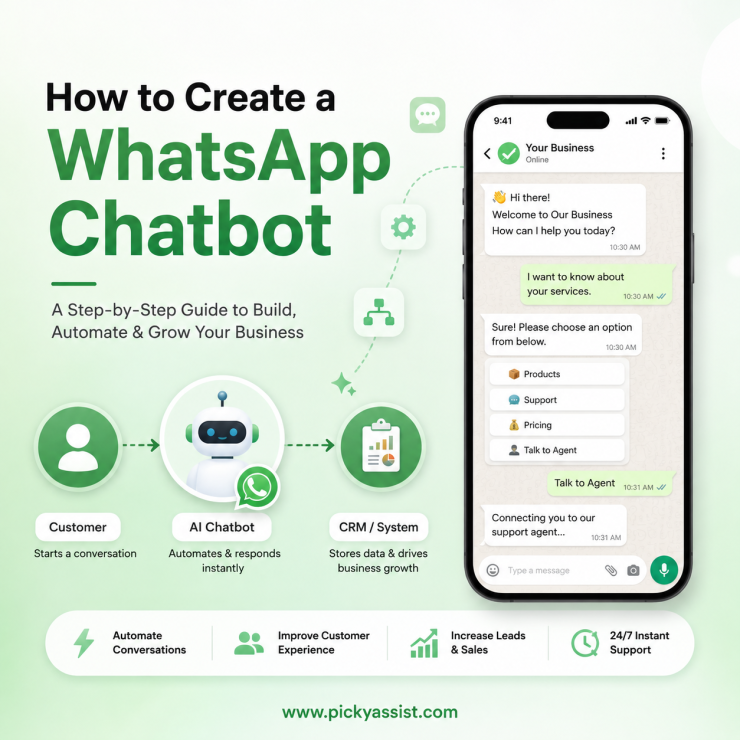
Most failed WhatsApp chatbot projects don’t fail at the build stage, they fail at the Meta approval stage, three weeks in, when nobody realizes business verification alone can take 5-10 business days. Knowing the sequence before you start saves more time than any bot-builder feature.
To create a WhatsApp AI chatbot, you need a WhatsApp Business Platform (API) connection through a Meta-approved provider, a verified Meta Business Account, and a flow builder to design conversation logic. Most businesses launch within 1–2 weeks after verification by using a no-code platform instead of building directly with the raw API.
What You Need Before Building a WhatsApp Chatbot?
- A Meta Business Account, verified with legal business documents, this is the step that usually causes delays, not the chatbot itself.
- A dedicated phone number not already active on regular WhatsApp or Business App (it can’t run both simultaneously).
- A WhatsApp Business Platform (API) connection, provided through a Meta Business Solution Provider like Picky Assist, since Meta doesn’t offer a self-serve API signup for most small businesses.
- A clear use case is support, lead capture, order updates, decided before you design any conversation flow, since Meta reviews your first template messages against it.
How to Create a WhatsApp Chatbot: A 5-Step Framework
- Get API access approved. Apply through a Business Solution Provider; Meta verification typically takes 3-10 business days depending on document completeness.
- Design the conversation flow, not just the first message. Map every likely user reply, including the ones that don’t match your expected buttons, this is where most chatbots break in production.
- Set up message templates for anything sent outside the 24-hour customer service window. Meta categorizes these as Marketing, Utility, or Authentication, and each has different approval rules and pricing.
- Connect a fallback to a human agent. Any flow without an escape route to a live rep frustrates users the moment the chatbot misunderstands them, which happens more often than demos suggest.
- Test with real edge cases before launch: typos, one-word replies, users who reply after the 24-hour window closes, and users messaging in a different language than the flow expects.
Build Options Compared
| Approach | Setup time | Technical skill needed | Best for |
|---|---|---|---|
| WhatsApp Business API (self-coded) | Weeks | Developer required | Large teams with developer resources |
| No-code platform (e.g. Picky Assist) | 1-2 weeks | None to minimal | Most SMBs and marketing teams |
| Basic WhatsApp Business App (no API) | Days | None | Very small, low-volume operations only |
The no-code route is the one most businesses land on, mainly because it skips the API development overhead while still allowing template management, flow branching, and CRM handoff, the pieces that are hardest to build from scratch.
Common Mistakes That Get WhatsApp Chatbots Blocked or Ignored
- Sending template messages without clear opt-in. Meta actively monitors user block/report rates, and accounts with high block rates risk quality-rating downgrades or messaging limits.
- Treating the chatbot as a one-way broadcast tool instead of a two-way flow with real branching logic.
- No plan for the 24-hour session window. Free-form replies only work within 24 hours of the user’s last message; anything after requires an approved template.
- Skipping tests with real customer messages and unexpected responses before launch.
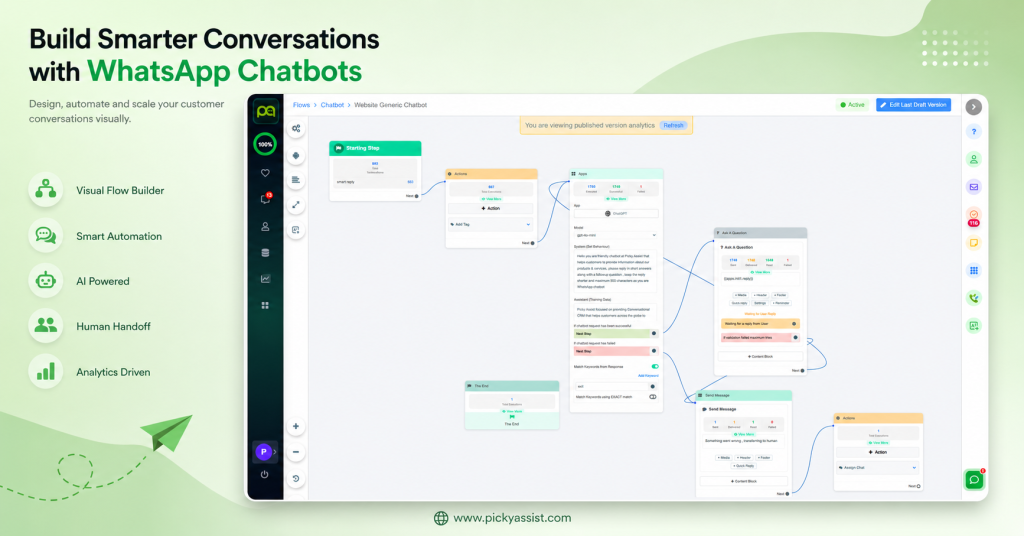
Platforms like Picky Assist handle template submission, session-window tracking, and CRM sync in one place, which is usually where the raw-API route adds the most hidden engineering time.
Next Step
If you’re deciding between a simple auto-responder and a full conversational flow, it’s worth reading how WhatsApp automated funnels work before committing to a bot structure, the two often work best combined rather than as separate builds.
FAQs on Building a WhatsApp Chatbot
You need a Meta-verified Business Account, a WhatsApp Business Platform (API) connection through an approved provider, and a flow builder to design the conversation logic. Most businesses use a no-code platform rather than coding directly against the API.
Verification typically takes 3-10 business days, and flow design and testing add another few days to a week. Most businesses go live within 1-2 weeks total.
No, no-code platforms handle flow design, template submission, and API connection without requiring development work. Coding is only needed if you’re building directly against the raw WhatsApp Business API.
The Business App is a free mobile app for manual messaging with basic automation; the Business Platform (API) supports chatbots, bulk messaging, and CRM integration but requires business verification and a provider.
Meta often rejects templates because businesses use the wrong category, promotional wording, or improper variable formatting.
Only within 24 hours of the user’s last message using free-form replies. Outside that window, only pre-approved template messages can be sent.
Meta lowers the account’s quality rating, which can reduce daily messaging limits or restrict template sending entirely. Clear opt-in and relevant messaging are the main ways to avoid this.



Add comment