
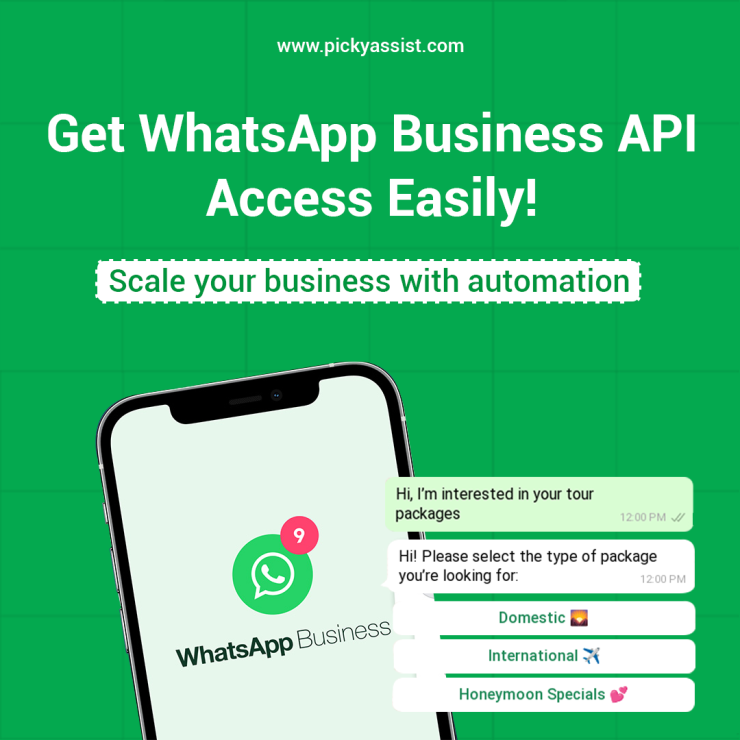
Nowadays customers expect instant, personal, and reliable communication with businesses. WhatsApp, with over 2 billion active users, has become the perfect platform for customer engagement. When businesses look to scale, streamline interactions, and deliver instant support, the WhatsApp Business API provider becomes the go-to solution. Yet, many business owners still ask: how can they get access to the WhatsApp Business API? In this blog, explain the process for your business making it much easier to understand.
What is the WhatsApp Business API?
The WhatsApp Business API is built for medium and large enterprises that require powerful, advanced messaging features. The free WhatsApp Business App is meant for small teams, the API allows integration with CRMs, chatbots, and automation tools to manage thousands of customer conversations at scale. Businesses can send notifications, provide customer support, and even run campaigns all with API, all while maintaining compliance with WhatsApp’s strict policies.
So, if you are trying to figure out how to get WhatsApp Business API provider, the first step is understanding Meta policies. It requires approval from Meta (WhatsApp’s parent company) and typically works through official partners known as WhatsApp Business Solution Providers (BSPs).
Picky Assist is such a trusted BSP, offering a simple and guided onboarding process that helps businesses of all sizes get started quickly. Picky Assist you can manage verification, connect your business number, configure messaging templates, and integrate automation tools, all without dealing with complex technical steps.
Why do Businesses need WhatsApp Business API?
Before diving into the steps, let’s quickly look at why businesses are searching for how to get WhatsApp Business API access. These benefits make it clear why more companies want to get it for customer engagement and sales growth.
- Scalability: Handle unlimited conversations across teams.
- Automation: Integrate AI-powered chatbots to answer FAQs instantly.
- Rich features: Use templates, media messages, catalogs, and interactive buttons.
- Trust & Security: Verified business profiles build customer confidence.
How to Get WhatsApp Business API Access?
Here’s the detailed process for how to get WhatsApp Business API provider without confusion:
Step 1: Check for Eligibility
To apply for the API, you must:
- Have a registered business.
- Have a legitimate business website along with an official email domain.
- Comply with WhatsApp’s commerce and business policies.
These requirements are crucial. If you are exploring how to get WhatsApp API, remember that personal accounts or unregistered businesses won’t qualify.
Step 2: Partner with an official WhatsApp Business Solution Provider (BSP)
Meta doesn’t provide the API directly to your business. Instead, it authorizes BSPs like Picky Assist to manage the access. Choosing the right WhatsApp BSP is an essential step because they also offer dashboards, integrations, and support.
Step 3: Create a Business Manager Account on Meta
You must have a Facebook Business Manager account in place. This is where you will verify your company details, upload documents, and manage assets like your phone number and WhatsApp profile.
Step 4: Verify Your Business
Verification is one of the most important stages in how to get WhatsApp Business API. You will submit documents such as:
- Business registration certificate
- Tax details
- Utility bills or address proof
Once approved, your account moves closer to activation.
Step 5: Add a Phone Number
To get WhatsApp Business API, you must add a dedicated phone number. This number cannot be used for the regular WhatsApp app or WhatsApp Business app simultaneously. Once linked, it will be your official business contact number on WhatsApp.
Step 6: Configure Messaging and Templates
Finally, once the API is activated, you can start creating messaging templates for customer communication. All WhatsApp templates for sending bulk messages need pre-approval from WhatsApp to stay aligned with its policies
Costs Involved in Getting WhatsApp Business API
If you are researching how to get WhatsApp Business API access, it’s important to understand pricing. The API itself is free, but BSPs charge for services such as hosting, integrations, and per-conversation fees. Meta has a tiered pricing structure depending on the type of conversation (utility, authentication, marketing).
So when you look up how to get WhatsApp API, remember to compare different BSP pricing models to find one that fits your budget. Picky Assist offers free plans for growing businesses, and offers Starter, Growth and Scale plans for businesses wishing to grow scale and become successful.
Common Challenges and Solutions
Even after learning the steps correctly, businesses may face challenges such as:
- Verification delays: Ensure your business documents are accurate and match your domain.
- Rejected templates: Follow WhatsApp’s guidelines carefully to prevent disapproval
- Technical setup: If direct API integration is complex, choose a BSP that offers no-code platforms like Picky Assist, if your business doesn’t have a developer.
Conclusion
If your business is serious about scaling and improving customer communication then automating is the perfect choice. Automation and advanced features of WhatsApp Business ensures your brand looks professional and trustworthy as it’s the world’s most popular messaging platform.
When you start looking for a BSP and till you verify your business, the process may seem lengthy, but with the right guidance, it’s straightforward. By following this guide your brand will be ready to use WhatsApp as a powerful channel for growth, loyalty, and customer satisfaction.
FAQs on WhatsApp Business API
1. How can I get WhatsApp Business API for my business?
To get WhatsApp Business API, partner with an official Business Solution Provider like Picky Assist, verify your business through Meta, and register a dedicated phone number. The BSP will guide you through setup, approval, and integration.
2. Who is eligible for WhatsApp Business API?
Any registered business with a valid website, official email domain, and compliance with WhatsApp policies can apply. Individuals or unverified businesses are not eligible.
3. Is WhatsApp Business API free?
The API itself is free, but costs may apply for BSP services, platform usage, and per-conversation messaging charges based on Meta’s pricing model.
4. What is the difference between WhatsApp Business App and API?
The Business App is for small-scale manual communication, while the API supports automation, CRM integration, multi-user access, and large-scale messaging.
5. How long does it take to get WhatsApp Business API access?
With a BSP like Picky Assist, the process can take anywhere from a few hours to a few days, depending on how quickly your business verification is completed.
6. Can I use my existing WhatsApp number for the API?
No, the number used for WhatsApp Business API must not be active on the regular WhatsApp or WhatsApp Business app.
7. What are WhatsApp message templates and why are they required?
Message templates are pre-approved formats required for sending outbound messages like notifications or promotions. They ensure compliance with WhatsApp policies.
8. Can WhatsApp Business API be integrated with CRM or websites?
Yes, it can be integrated with CRM systems, websites, and e-commerce platforms to automate workflows, track customer interactions, and improve lead management.
9. Is coding required to use WhatsApp Business API?
Not necessarily. Many BSPs, including Picky Assist, offer no-code platforms that allow businesses to set up automation and workflows without technical expertise.
10. What are the common reasons for WhatsApp API rejection?
Applications may be rejected due to incomplete business verification, non-compliant messaging use cases, or violation of WhatsApp commerce policies.
11. Can I send bulk messages using WhatsApp Business API?
Yes, but only through approved message templates and to users who have opted in. This ensures compliance and prevents spam.
12. Why should I choose a WhatsApp Business Solution Provider (BSP)?
A BSP simplifies the entire process—from onboarding and verification to automation and integration—making it easier to scale communication without technical complexity.
13. How does WhatsApp Business API improve customer engagement?
It enables instant responses, personalized messaging, automated follow-ups, and seamless support, creating a faster and more reliable customer experience.
Add comment