
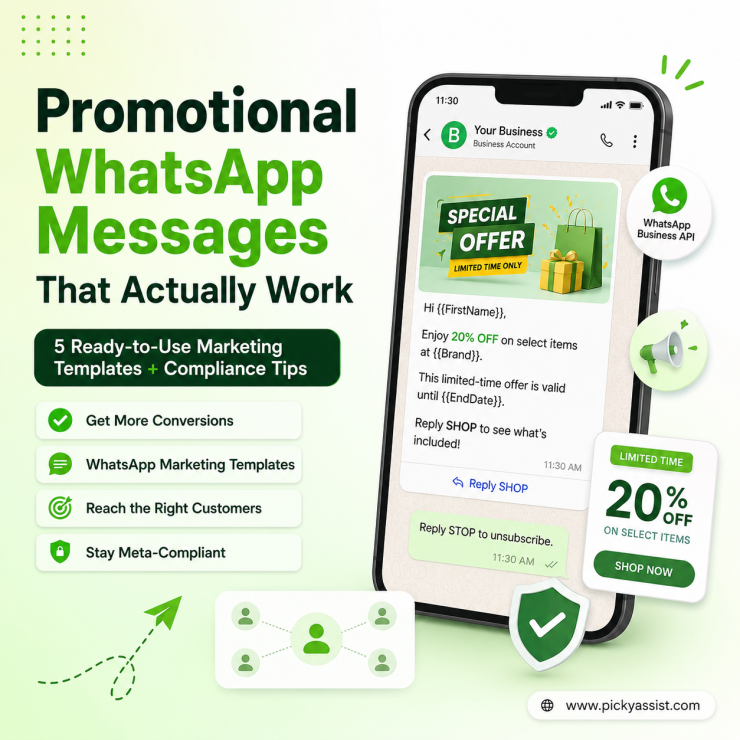
Promotional Whatsapp Messages is any business-initiated message sent through the WhatsApp Business Platform to market a product, offer, or event sent as a pre-approved Marketing template to users who’ve opted in. Unlike a personal WhatsApp broadcast, it’s governed by Meta’s template categorization, 24-hour messaging rules, and per-conversation pricing, so getting it “right” is less about copywriting and more about compliance and timing.
The first time a client asks me to “just blast a promo to everyone,” I know we’re about to have the opt-in conversation. Most people picture WhatsApp promotion like an SMS blast, write copy, hit send, done. It isn’t. Every promotional message you send through the WhatsApp Business Platform runs through Meta’s template approval system, and getting that wrong is the single biggest reason business accounts get quality-rated down or restricted mid-campaign.
What Counts as Promotional WhatsApp Messages?
Meta classifies every business-initiated template into one of four categories: Marketing, Utility, Authentication, or Service. A promotional WhatsApp message almost always falls under Marketing, think discount codes, new product drops, event invites, or re-engagement nudges to dormant customers.
This matters because Marketing templates are priced differently (typically the highest per-conversation rate of the categories), reviewed more strictly for promotional language, and subject to opt-out enforcement that Utility templates aren’t. If you mislabel a promo as a Utility template to save on cost, Meta’s reviewers will usually catch it and reject or reclassify it, and repeated attempts can hurt template approval speed across your whole account.
The Opt-In Requirement Nobody Skips
WhatsApp requires a clear, unambiguous opt-in before you send business-initiated promotional messages. A pre-checked checkbox or an old contact list doesn’t count. In practice, that opt-in should specify that the person will receive marketing messages via WhatsApp specifically, not just “updates” in general.
A pattern I see constantly: businesses import a CSV of customer numbers from their POS system and start sending promos. No consent trail exists, complaint rates spike, and the number gets quality-rate limited within days. Building the opt-in flow; a WhatsApp click-to-chat link, a website widget, or a QR code at checkout, takes a week of setup and saves months of deliverability headaches.
Timing: The 24-Hour Window Still Matters!
If a customer messaged you within the last 24 hours, you can reply freely with regular session messages, no template needed. Outside that window, any business-initiated message, promotional or otherwise, must use an approved template. This is why promotional campaigns are almost always template-based: you’re usually reaching people who haven’t messaged you recently.
Promotional WhatsApp Messages vs. Utility Templates at a Glance
| Factor | Marketing (Promotional) | Utility |
| Typical use | Offers, product launches, re-engagement | Order updates, receipts, appointment reminders |
| Opt-out required | Yes, enforced by Meta | Not required |
| Review strictness | High, promotional intent flagged | Moderate |
| Relative cost | Highest per-conversation tier | Lower |
| Send window | Any time, with opt-in | Often transactional/triggered |
WhatsApp Marketing Bulk Messages for Promotions
Most promotional sends aren’t one-off. They’re a WhatsApp marketing bulk message going out to a segment of hundreds or thousands of contacts at once. The mechanics don’t change (still template-based, still opt-in only), but the failure points do: rate limits per messaging tier, personalization at scale, and staggering sends so you don’t trip Meta’s spam signals by blasting your entire list in one burst.
Meet the Broadcaster: Bulk Sends Without the Ban Risk
This is exactly the gap Picky Assist’s Broadcaster is built for! It queues and paces bulk template sends within your tier limits, personalizes each message with contact fields, and auto-excludes anyone who’s opted out, so a 10,000-contact promo doesn’t turn into a quality-rating problem by lunchtime.
A Simple Pre-Send Checklist
- Confirm explicit opt-in exists for WhatsApp marketing specifically, not just SMS or email.
- Submit the template under the Marketing category — don’t disguise it as Utility.
- Include a clear opt-out line (“Reply STOP to unsubscribe”) in the template itself.
- Segment sends by engagement recency — cold lists tag your number as spammy faster than warm ones.
- Track delivered-vs-read rates per campaign; a falling read rate is your earliest warning sign of quality-rating trouble.
Treating Every Contact the Same
The accounts that get flagged fastest usually send the same promotional template to their entire list weekly, regardless of engagement. A better pattern: reserve Marketing templates for warm, recently-engaged segments, and use lighter-touch Utility-style follow-ups for everyone else. This keeps opt-out rates low, which directly protects your account’s quality rating and your daily conversation limits.
5 WhatsApp Promotional Messages (Marketing Template Format)
A quick compliance note before the templates: Meta approves marketing templates more reliably when they (1) match the “Marketing” category and don’t mimic utility/transactional formatting, (2) avoid excessive emojis, ALL CAPS, or urgency language like “LAST CHANCE” / “ACT NOW,” and (3) keep variables genuinely dynamic rather than static text disguised as a variable. These follow that pattern.
1. Welcome Offer
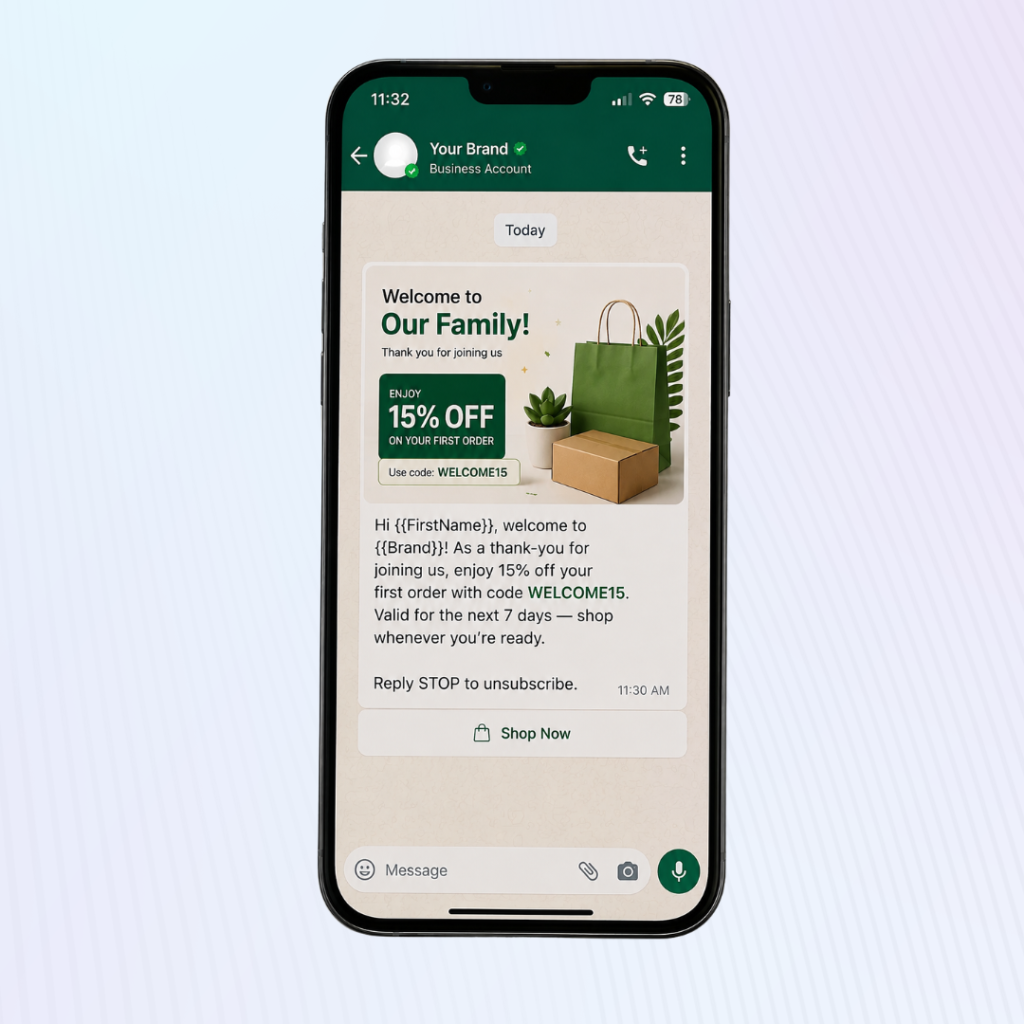
Hi {{FirstName}}, welcome to {{Brand}}! As a thank-you for joining us, enjoy 15% off your first order with code WELCOME15. Valid for the next 7 days — shop whenever you’re ready.
2. Cart Nudge (soft, not aggressive)
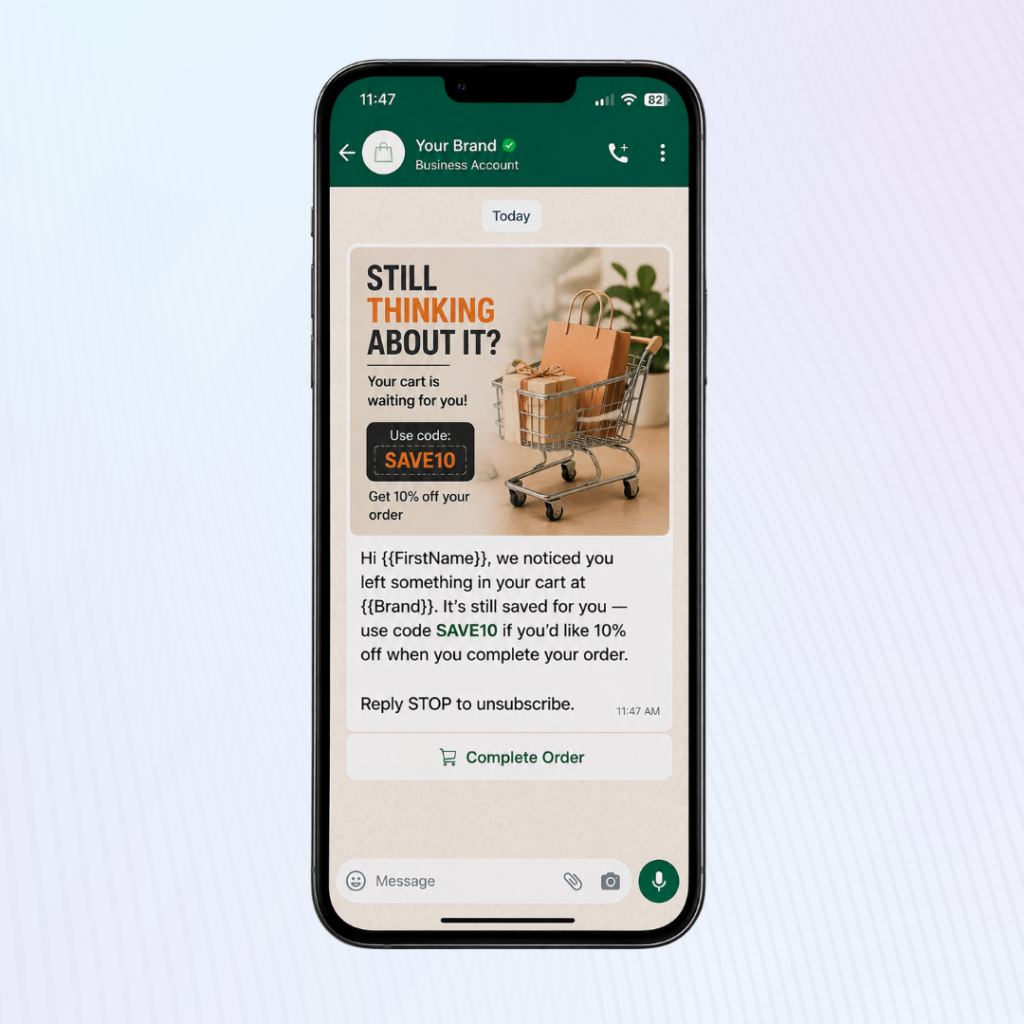
Hi {{FirstName}}, we noticed you left something in your cart at {{Brand}}. It’s still saved for you — use code SAVE10 if you’d like 10% off when you complete your order.
3. New Arrival / restock announcement
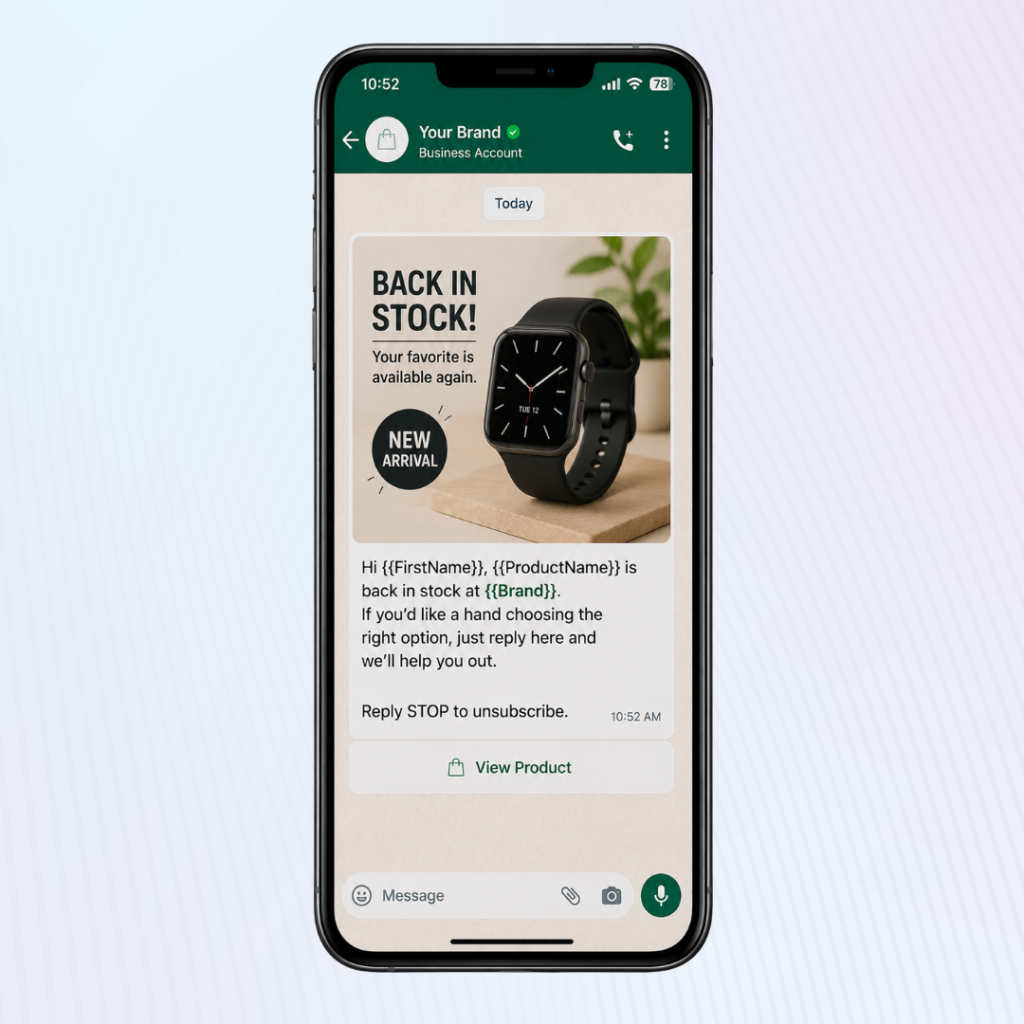
Hi {{FirstName}}, {{ProductName}} is back in stock at {{Brand}}. If you’d like a hand choosing the right option, just reply here and we’ll help you out.
4. Loyalty / Repeat Customer Reward
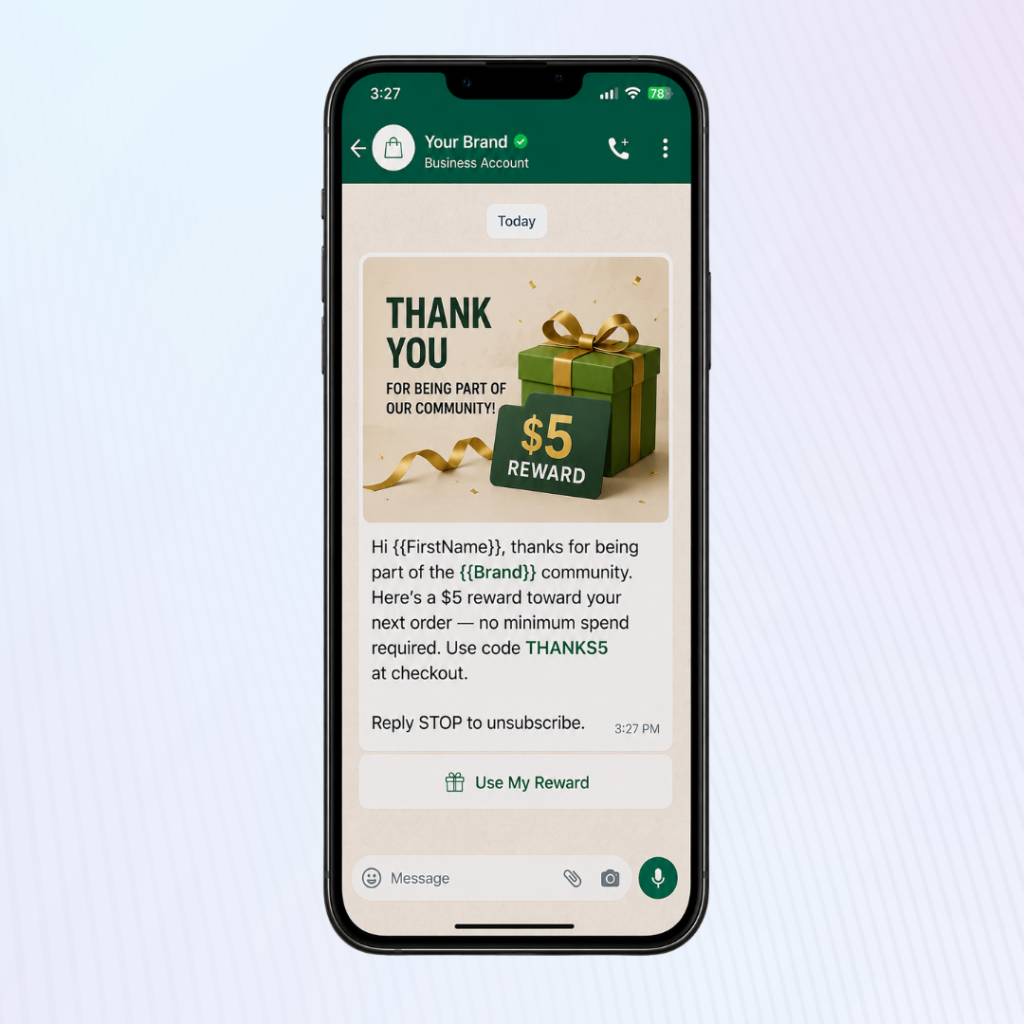
Hi {{FirstName}}, thanks for being part of the {{Brand}} community. Here’s a $5 reward toward your next order — no minimum spend required. Use code THANKS5 at checkout.
5. Seasonal Offer
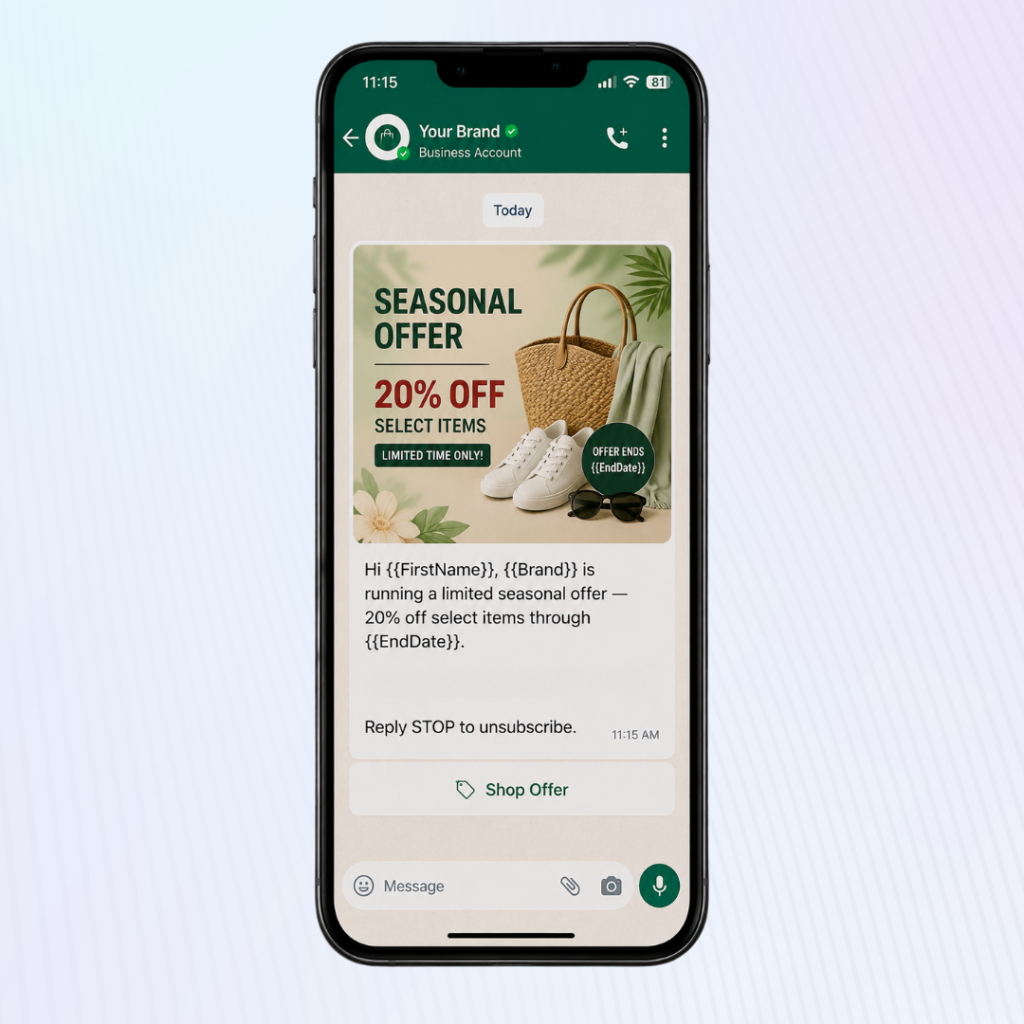
Hi {{FirstName}}, {{Brand}} is running a limited seasonal offer — 20% off select items through {{EndDate}}. Reply SHOP to see what’s included.
A few things worth knowing before you submit these:
- Include an opt-out line in your template footer (e.g., “Reply STOP to unsubscribe”) — Meta expects this on marketing templates, and it protects your quality rating.
- Avoid stacking too many variables in one template; each {{}} needs to resolve to something genuinely personalized, or Meta may flag it as generic content wrapped in fake personalization.
- “Reply SHOP” / “Reply here” style CTAs tend to get approved more easily than button-heavy templates with discount codes stacked on urgency, soft CTAs read as informative, not spammy.
FAQs on Promotional WhatsApp Messages
It’s a business-initiated marketing message like a discount, launch announcement, or event invite, sent through the WhatsApp Business Platform using a Meta-approved Marketing template. It requires prior customer opt-in and follows WhatsApp’s messaging and pricing rules.
Yes. WhatsApp requires clear, specific opt-in for marketing messages before you can send them. Consent for SMS or email doesn’t automatically cover WhatsApp.
Marketing-category templates are typically the highest-priced conversation category under Meta’s per-conversation pricing model, though exact rates vary by country and change periodically, so check Meta’s current rate card before budgeting a campaign.
Only within 24 hours of the customer’s last message to you. Outside that window, any business-initiated promotional message must use an approved template.
High opt-out or complaint rates lower your account’s quality rating, which reduces your daily messaging limit and can eventually restrict your number, regardless of how good the offer is.
WhatsApp typically sees higher open and read rates than SMS, but it comes with stricter opt-in and template rules. The right channel depends on your audience’s WhatsApp adoption and your tolerance for compliance overhead.
Add comment