
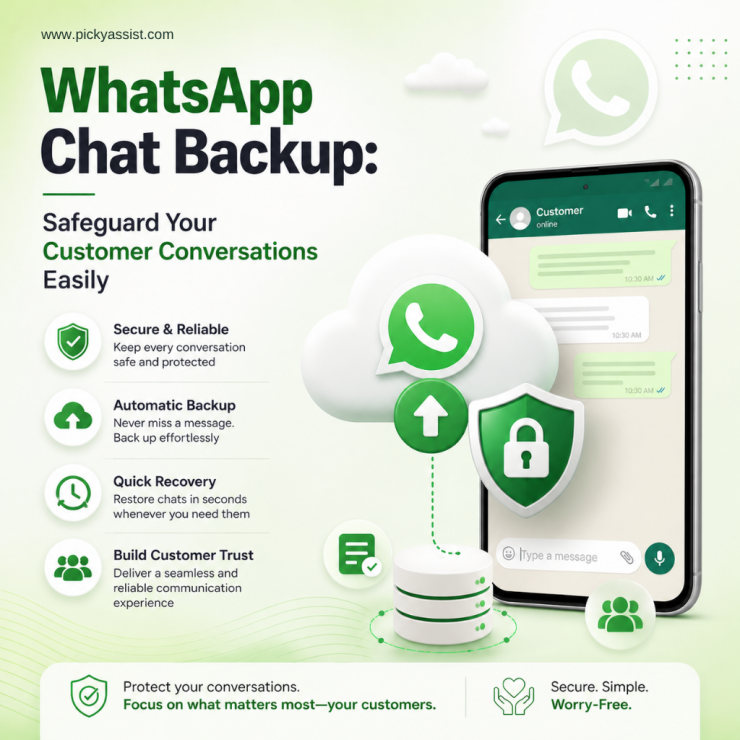
WhatsApp has become a major customer communication channel for businesses, handling everything from sales inquiries to support conversations and follow-ups. However, many businesses still manage these chats informally. Conversations remain on personal devices, important messages get lost during device changes, and customer history can disappear after accidental deletions. That is why a proper WhatsApp chat backup strategy is now essential for protecting customer communication, operational continuity, and business-critical conversations.
Whether a business wants to protect customer conversations, recover important messages, or manage device migrations safely, understanding how WhatsApp backups work is essential.
This guide explains how WhatsApp chat backup works, common recovery challenges businesses face, and why structured communication management solutions like Picky Assist help reduce the risk of losing critical customer conversations.
What is WhatsApp Chat Backup?
A WhatsApp chat backup is a stored copy of WhatsApp conversations, media files, and communication history that can later be restored if data is lost, deleted, or transferred to another device.
Backups help users and businesses:
- restore deleted conversations
- migrate chats to new devices
- protect customer communication history
- recover important business interactions
- maintain operational continuity
Depending on the device type, WhatsApp backups are typically stored through cloud services or local storage systems.
For example:
- Android devices often use Google Drive WhatsApp backup systems
- iPhones commonly use iCloud backups
- Some users create manual exports or WhatsApp backup to PC solutions for additional storage control
For businesses that rely heavily on WhatsApp communication, backups become even more important because customer conversations often contain sales discussions, support history, and operational records.
Why Do Businesses Need a Reliable Backup WhatsApp Strategy?
Many businesses assume important conversations will always remain available inside WhatsApp. That assumption creates problems. Phones get damaged. Employees leave. Chats get deleted accidentally. Devices fail. Migration errors happen during phone upgrades. Without a proper backup WhatsApp process, businesses risk losing valuable customer communication permanently.
Lost Customer History Impacts Sales and Support
When teams lose access to previous conversations, customer experience suffers. Sales teams lose negotiation history. Support teams miss previous issues. Customers become frustrated when businesses ask them to repeat information.
Device Changes Often Create Data Loss Risks
Businesses frequently migrate between devices. During transitions such as WhatsApp backup from Android to iPhone or WhatsApp backup from Android to iOS migrations, chat history can sometimes become difficult to transfer correctly without proper preparation.
Employee-Owned Devices Create Operational Risks
Many businesses still rely on personal employee devices for customer communication. When employees leave, customer conversations may disappear with them. That creates major operational blind spots.
How to Backup WhatsApp Properly?
Businesses and individual users should create structured backup habits. Understanding how to backup WhatsApp properly reduces the risk of permanent data loss.
Backup on Android Devices
Android users typically use Google Drive backups.
To create a backup:
- Open WhatsApp
- Go to Settings
- Select Chats
- Tap Chat Backup
- Connect a Google account
- Choose backup frequency
- Start backup
This creates a Google Drive WhatsApp backup that can later be restored during reinstallations or device migrations.
Backup on iPhone
iPhone users generally rely on iCloud backups.
The process includes:
- Open WhatsApp settings
- Go to Chats
- Select Chat Backup
- Enable backup options
- Start backup manually or automate schedules
WhatsApp Backup to PC
Some users prefer additional backup copies stored locally. A WhatsApp backup to PC strategy may help businesses keep exported communication archives for operational purposes. This can add another layer of protection for important communication history.
Where to Find WhatsApp Backup Files?
Many users search for where to find WhatsApp backup files after losing conversations or changing devices. The location depends on the device type and backup method.
Android Backups
Android backups may exist in:
- Google Drive
- local device storage
iPhone Backups
iPhone backups are usually stored in iCloud.
Local Backup Files
Some local backups may exist inside device storage directories depending on backup settings. Understanding where to find WhatsApp backup data becomes important during recovery situations.
How to Restore WhatsApp Backup?
Many users only realize the importance of backups after losing conversations.
Understanding how to restore WhatsApp backup data can help recover communication history during device changes or reinstallations.
Restore on Android
To restore:
- Install WhatsApp again
- Verify the same phone number
- Log into the same Google account
- Detect available backup
- Select restore
The system restores chat history from the existing backup.
Restore on iPhone
For iPhone restoration:
- Reinstall WhatsApp
- Verify the phone number
- Sign into the same iCloud account
- Restore backup when prompted
Challenges With WhatsApp Backup From Android to iPhone
One of the most common migration issues involves WhatsApp backup from Android to iPhone transfers.
Because Android and iOS use different backup ecosystems, transfers may become complicated.
Businesses changing devices often struggle with:
- incomplete chat migration
- missing media files
- failed restores
- incompatible backup formats
This is why users frequently search for:
- restore WhatsApp backup from Google Drive to iPhone
- WhatsApp backup from Android to iOS
Proper migration planning helps reduce these issues.
Recovering Deleted WhatsApp Messages with or without Backups
One of the most searched questions involves whether users can recover deleted WhatsApp messages. The answer depends largely on whether backups exist.
Recovery With Backup
If backups exist, deleted chats may often be restored by reinstalling WhatsApp and restoring the latest backup.
Recovery Without Backup
Recovering deleted WhatsApp messages without backup becomes much harder. In many situations, permanent recovery may not be possible once messages are overwritten. This is why proactive backup management matters so much. Businesses should never rely entirely on device memory for critical communication.
How Businesses Use WhatsApp Chat History Operationally?
For businesses, WhatsApp chat history often contains valuable operational information.
These conversations may include:
- sales discussions
- pricing negotiations
- support requests
- appointment confirmations
- customer complaints
- service follow-ups
Losing this information affects operational continuity.
Businesses increasingly need communication systems that do more than simply store conversations on mobile devices.
Why Do Businesses Need Centralized Communication Management?
Traditional WhatsApp usage creates operational fragmentation. Customer conversations remain spread across personal devices instead of centralized systems. This creates several risks:
- lost conversations
- inconsistent follow-ups
- poor team visibility
- lack of customer context
- communication dependency on individual employees
As businesses scale, these problems become more expensive. That is why many businesses now move toward centralized communication workflows instead of relying only on basic device-level chat backups.
How Picky Assist Helps Businesses Reduce Communication Risks?
Picky Assist helps businesses create more structured and centralized communication workflows connected to customer engagement operations. Instead of relying entirely on individual device-based messaging, businesses can manage customer interactions more systematically.
Centralized Customer Communication
Businesses can organize customer conversations more efficiently across teams with an All-in-One CRM.
Better Conversation Visibility
Teams gain improved access to communication history and customer interactions.
Workflow Automation
Businesses can automate customer engagement processes instead of relying entirely on manual follow-ups.
Multi-Agent Communication Management
Teams can collaborate on customer conversations more effectively using a shared inbox.
For businesses managing large volumes of customer communication, operational visibility matters just as much as backup protection.
Best Practices for Managing WhatsApp Communication Safely
Businesses should combine backups with operational communication policies.
Automate Backups Regularly
Frequent backups reduce recovery risks.
Avoid Storing Business Conversations Only on Personal Devices
Customer communication should not depend entirely on individual employee phones.
Use Structured Communication Workflows
Businesses should centralize important communication processes whenever possible.
Train Teams on Data Handling
Employees should understand communication management and backup practices.
Monitor Critical Customer Interactions
Important conversations should remain accessible to relevant teams.
Conclusion
WhatsApp conversations now play a critical role in how businesses communicate with customers. From sales inquiries to customer support interactions, these conversations often contain valuable operational information that businesses cannot afford to lose.
A reliable WhatsApp chat backup strategy helps protect communication history, reduce recovery risks, and support operational continuity during device changes, accidental deletions, or migration issues.
However, backups alone are not always enough for growing businesses. As communication volumes increase, businesses also need centralized systems that improve conversation visibility, collaboration, and workflow management.
Picky Assist helps businesses move beyond fragmented messaging processes by creating more organized customer communication workflows that support scalability, operational efficiency, and better customer engagement management.
FAQs on WhatsApp Chat Backup
1. What is WhatsApp chat backup?
A WhatsApp chat backup is a saved copy of conversations, media, and chat history that can be restored if messages are deleted, devices are changed, or data is lost.
2. How to backup WhatsApp messages?
Users can create backups through WhatsApp settings using cloud storage services such as Google Drive for Android or iCloud for iPhone devices.
3. Where to see WhatsApp backup?
Backup files may exist in Google Drive, iCloud, or local device storage depending on the device type and backup settings used.
4. How to restore WhatsApp backup when changing phone?
Users can reinstall WhatsApp, verify their phone number, and restore chat history from an available backup linked to their cloud account.
5. Can I restore WhatsApp backup from Google Drive to iPhone?
Cross-platform restoration between Android and iPhone can be challenging because both systems use different backup infrastructures. Proper migration steps are important during transfers.
6. Is it possible to recover deleted WhatsApp messages without backup?
In many cases, recovery without backup is difficult or impossible once data has been overwritten. Regular backups significantly improve recovery chances.
7. Why is my WhatsApp taking so long to Backup?
Your WhatsApp backup may be taking a long time because of large media files, slow internet connection, low cloud storage space, outdated app versions, or too many chats and videos being included in the backup. Backups to Google Drive or iCloud can also slow down if the device battery saver is enabled or the phone disconnects from Wi-Fi during the process.
8. What does WhatsApp backup include?
A WhatsApp backup usually includes your chat messages, photos, videos, voice notes, documents, and chat settings. It may also include group chat history and media files depending on your backup settings.



Add comment