
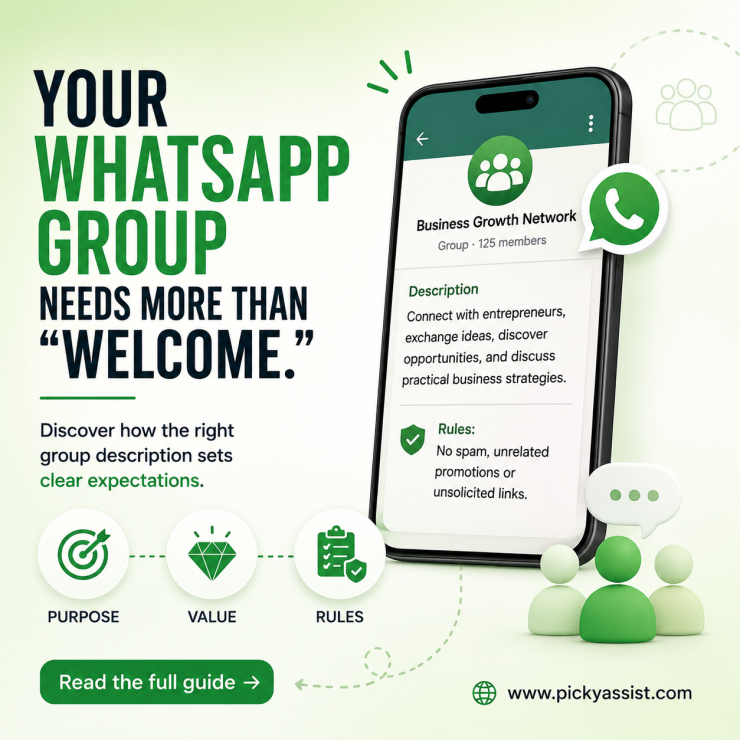
A business creates a WhatsApp group for customers, adds 100 members, and then leaves the description blank. Within days, members start asking the same questions: What is this group for? Can I promote my business here? When will updates arrive?
A good WhatsApp Group Description prevents that confusion. It tells members what the group is about, what they can expect, and which rules they should follow.
What is a WhatsApp Group Description?
A WhatsApp Group Description is a short text shown in a WhatsApp group’s information section. It explains the group’s purpose, important guidelines, announcements, or expectations for members.
For example:
Kerala Business Networking
Connect with local business owners, share useful business opportunities, and discuss marketing, sales, and technology.
Rules: No spam, unrelated promotions, or unsolicited links.
A strong description answers three questions quickly:
- Why does this group exist?
- What can members expect?
- What should members avoid?
That makes the description useful for family groups, communities, customer groups, employee groups, classes, events, and business communities.
Search intent behind “WhatsApp Group Description”
The dominant intent is informational and practical. People searching for this keyword usually want:
- A WhatsApp group description example
- Ideas for a good group description
- A professional business group description
- A group description for WhatsApp
- Rules to include in a group description
- Help writing a short description
- A description for WhatsApp Business
Business users may also be looking for a description that clearly positions a customer, support, reseller, or community group.
What makes a good WhatsApp Group Description?
A useful description should be:
- Clear: Explain the purpose immediately.
- Short: Avoid turning the description into a policy document.
- Specific: Tell members what they will receive.
- Actionable: Mention important rules or next steps.
- Relevant: Match the actual purpose of the group.
- Professional: Use language appropriate for your audience.
Avoid descriptions such as:
“Welcome to our group. Have fun!”
It sounds friendly but provides almost no useful information.
A better version is:
Picky Assist Customer Community
Product updates, WhatsApp automation tips, announcements, and customer discussions. Please keep conversations relevant and helpful!
WhatsApp Group Description examples
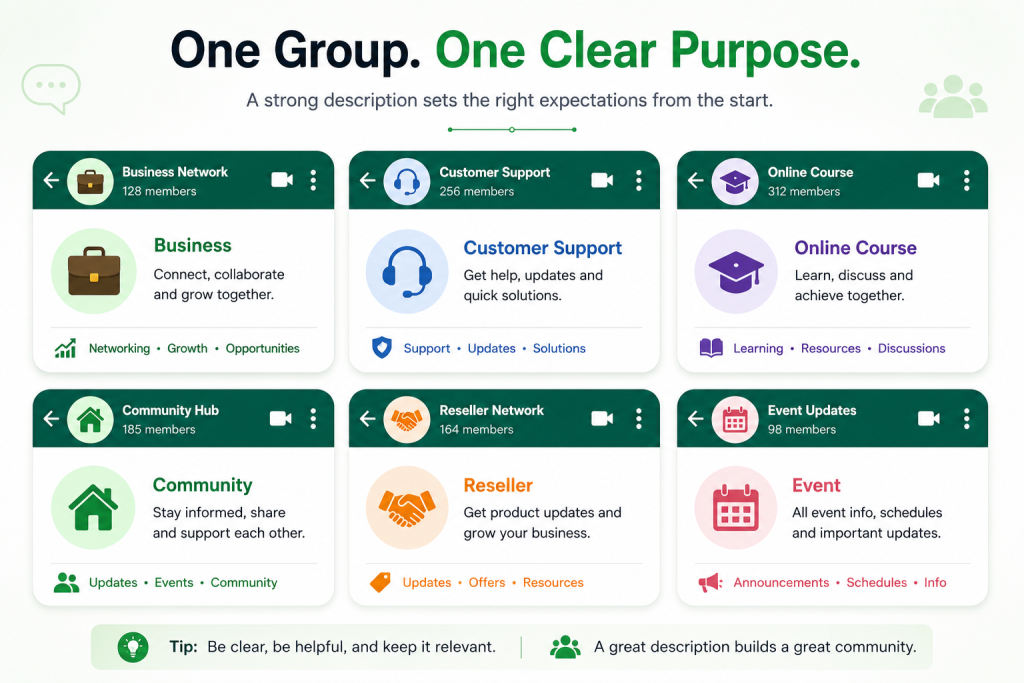
1. Business networking group
Business Growth Network
Connect with entrepreneurs, exchange ideas, discover opportunities, and discuss practical business strategies. No spam or unrelated promotions.
2. Customer support group
Customer Support Group
Get product updates, troubleshooting guidance, and important service announcements. For account-specific issues, please contact our support team privately.
3. Online course group
Digital Marketing Masterclass
Course announcements, learning resources, session reminders, and student discussions. Please keep questions related to the course.
4. Local community group
Kochi Community Updates
Local announcements, useful community information, events, and recommendations. Please avoid political spam, offensive content, and unrelated promotions.
5. Sales or reseller group
Dealer & Reseller Updates
Product announcements, pricing updates, promotional materials, stock information, and sales resources for authorized partners.
6. Event group
Marketing Workshop 2026
Official group for event announcements, schedules, venue updates, and attendee information. Please keep discussions related to the event.
WhatsApp Group Description vs. WhatsApp Business Description
These two descriptions serve different purposes.
| Feature | WhatsApp Group Description | WhatsApp Business Description |
|---|---|---|
| Purpose | Explains a group | Explains a business |
| Audience | Group members | Customers and prospects |
| Main content | Group purpose and rules | Products, services, and value proposition |
| Best for | Communities and teams | Business discovery |
| Example | “Customer support community” | “WhatsApp automation platform for businesses” |
A business description for WhatsApp should tell potential customers what the company does and why they should contact it.
For example:
WhatsApp Automation Platform
Automate customer conversations, lead qualification, broadcasts, sales follow-ups, and support with WhatsApp.
The goal is clarity rather than stuffing keywords such as “description for business WhatsApp” into the text.
How to write a WhatsApp Group Description for business?
Use this framework:
Group name → Purpose → Member benefit → Key rules → Contact or action
For example:
ABC Retail Partner Group
Official group for dealer updates, new product announcements, sales resources, and partner offers. Please avoid unrelated promotions. For account-specific assistance, contact the support team directly.
This structure works because members immediately understand the group’s purpose.
A Practical Business Scenario
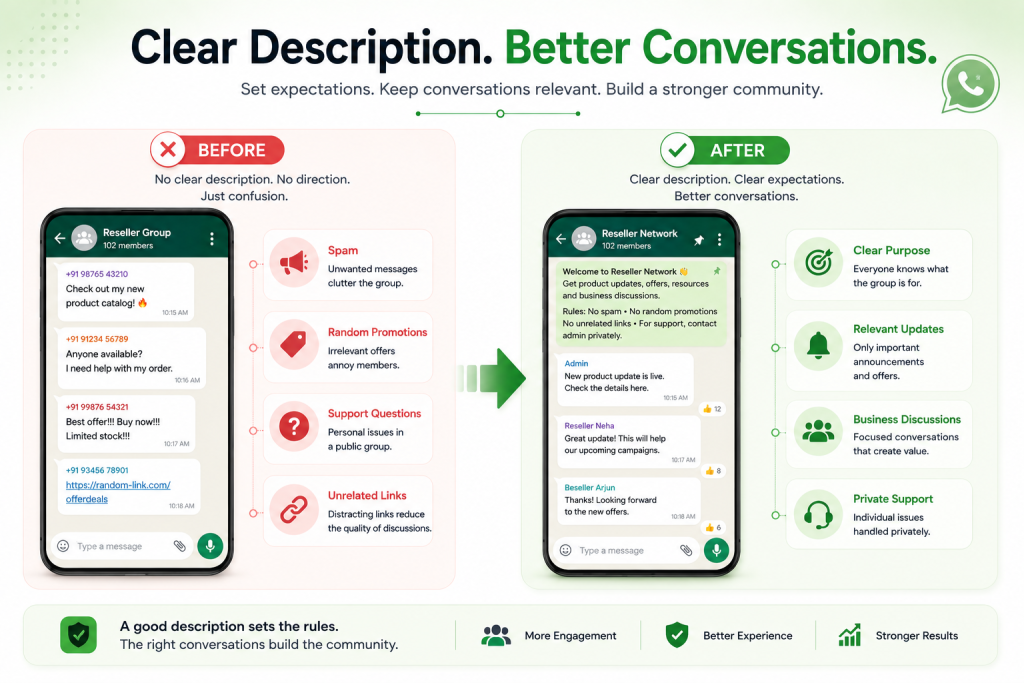
Scenario: An online retailer creates separate WhatsApp groups for its resellers.
Initially, the team uses the groups for everything. Members ask support questions, share promotions, post unrelated links, and request product information.
The problem is not necessarily the group itself. The group lacks a clear operating purpose.
A better description could state:
Official Reseller Updates
Product launches, stock updates, pricing announcements, promotional assets, and reseller resources. Please keep discussions business-related. For individual order issues, contact support privately. The description sets expectations before problems occur.
Where automation fits
A group description cannot automate customer conversations.
If a business needs automated FAQs, lead qualification, order updates, follow-ups, or human handoffs, it needs a separate conversational workflow.
For example, Picky Assist can be used to automate WhatsApp conversations outside the role of the group description, while the description provides the basic context and rules for group members.
Common WhatsApp Group Description mistakes
1. Making it too vague
Why it happens: The administrator assumes everyone knows the group’s purpose.
Consequence: New members may not understand why they were added.
Better approach: State the purpose in the first sentence.
2. Adding too many rules
Why it happens: Administrators try to cover every possible situation.
Consequence: Members skip the description.
Better approach: Include only rules that materially affect group behavior.
3. Turning it into an advertisement
Why it happens: A business sees the description as another marketing space.
Consequence: Members may view the group as promotional rather than useful.
Better approach: Explain the group’s value first.
4. Forgetting to update it
Why it happens: The description is treated as a one-time setup field.
Consequence: Members receive outdated information.
Better approach: Review the description whenever the group’s purpose, schedule, or rules change.
5. Using the same description everywhere
Why it happens: Copying saves time.
Consequence: Different audiences receive unclear or irrelevant information.
Better approach: Create descriptions based on the group’s actual purpose.
A simple WhatsApp Group Description Checklist
Before saving your description, check:
- Is the group’s purpose immediately clear?
- Does it explain what members will receive?
- Are important rules included?
- Is the language appropriate for the audience?
- Does it avoid unnecessary promotional text?
- Are outdated details removed?
- Does the description match the group’s actual purpose?
Frequently Asked Questions
Explain the group’s purpose, what members can expect, and any important rules. Keep the description concise and specific so new members understand the group immediately.
A good description clearly communicates the group’s purpose and member benefit. For example: “Official customer group for product updates, support announcements, and useful tips. Please keep discussions relevant.”
Start with the group’s purpose, then mention the information or benefits members will receive. Add only the most important rules and use professional language suited to your audience.
Yes. Businesses can use group descriptions to explain whether a group is intended for customers, employees, dealers, partners, students, or a community. The description should set expectations rather than function as a long advertisement.
A good description for WhatsApp Business briefly explains what the company offers and who it serves. For example: “WhatsApp automation platform helping businesses automate customer conversations, lead qualification, sales follow-ups, and support.”
Include the group’s purpose, the type of updates customers will receive, and key communication rules. If customers need individual support, explain where they should request account-specific assistance.




Add comment