
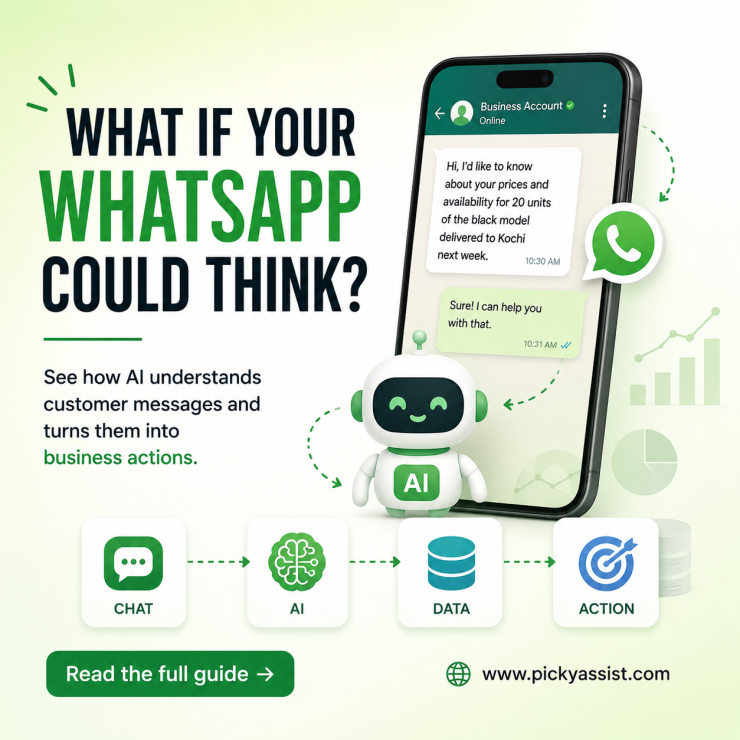
A common mistake in WhatsApp AI projects is connecting an AI model and letting it answer every customer automatically. The chatbot may perform well in testing but struggle with refunds, complaints, orders, or questions outside its knowledge. ChatGPT on WhatsApp generally means connecting WhatsApp Business Platform with an AI model to create automated, natural-language conversations. For businesses, the setup typically combines WhatsApp messaging, an AI API, automation workflows, business data, and human handoff rules.
What Does ChatGPT on WhatsApp Mean?
ChatGPT and WhatsApp are separate technologies. ChatGPT is an AI application, while OpenAI provides APIs for integrating AI capabilities into applications and workflows. WhatsApp provides the messaging channel.
A business therefore needs an integration layer:
Customer → WhatsApp → Automation → AI → Business Data → Response → WhatsApp
The AI generates the language. The automation layer controls what the AI can access and what happens next.
For example, a customer asks:
“Where is my order 45821?”
The workflow can retrieve the order status and let AI explain it naturally. If the customer then requests a refund, the workflow can transfer the conversation to an employee instead of allowing AI to make an unauthorised financial decision.
How Does ChatGPT Integration for AI Conversation Work?
A practical integration contains several components.
WhatsApp Business Platform
This manages incoming and outgoing WhatsApp messages. Businesses must still follow applicable messaging, template, quality, and commercial requirements.
AI Model
The AI interprets customer messages and generates responses. OpenAI provides APIs for integrating its models into applications and workflows.
Business Knowledge
The AI needs reliable information such as:
- Product details
- FAQs
- Pricing
- Policies
- Delivery information
- Service descriptions
- Appointment information
Without accurate context, AI can produce fluent but incorrect answers.
Automation Layer
This controls business logic.
Product question → AI answers
Order question → retrieve order data
Refund request → human escalation
Sales enquiry → qualify and route
CRM and Connected Systems
CRM system, order-management, booking, and other integrations provide customer context. This makes the conversation more useful than a FAQ chatbot.
What Can Businesses Automate?
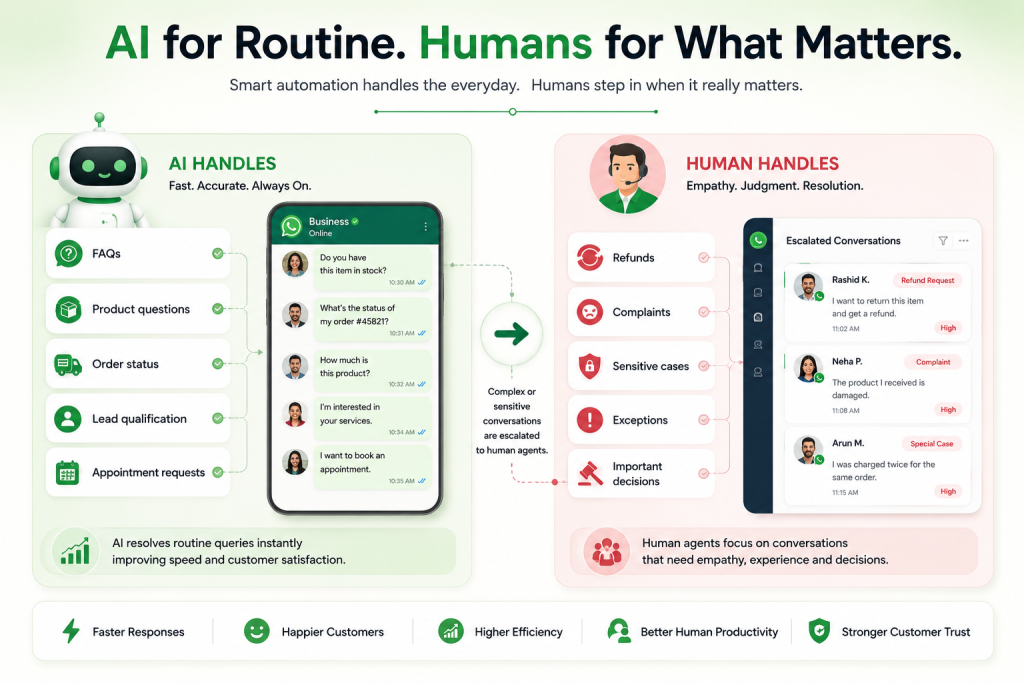
The strongest use cases involve repetitive, information-driven conversations.
Customer Support
AI can answer recurring questions about products, services, availability, policies, and basic troubleshooting.
Lead Qualification
AI can ask about requirements, budget, location, product interest, and purchase timing before routing qualified leads to sales.
Order Support
AI can retrieve order information and explain shipment or delivery status. It should use actual business data instead of generating an estimated answer.
Appointment Conversations
AI can collect appointment requirements and trigger a booking workflow when enough information is available.
FAQ Automation
AI can understand different versions of the same question.
“Do you ship to Kochi?” and “Can you deliver this to Ernakulam?” may represent the same customer intent.
WhatsApp Rules Still Apply to AI
Adding AI does not remove WhatsApp Business Platform requirements. Businesses must consider:
- Customer-initiated conversations
- Business-initiated messaging
- Approved templates
- Template categories
- Marketing and utility messaging
- Applicable customer-service windows
- Delivery and read status
- Messaging costs
- Quality and compliance requirements
Rules can change, so businesses should verify current Meta documentation before deployment. The key principle is simple:
AI changes how a response is generated. It does not remove the rules governing the WhatsApp message.
A Retailer Managing 150 Customer Conversations Daily
A fashion retailer handles around 150 WhatsApp customer chats daily, with many repeated queries about sizes, colours, delivery, exchanges, and order updates.
Without automation, agents spend time repeatedly checking systems and answering the same questions, which slows response times and reduces focus on complex customer issues.
With an AI Agent on WhatsApp, common questions get instant answers using approved product and policy data. Order-specific queries can pull real-time details, while refunds, complaints, or unusual cases are routed to human agents.
For example:
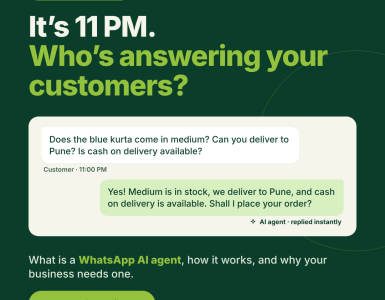
Customer: “Is the blue medium-size kurta available?”
AI: “Yes, it’s available in size M. Would you like to place the order?”
If the customer says:
Customer: “I received the wrong size. Can I exchange it?”
The system routes this to a human agent for handling.
Key metrics to track include:
| Metric | Purpose |
|---|---|
| Resolution rate | Measures successful automated resolutions |
| AI-to-human handoff | Tracks escalations to agents |
| Incorrect responses | Identifies AI gaps |
| Response time | Measures speed of replies |
| Repeated enquiries | Highlights automation opportunities |
| Customer satisfaction | Evaluates overall experience |
The goal is not full automation, but to let AI handle routine queries while humans focus on complex, sensitive, or decision-based conversations.
Common ChatGPT on WhatsApp Mistakes
1. Letting AI Answer Everything
Businesses assume capable AI can handle every request. Sensitive cases receive inappropriate answers, so define permissions and escalation rules.
2. Using Outdated Knowledge
Teams upload information once and stop maintaining it. Customers receive obsolete answers, so review AI knowledge regularly.
3. Ignoring Templates
Businesses assume AI-generated messages bypass WhatsApp requirements. Business-initiated messages can fail, so design templates alongside automation.
4. Removing Human Handoff
Companies want maximum automation. Customers can become trapped in frustrating conversations, so provide immediate agent escalation.
5. Testing Only Perfect Questions
Teams test clean examples. Real customers expose failures through typos and unexpected requests, so test realistic conversations before launch.
How Should Businesses Decide What AI Handles?
Use this framework:
Automate when the request is:
High volume + repetitive + information-driven + low risk
Keep humans involved when it is:
Sensitive + complex + exception-based + financially significant
This is more useful than simply asking whether AI can perform a task.
How Picky Assist Fits Into WhatsApp AI Automation?
Picky Assist can provide the automation layer around AI-powered WhatsApp conversations, combining AI interactions with workflows, CRM context, routing, and human-agent handoff. This allows businesses to automate repetitive conversations while retaining control over complex cases.
Final Takeaway
ChatGPT on WhatsApp is most effective when AI becomes part of a controlled business workflow rather than a simple reply generator. The strongest architecture combines WhatsApp Business Platform, AI, business knowledge, automation, CRM context, and human handoff. That allows businesses to automate repetitive conversations while keeping human judgement where it matters most.
FAQs about ChatGPT on WhatsApp
Yes, businesses can create WhatsApp experiences powered by AI through an integration between WhatsApp Business Platform and an AI API. This differs from using the consumer ChatGPT application.
Connect WhatsApp Business Platform to an automation layer and AI API. Then configure business knowledge, conversation rules, data access, and human escalation.
Yes. An AI-powered workflow can interpret incoming messages and generate responses automatically. The business still needs the appropriate WhatsApp infrastructure.
An AI Agent understands customer requests, accesses approved information or tools, follows business rules, and transfers conversations to humans when necessary.
Yes. Common uses include FAQs, product questions, order enquiries, troubleshooting, and lead qualification. Complex complaints should have a human escalation path.
AI can generate marketing content, but the sending workflow must comply with applicable WhatsApp Business Platform requirements. AI does not bypass template or messaging policies.
There is no universal business price. Costs may include WhatsApp messaging, AI API usage, automation software, integrations, and implementation.
The stronger approach is usually agent augmentation rather than complete replacement. AI handles repetitive conversations while employees manage complex, sensitive, and high-value interactions.
Add comment