
A sales manager once handed us a spreadsheet with 900 rows of leads, half of them untouched for over a month, several duplicated three times under slightly different spellings, and no way to tell who was supposed to follow up on any of them. That spreadsheet wasn’t a lead management problem so much as a symptom of not having one. It’s the exact gap lead management tools exist to close.
Lead management covers everything that happens to a prospect between first contact and a final decision; won, lost, or still open. That includes capturing the lead’s details, qualifying whether they’re a real prospect, assigning them to someone, tracking every interaction, and prompting timely follow-up.
What Are Lead Management Tools?
Lead management tools are software platforms that capture, organize, track, and route sales leads from the moment they’re generated until they convert or drop off. They typically combine contact storage, status tracking, task reminders, and reporting into one system, replacing manual tracking methods like spreadsheets or scattered notes. The goal is to make sure no lead is lost, duplicated, or left without an owner.
How Lead Management Tools Work?
A basic lead management system usually does four things: stores contact and source information, tracks status through defined stages, logs communication history, and flags leads that need attention. Anything beyond that scoring, automation and forecasting is a layer built on top of that foundation.
Most platforms follow a similar structure, even if the interface looks different.
- Capture — leads come in from forms, ads, referrals, chat, or manual entry, and get logged automatically or by a team member.
- Qualification — the lead is tagged by fit, intent, or source quality, often using simple rules or scoring criteria.
- Assignment — the lead is routed to a salesperson or team, either manually or through automated round-robin or territory rules.
- Tracking — every call, email, or chat gets logged against the lead record, building a full interaction history.
- Follow-up prompts — reminders or automated nudges make sure a lead doesn’t sit untouched past a set window.
- Reporting — dashboards show conversion rates, response times, and where leads are dropping out of the pipeline.
Some tools handle this within a full CRM lead management module; others are narrower, single-purpose lead trackers that feed data into a separate CRM.
When a Business Needs Lead Management Tools?
A founder personally following up with five leads a week doesn’t need dedicated software, a notebook works fine. The need becomes real once more than one person is handling leads, once leads come from more than one source, or once follow-up consistency starts slipping.
The clearest signal is a lead going cold not because it wasn’t a good fit, but because nobody knew it was theirs to call. That’s a process failure a spreadsheet can’t fix on its own, and it’s usually the moment a team starts evaluating a proper lead management system instead of patching the current one. At that point, a lightweight CRM lead management setup is usually enough, it doesn’t need to be enterprise-grade to fix the ownership gap.
How to Implement Lead Management Tools?
1. Map your lead sources first. List every place leads currently come from; website forms, ads, referrals, WhatsApp or chat, walk-ins. A tool that only handles one source will leave gaps.
2. Define your pipeline stages before choosing software. Most teams default to “New, Contacted, Qualified, Won, Lost.” Decide this before shopping for a tool, not after, so you’re evaluating fit rather than reshaping your process around the software.
3. Set ownership rules. Decide how leads get assigned. Set by round-robin, source or a category that best suits you. Unclear ownership is the single most common reason that leads to it being ignored.
4. Migrate existing data cleanly. Deduplicate old spreadsheets before import. Bringing 900 messy rows into a new lead tracking software setup just moves the mess somewhere newer.
5. Set follow-up SLAs. Decide how quickly a new lead must be contacted; 5 minutes, an hour, same day and configure alerts around that window rather than leaving it to individual discipline. Most sales lead management software lets you set this threshold directly rather than relying on manual reminders.
6. Review the pipeline weekly, not just at reporting time. A lead management tool only earns its keep if someone actually looks at stalled leads regularly, not just at month-end.
Common Mistakes Businesses Make While Purchasing a Lead Management Tool
- Buying software before fixing the process. A confusing manual process becomes a confusing automated one; the tool doesn’t fix broken ownership rules on its own.
- Tracking too many custom fields. Teams that try to capture 40 data points per lead end up with incomplete records, because nobody fills in fields that don’t matter to the actual sale.
- No defined “stale lead” rule. Without a rule flagging leads untouched for X days, they quietly age out of the pipeline unnoticed.
- Treating the tool as a data dump instead of a working system. Logging leads without ever reviewing dashboards or reports defeats the purpose of having one place to work from.
- Ignoring source-level performance. Not tracking which channel each lead came from makes it impossible to tell which marketing spend is actually working.
Example for Lead Management Tool in Action
A small clinic used to log inquiries in a shared spreadsheet. Response times ranged from ten minutes to four days, depending on who happened to check it. After moving to a lead management software for small business setup with automatic assignment and a 30-minute follow-up alert, average response time dropped to under 20 minutes, and the clinic stopped losing appointment requests that had simply been missed rather than declined.
Top 6 Lead Management Tools for Businesses
The right choice depends on team size, budget, and how leads are actually generated. Here’s a practical rundown of the widely used options.
1. Picky Assist CRM
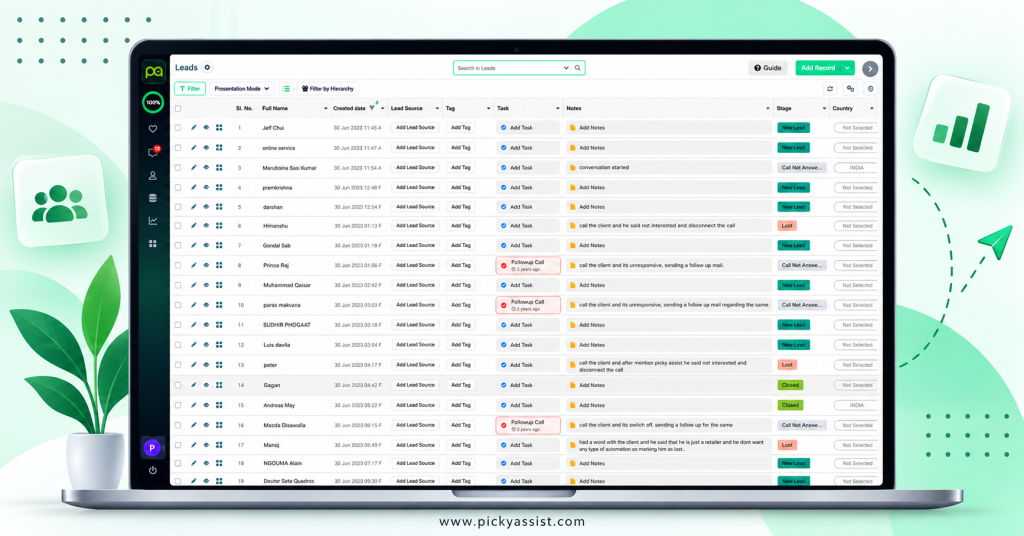
Picky Assist is a conversational, modular CRM and business messaging automation platform built to grow businesses.
- Conversational Inbox (Teambox): Lets multiple team members manage and collaborate on incoming customer chats from a single dashboard.
- AI Chatbots & No-Code Workflows: Automates lead collection, instant replies, and ticket routing 24/7 without technical setup.
- Modular CRM Architecture: Pre-built, customizable modules for tracking leads, deals, companies, and support requests with a 360-degree interaction view, useful for teams that want CRM leads and chat history stored together.
- Broadcaster & Commerce: Sends personalized bulk campaigns and manages orders, catalogs, and payments primarily via WhatsApp.
- Third-Party Integrations: Connects seamlessly with external tools like Zapier, Pabbly Connect, and major platforms like Zoho CRM.
It’s a practical option specifically for teams whose leads arrive mostly through chat channels rather than forms or calls.
2. HubSpot CRM
Great for free contact centralization, ready-made email templates, and automated lead routing, a common starting point as a lead management system for teams with no existing setup.
3. Salesforce
Best for large or growing teams needing advanced automation, visual pipelines, and Slack integration. It’s a common choice as sales lead management software for teams managing large volumes of CRM leads across multiple reps.
4. Pipedrive
Ideal for visual sales pipelines, easy activity tracking, and simple prospect management — a straightforward lead management tool for teams that want clarity without a steep learning curve.
5. Zoho CRM
Popular for structured automation, custom dashboards, and affordable scaling. Its pricing tiers make it a frequent pick as lead management software for small business teams moving off spreadsheets for the first time.
6. LeadSquared
Excellent for high-volume lead distribution, automated reminders, and fast follow-ups — well suited as lead tracking software for teams routing high volumes of CRM leads across multiple channels.
There’s no universal winner among lead management tools, the right one depends on lead volume, channel mix, and how much automation the team actually needs versus wants.
Limitations to Keep in Mind
No tool fixes an undefined sales process; it only makes an existing process faster or slower to run. Even strong lead tracking software can’t compensate for unclear ownership rules or inconsistent follow-up habits within a team, and the same is true of full sales lead management software suites. Cost also scales with features, advanced automation and reporting tiers can get expensive well before a small team needs that level of complexity.
FAQs on Lead Management Tools
Lead management tools are used to capture, organize, and track sales leads from first contact through to a won or lost outcome, so follow-up doesn’t depend on memory or manual spreadsheets.
Not exactly. A CRM often covers broader customer relationship features, while a dedicated lead management tool focuses specifically on pre-sale tracking, though many platforms blend both under CRM lead management modules.
The terms are largely interchangeable in practice, though “tracking” sometimes refers to a narrower tool focused purely on status and follow-up timing rather than a full pipeline system.
Only once volume or team size makes manual tracking unreliable. A one-person operation with a handful of weekly leads rarely needs dedicated lead management software for small business teams; the need becomes real once leads start arriving from multiple channels.
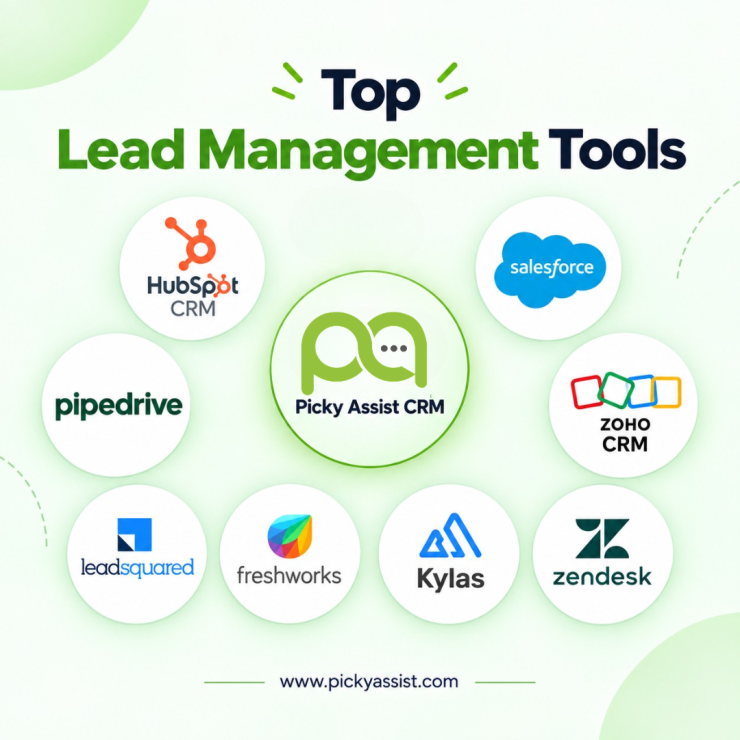
Picky Assist CRM, HubSpot CRM, Salesforce, Pipedrive, Zoho CRM, LeadSquared, Freshworks, Kylas, Zendesk



Add comment